- Get Started
- Video Tutorials
- Knowledge Base
- Channels
- Listings
- Inventory
- Orders
- Settings
- FAQs & Troubleshooting
How to Change the Platform Shipping Warehouse for TikTok Online Shipping Orders in 4Seller
4Seller supports changing the platform shipping warehouse for TikTok online shipping orders before purchasing a shipping label. You can select another available platform warehouse to fulfill the order.

Step 1: Find the Order

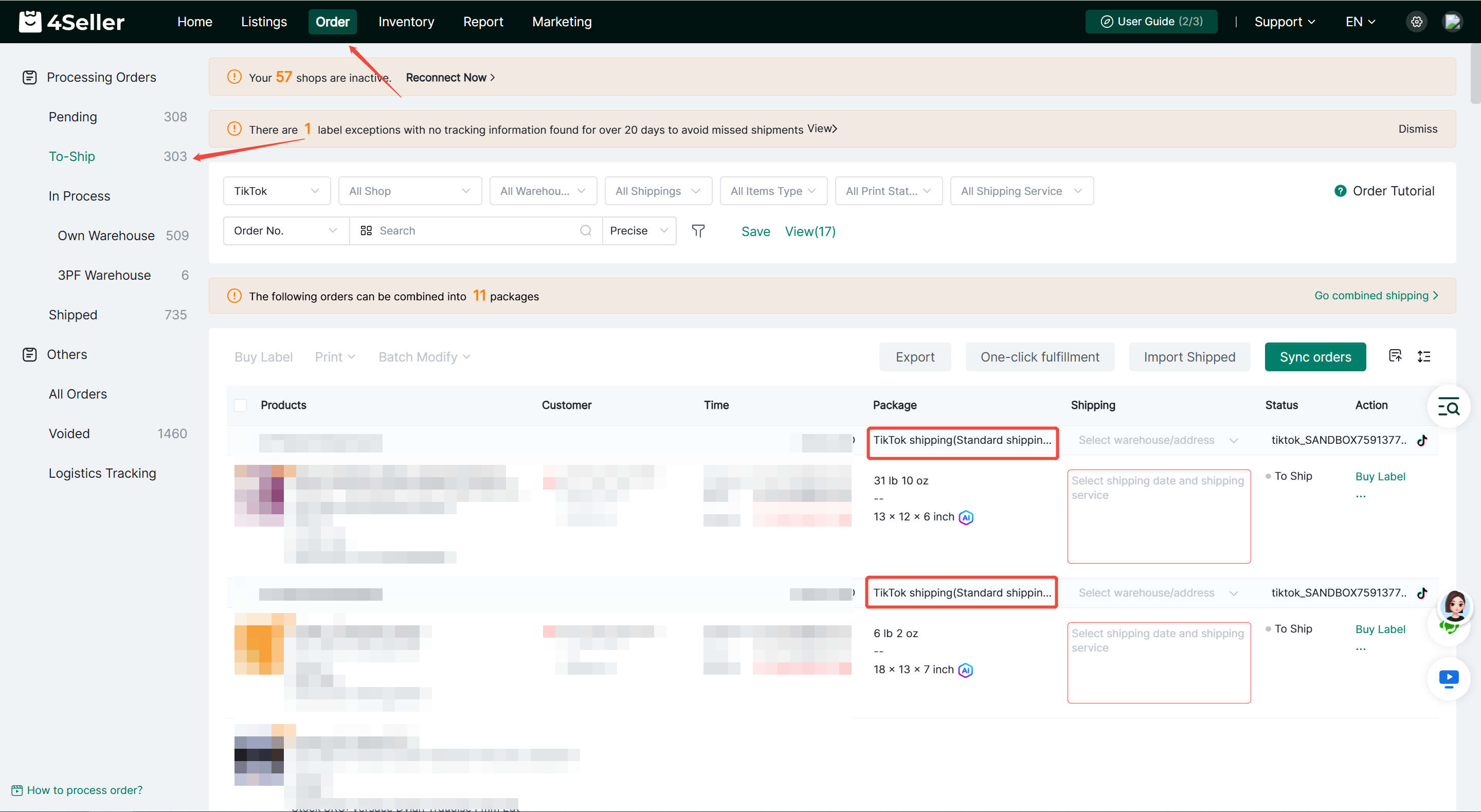
Go to Order Management in 4Seller and locate the TikTok online shipping order you want to update.


Step 2: Edit the Platform Warehouse

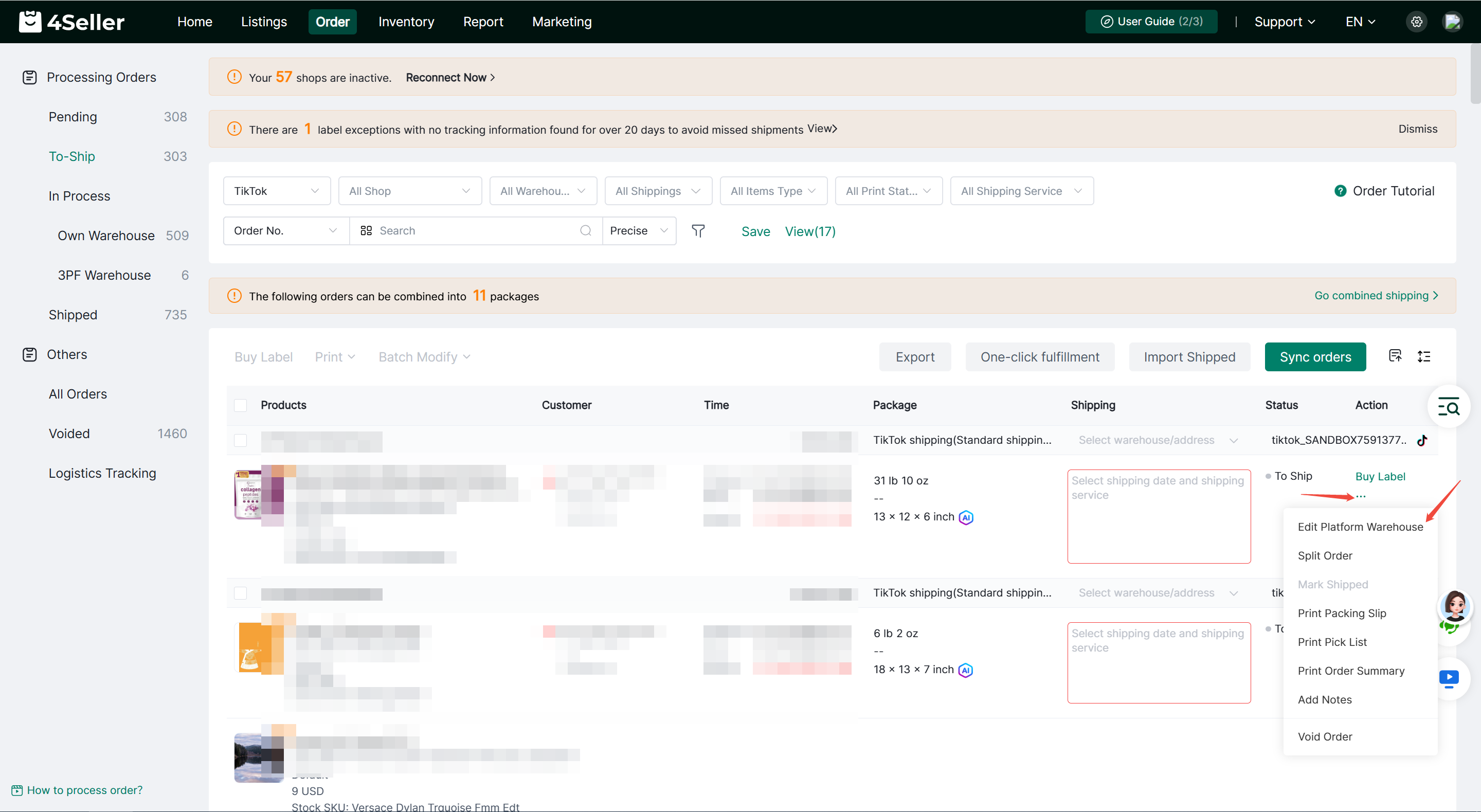
In the order list, click Edit Platform Warehouse.


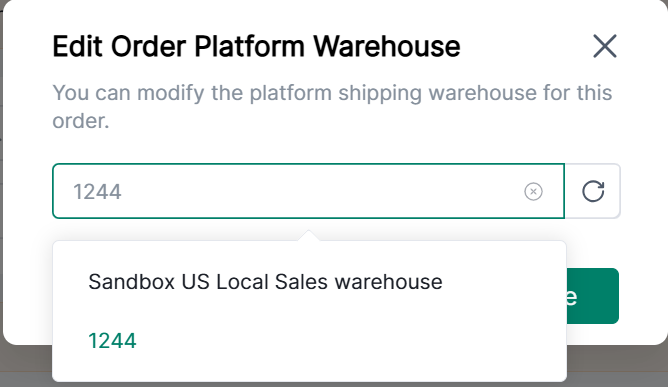
A dialog titled Edit Order Platform Warehouse will appear, with the following description:

“You can modify the platform shipping warehouse for this order.”

The warehouse returned by TikTok for the order is displayed by default.


Step 3: Select and Update the Warehouse

Select another available warehouse from the Platform Warehouse dropdown list.

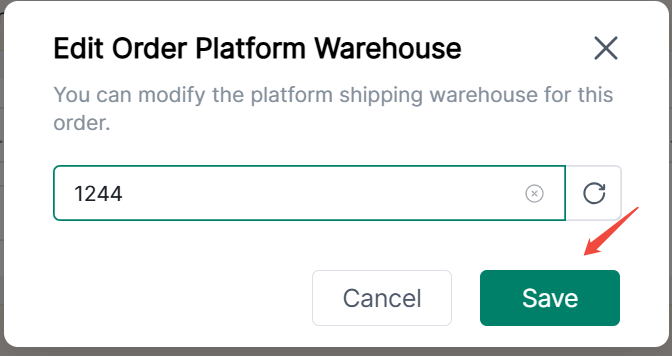
Click Save to save your selection and sync the updated warehouse information to the platform.


Step 4: Purchase the Shipping Label

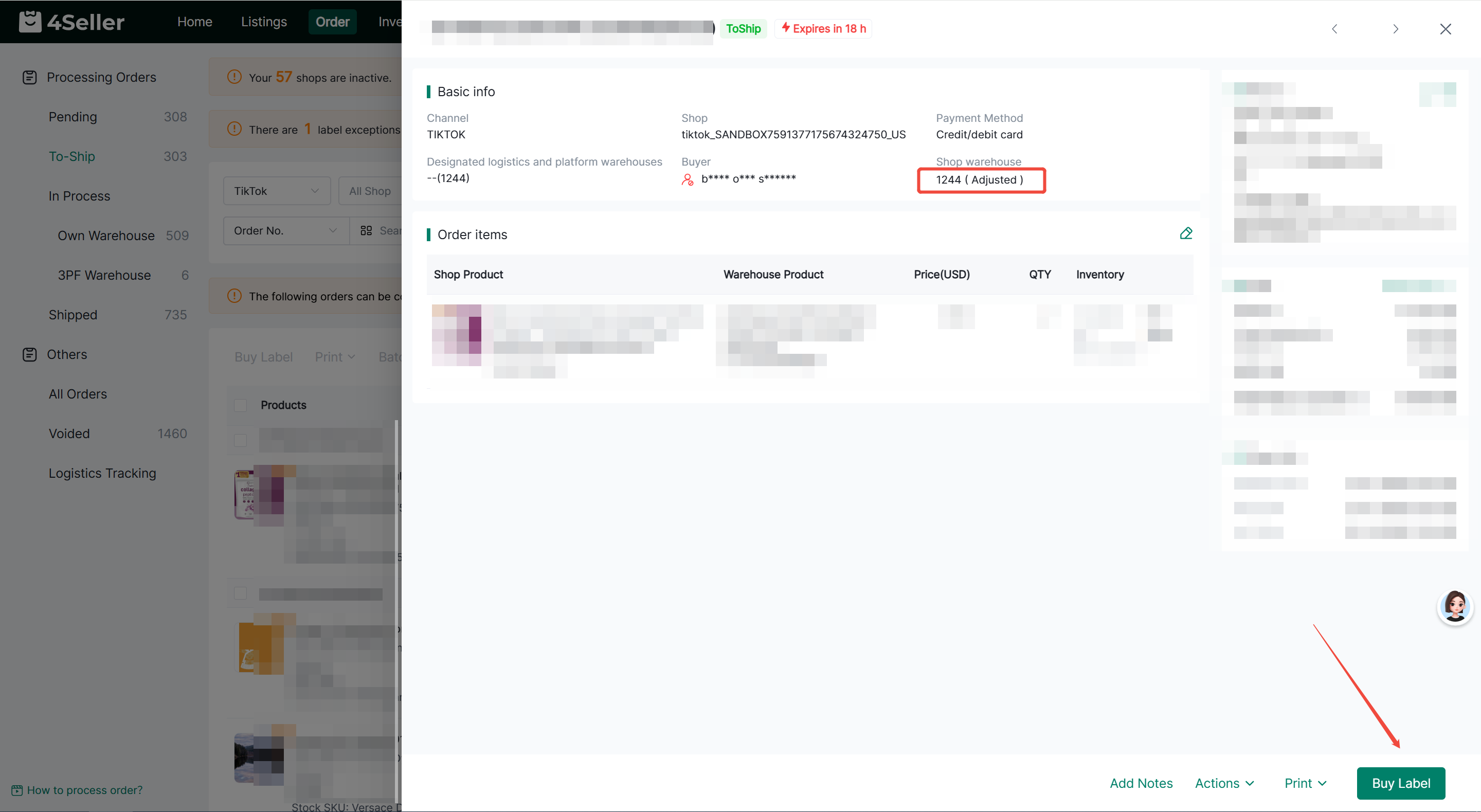
After updating the warehouse, proceed to purchase the shipping label. 4Seller will pass the selected platform warehouse ID when purchasing the label.


Notes
-
This feature applies to TikTok online shipping orders.
-
After the warehouse is updated successfully, the order details will display the updated warehouse name and indicate that the warehouse has been adjusted.
Any problem feel free to contact 4Seller support team: support@4seller.com