购买面单报错:[platform-error]You have yet to electronically sign the Terms and Conditions of the Ship With Walmart program and/or the Carrier via our new interface.
更新于 2025年10月16日复制链接
沃尔玛订单购买面单失败报错:[platform error] You have yet to electronically sign the Terms and Conditions of the Ship With Walmart program and/or the Carrier via our new interface. Please login to Seller Center with your Walmart Seller Account and accept the Terms by generating a label from the Orders Dashboard. Refer to our Knowledge Base Article.

请按照如下步骤处理该报错:
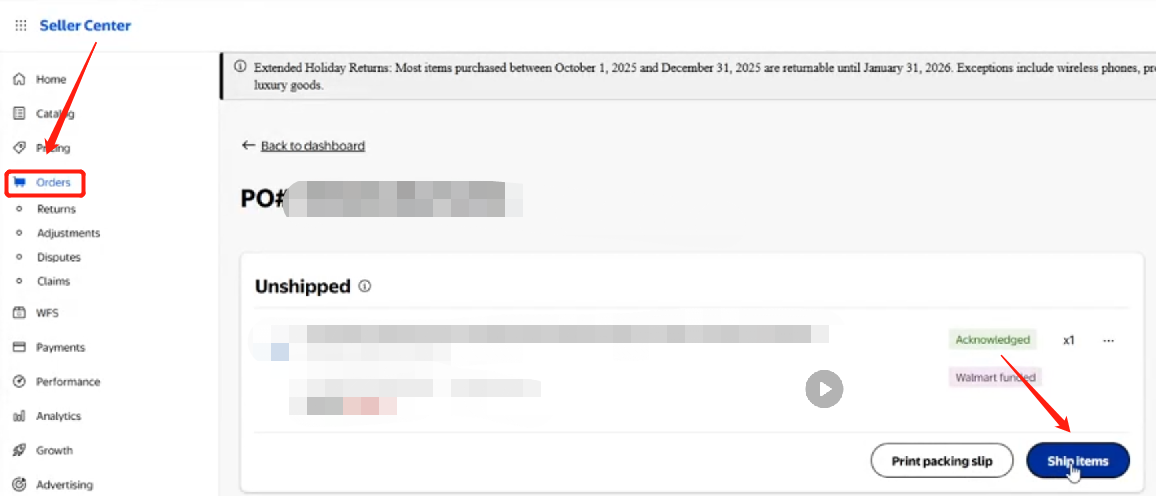
1、进入沃尔玛后台--订单--点击“ship item"
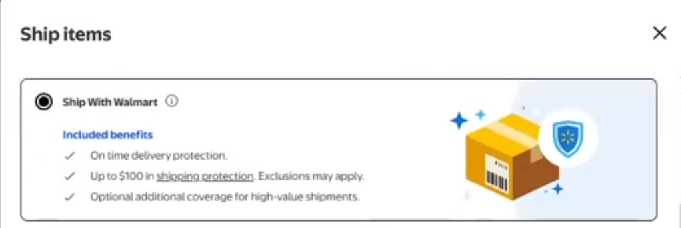
2、选择” Ship with Walmart"
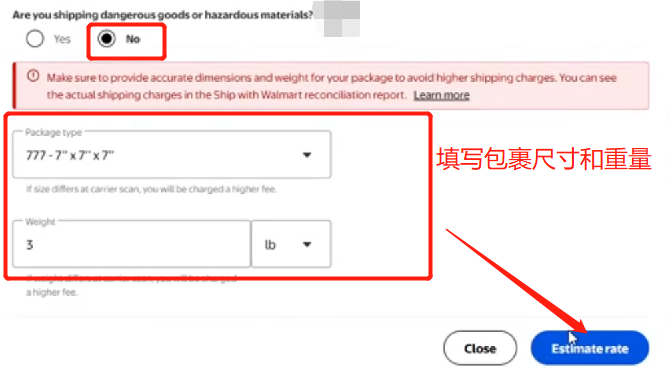
3、危险品信息选择“no",填写包裹尺寸、重量后点击”Estimate rate".
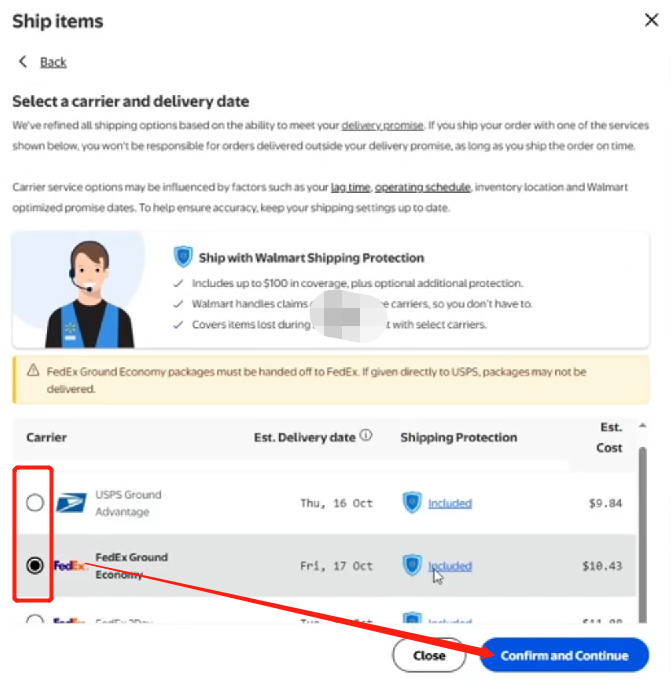
4、选择物流商后点击”Confirm and Continue"
5、检查好信息后点击“Buy shipping"
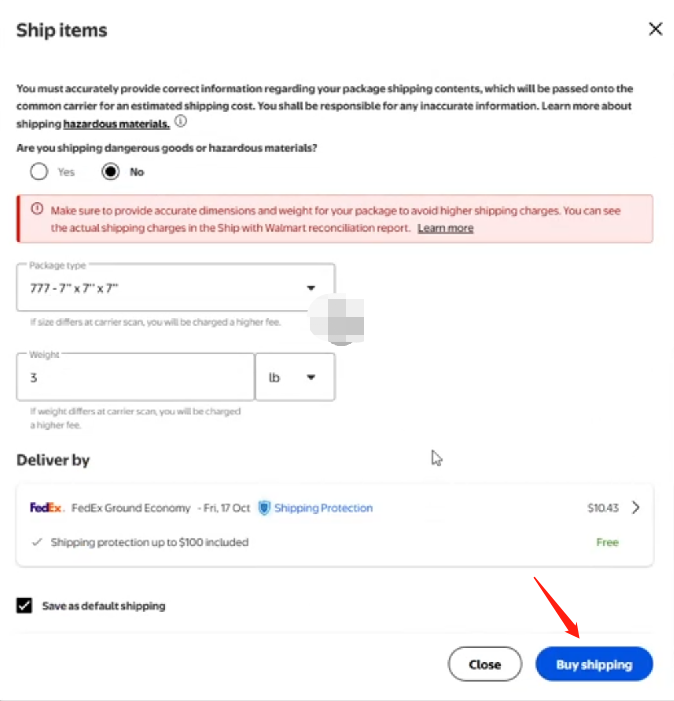
6、点击"Accept and submit"
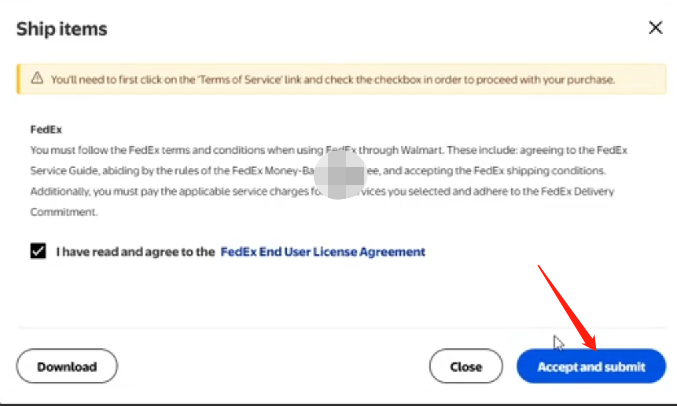
7、点击"Discard label"-- "Confirm"
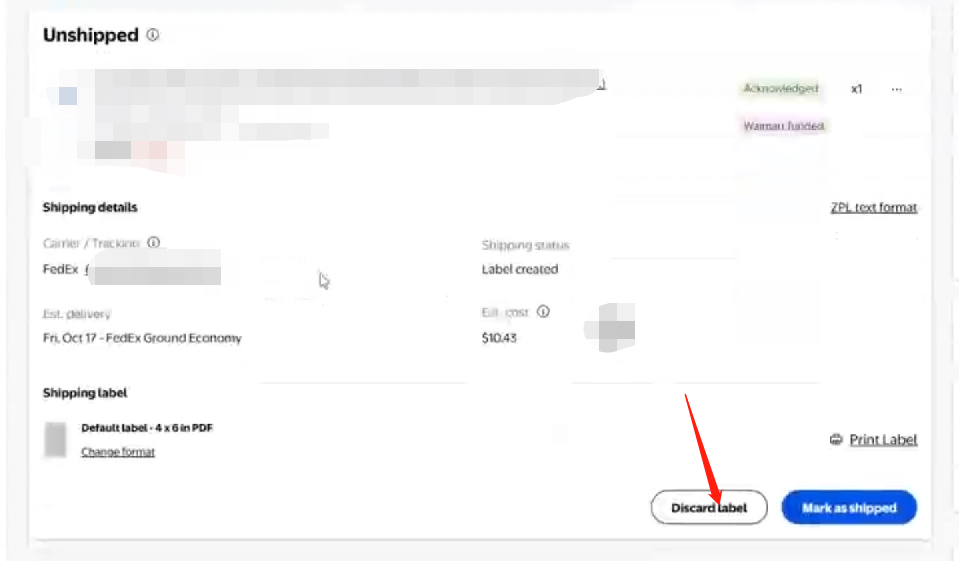
8、最后返回4Seller重新购买面单即可购买成功
有任何问题请扫码入群联系4Seller客服团队



回到顶部