如何授权Parcel2Go至4Seller?
更新于 2025年12月04日复制链接
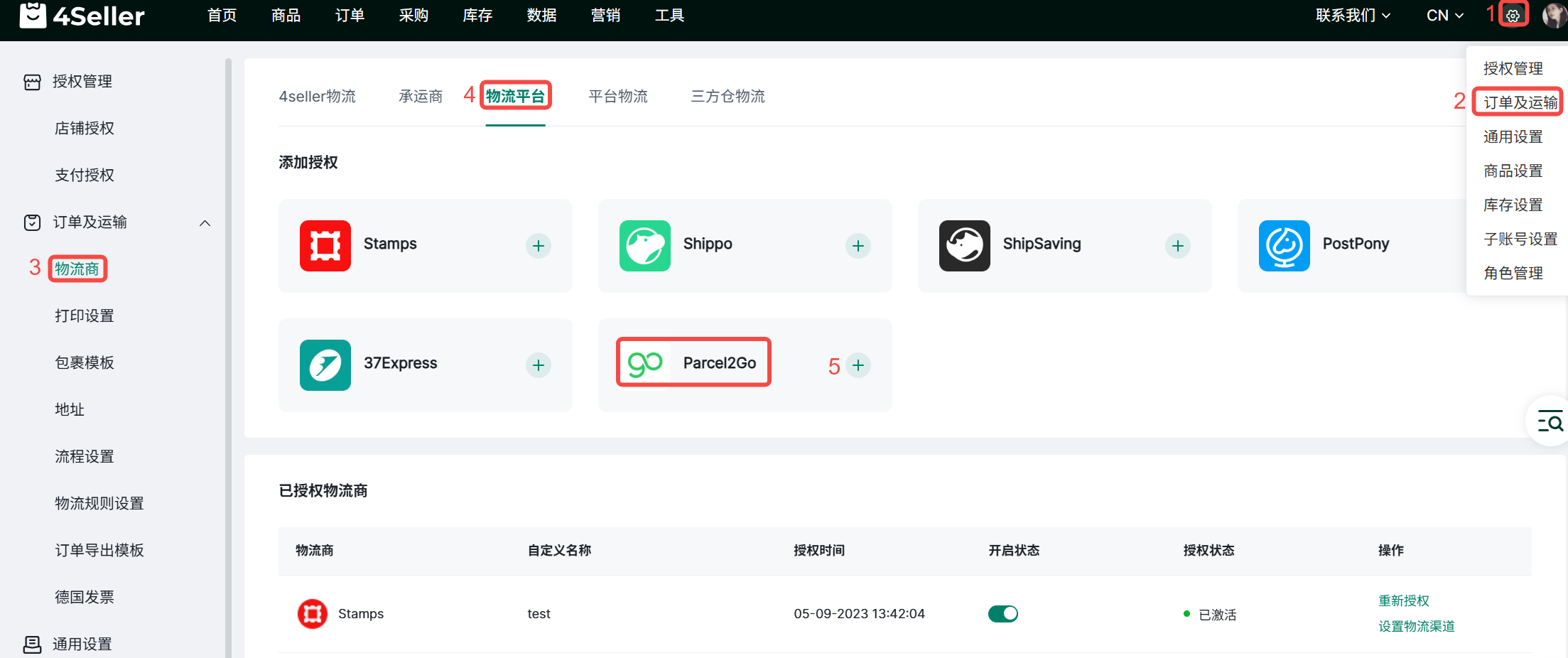
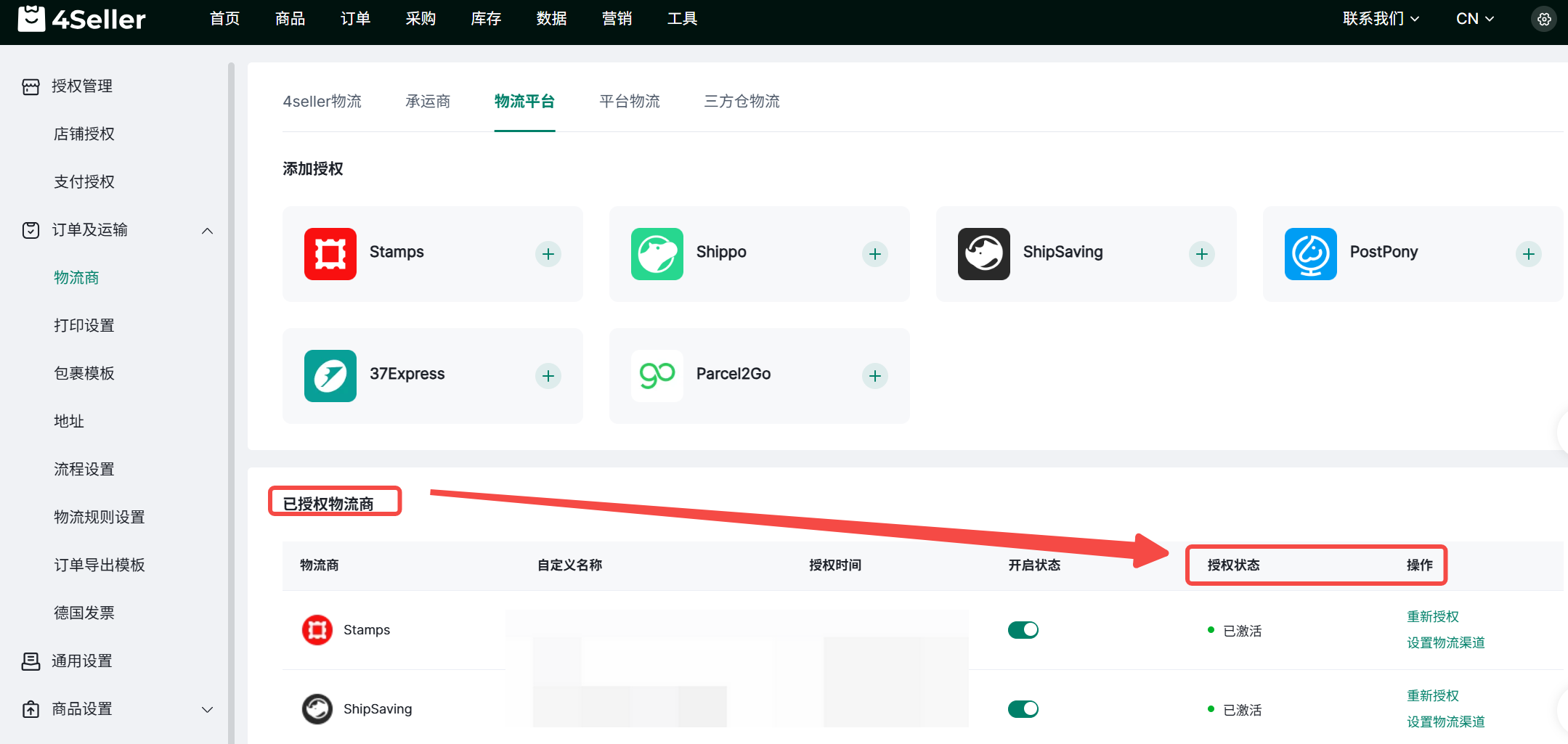
1、点击设置-订单及运输-物流商-物流平台-Parcel2Go,点击“+”
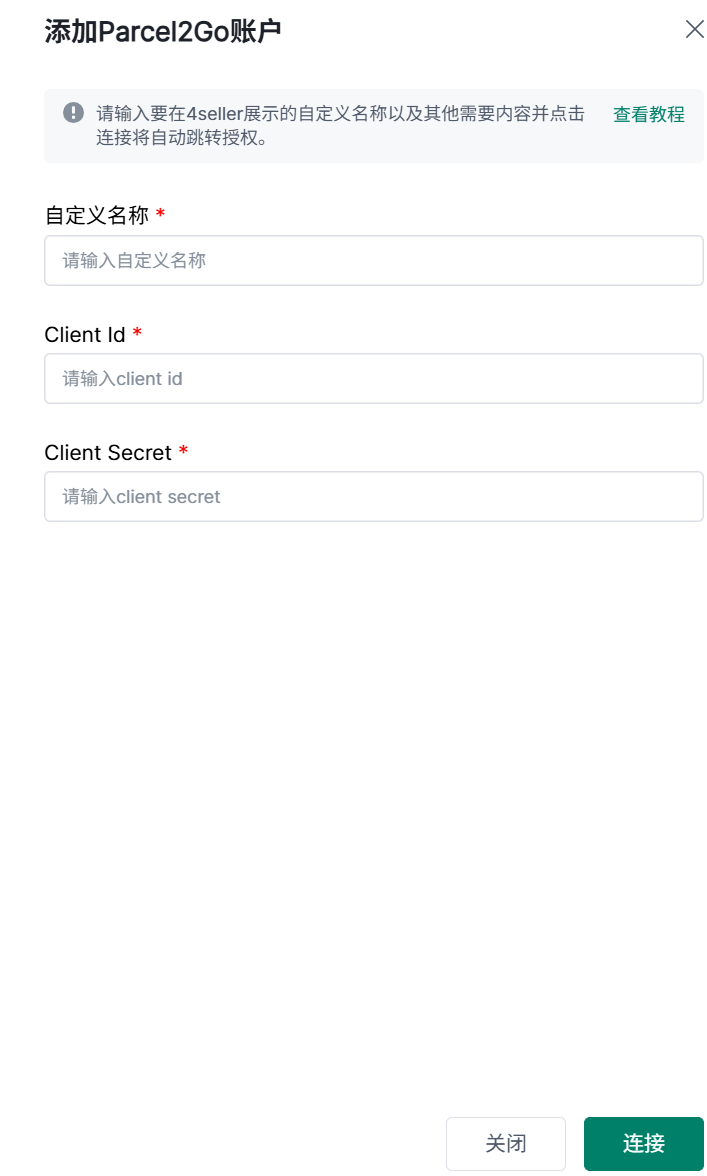
2、填写自定义名称、Client Id、Client Secret
注:Client Id获取方式如下
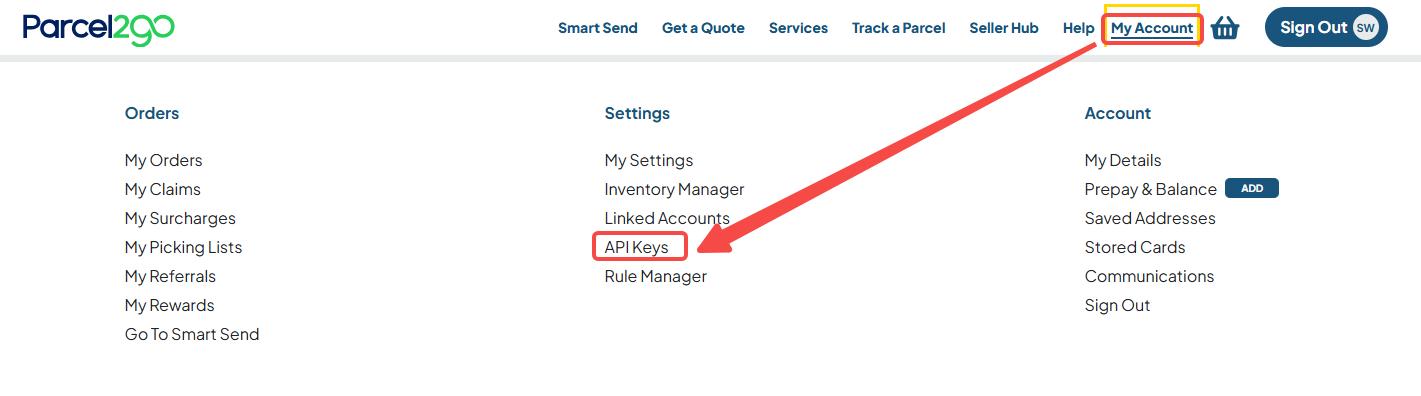
(1)进入官网 https://www.parcel2go.com/, 注册登录后点击My Account-API Keys
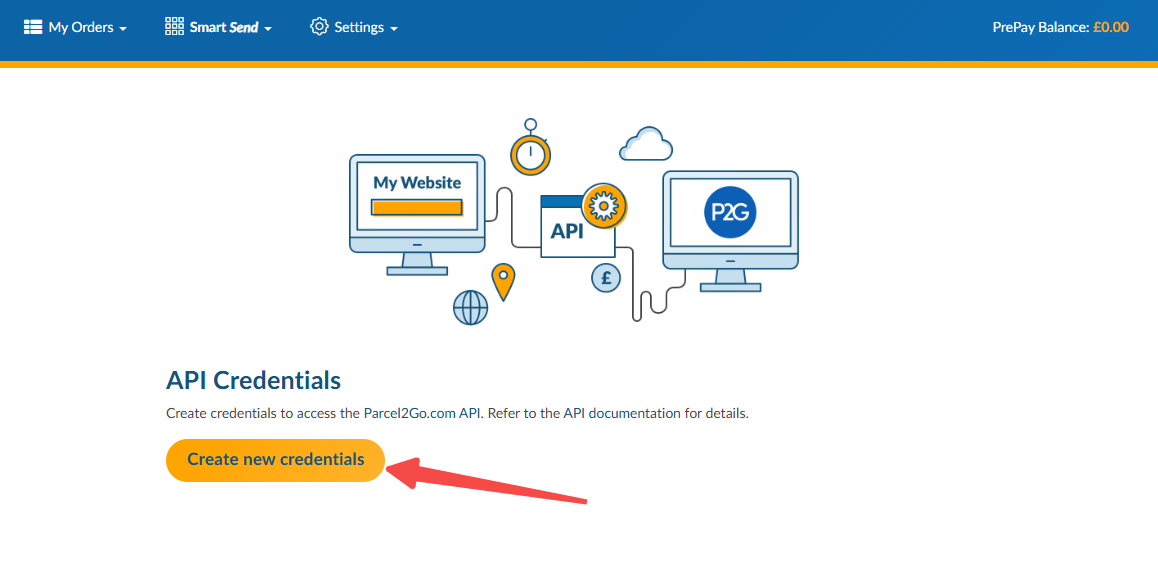
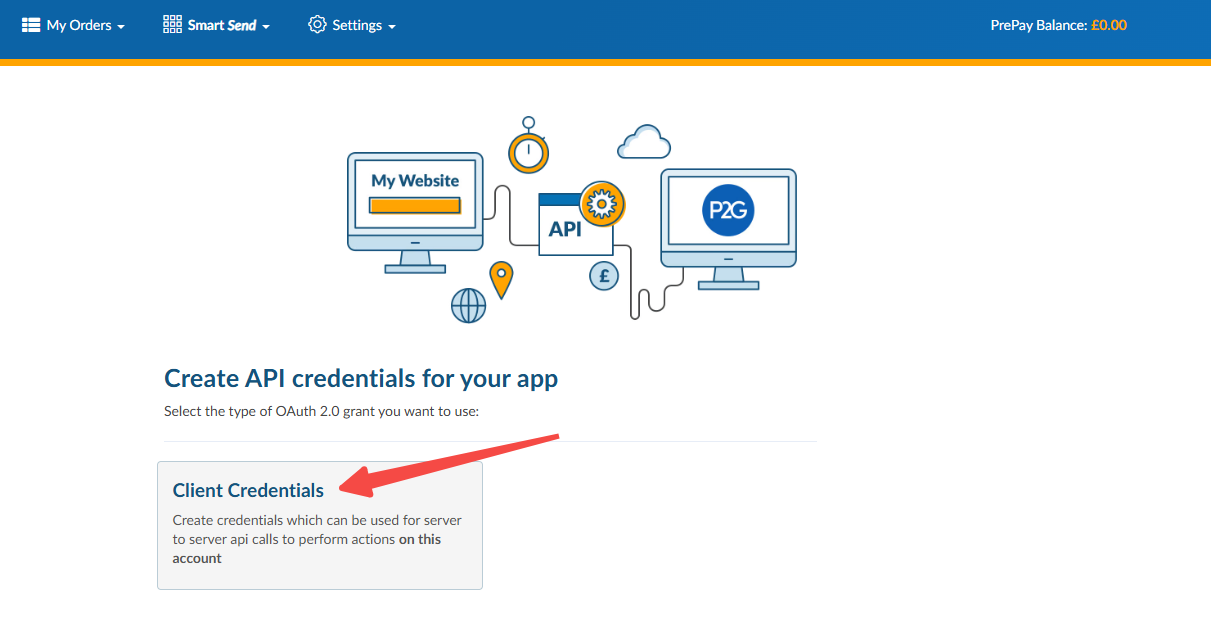
(2)点击Create new credentials-Client Credentials
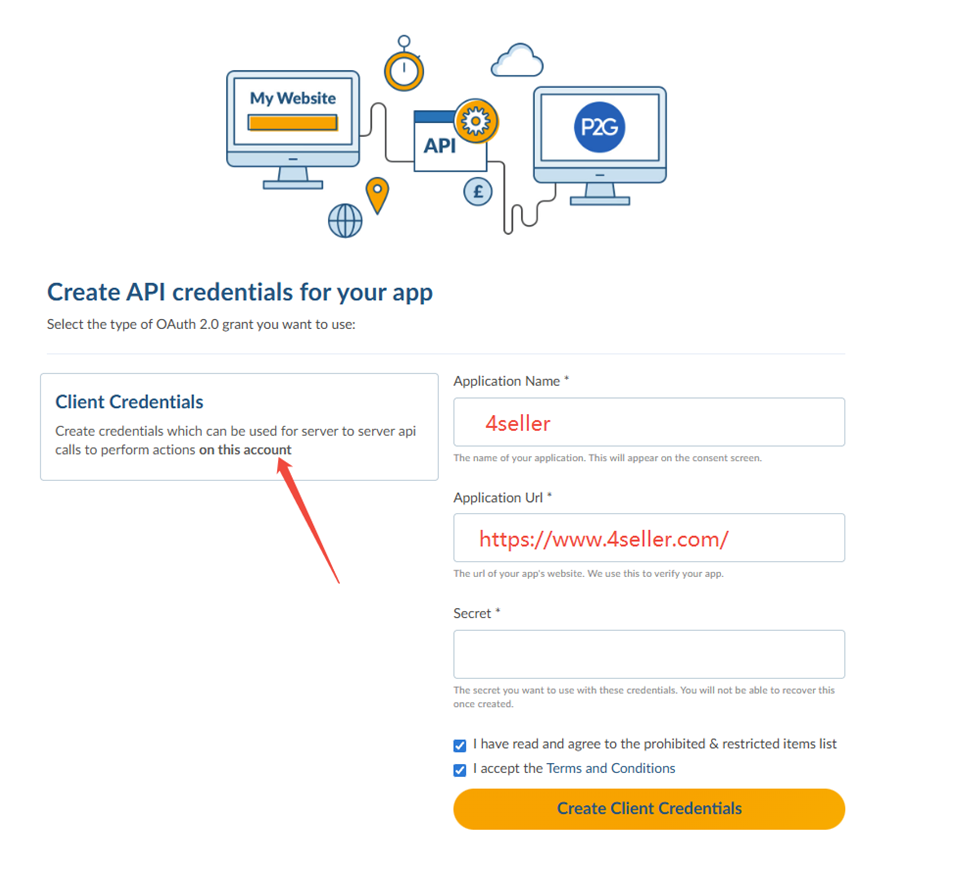
(3)按以下提示填写,Secret填写账号密码,点击Create Client Credentials即可获取
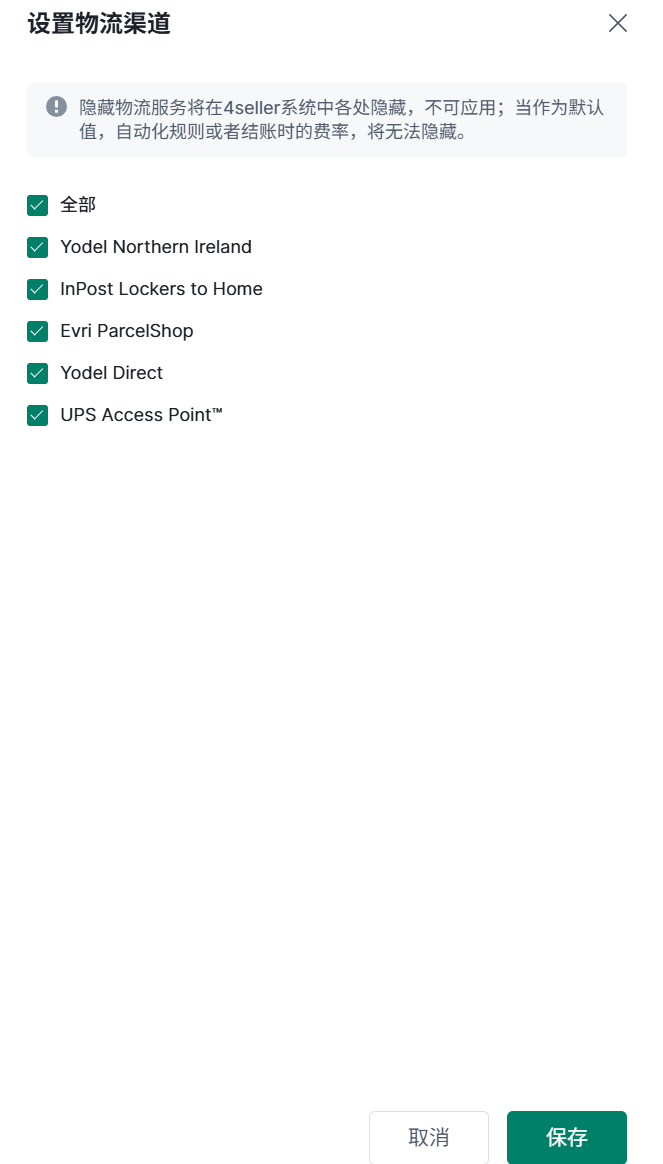
3、授权成功后会显示在已授权物流商下方,可以查看授权状态,进行重新授权或设置物流渠道操作


回到顶部