- Get Started
- Video Tutorials
- Knowledge Base
- FAQs & Troubleshooting
Inventory---Stock SKU delete faild: The product has a bound SPU that cannot be deleted.
Updated on 20 Jan,2026Copy Link
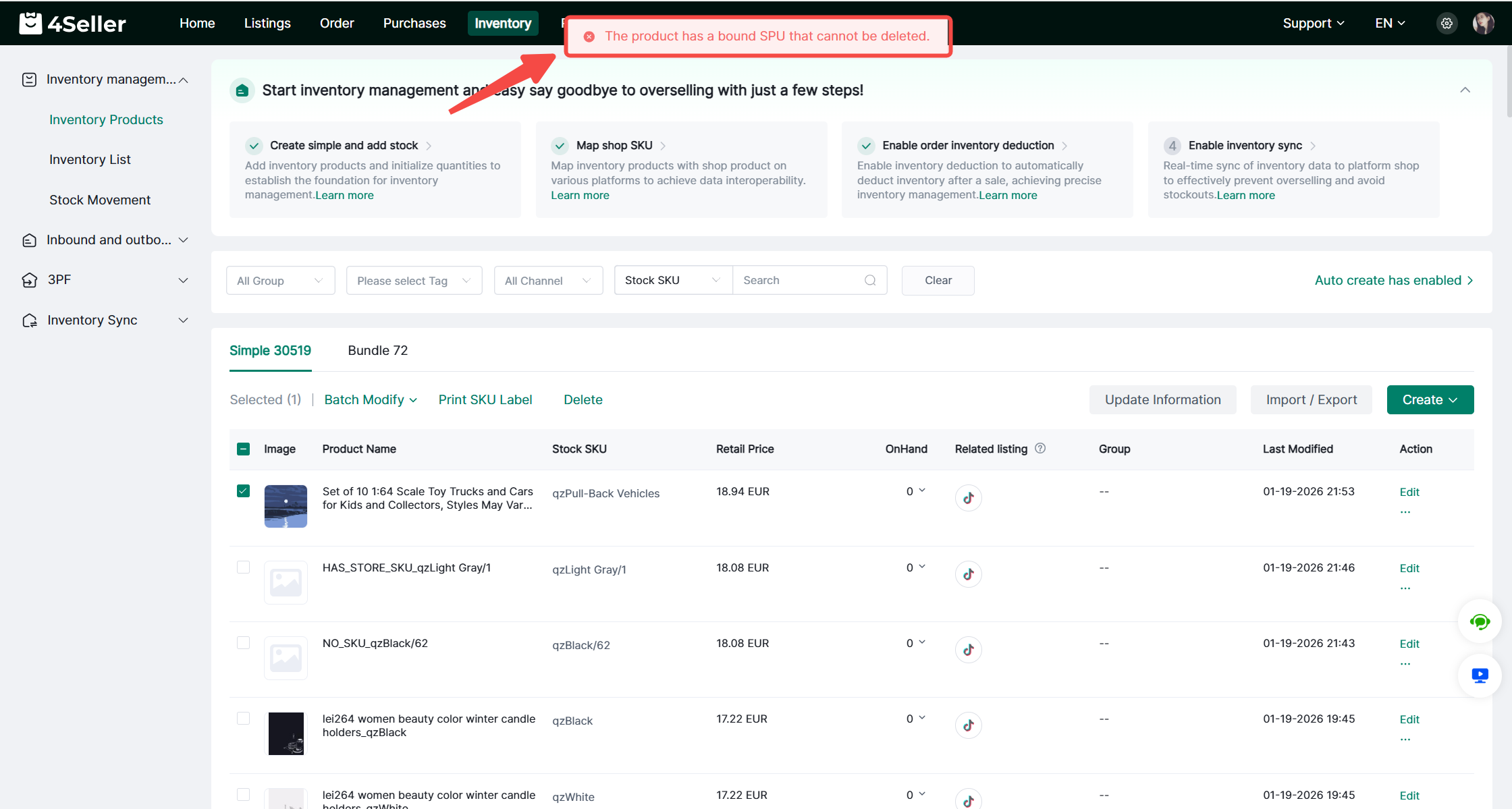
When you delete the Stock SKU in Inventory Modul, this error appeared: The product has a bound SPU that cannot be deleted.


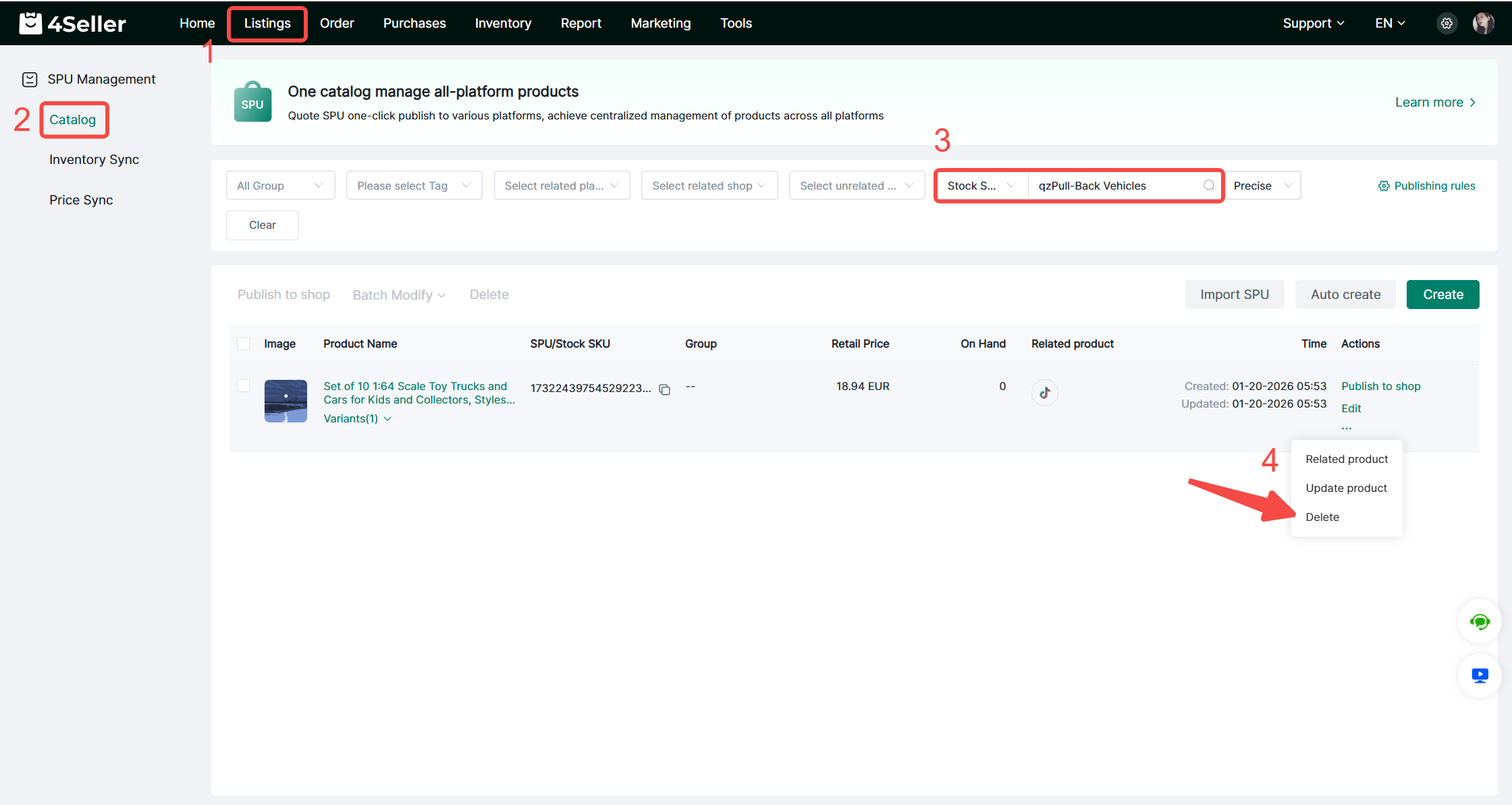
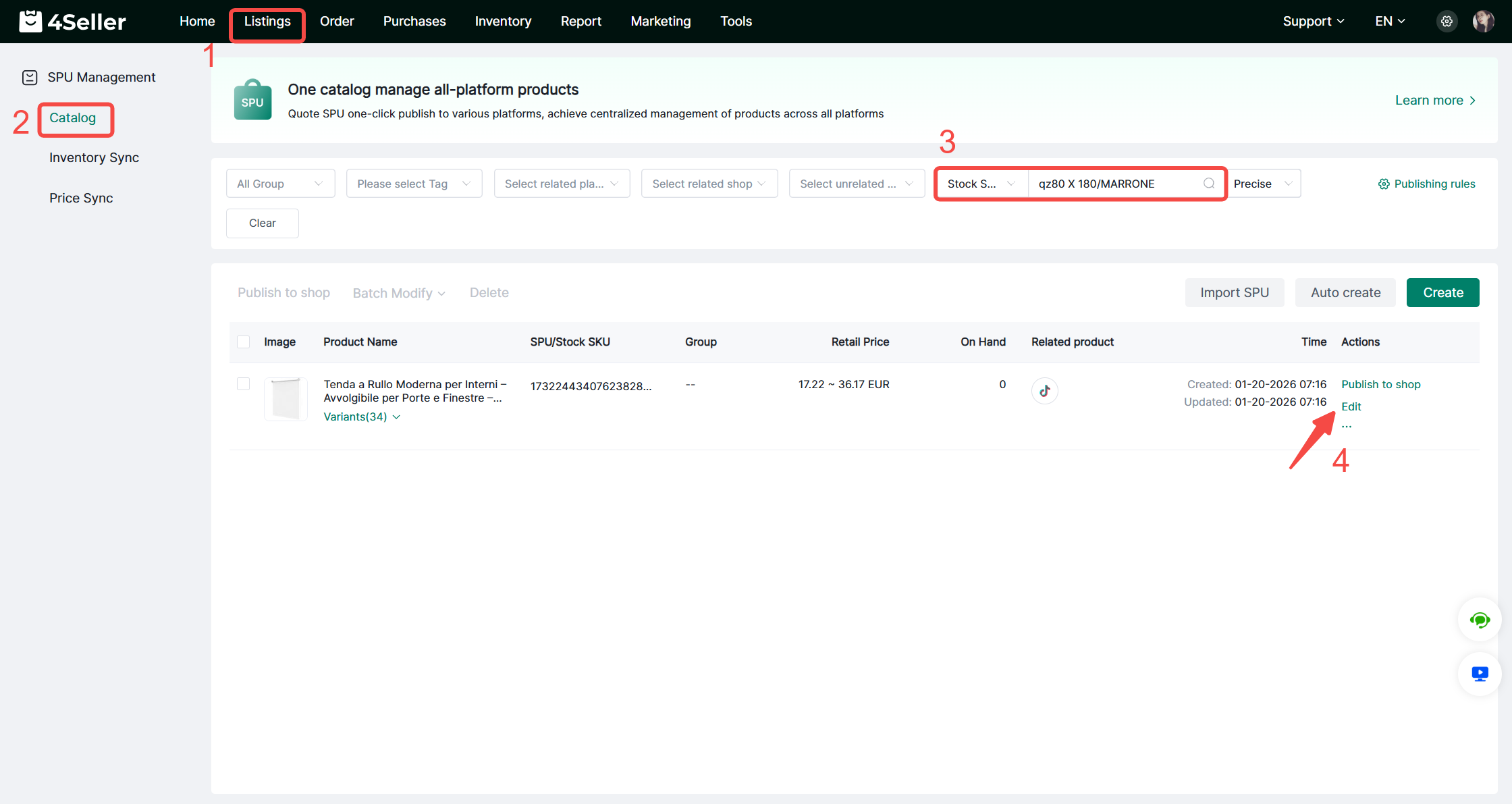
You need to go to Listings > Catalog, search for and delete the corresponding bound SPU.


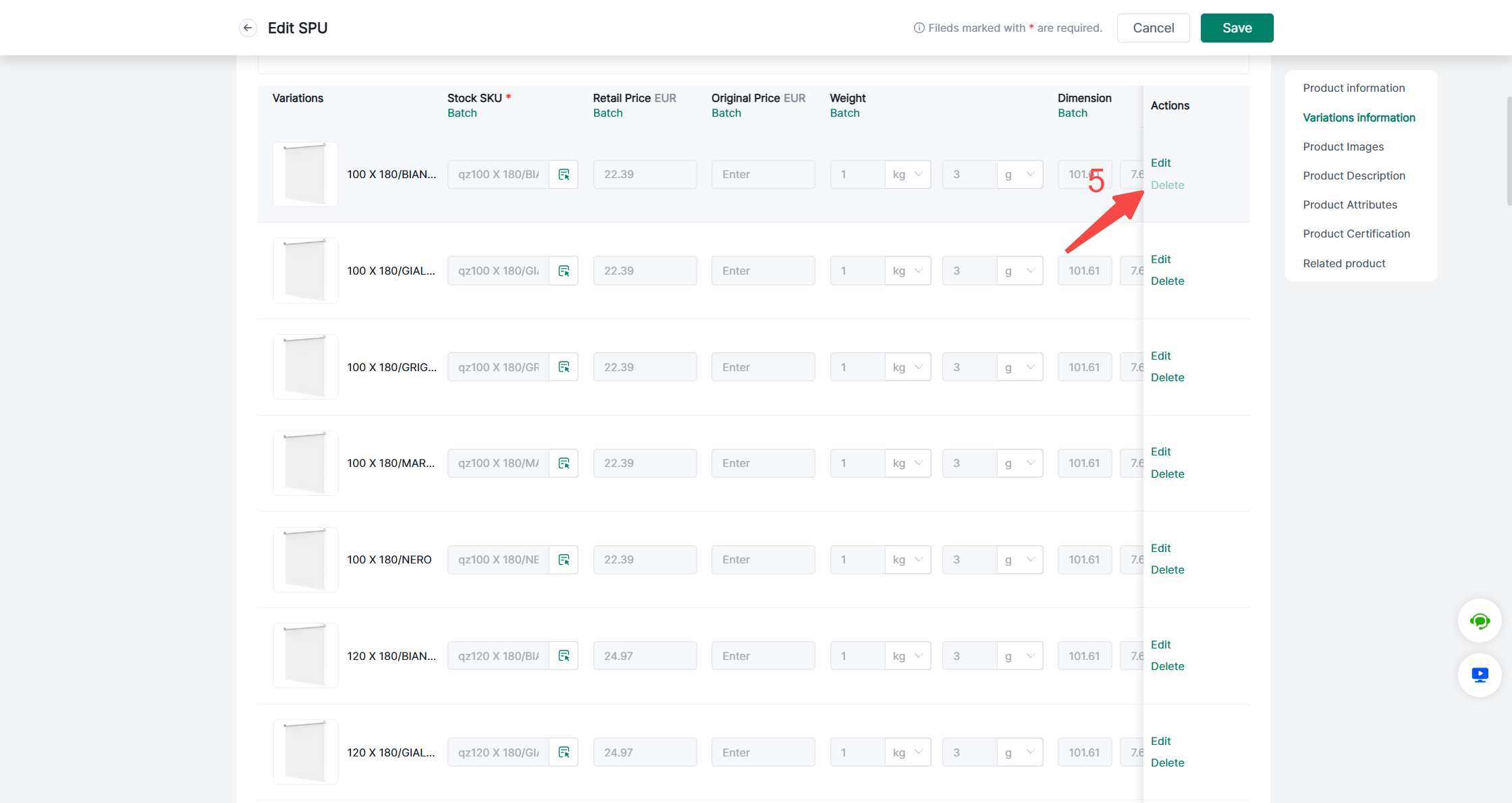
If you only want to delete a specific variant under this SPU, you can go to the edit page and delete it.


After completing the above operations, you can delete the Stock SKU again in the Inventory module.


Back to top