- Get Started
- Video Tutorials
- Knowledge Base
- FAQs & Troubleshooting
How to Use 4Seller Woocommerce plugin to Send Tracking Info to Buyers?
Updated on 14 Aug,2026Copy Link
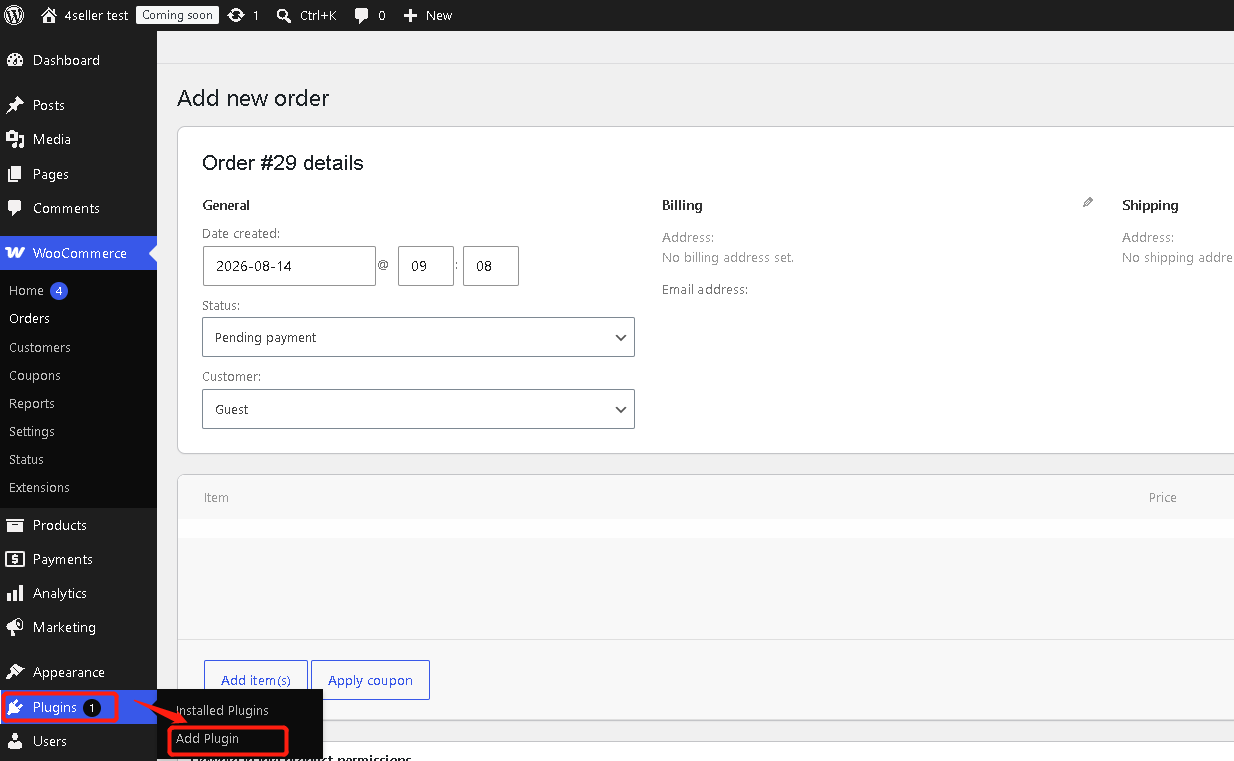
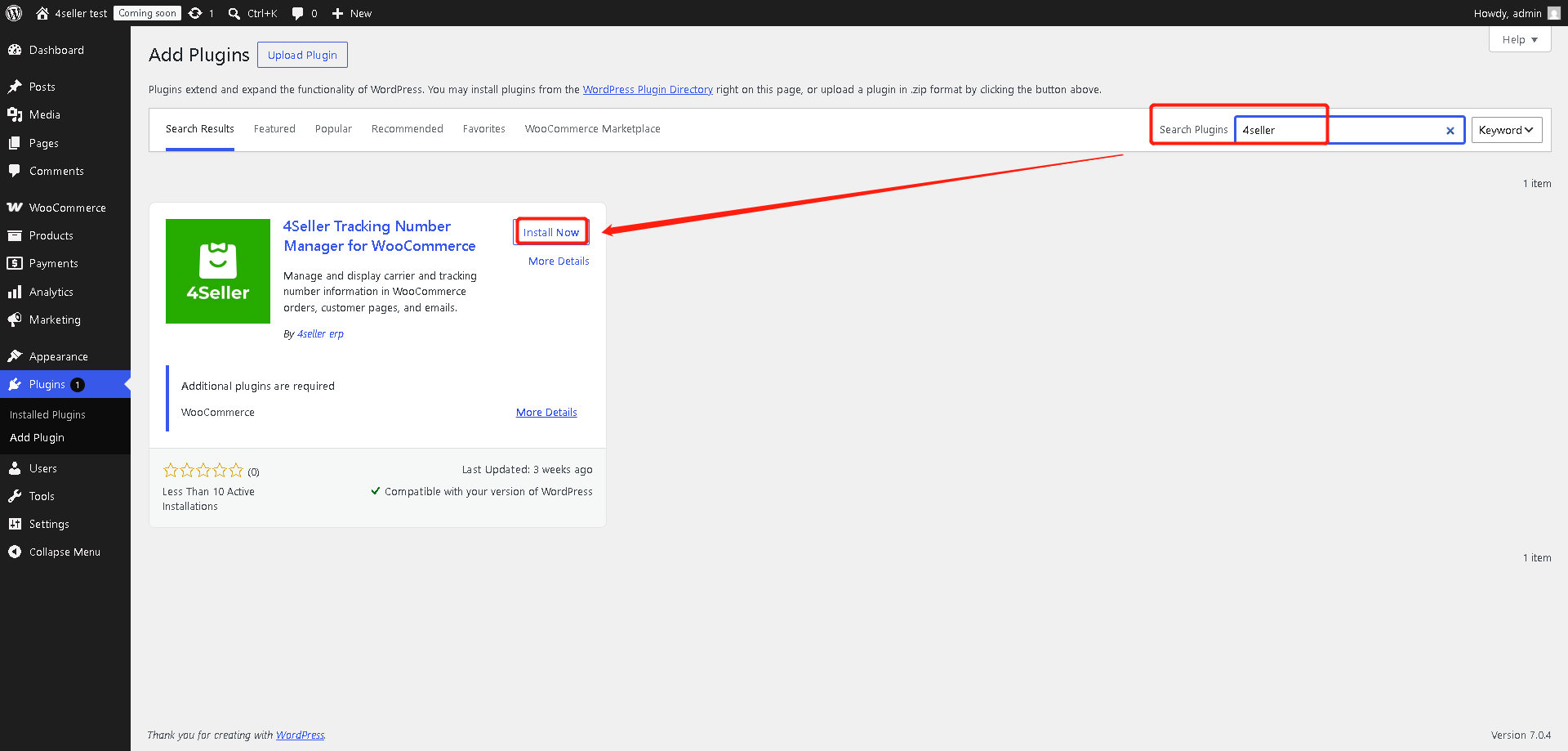
4Seller Tracking Number Manager for WooCommerce is a lightweight order shipment information plugin. It lets store admins select a carrier and enter a tracking number on the WooCommerce order edit screen.Step 1: Log in Woocommerce--Plugins--Add Plugin
Step 2: Search 4Seller--then install
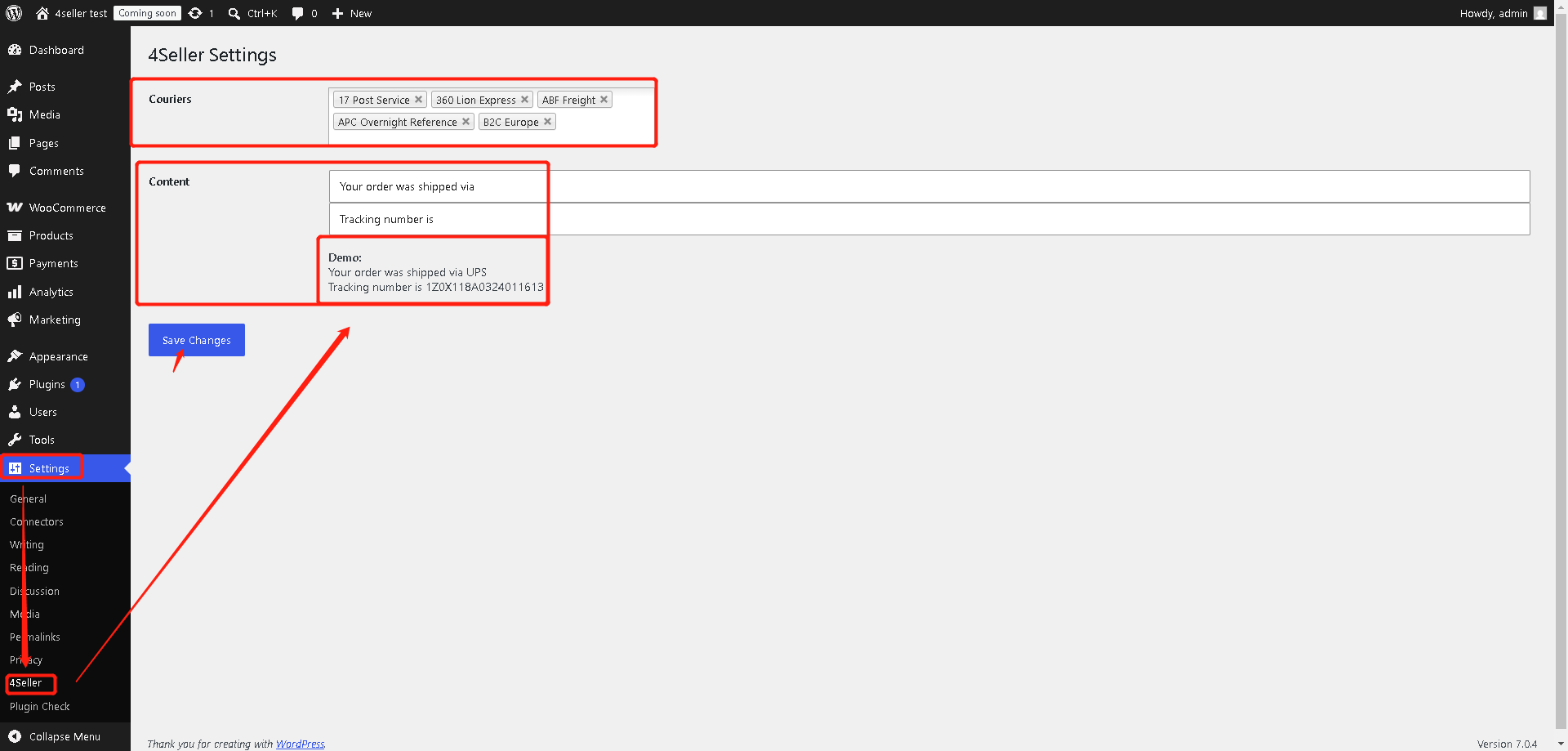
Step 3:Setting Entrance
1. Settings--4Seller--Select Couries--Set up content--Save changes
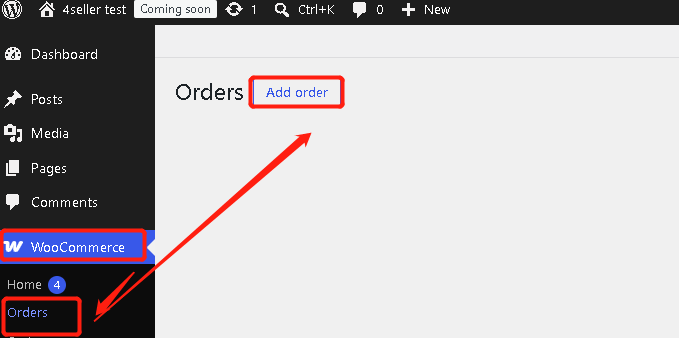
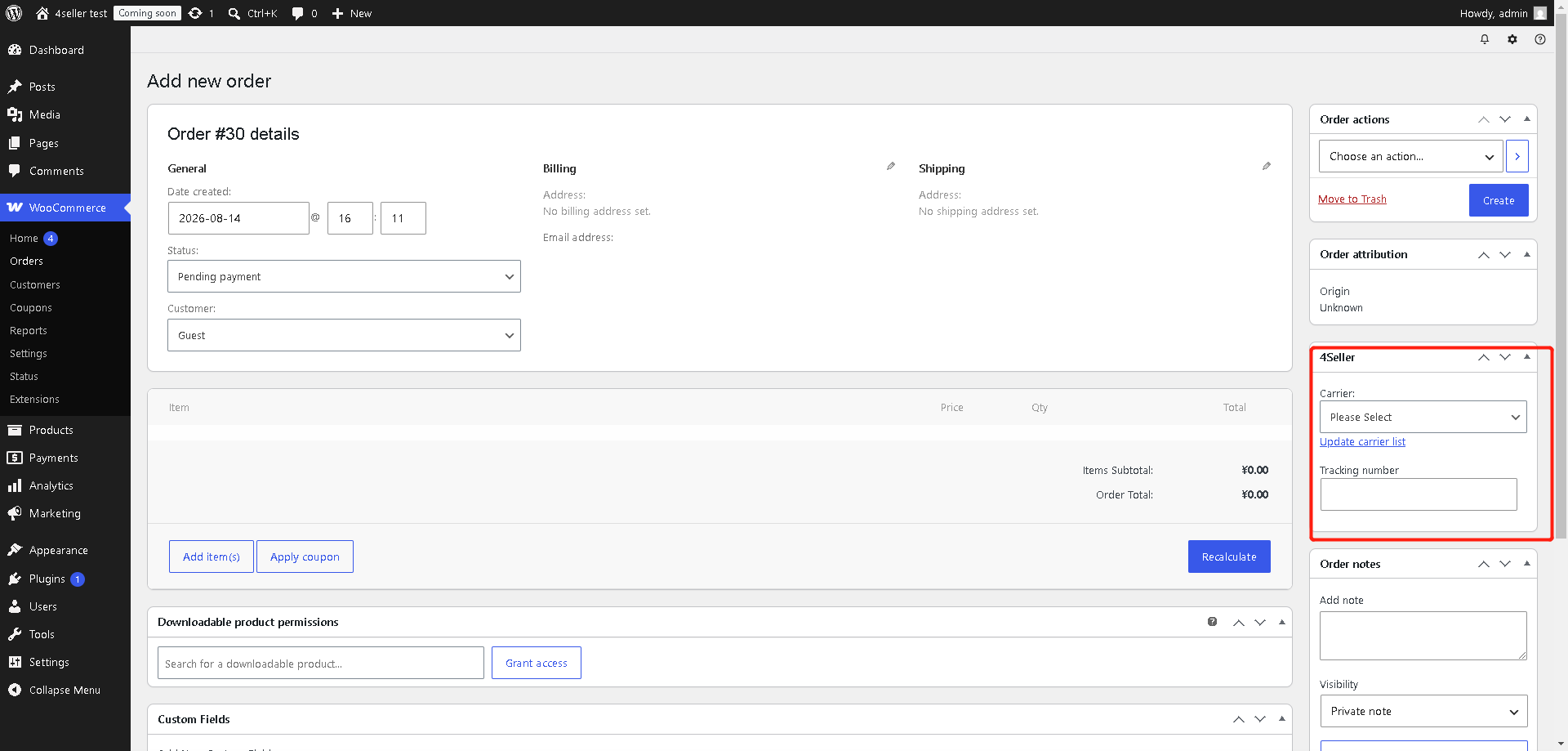
2. Woocommerce--Orders --Add order
In the order detail page , you can set up the carriers and fill tracking No.
Any problem pls contact 4Seller Support Team: support@4seller.com


Back to top