- Get Started
- Video Tutorials
- Knowledge Base
- FAQs & Troubleshooting
How to Reconnect OTTO in 4Seller if Stores status be Inactive?
Updated on 18 Aug,2026Copy Link
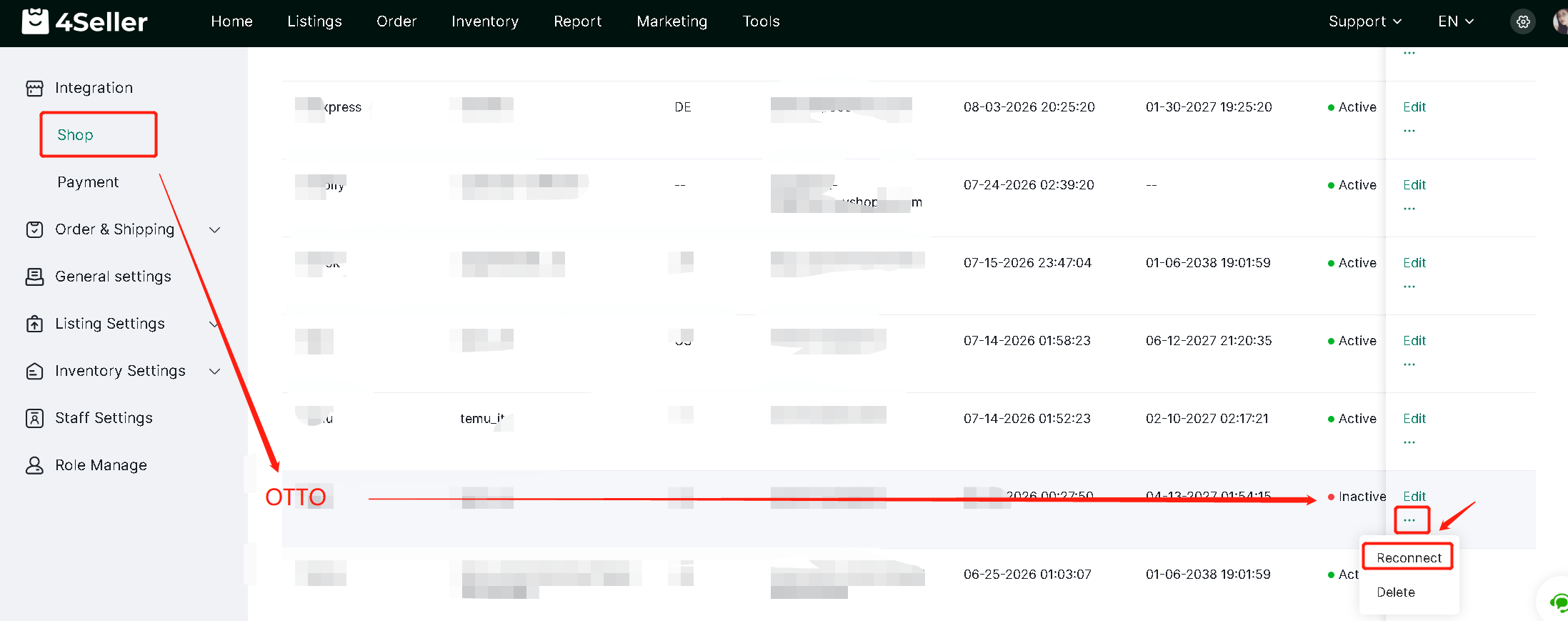
Now 4Seller Upgrade the new version in OTTO app, so the previous authorization in 4Seller may show inactive. Follow below steps to connect OTTO V2 in 4Seller.

Step 1: Click "Reconnect" turn back to OTTO backend


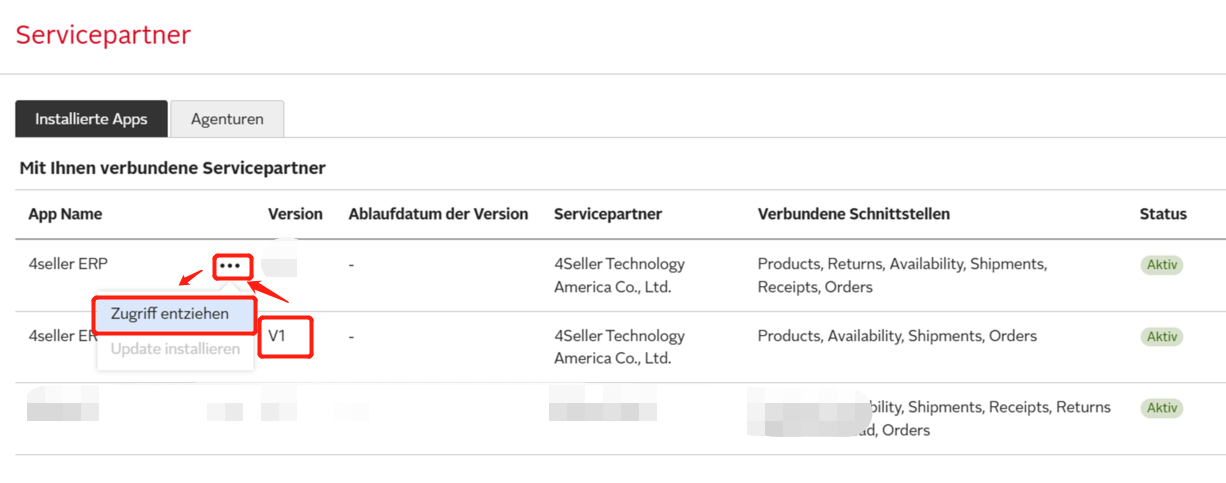
Step 2: Click "V1" to delete V1


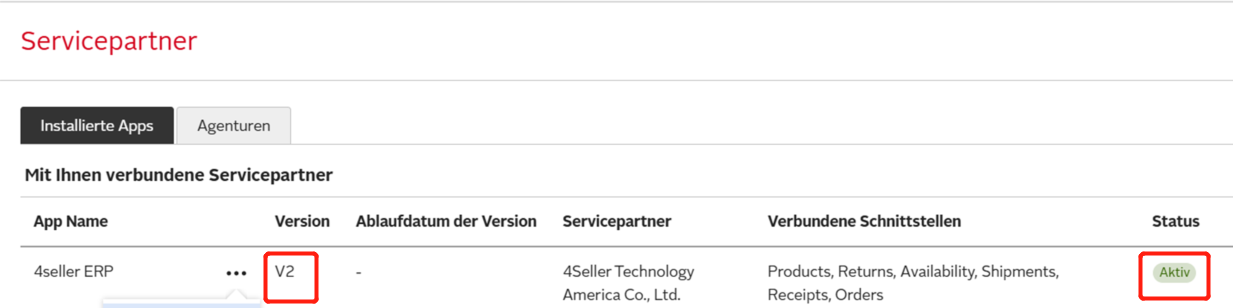
Step 3: Go back to 4Seller click "Reconnect " to connect OTTO V2 to 4Seller


Step 4: In OTTO backend can see the newest status


Any problems just feel free to connect 4Seller support team: support@4seller.com


Back to top