- Get Started
- Video Tutorials
- Knowledge Base
- FAQs & Troubleshooting
How to Sign up for a New 4Seller Account?
Updated on 25 Jul,2024Copy Link
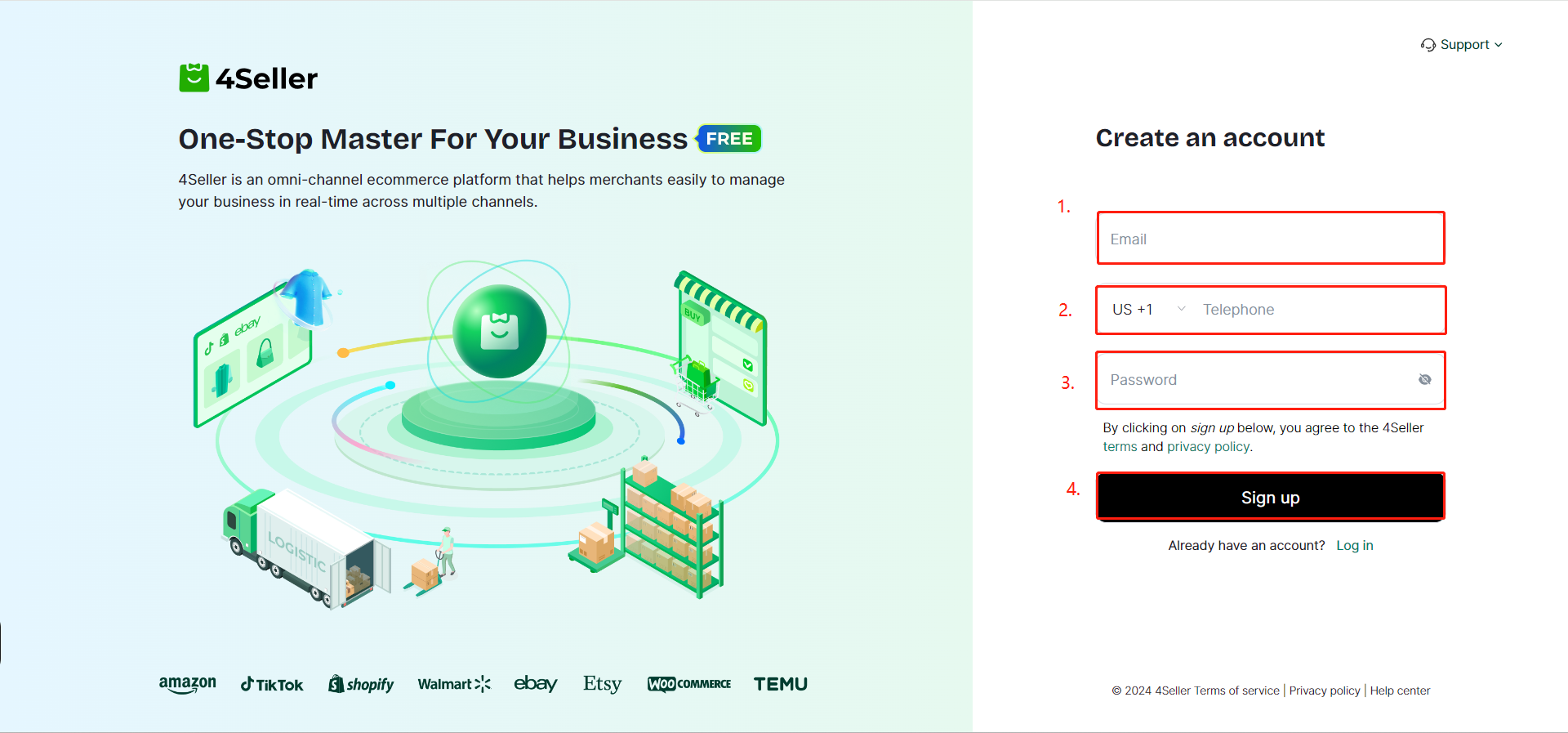
① Open 4Seller sign up page.
② Enter your email address (please select a secure and valid email to avoid affecting subsequent store operations), phone number (you can switch regions using the dropdown menu), and password. Click Register.You may access the Help Center on this page to read the guide manual or join the customer service group.
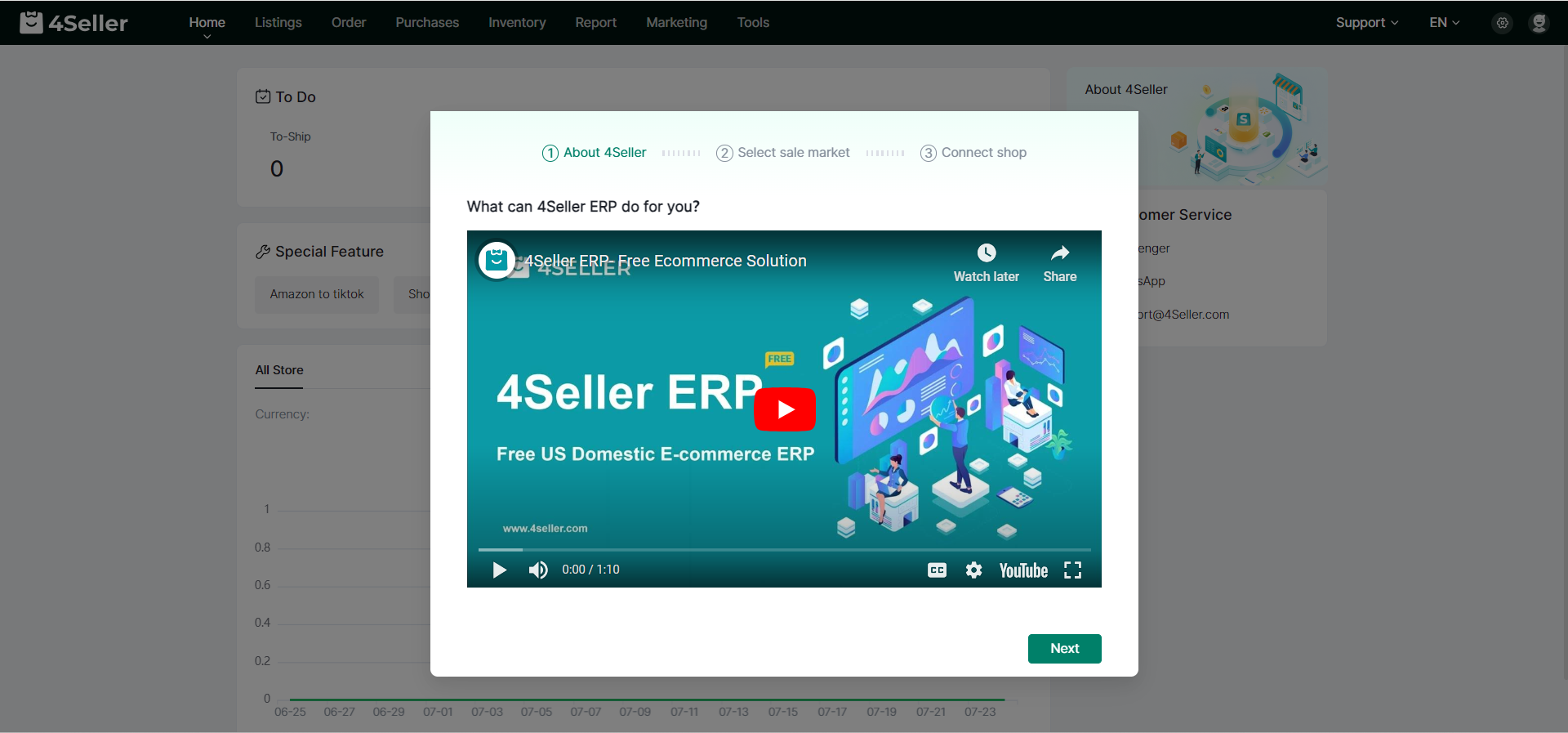
③ After watching the 4Seller profile video, click Next.
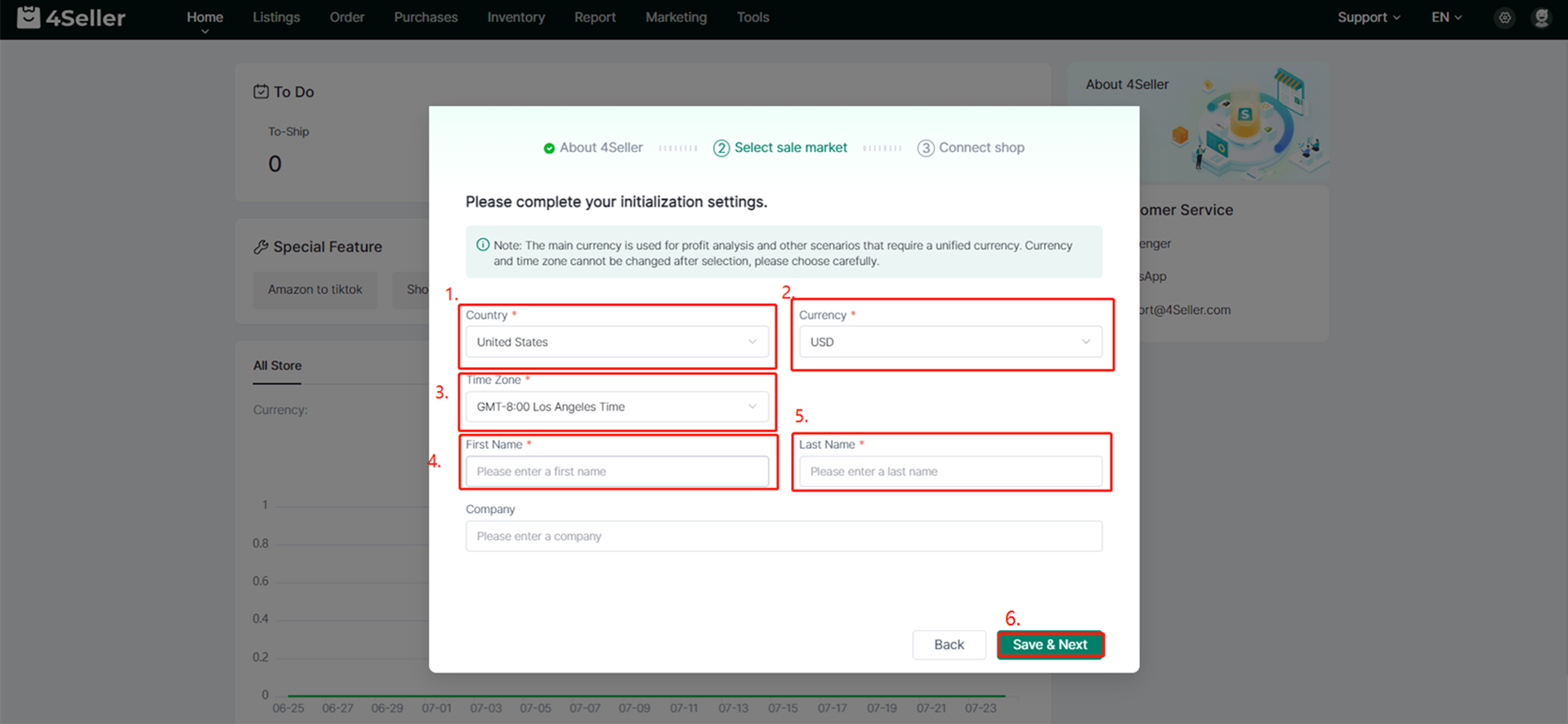
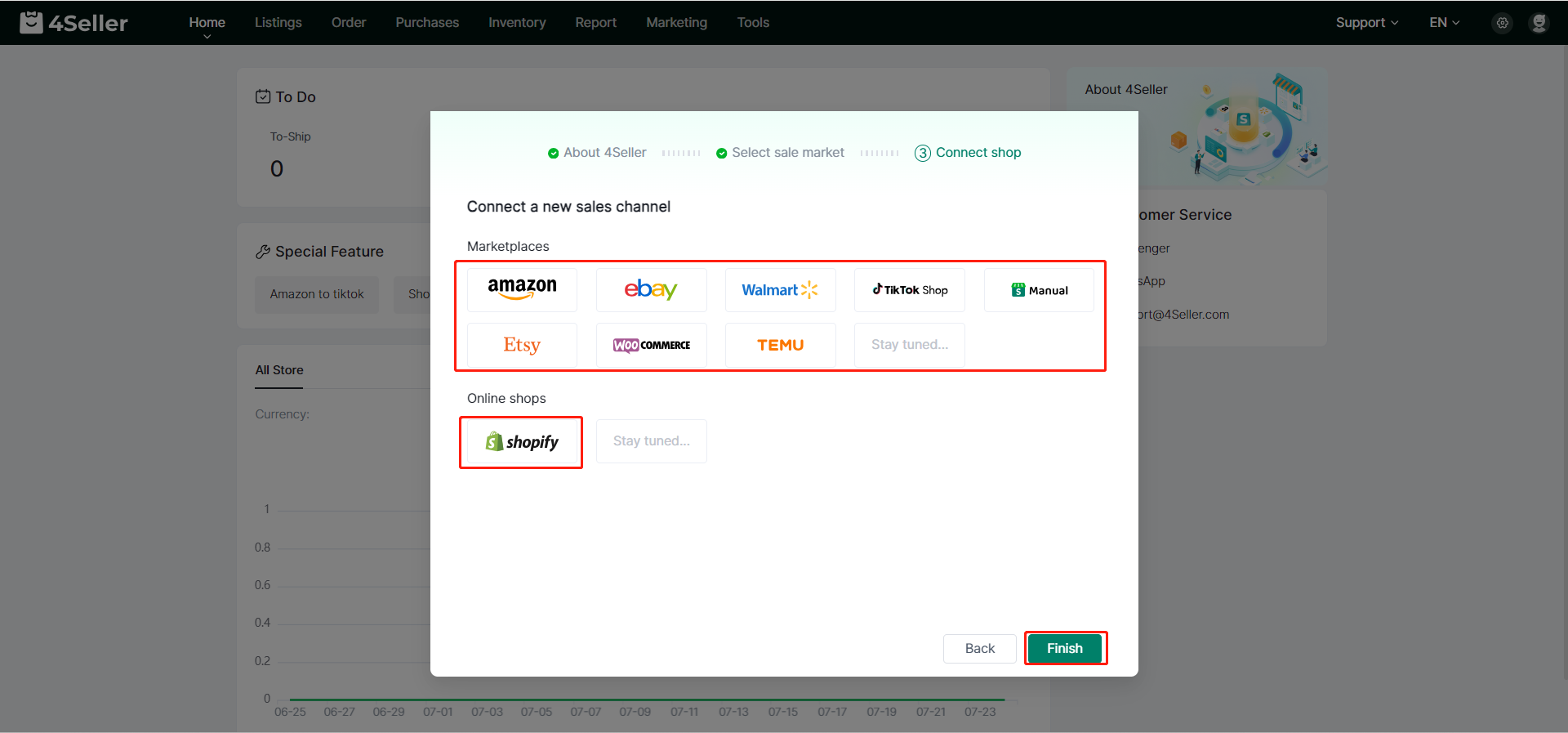
After you finished the above 5 steps, your 4Seller account has already been set up successfully.
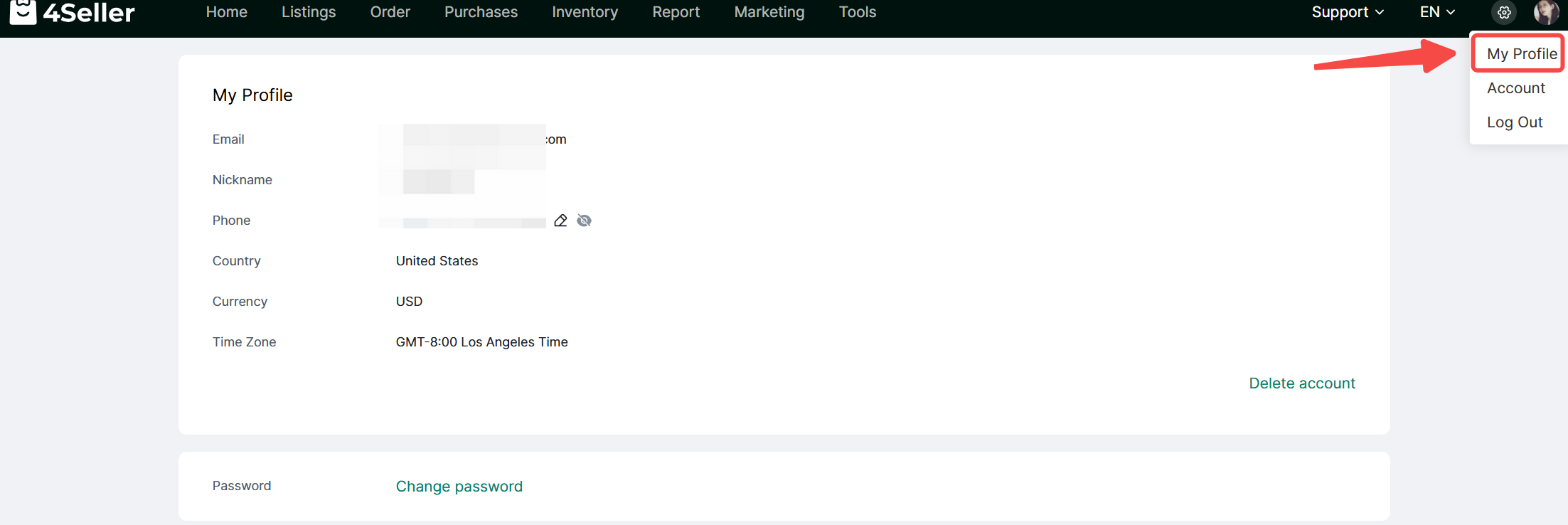
⑥Click the profile icon in the top-right corner to access your account information (your email address is your 4Seller account ID), and to update your phone number and password.
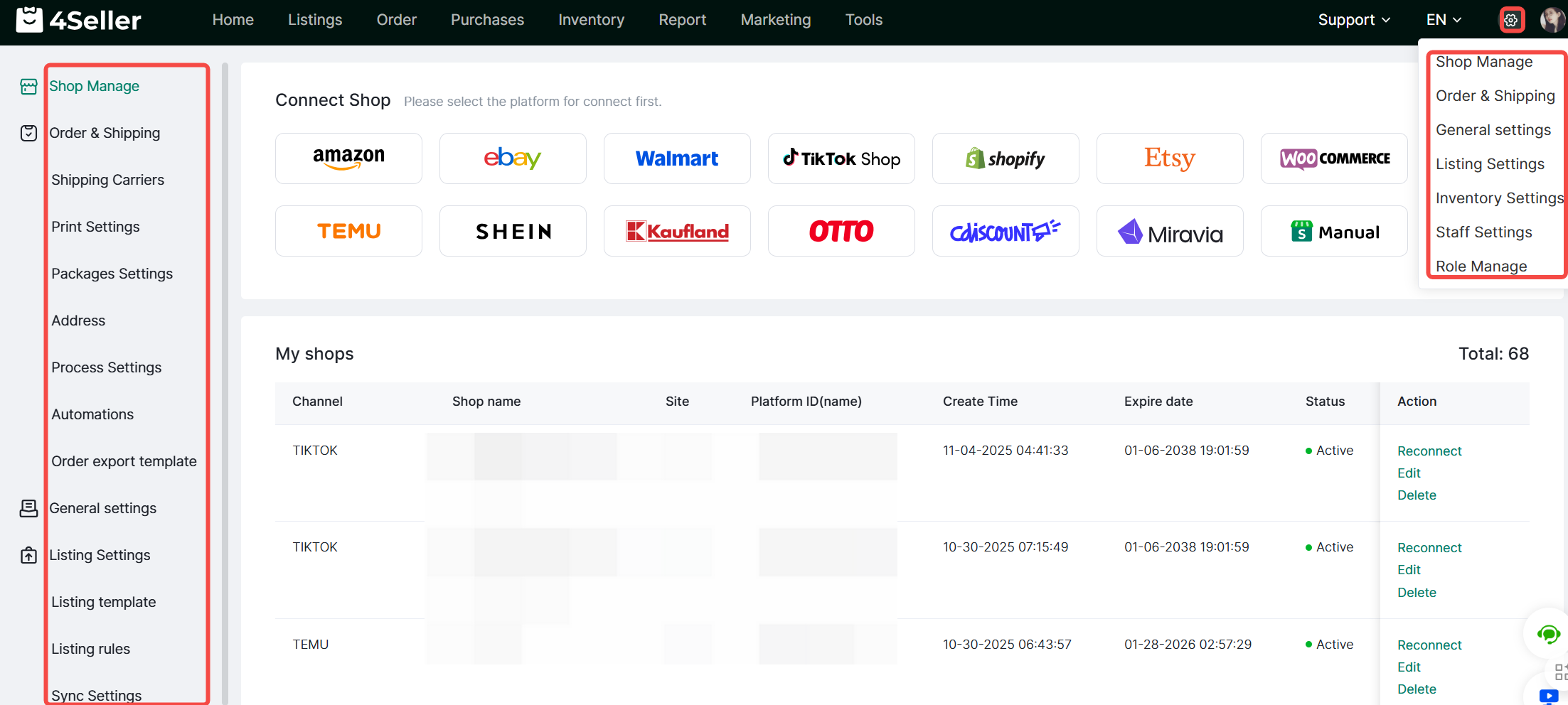
⑦Click the settings icon in the top-right corner to quickly access the corresponding module.
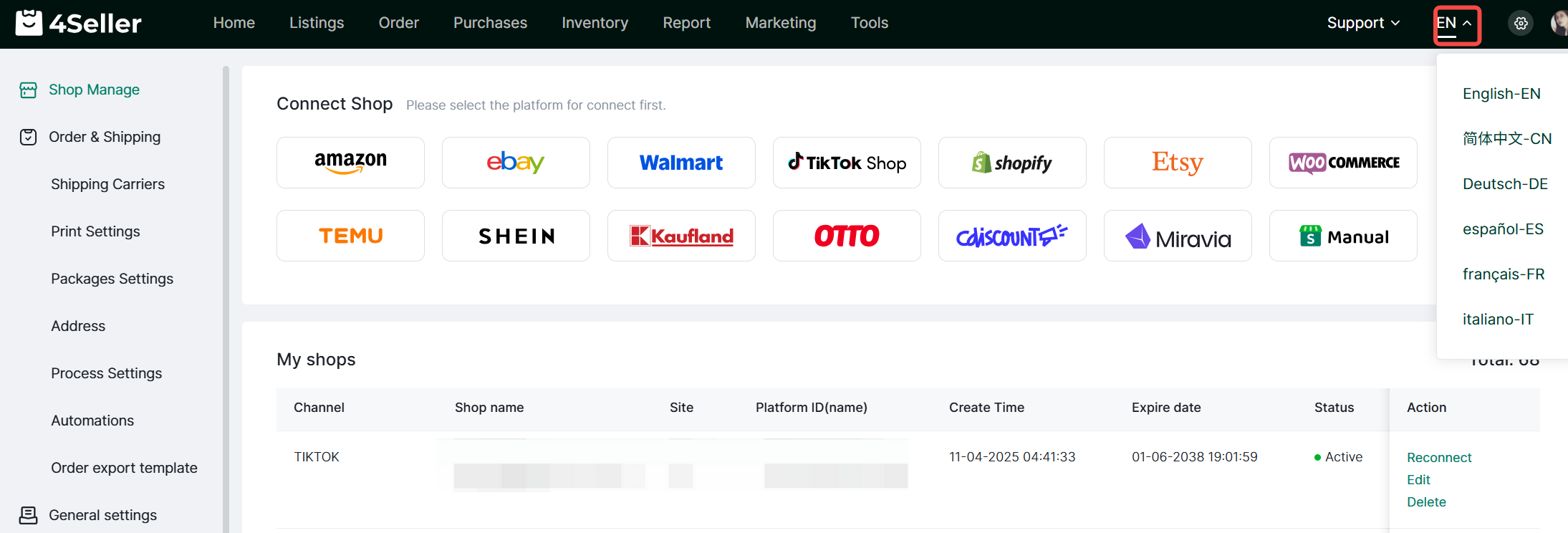
⑧Click the dropdown arrow to select the page display language.
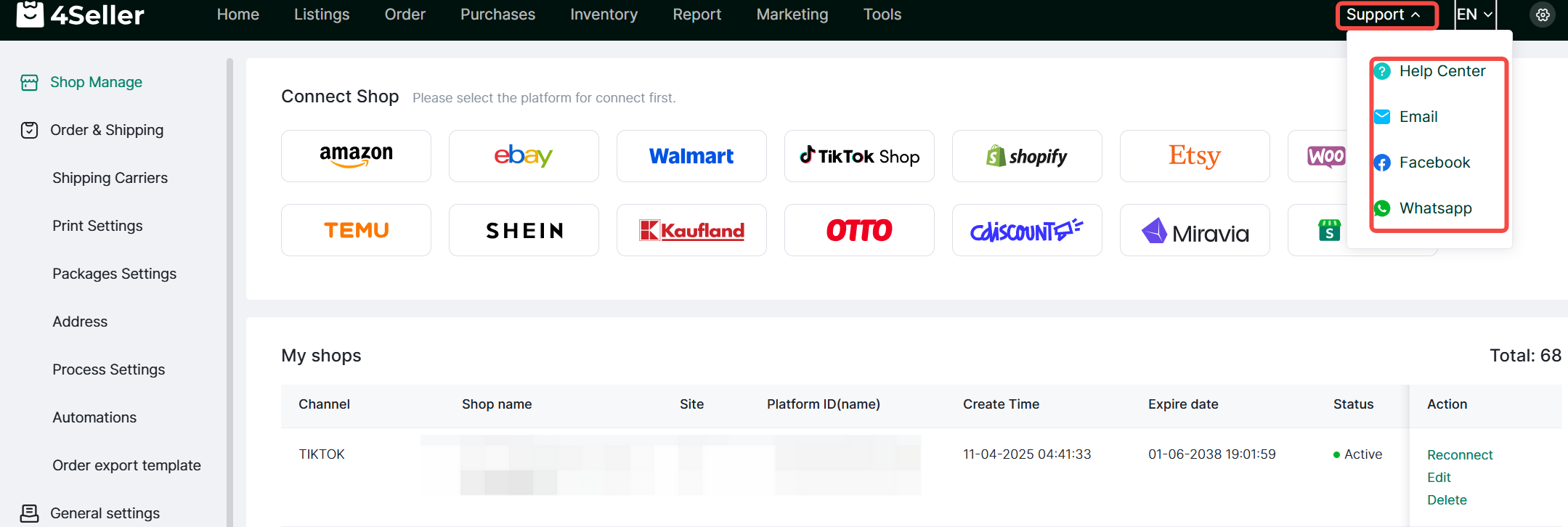
⑨If you encounter any issues during use, you may first consult the Help Center or contact customer service.


Back to top