- Get Started
- Video Tutorials
- Knowledge Base
- FAQs & Troubleshooting
How to Connect UPS with 4Seller
Updated on 12 Dec,2024Copy Link
4Seller support authorize UPS, which can help seller fulfill orders easily and conveniently.
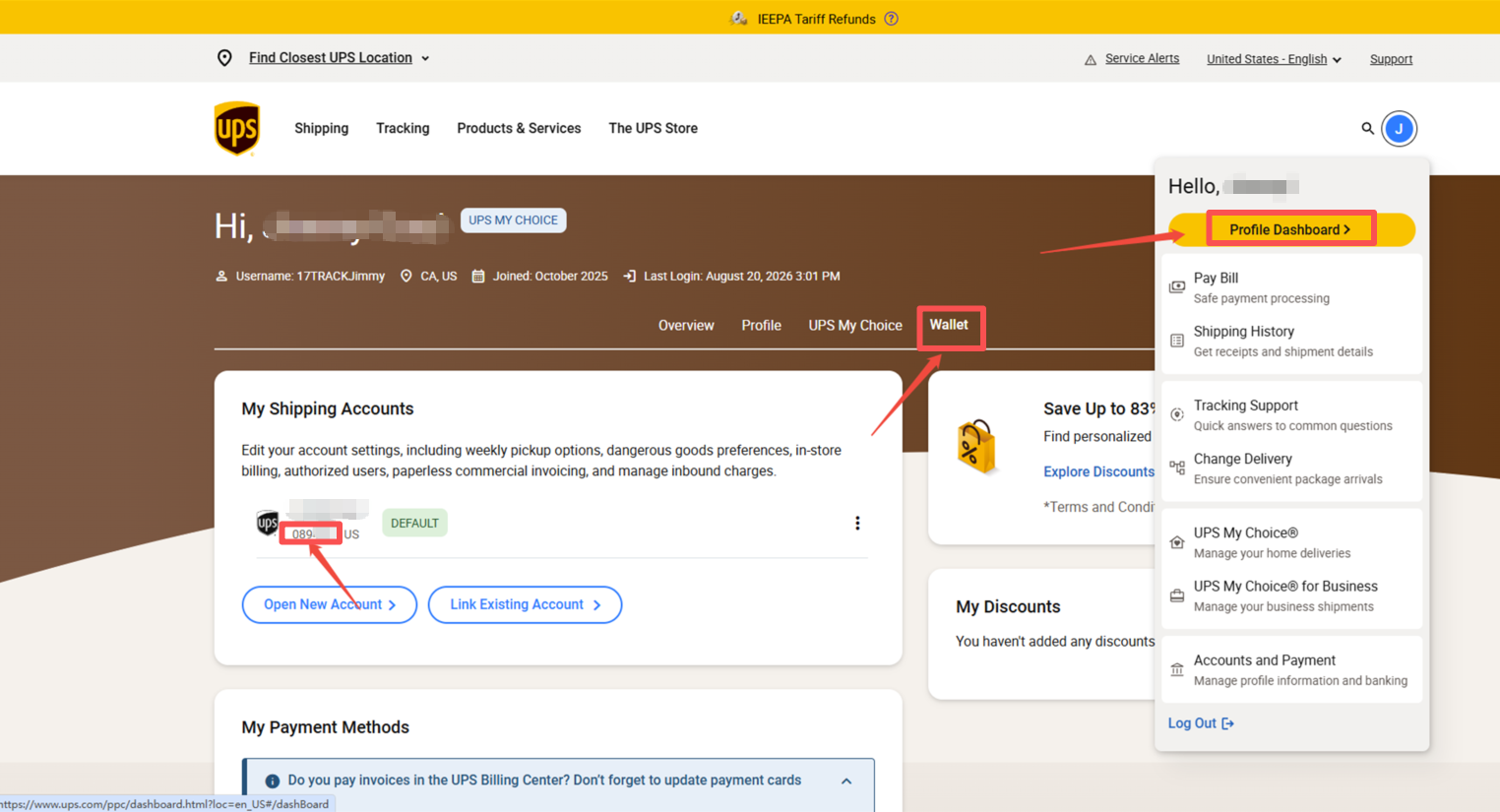
Step 1: Get the Billing Account Number
Log in UPS account--Profile Dashboard--Wallet--Get the billing number
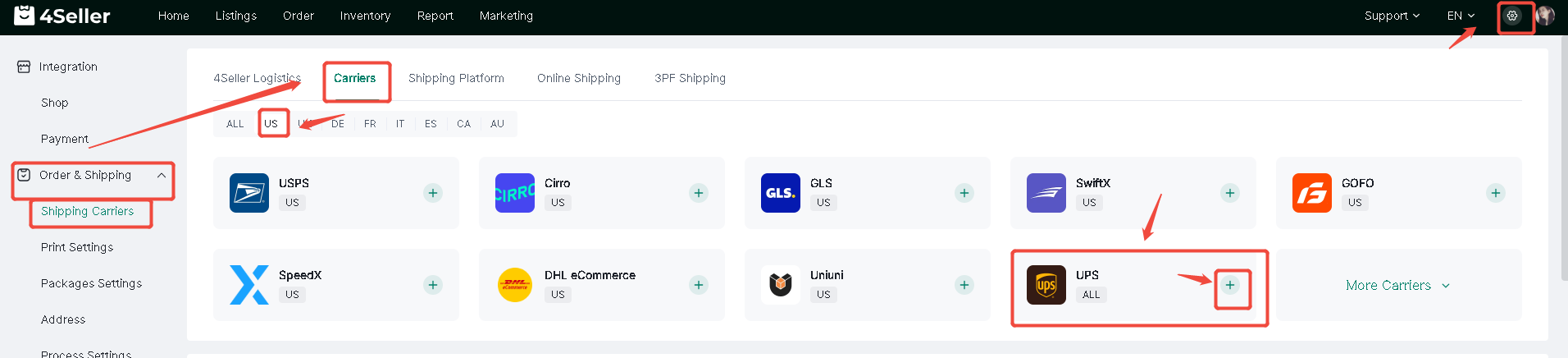
Step 2: Setting--Order & Shipping --Shipping Carriers--Carriers--US--UPS
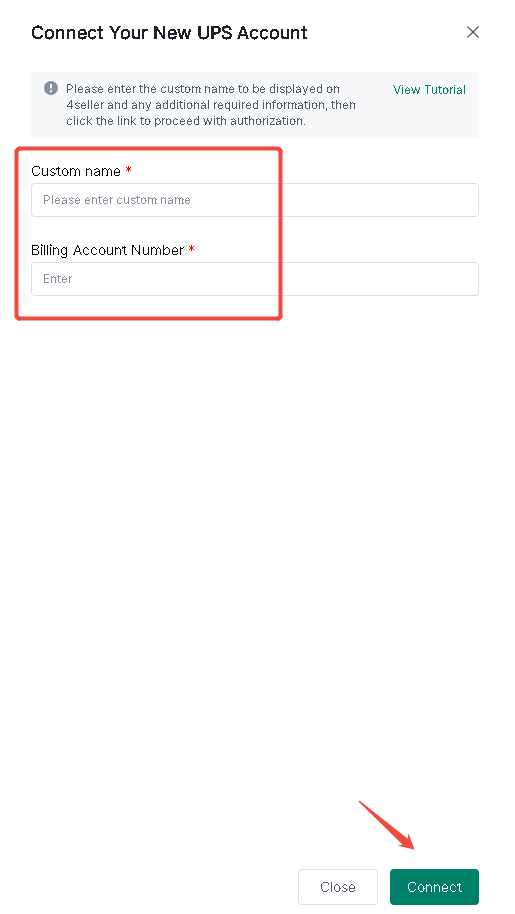
Fill custome name and billing number
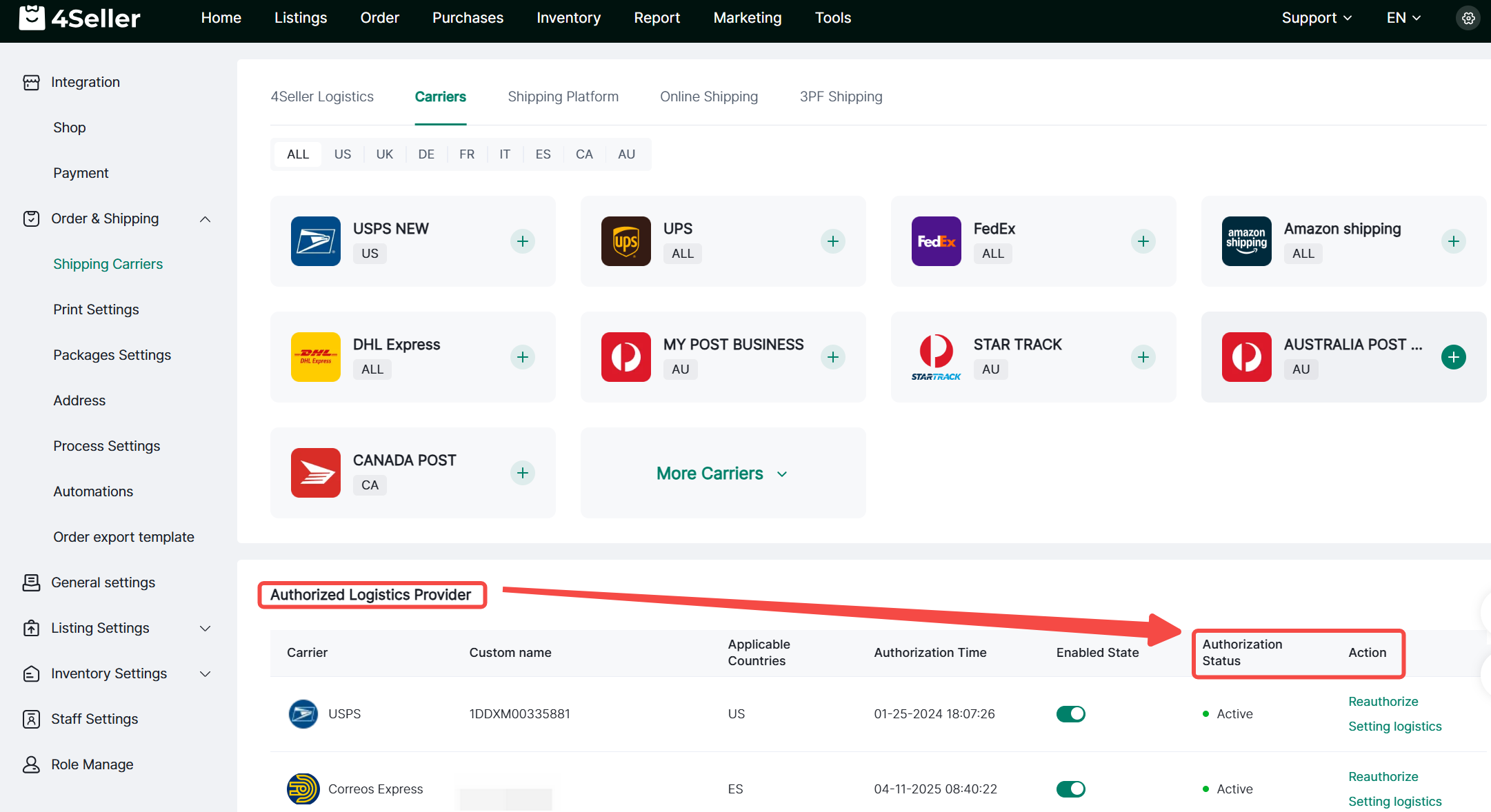
Step 3: After successful authorization, it will appear under Authorized Logistics Providers. You can check the authorization status. If it shows as inactive, click Reauthorize. You can also configure the logistics channel.
If you have any further questions or suggestions, please do not hesitate to contact our support team.


Back to top