- Get Started
- Video Tutorials
- Knowledge Base
- FAQs & Troubleshooting
How to Use the Logistics Tracking Function?
Notes:
[1] Logistics tracking function will automatically synchronize the logistics information of the orders that have been shipped within 30 days, which facilitates the unified management of the logistics status of multiple packages, and timely detection and treatment of abnormal tracking problems;
[2] Currently, the logistics providers that support the query are: USPS, UPS, FedEx, DHL, GLS, DPD, UNIUNI-US, GOFO, Amazon Logistics,
Asendia USA, BRT (IT), Canada Post, Chronopost, Colis Prive (Colis Privé), Correos, CTT, Deutsche Post Mail, Evri, Hermes
Intelcom (CA), La Poste (Colissimo), LaserShip, OnTrac, Poste Italiane, PostNL, Purolator, Royal Mail, SEUR, Shiprocket
Speedx, Swiship (DE), TNT, Xindus, Yanwen, Yun Express, Yodel、SwiftX
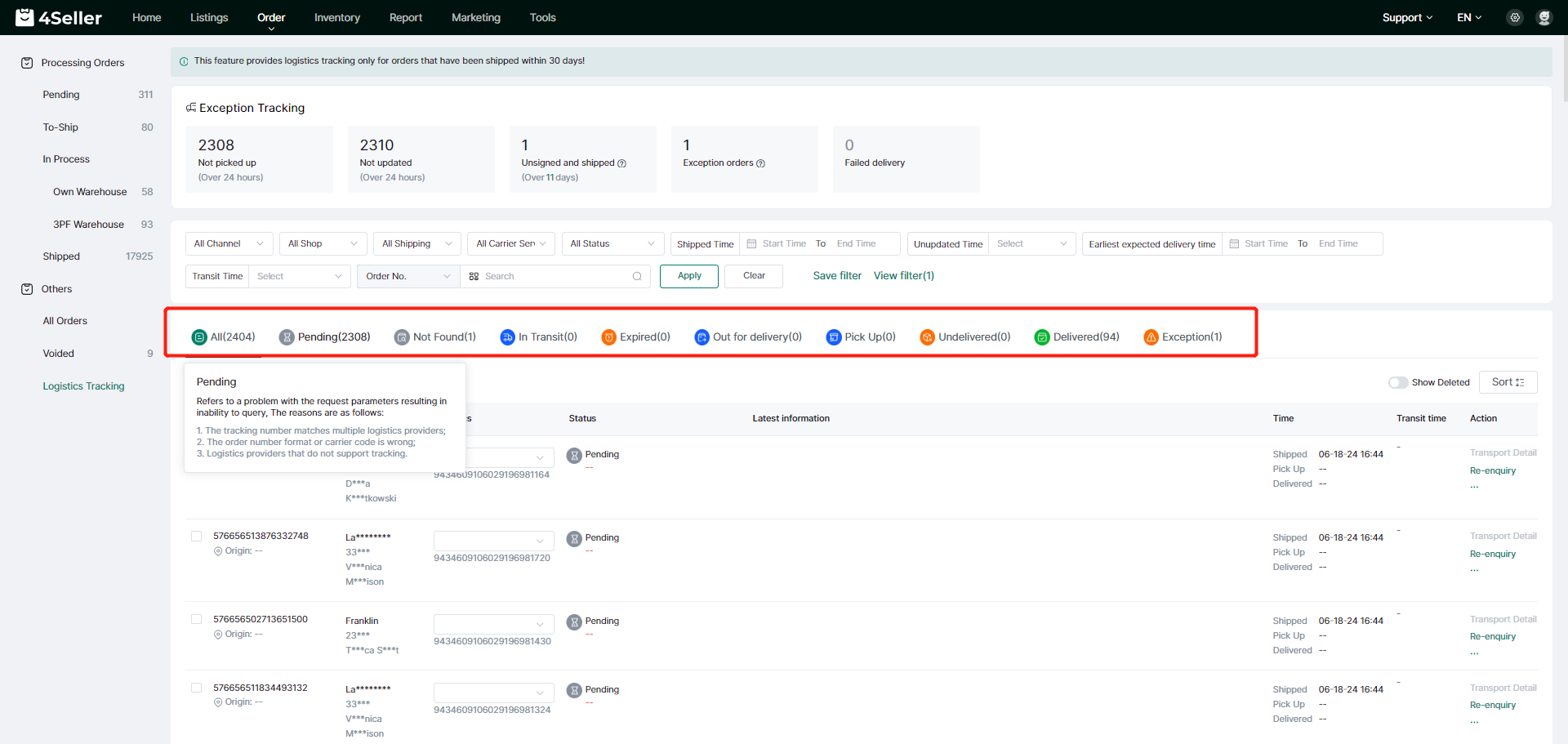
[3] According to the acquired logistics information, the order will be divided into 9 different logistics and transportation statuses: pending inquiry, no inquiry, in transit, in transit for a long time, on the way to delivery, arrival to be picked up, delivery failure, successful signing and anomaly.
Status description:
[1] pending inquiry: refers to the request parameter problems caused by the inability to query, the reasons are:
1. The waybill number matches more than one logistics provider;
2. The format of the waybill number or the code of the transporter is wrong;
3. Logistics providers that do not support tracking.
[2] Query can not be: refers to the query but did not get the result, may be the transporter has not yet received the package or has not yet entered the tracking information of the package.
[3] In transit: the parcel is in transit, it may have been handed over to the transporter or some other transportation process.
[4] Transportation too long: the parcel has been transported for more than 10 days and still not delivered successfully.
【5】Dispatch on the way: the parcel is being dispatched, please keep your contact fluent to avoid delivery failure resulting in the return of the parcel.
[6] Arrived to pick up: the parcel has arrived at the destination of the delivery point, please contact as soon as possible to pick up, so as not to return the parcel.
【7】 Dispatch Failure: The parcel is attempted to be dispatched but failed to be delivered successfully.
【8】Successful Signing: The recipient has successfully received the parcel.
[9] Possible abnormalities: the package may be damaged during transportation, lost, delayed delivery and other special circumstances were returned or detained by customs.
Steps:
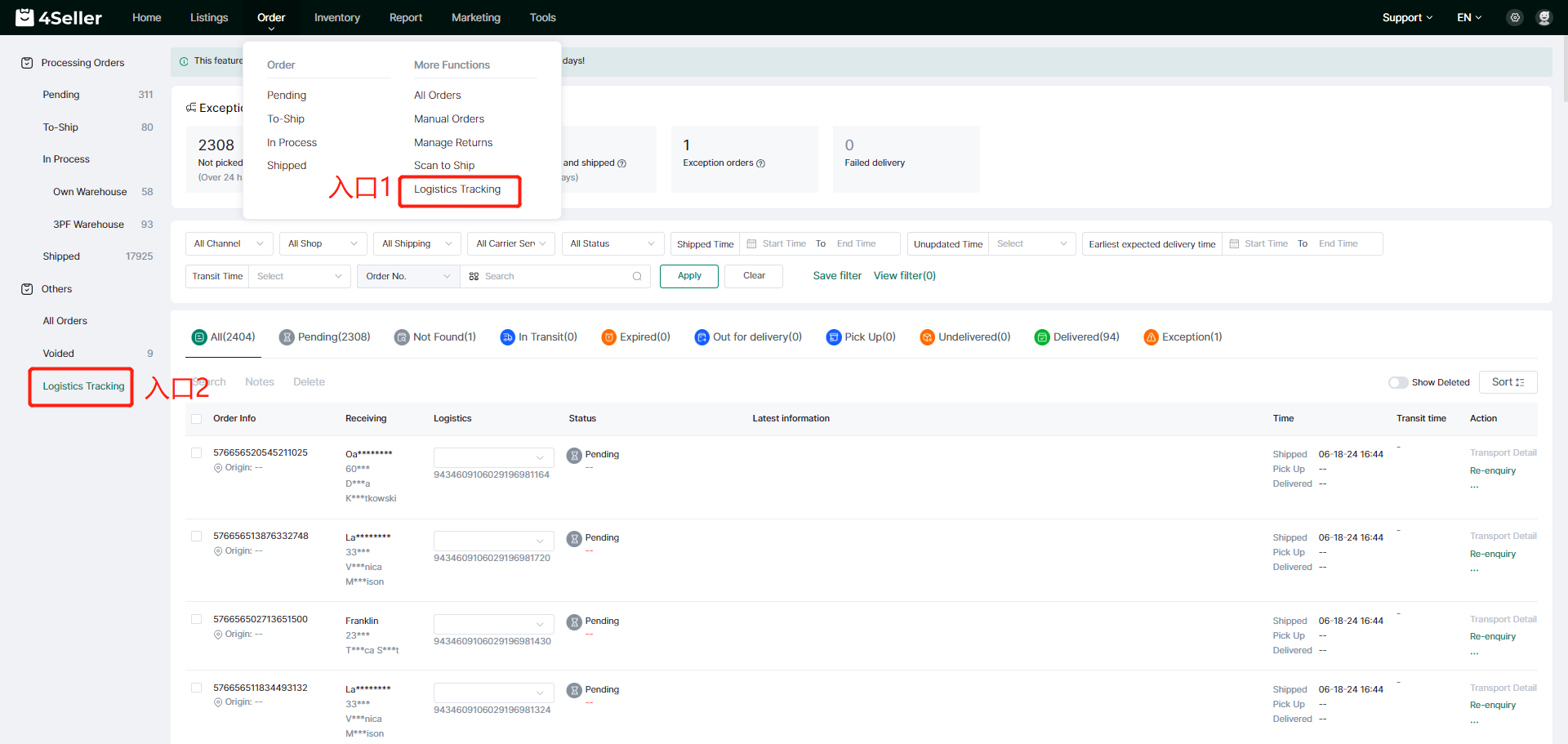
1. Enter the logistics tracking interface
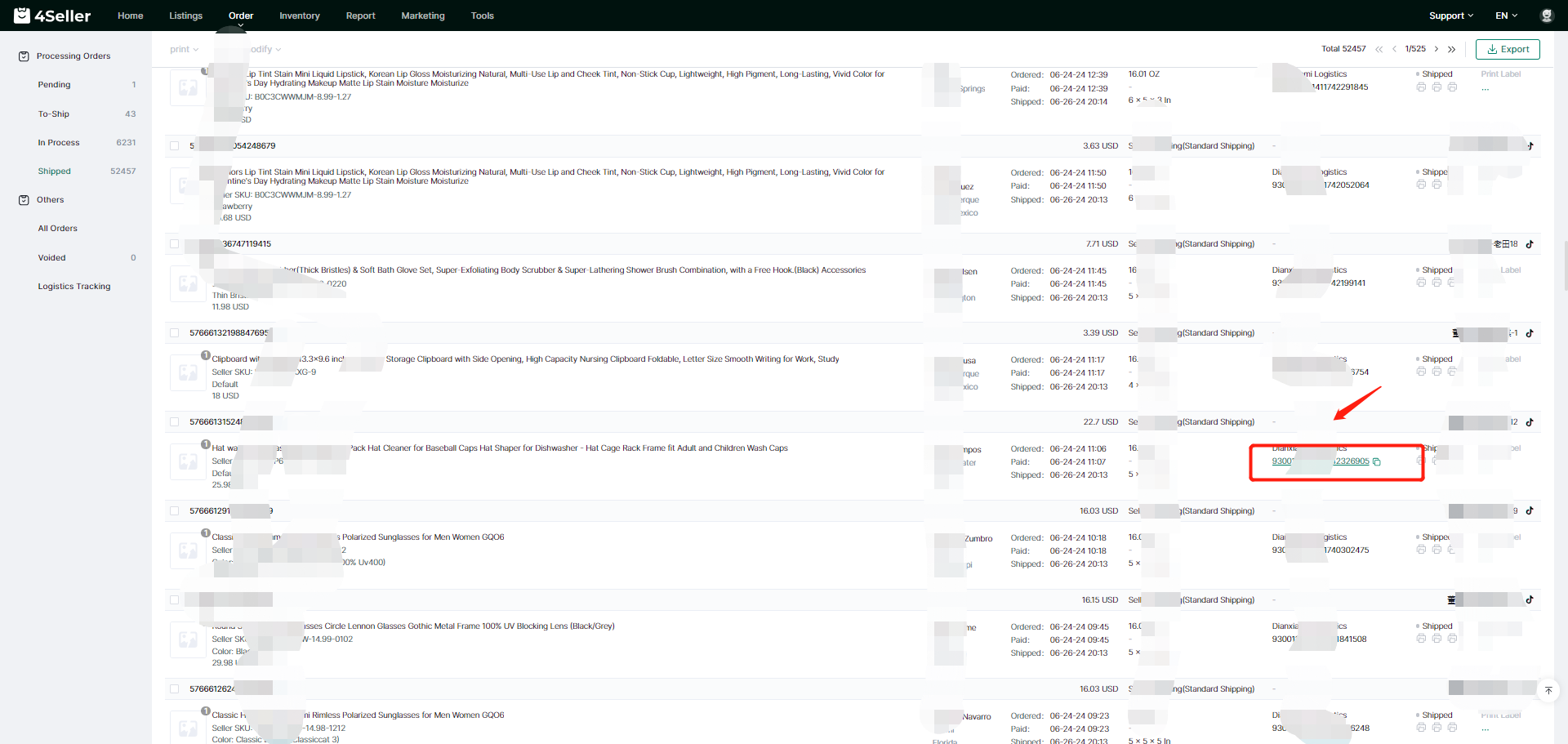
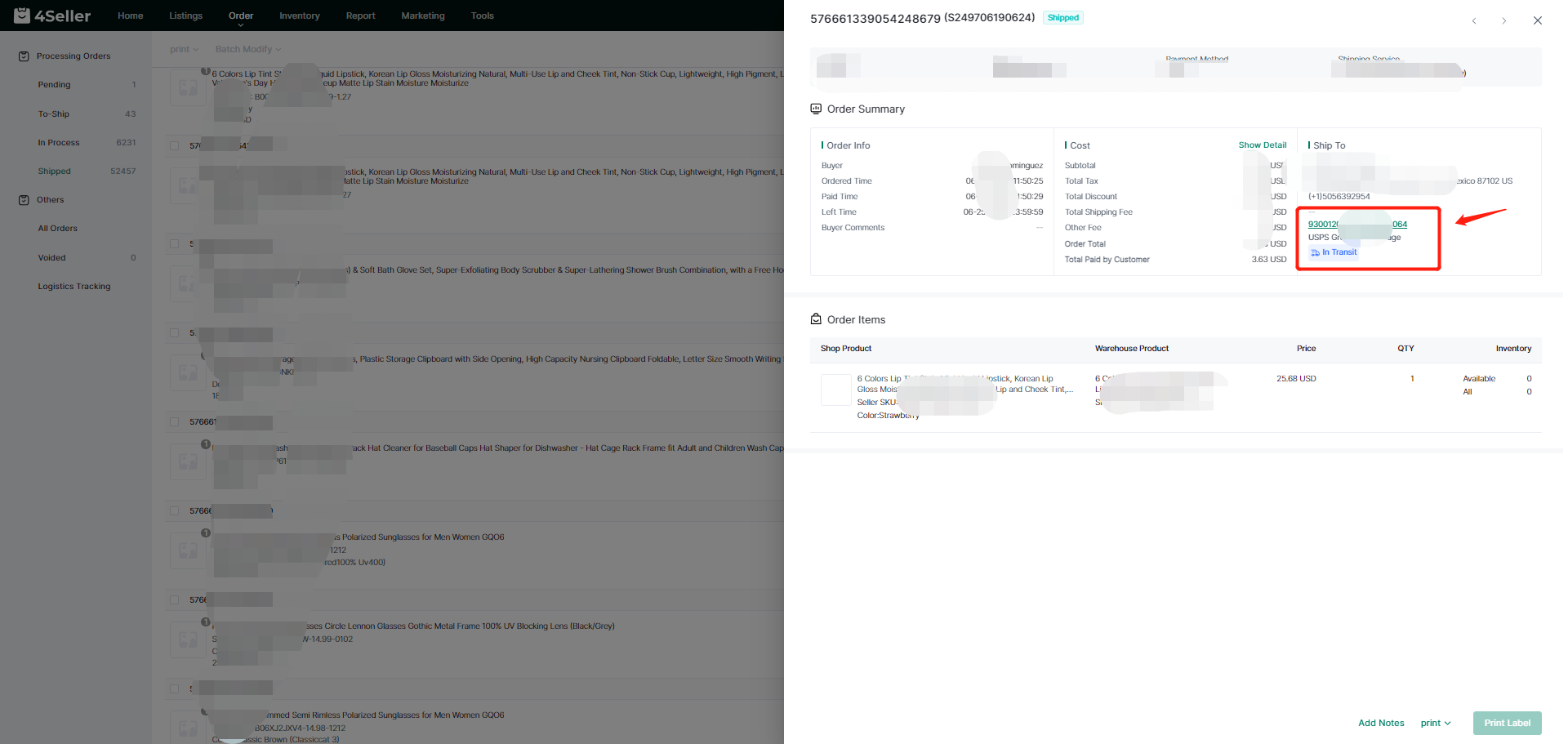
You can enter the logistics tracking interface from the following two entrances:
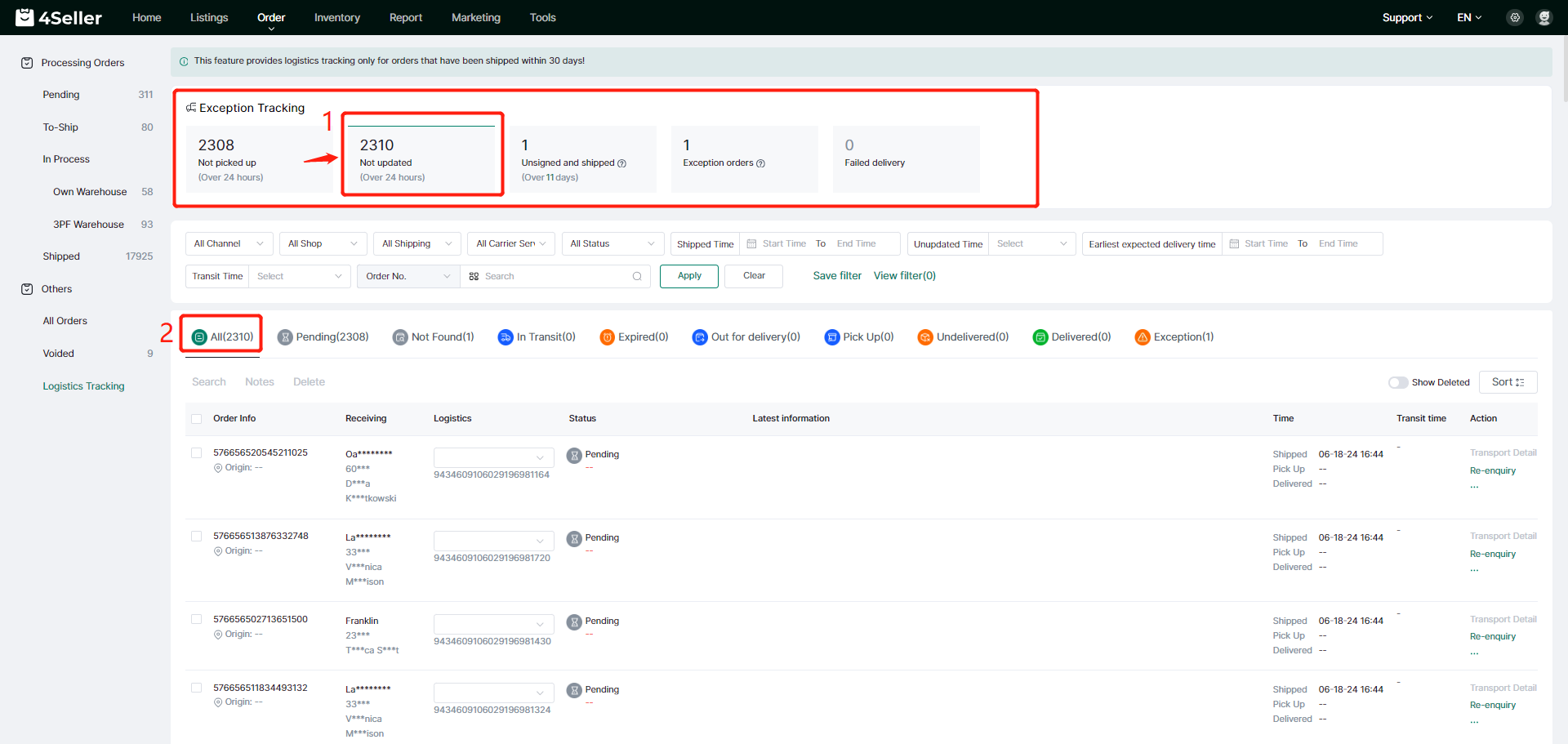
2、Exception tracking column
When you enter the interface, you can first see the navigation column of “Exception tracking”, which will count the number of orders with abnormal problems in real time: 24H without delivery, 24H without update, long transportation time, abnormality, dispatch failure; click one of them, it will automatically filter out the abnormal problems in the order list. orders, and then cancel the filtering after re-clicking.
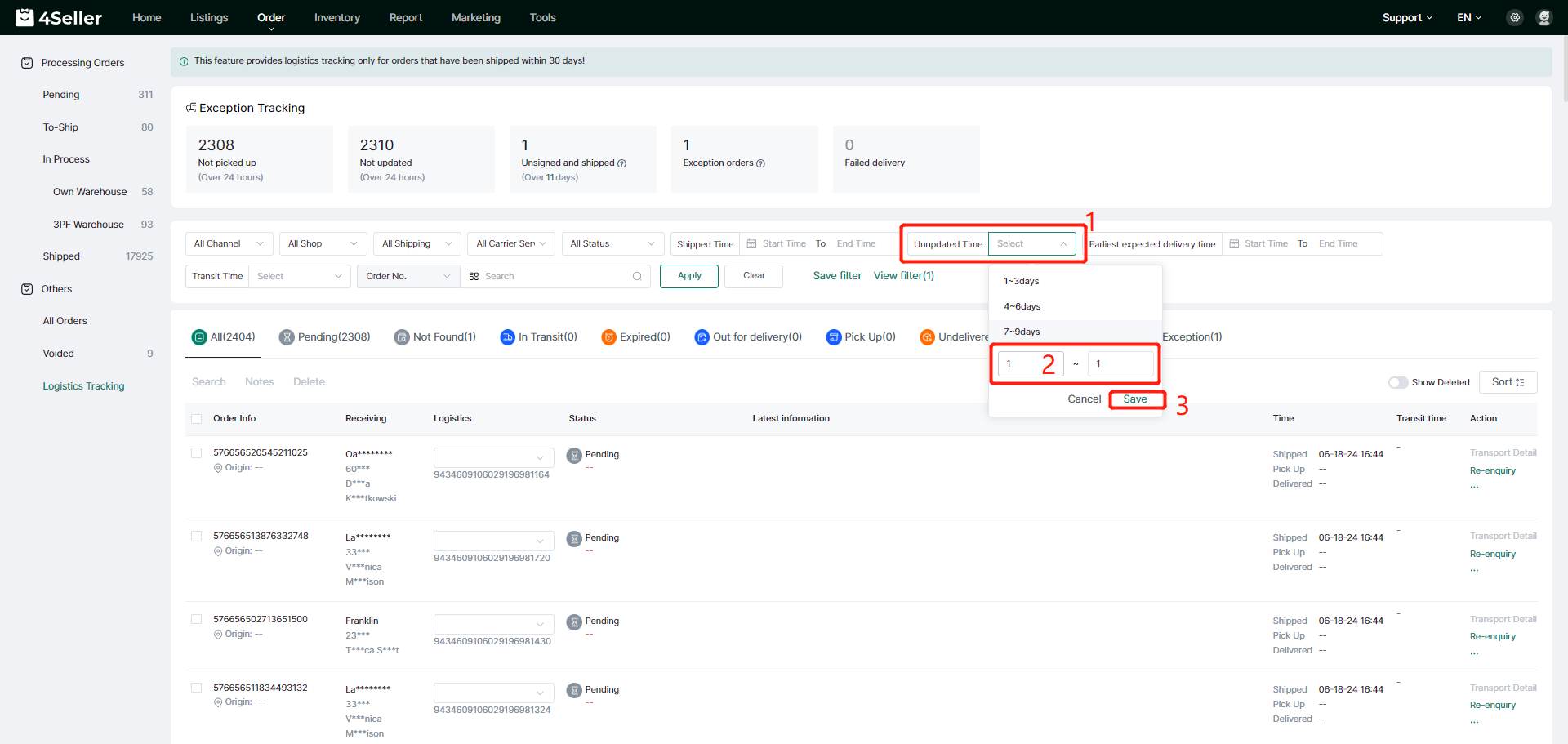
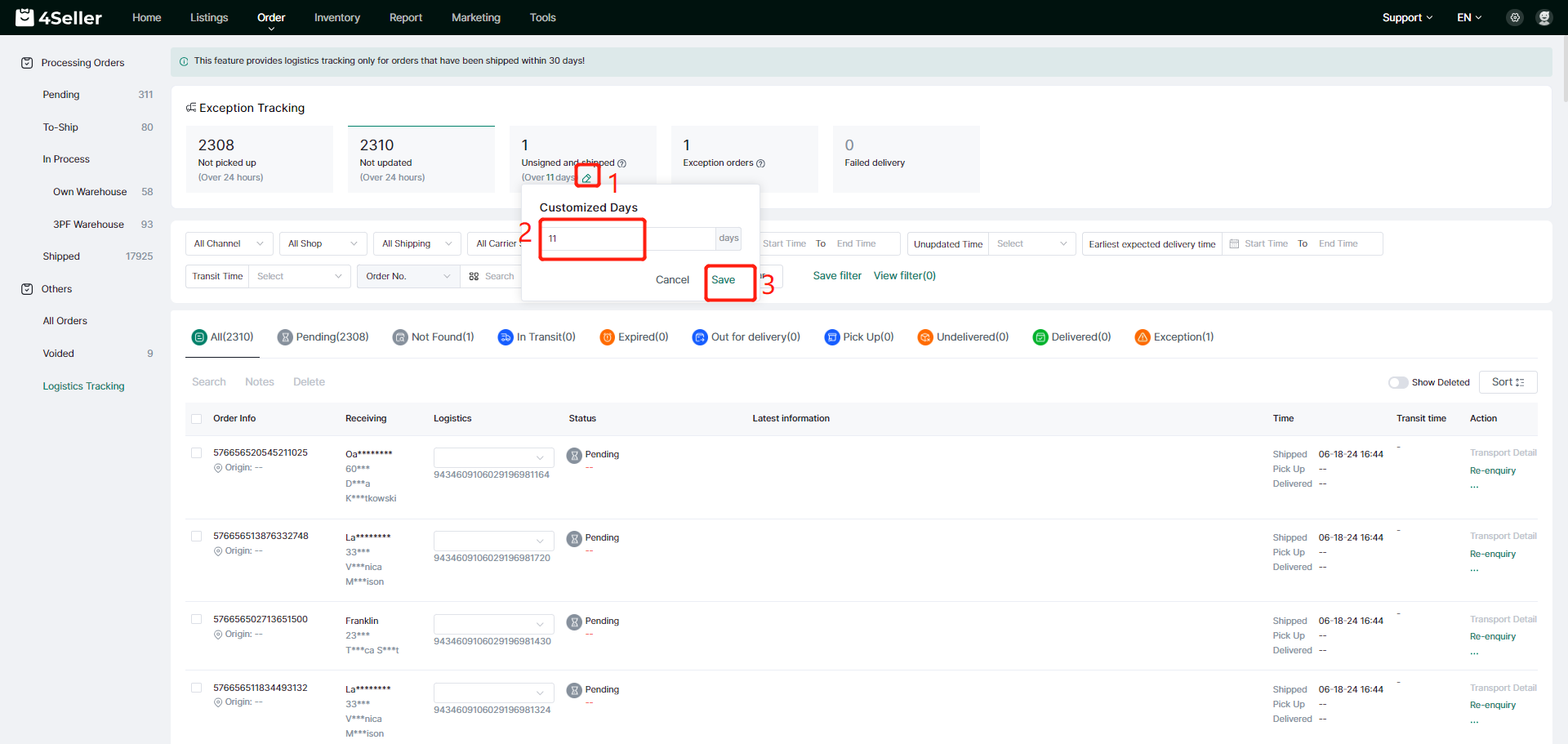
In the “Unsigned and X days in transit” field, you can customize the number of days in transit, click the Edit button, enter the number of days in the customized days pop-up window, click OK, and the order quantity will be re-checked.
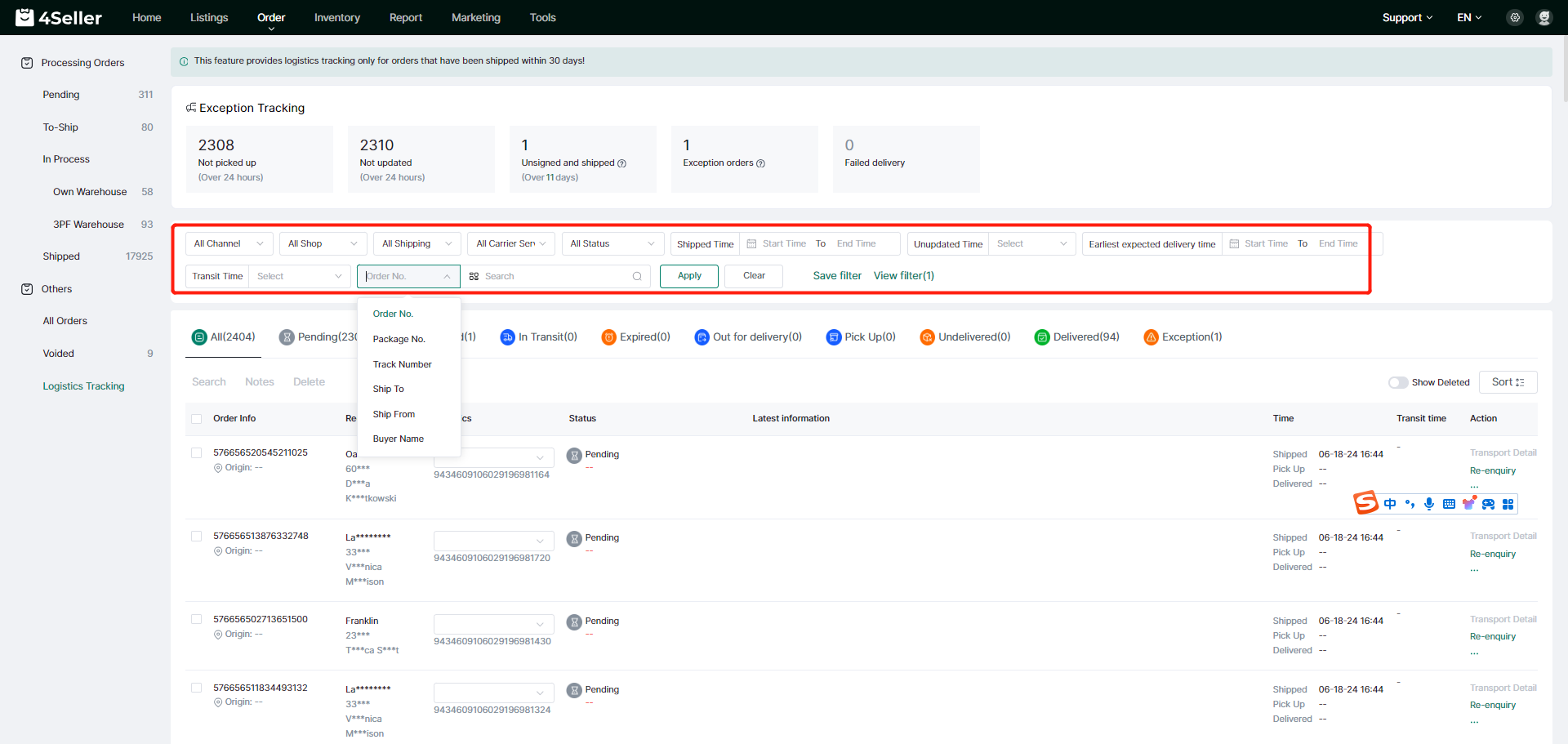
3、Search query field
Support the selection of query conditions are: platform, store, logistics provider, logistics services, transportation status, delivery time, not updated time, the expected earliest delivery time, the length of transportation; support for search query conditions are: order number, parcel number, logistics tracking number, shipping address, shipping address, the buyer's name, and support for batch search query.
You can customize the query template and save the view, customize the view name to facilitate the next query directly through the saved conditions.
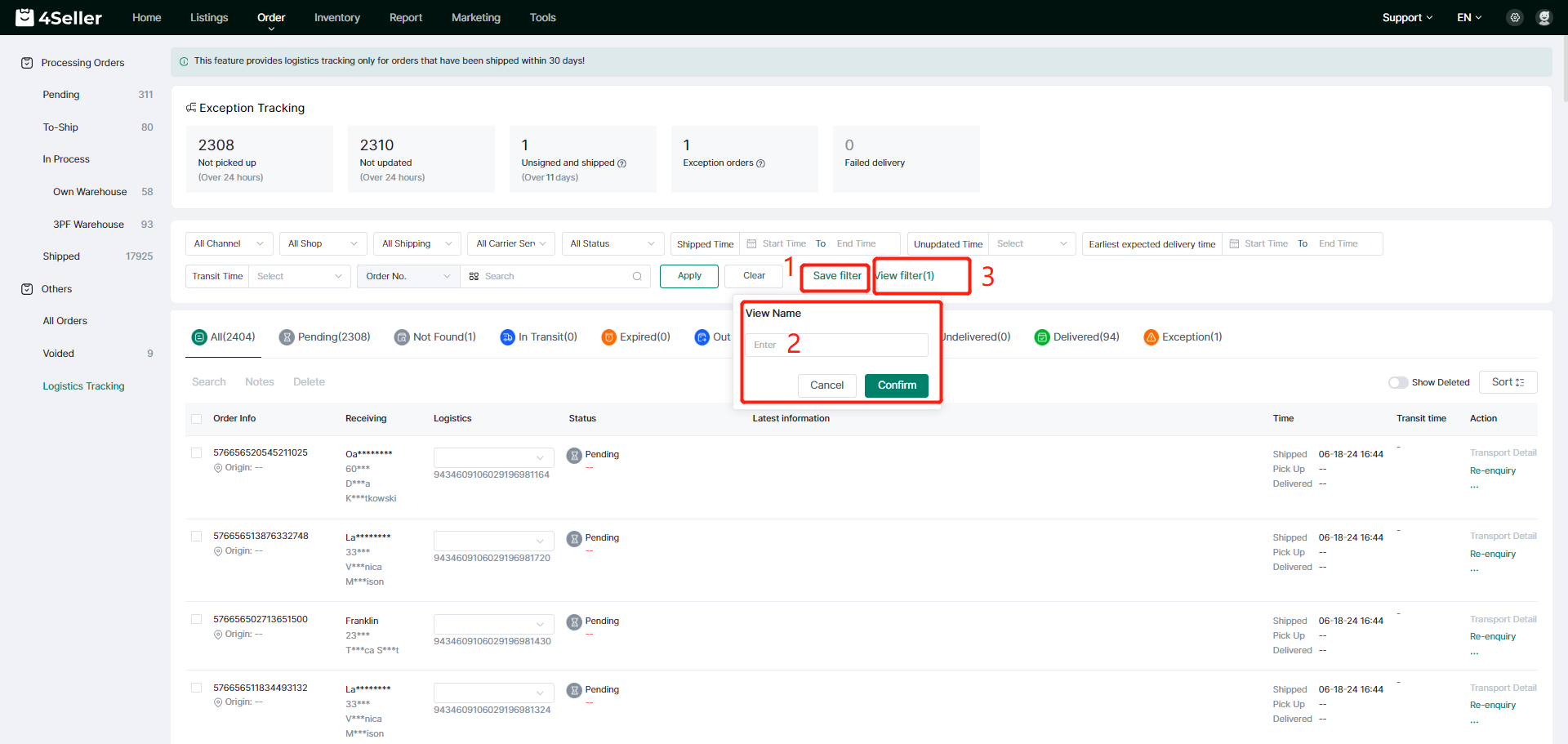
The number of days not updated can be customized and modified as needed.
4、Transportation list information
(1) Status query:
Through the above query conditions, you can query the different status of the order transportation, click the status icon, you can query the specific meaning of each status;
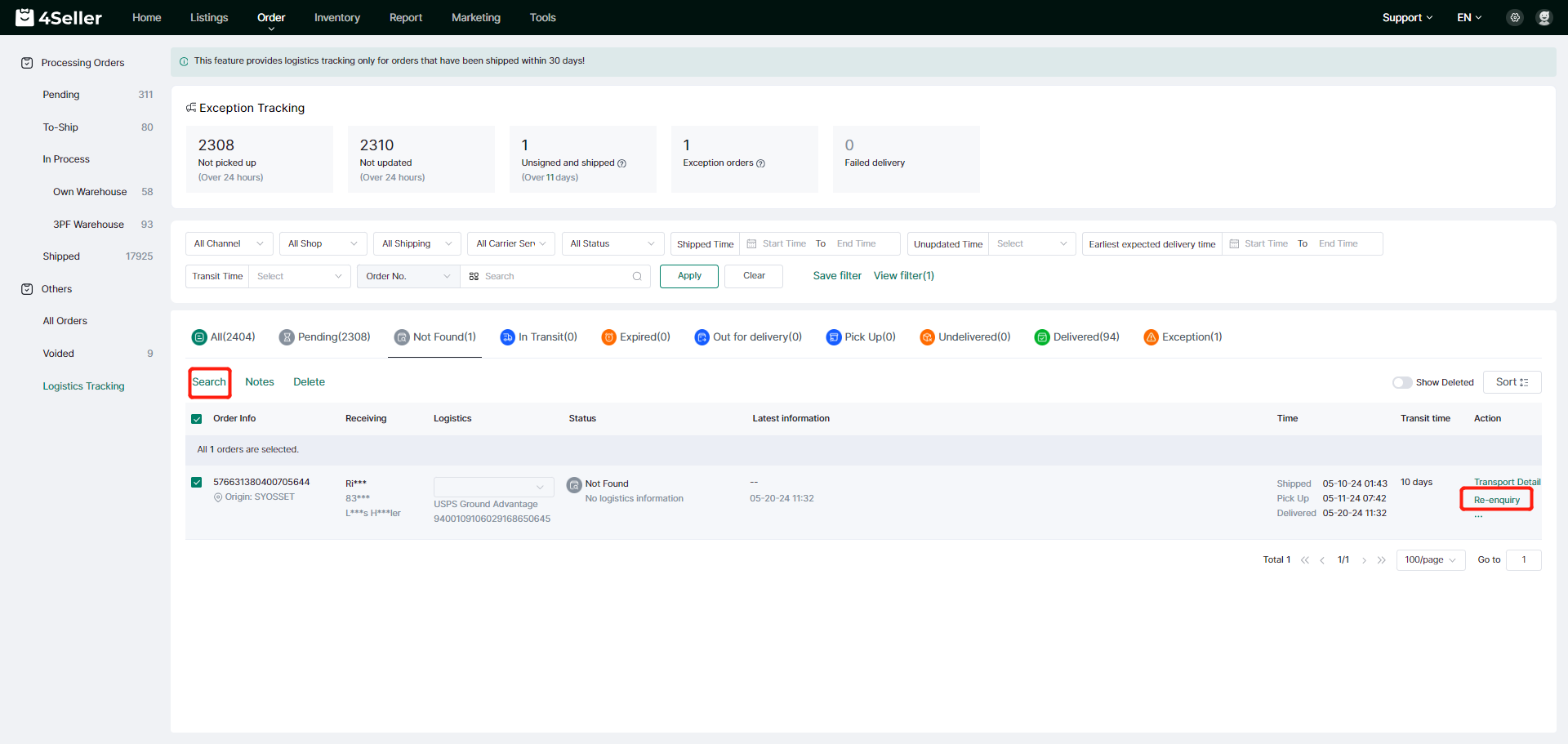
(2) Re-query:
You can “re-query” the current order information, or select multiple orders for batch query, which will retrieve the interface to query the latest information on the order transportation;
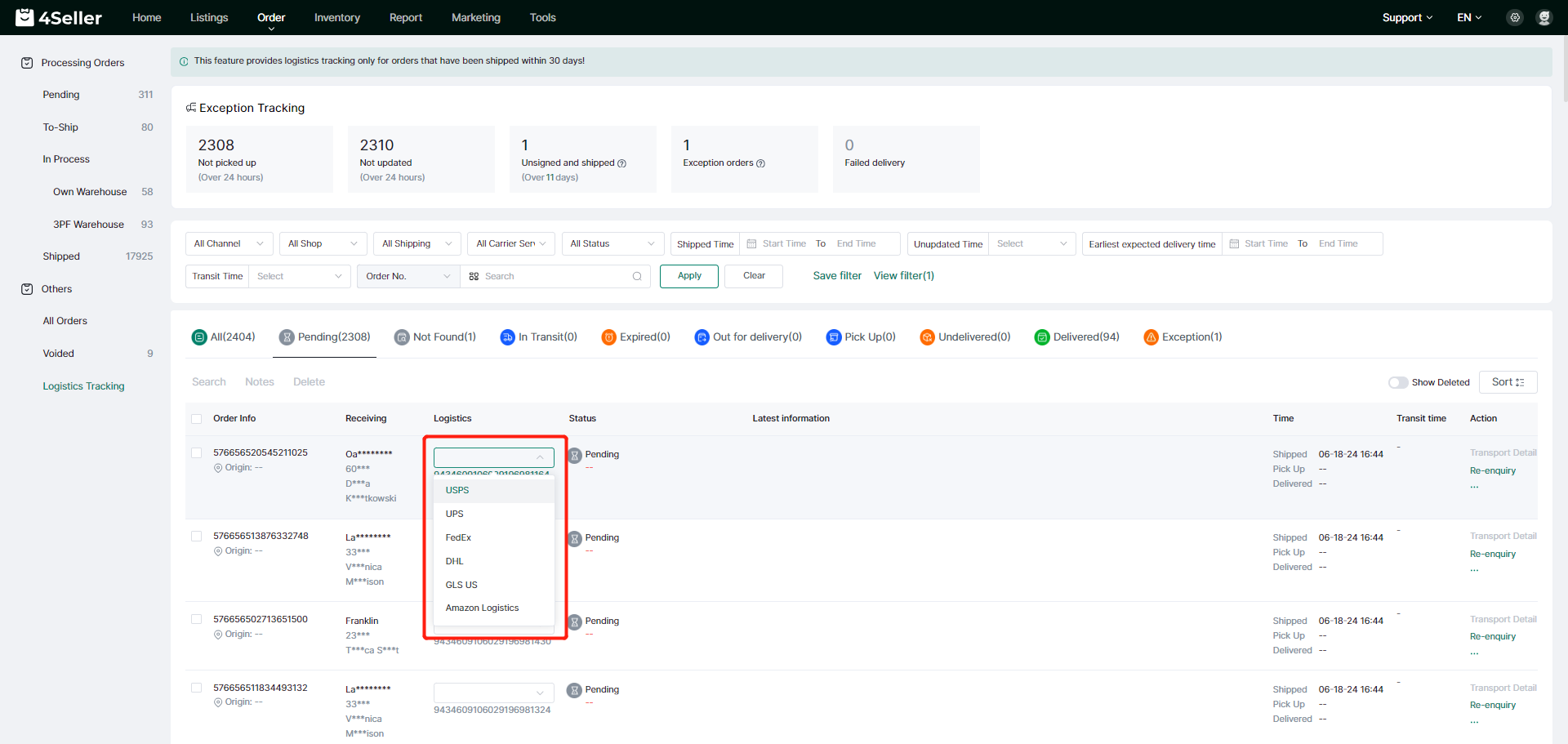
(3) Modify the logistics provider:
When the order is in the state of pending inquiries and inquiries can not be made, there may be the case that the waybill number is matched to more than one logistics provider, you can click on the logistics provider for the logistics provider to modify, after selecting the logistics provider that needs to be modified, the system will be based on the new logistics provider again to retrieve the interface to query the details of the order transportation.
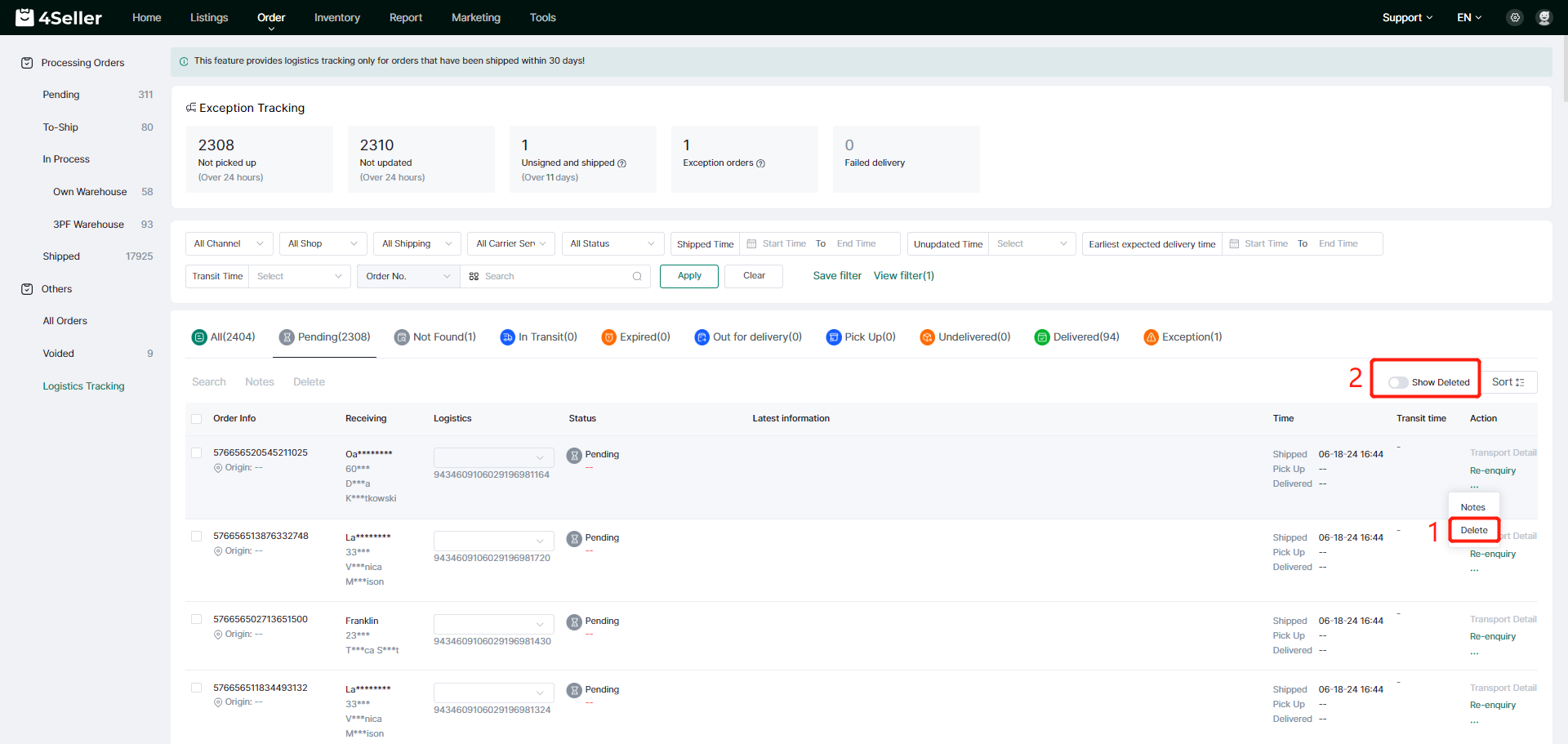
(4) Show Deleted:
If some order information is not needed for logistics tracking, you can click Delete to delete this order information, and if you need to re-display it, you can turn on the "Show Deleted" button, which will re-display and update the logistic information of the deleted order.
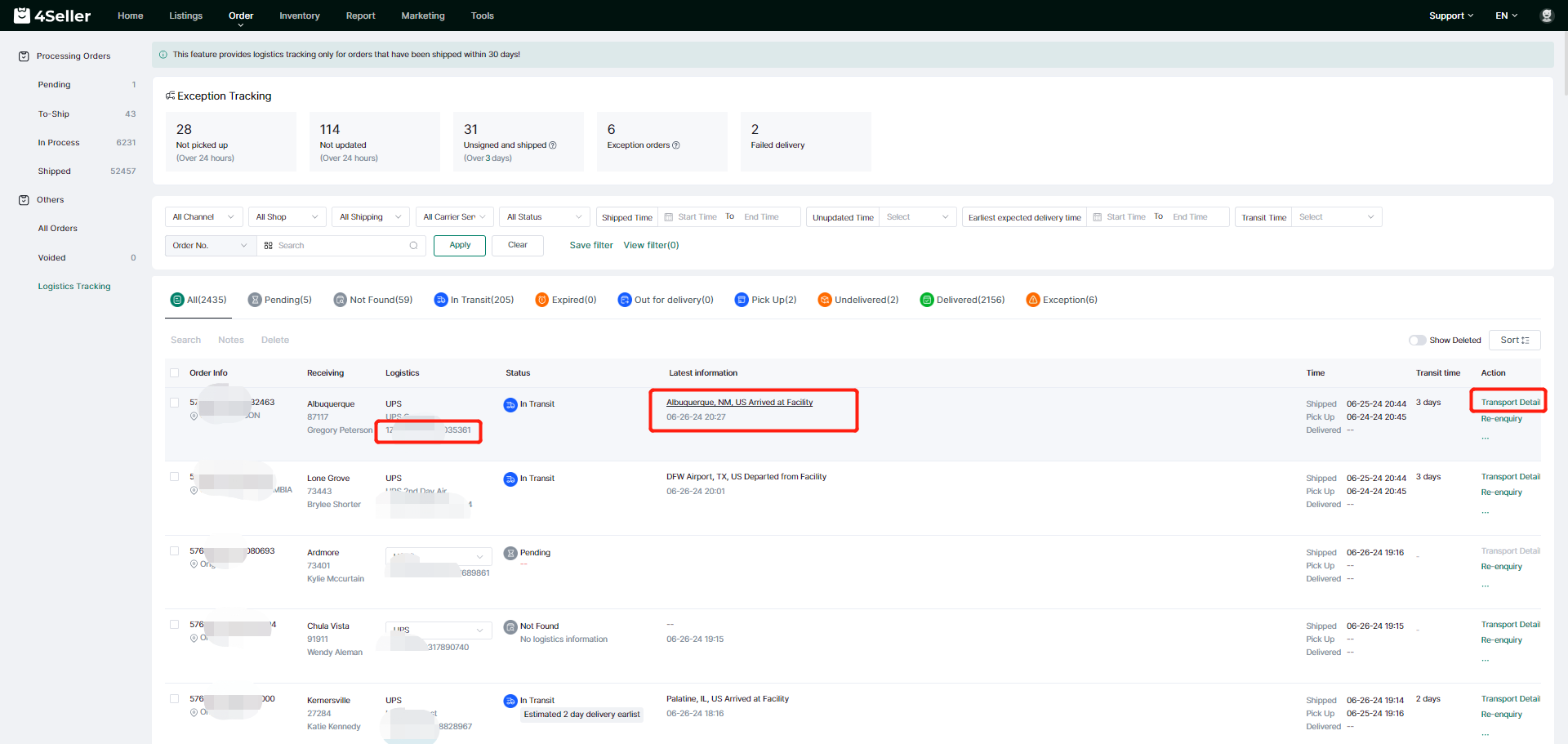
(5) Transportation details:
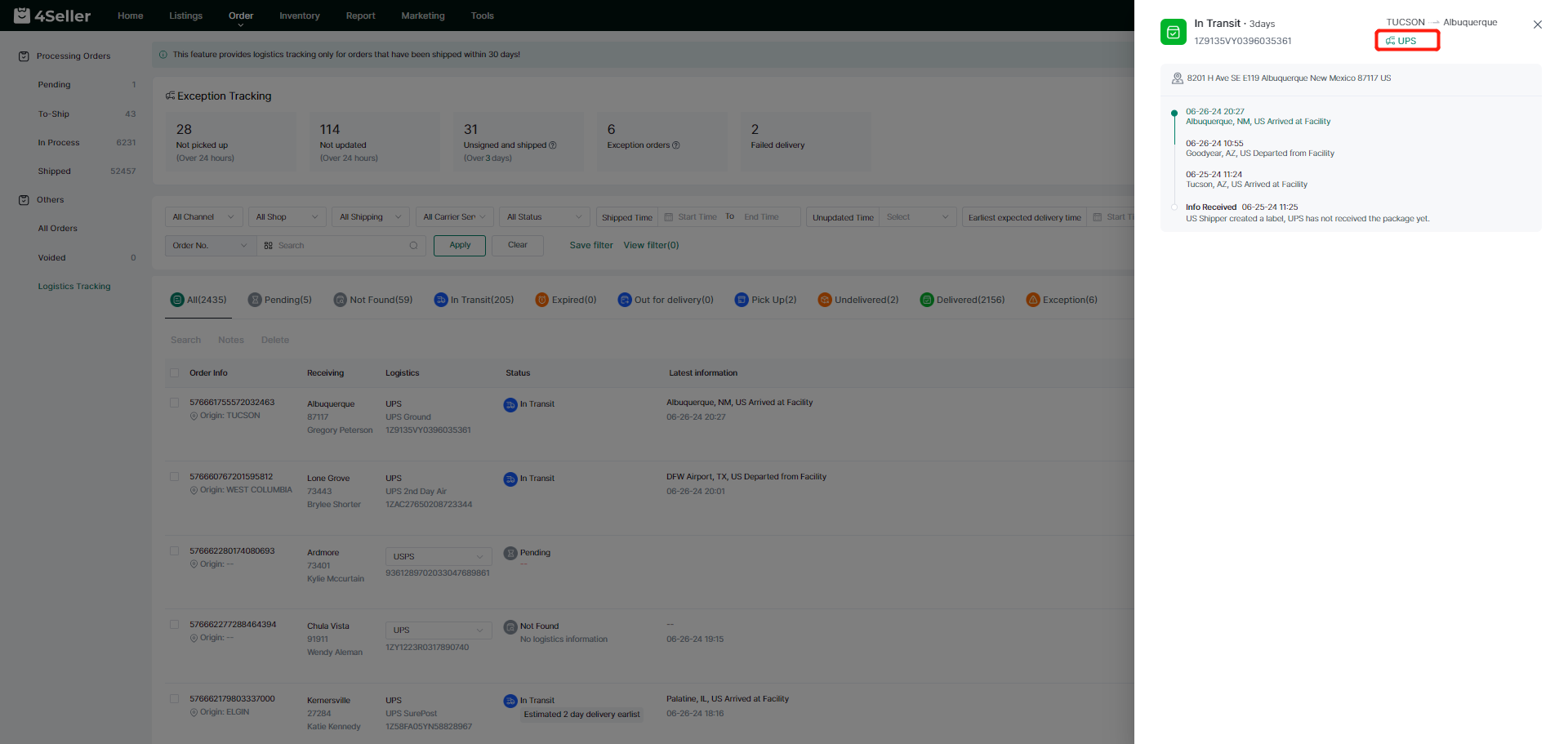
Click on the waybill number, the latest logistics information or the transportation details on the right side of the operation column to open the transportation details pop-up window and query the detailed information of the current order transportation; click on the logistics provider in the interface of the transportation details and you can directly jump to the official website of the corresponding logistics provider.
5、Order List Inquiry
On the order list page, click the waybill number of the shipped order to open the shipping details pop-up window and inquire about the detailed information of the shipment;
In the order details interface, you can view the current transportation status of the order and the corresponding logistics service. Clicking on the waybill number will jump to the logistics tracking interface and check out the logistics information of the current order.