- Get Started
- Video Tutorials
- Knowledge Base
- Channels
- Listings
- Inventory
- Orders
- Settings
- FAQs & Troubleshooting
How to Use Manifests?
Updated on 05 Mar,2025Copy Link
4Seller supports the use of the mainfests, same as USPS SCAN Form, known as the Shipment Confirmation Acceptance Notice Form. It allows shippers to confirm and process the mailing of multiple parcels by scanning a master waybill number, which contains the waybill numbers of all the parcels that need to be mailed. This function mainly realizes the aggregation of multiple parcels for the post office to scan and ship at once through the Scan Form form.Currently, 4Seller supports the new shipping carriers, like Shippo, Stamps, and TEMU Shipping's USPS channel, further improving delivery flexibility and multi-channel collaboration efficiency.
Step 1: Setting - shipping carriers - Carriers/Shipping Platform
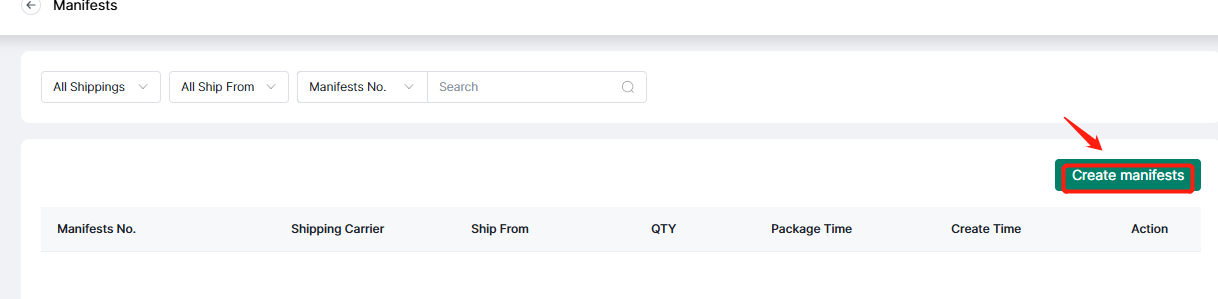
Refer to the help article to authorize shipping carrier to 4Seller: How to authorize shipping carriers to 4Seller?Step 2: Order - Shipped - Maifests - Create manifests
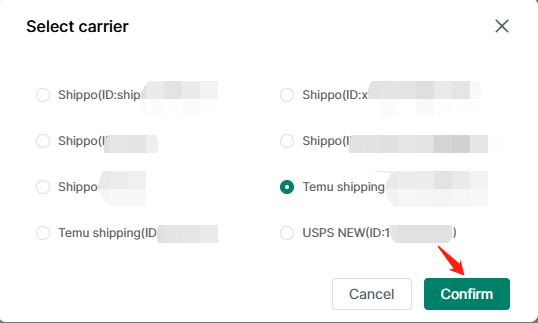
Step 3: Select Shipping Carrier--Click "Confirm"
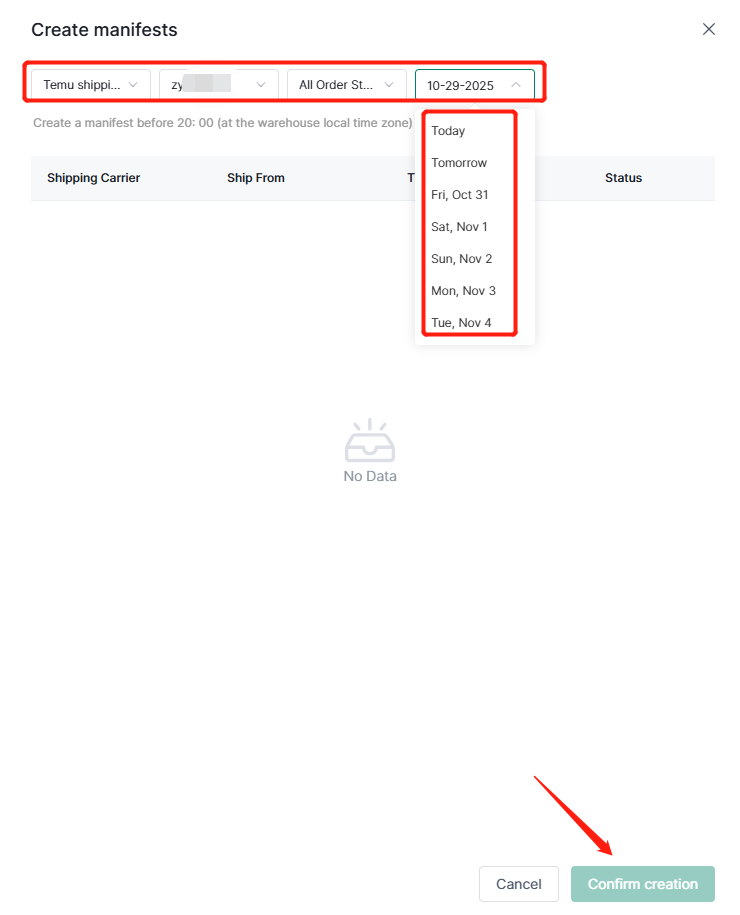
Step 4: Fill the condition then confirm creation
Any problem feel free to contact 4Seller Support Team: support@4seller.com




Back to top