- Get Started
- Video Tutorials
- Knowledge Base
- FAQs & Troubleshooting
How to Connect SwiftX to 4Seller?
Updated on 02 Dec,2025Copy Link
4Seller Support Connect SwiftX to 4Seller to fulfill orders easily and conveniently!
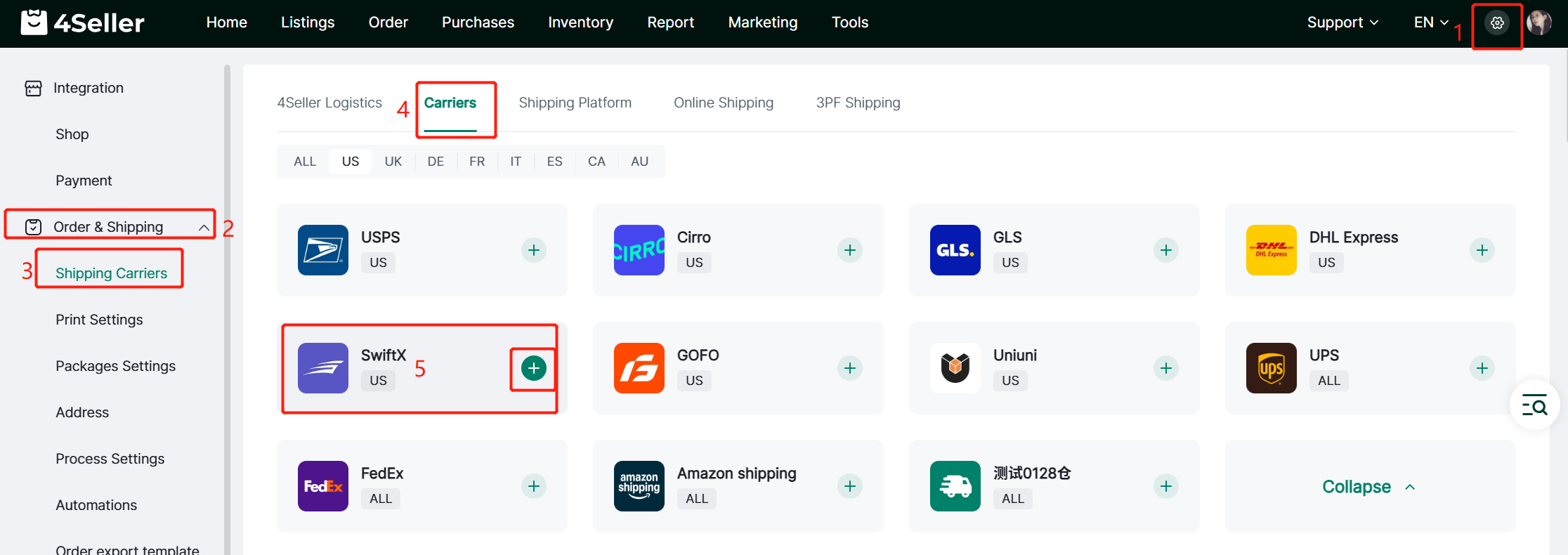
Step 1: Setting--Order & Shipping--Shipping Carriers--Carriers--SwiftX
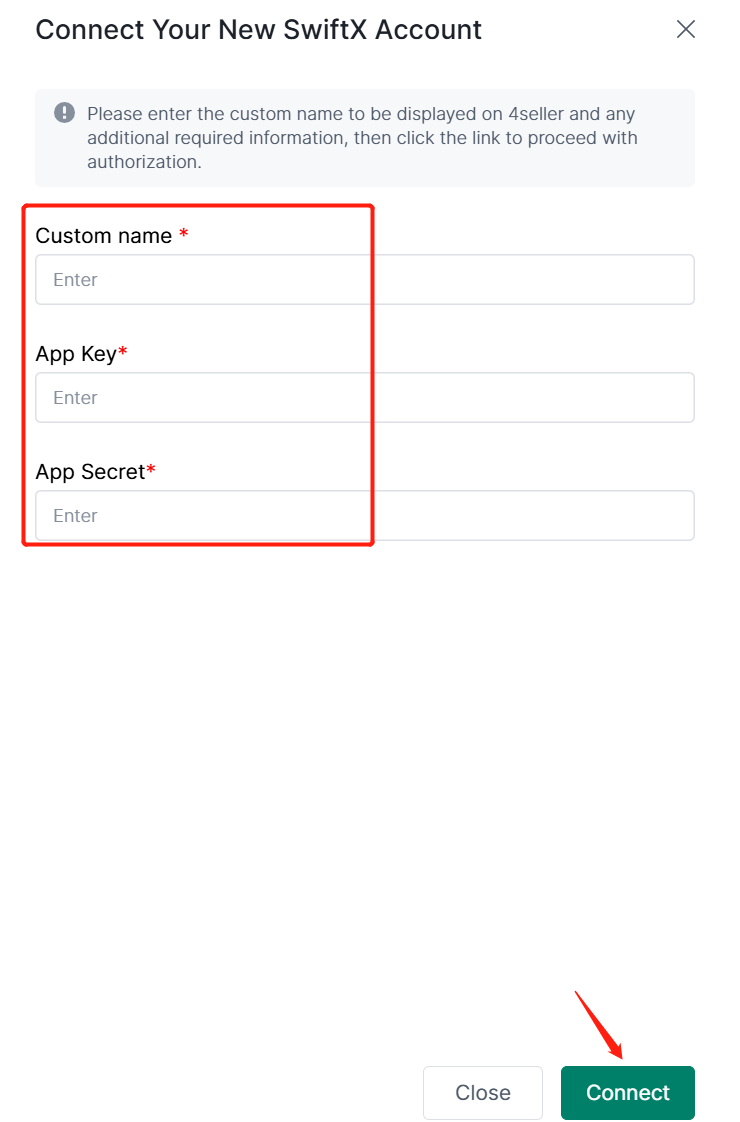
Step 2: Fill custome name--Contact SwiftX Support get the App Key & App Secret--Click "Connect"
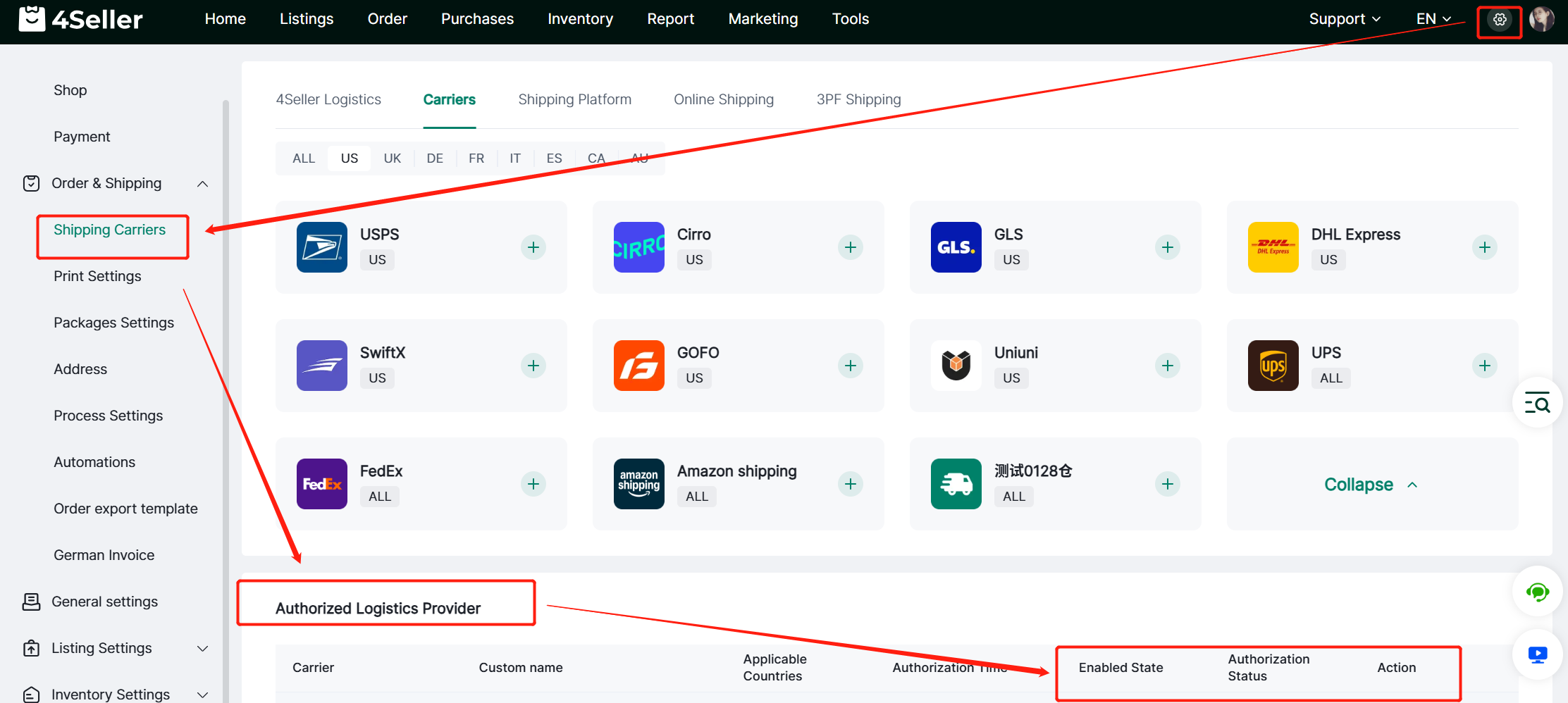
Step 3: After Connecting you can check the authorized status from "Auhtorized Logistics Provider"
Any problem pls feel free to contact 4Seller Support Team: support@4seller.com


Back to top