- Get Started
- Video Tutorials
- Knowledge Base
- FAQs & Troubleshooting
How to Bulk Edit Individual Attributes on eBay?
4Seller supports batch modification of individual attributes across multiple products to enhance listing efficiency for eBay.

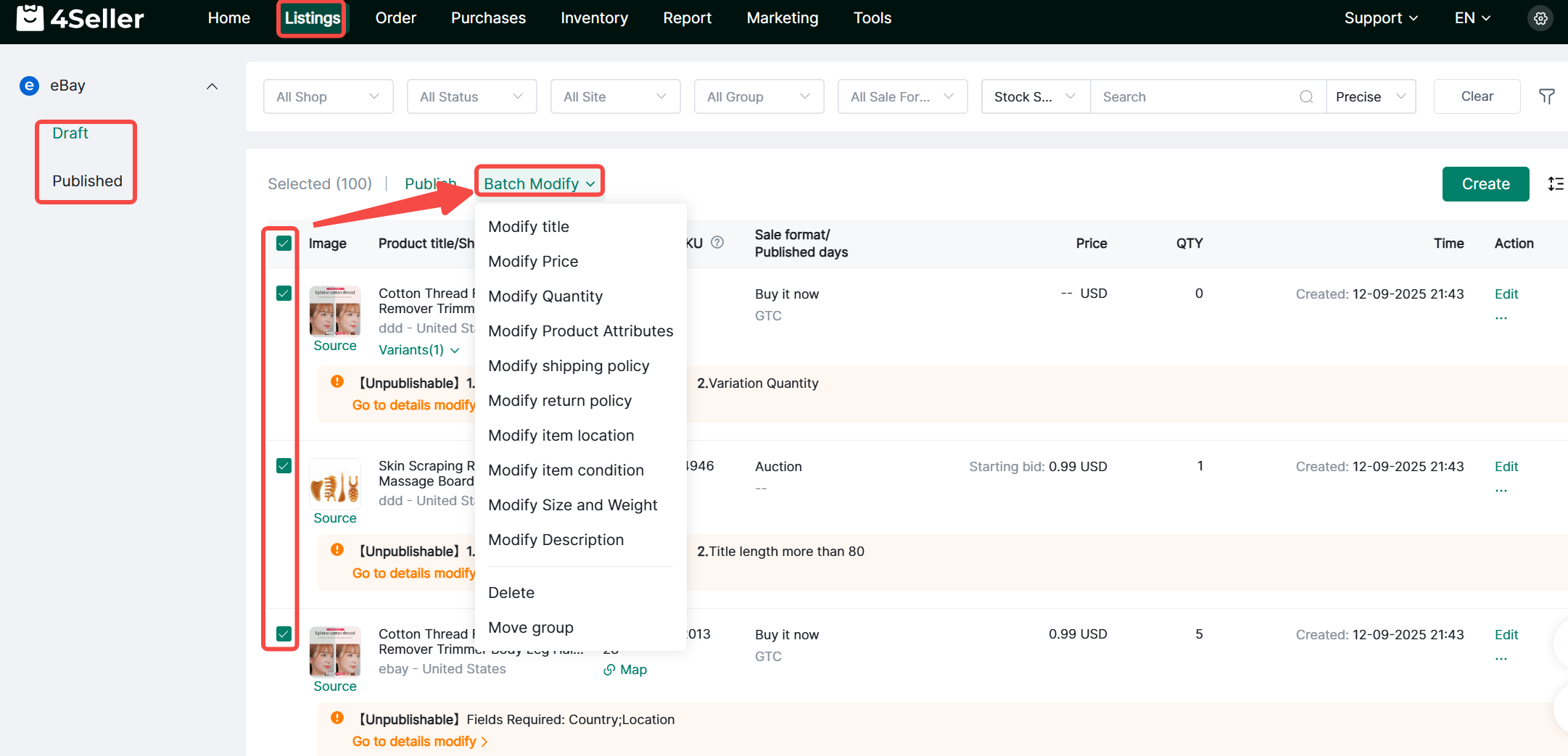
On the Drafts or Published pages, filter products requiring batch operations, select them, then click Batch Actions. Choose the attributes to modify for bulk updates.


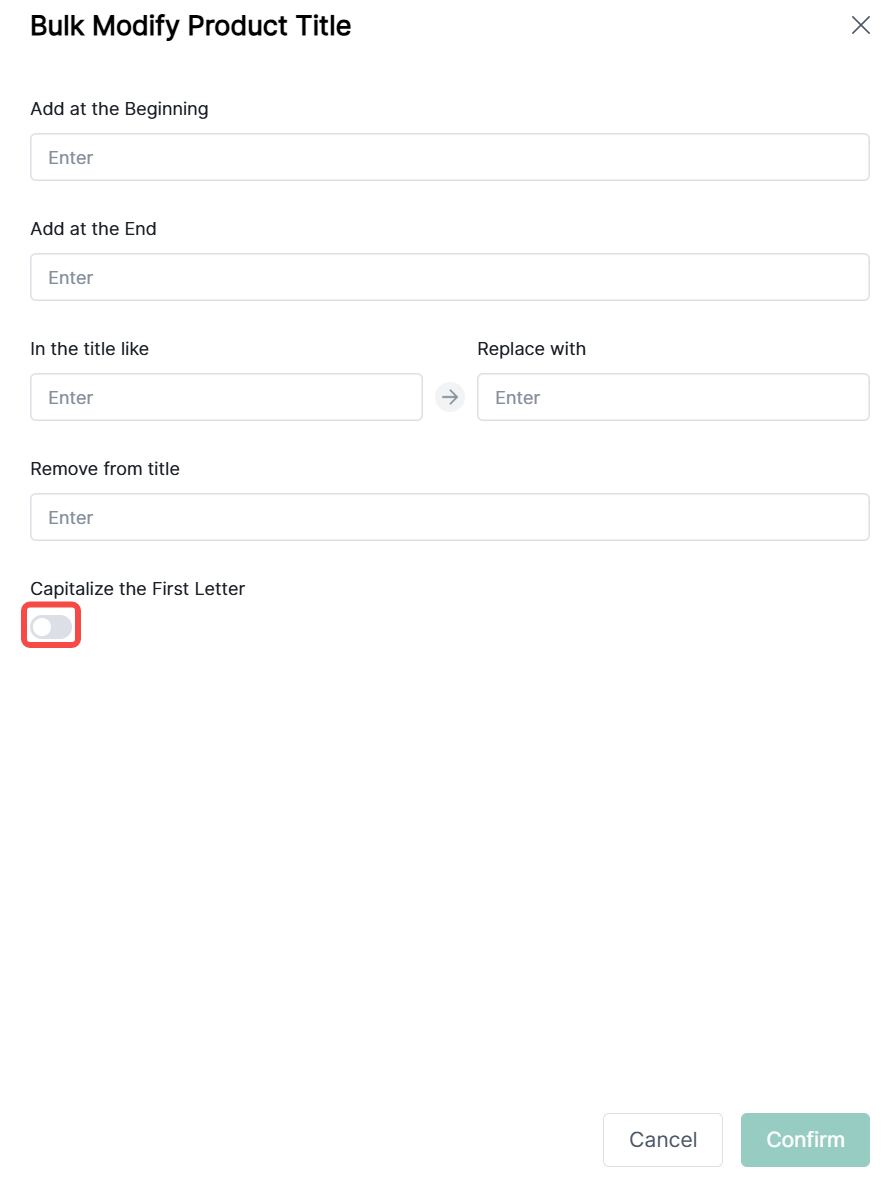
1. Batch modify product titles: Supports adding, replacing, or removing text at the beginning/end. Click Confirm.


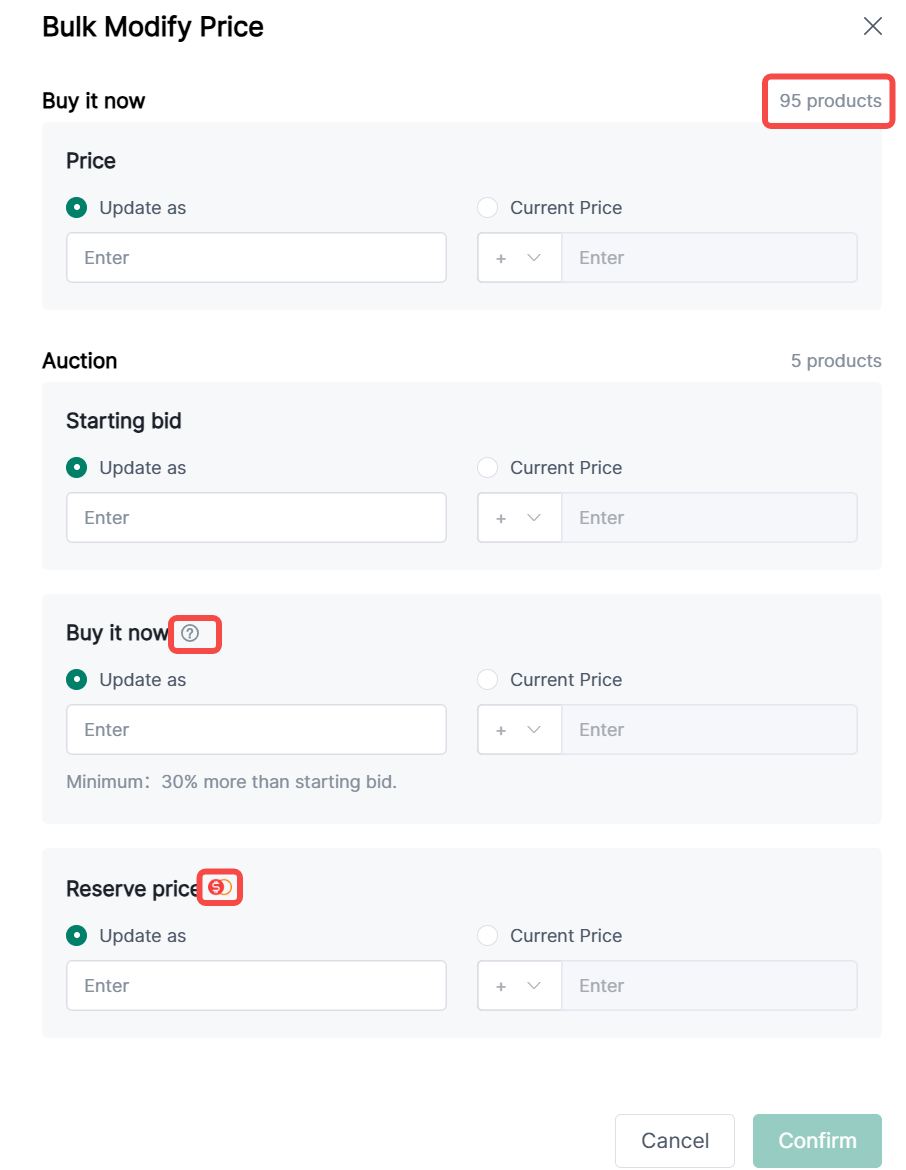
2. Batch price modification:

(1) Items are categorized as Buy It Now or Auction listings, with quantities displayed in the top-right corner.

(2)If the 'Allow offers' feature is enabled, the 'Buy it now' price here will not take effect.

(3) Reserve Price is [eBay Charge Fee] Set the lowest price you're willing to sell an item for (non-refundable fee applies).

(4) For auction listings with both “Update as” starting bid and Buy It Now price set, the Buy It Now price must be ≥ 1.3 times the starting bid;

(5) Reserve price must exceed the starting bid.


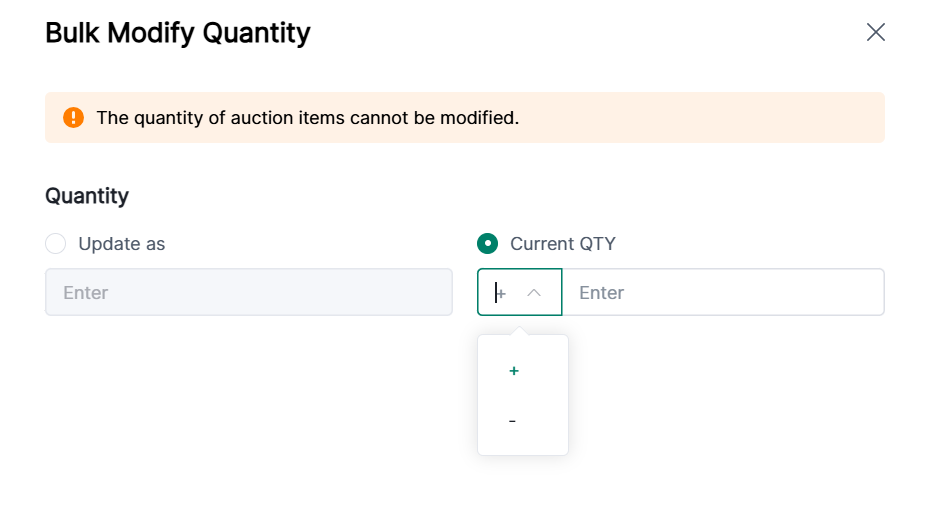
3. Bulk Quantity Modification:

(1) Only supports modifying quantities for “Buy It Now” listings; auction quantities cannot be changed;

(2) Supports up to 5-digit positive integers


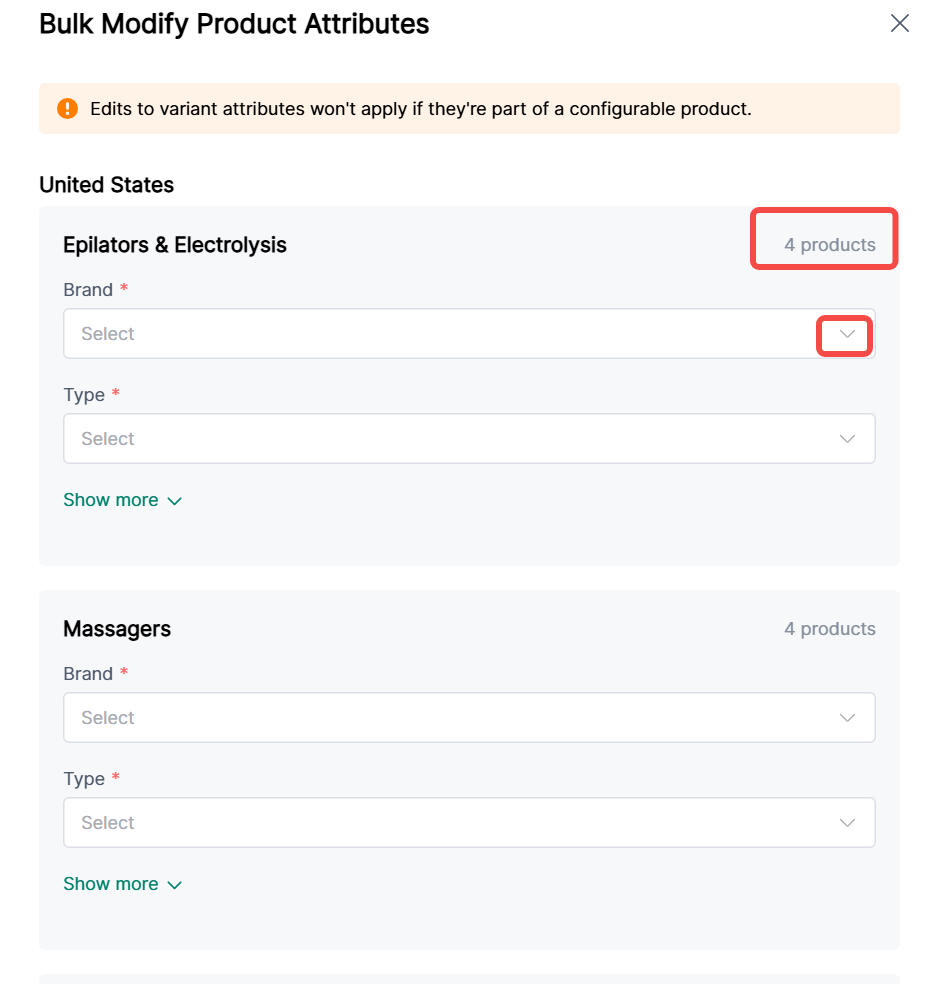
4. Batch Modification of Product Attributes:

(1) Displayed by site and category; specific product quantities appear in the upper-right corner;

(2) If the edited attribute belongs to a variant attribute of a multi-variant product, the modification will not take effect


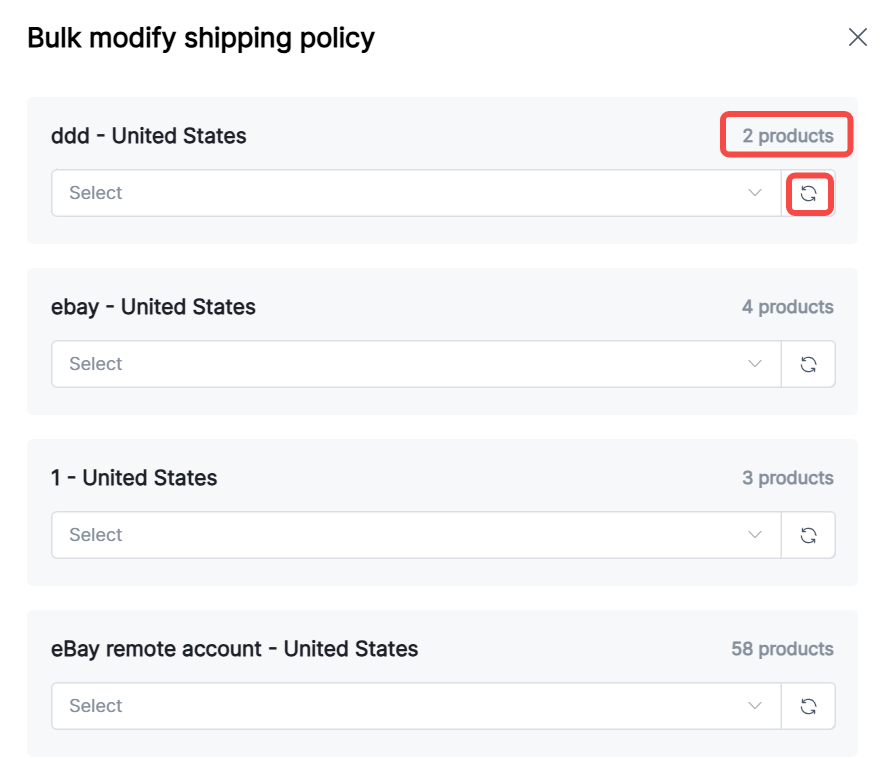
5. Batch Update Shipping Policies:

(1) Displayed by store and site; specific item counts appear in the top-right corner;

(2) Refresh the dropdown to the right of the input field to select options; unselected items will not be updated.


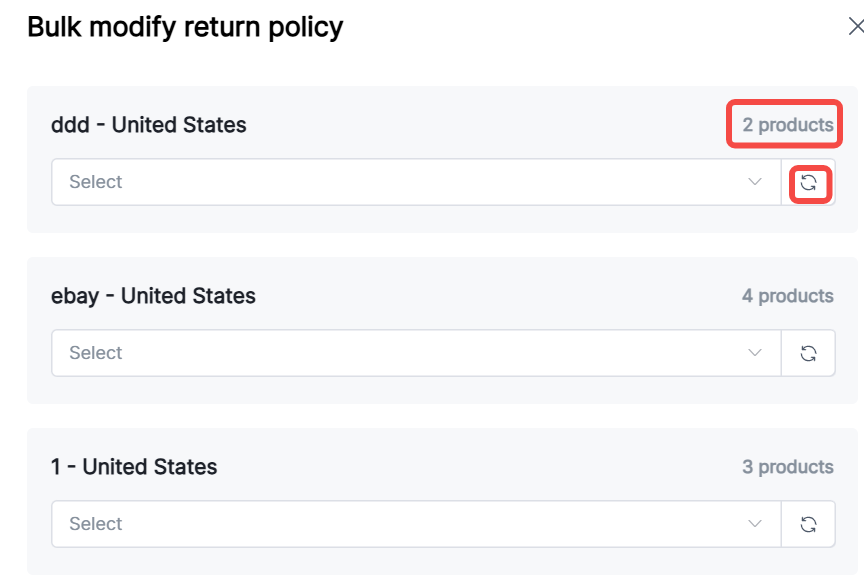
6. Batch Update Return Policies:

(1) Displayed by store and site; specific item counts appear in the top-right corner;

(2) Refresh the dropdown to the right of the input field to select options; unselected items will not be updated.


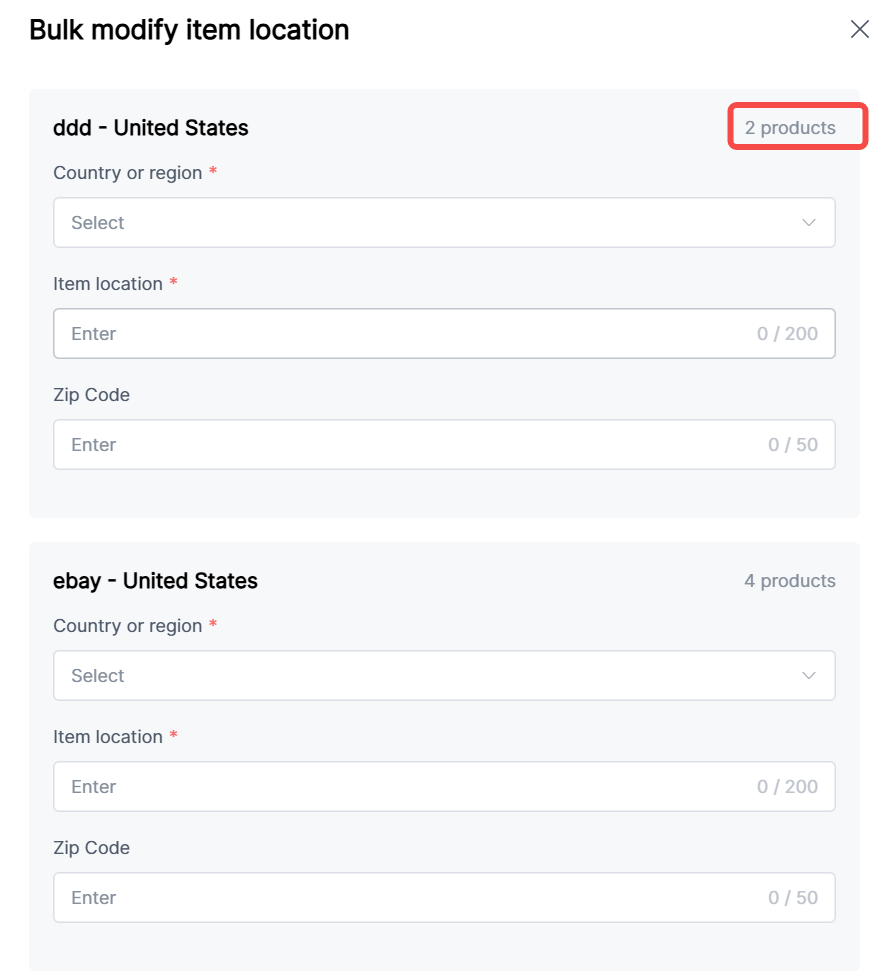
7. Batch modify item location:

(1) Stores displayed by site, with specific item quantities shown in the upper-right corner


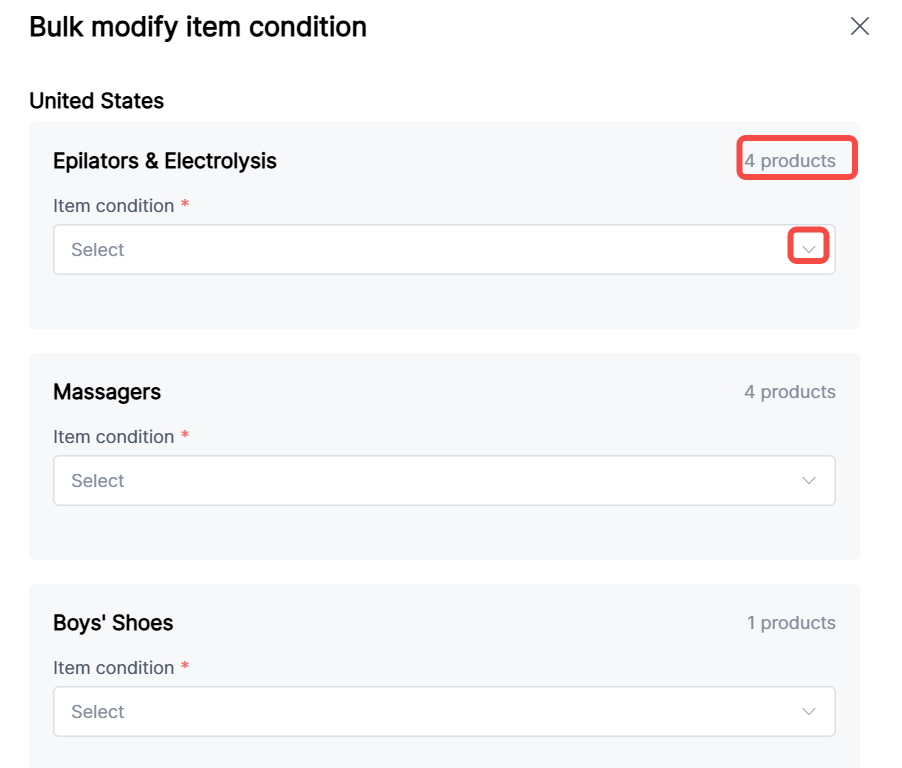
8. Batch modify item condition:

(1) Categorized by site and category, with specific item quantities shown in the upper-right corner


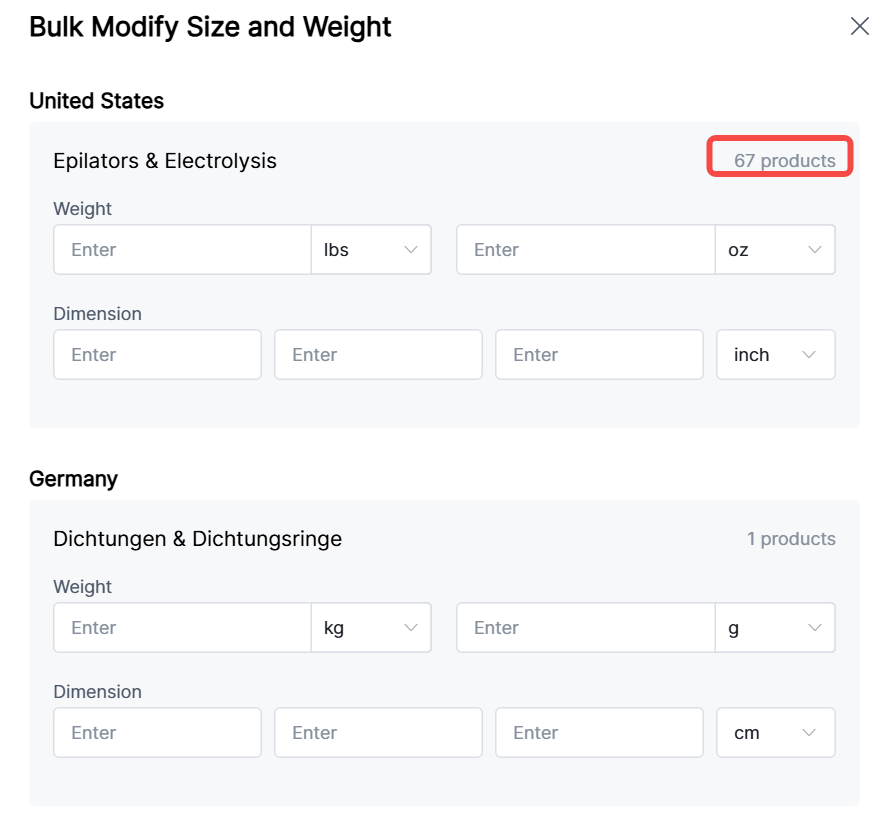
9. Batch modify dimensions and weight:

(1) Categorized by site and category;

(2) Supports input of 0 and positive integers only;

(3) Maximum range: g[0,999], oz[0,15];

(4) If setting dimensions, all three measurements (length, width, height) must be filled in


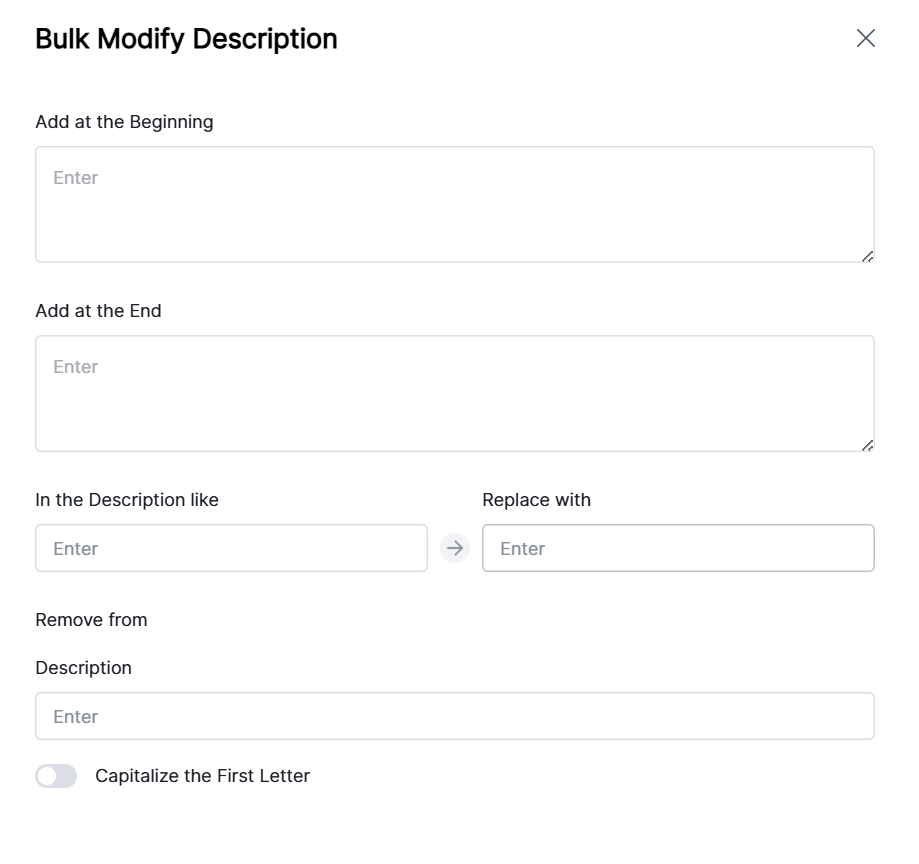
10. Batch modify descriptions: Supports adding, replacing, and removing content