- Get Started
- Video Tutorials
- Knowledge Base
- FAQs & Troubleshooting
How to Connect Amazon Stores to 4Seller within MCF Tools?
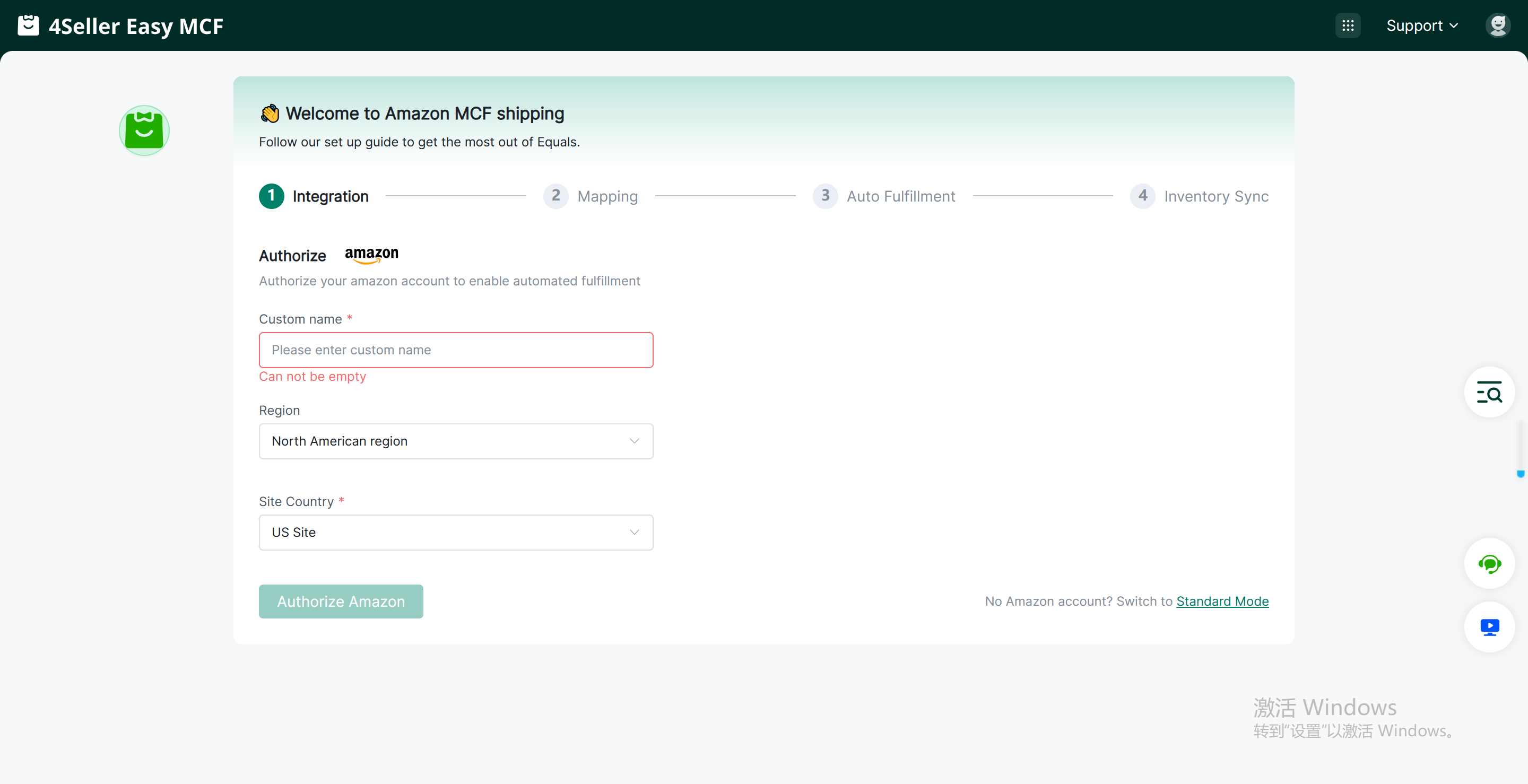
Step 1: Enter the MCF tool Guide Page
custom name, select Amazon store region, site country then click "Authorize".
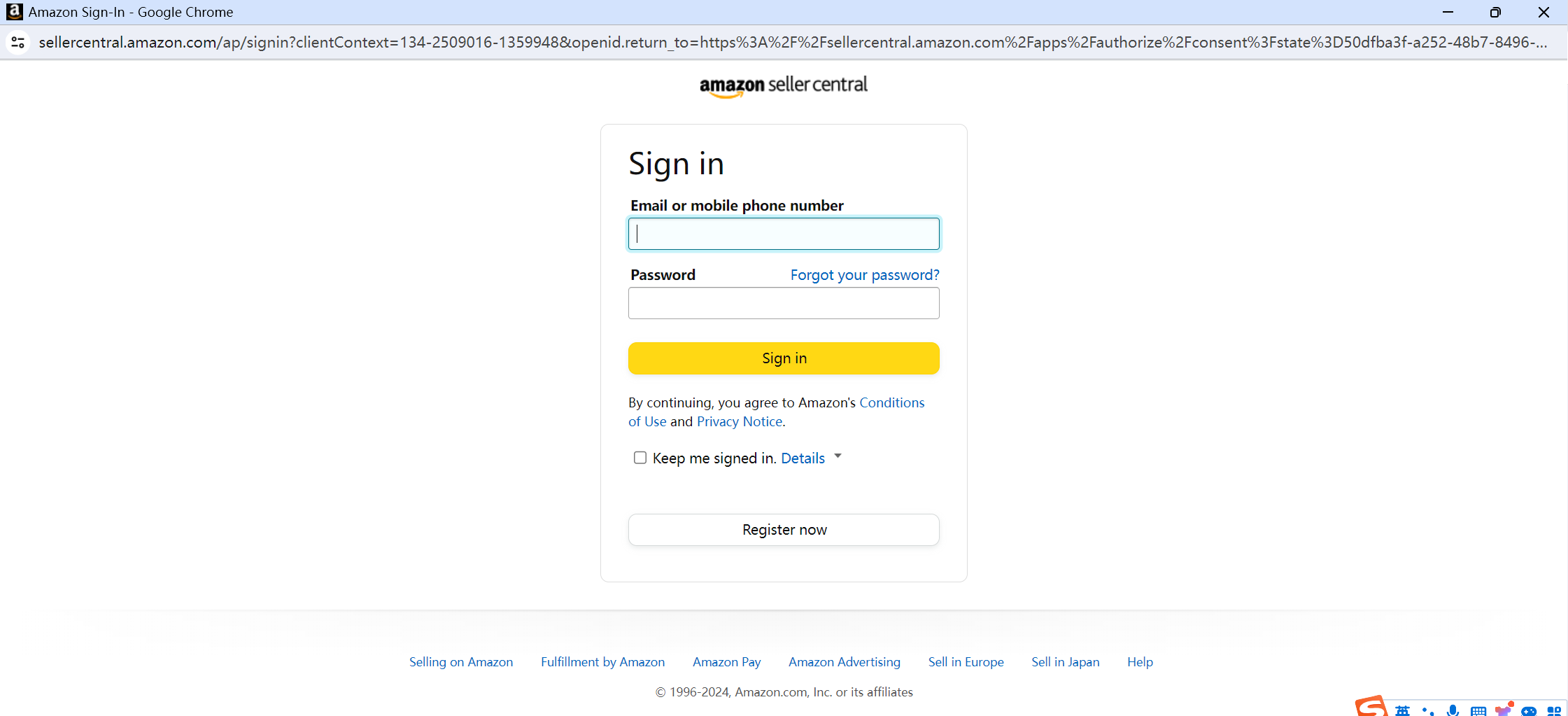
After clicking "Authorize", you will be redirected to the Amazon login page. Enter your Amazon account password to log in (only Amazon main account authorization is supported, not sub-account authorization).
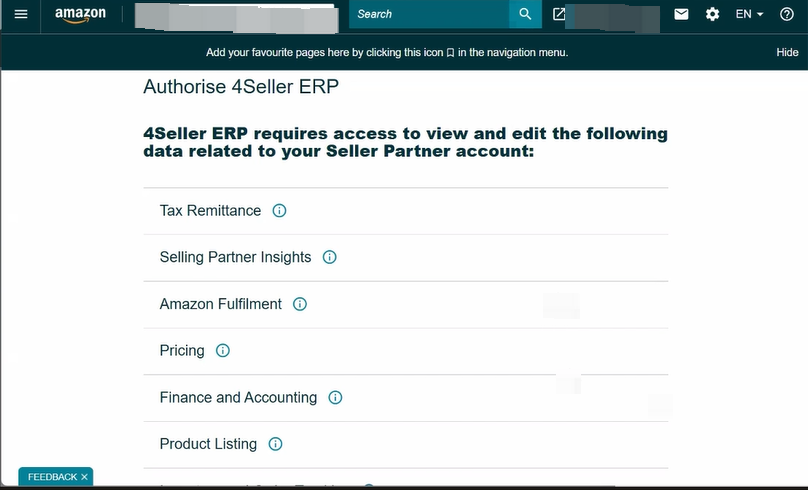
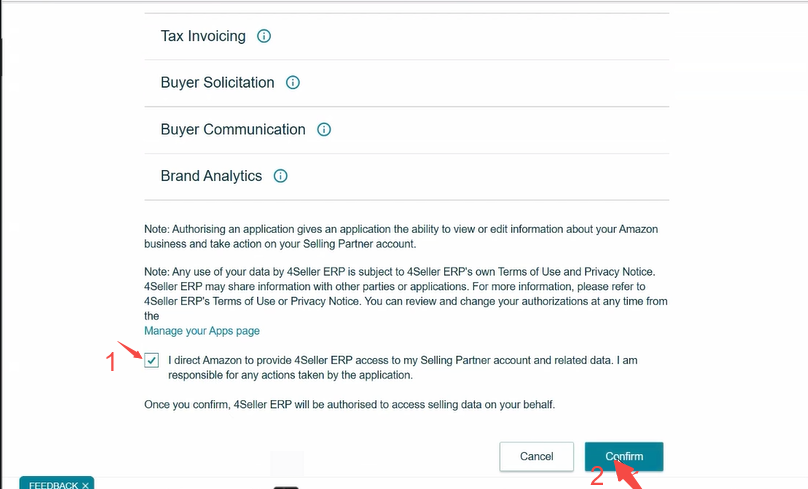
Step 2: Complete Shop Authorization
After successfully logging into your Amazon account, click Confirm to authorize the shop to 4Seller.
After successful shop authorization, you can check the shop authorization status on Setting page-- "Connect Amazon" indicates that the authorized shop is successful, and you can then use 4Seller to complete online product synchronization, order processing, inventory synchronization, and other operations!
Note : These errors may also occur when the store status is abnormal, such as:
- The store subscription has not been renewed.
- The store has violated Amazon's policies.
- The store is newly registered.
- The store's status is still under review.
In all these cases, Amazon authorization will return a "permission insufficient" exception. You can check the store's site and status to identify any potential issues.
Any problem pls contact 4Seller support team: support@4seller.com