- Get Started
- Video Tutorials
- Knowledge Base
- Channels
- Listings
- Inventory
- Orders
- Settings
- FAQs & Troubleshooting
How to Connect Prestashop in 4Seller?
Updated on 09 Mar,2026Copy Link
4Seller supports integration with PrestaShop, enabling authorization for single-account multi-store access, order synchronization, and fulfillment processing.
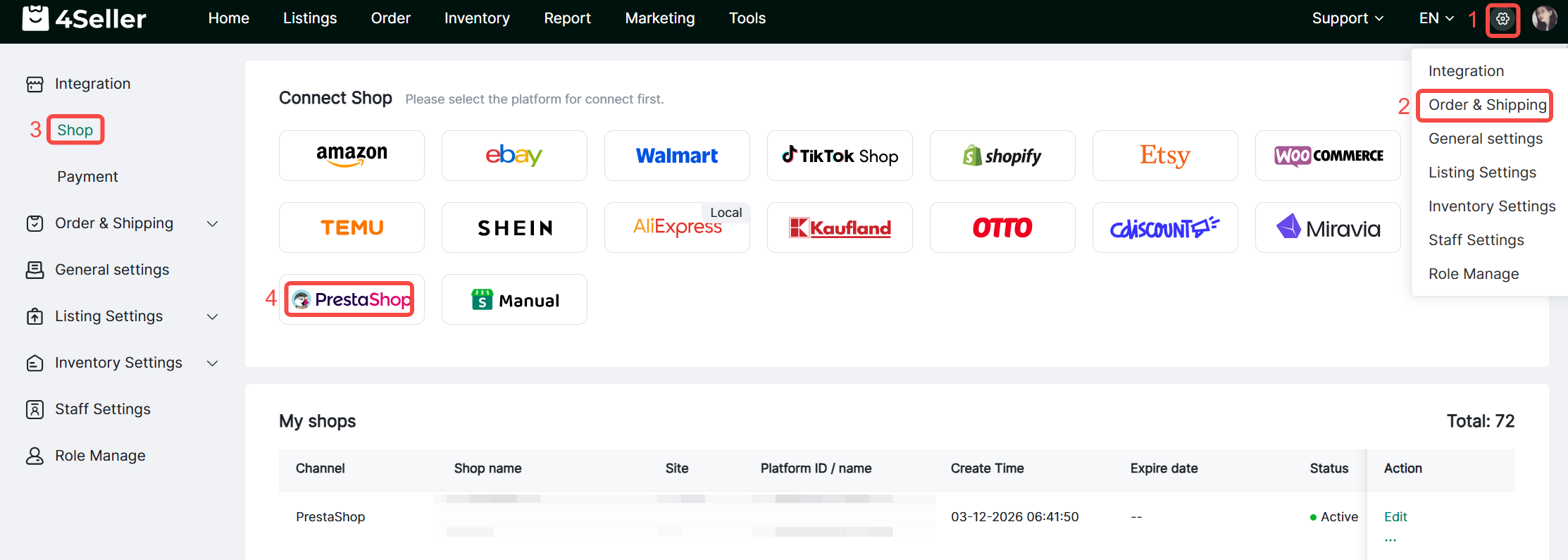
1. Click Settings > Authorization Management > Store Authorization > PrestaShop icon.
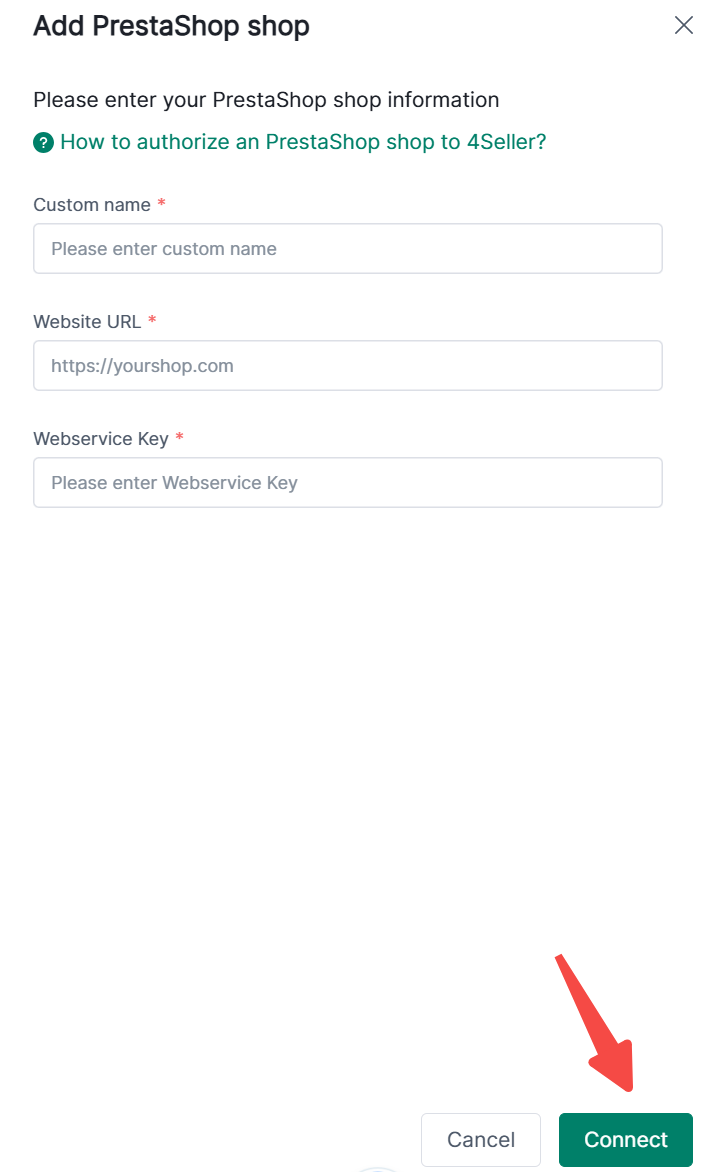
2. Enter a custom name, Website URL, and Webservice Key, then click Connect.
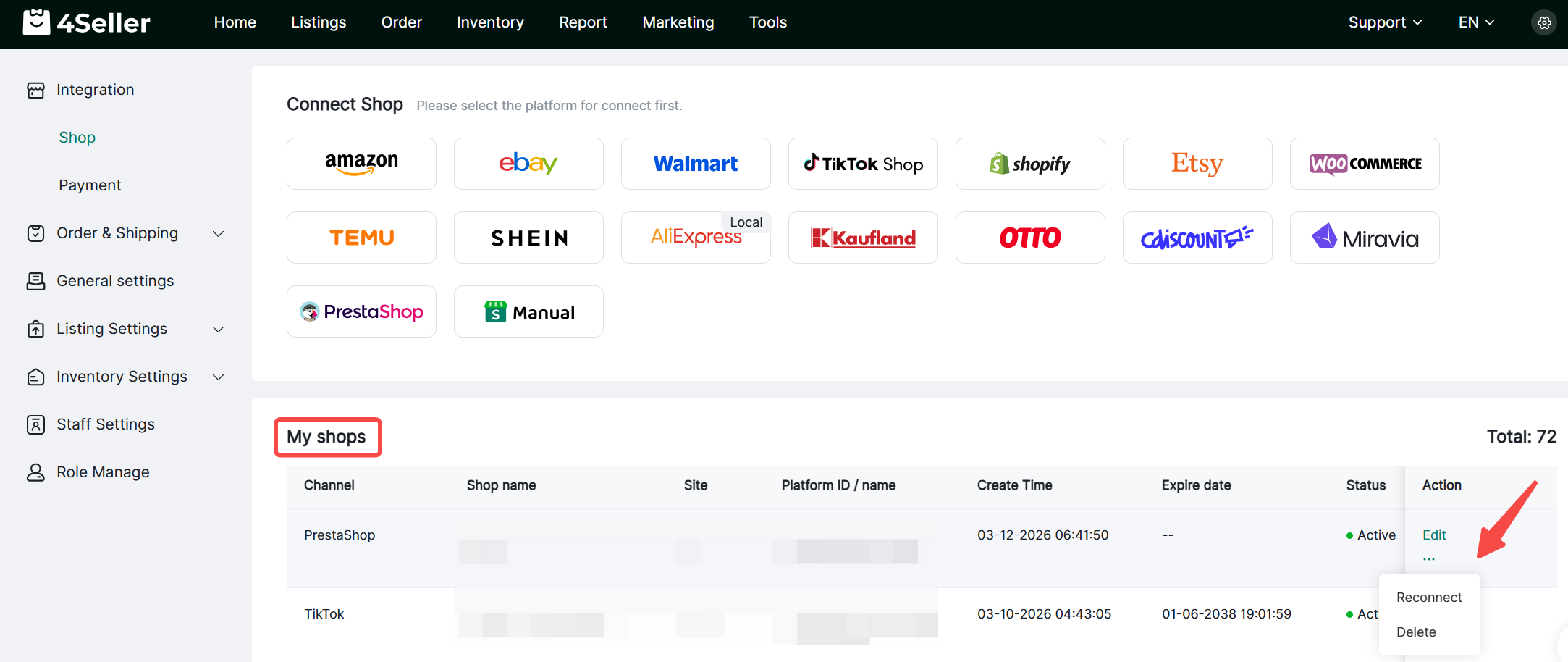
3. Authorized stores will appear under My Stores, where you can view details, edit, reauthorize, or delete them.


Back to top