- Get Started
- Video Tutorials
- Knowledge Base
- FAQs & Troubleshooting
How to Purchase Return Shipping Labels for Germany Carriers
Updated on 29 Jun,2026Copy Link
This guide explains how to purchase return shipping labels for Germany logistics within 4Seller. Return labels allow you to process customer returns efficiently and ensure packages are sent back using compliant carrier services. Make sure you connected Germany carriers to 4Seller and buy the return label and shipping label at the same time.Step-by-Step: How to Buy a Return Label
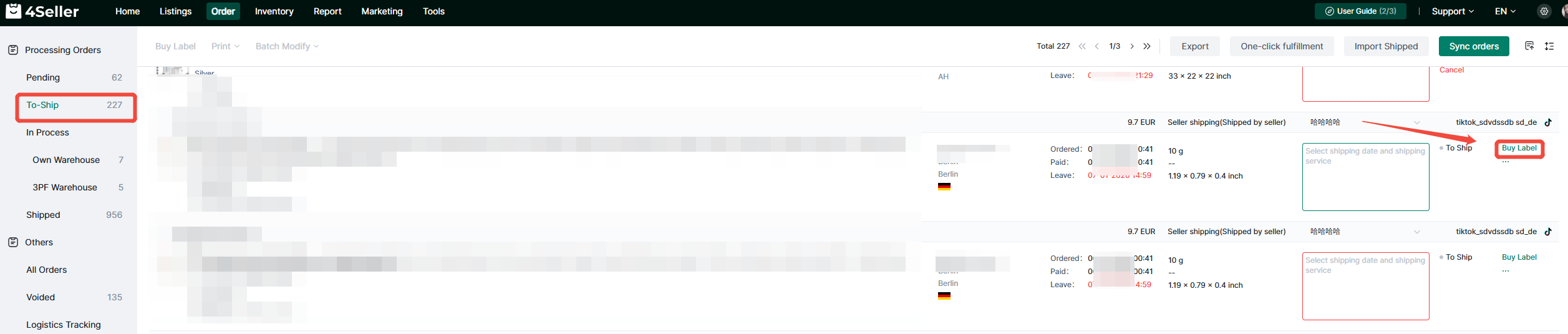
Step 1: Go to Order Management
Locate the order with Germany address that requires a return label. Click Buy Label after inputing required information.
Step 2: Open Package Options
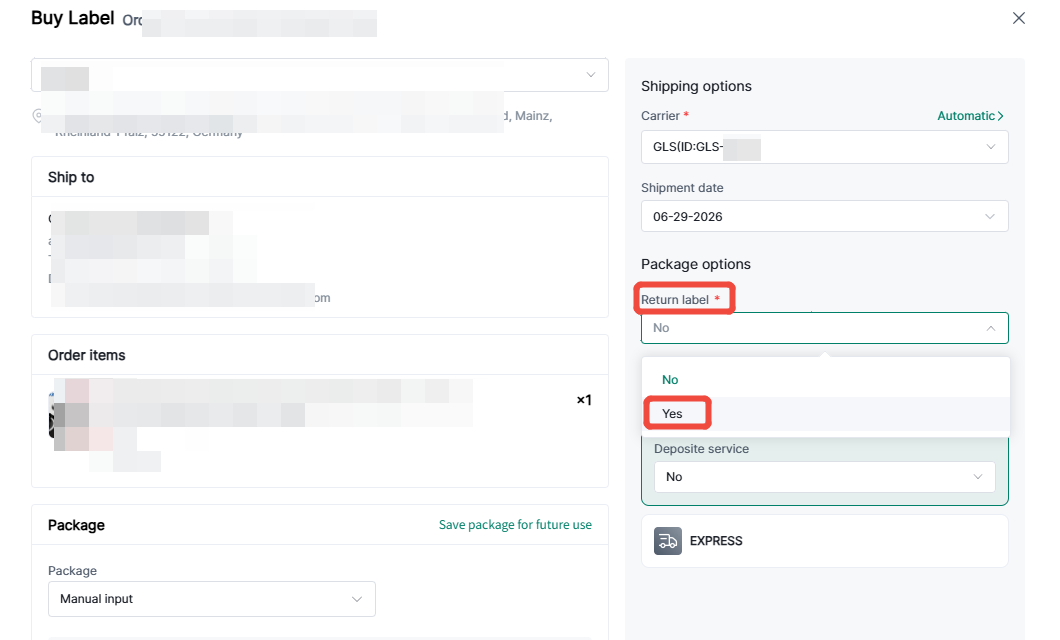
Click into the order details page, select carriers, then select: Return label - Yes
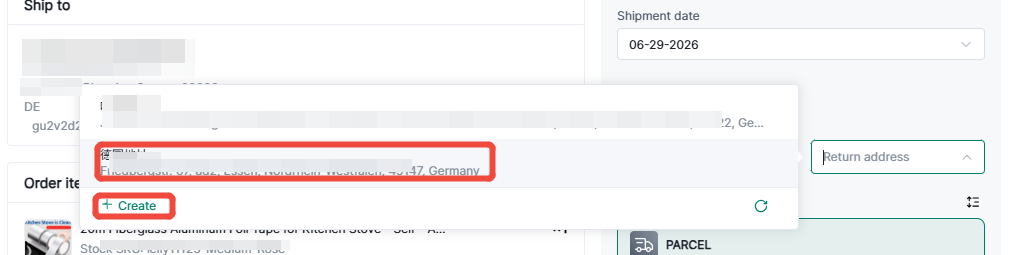
Step 3: Select Germany Logistics Return Address
Create return address in the Settings-Address, and choose the address here.
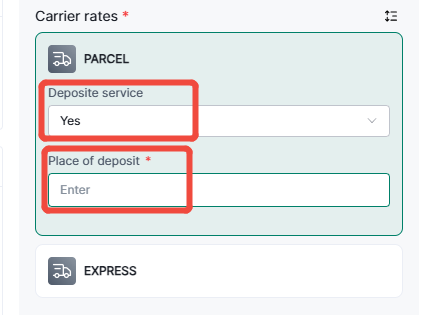
Step 4: Select Deposite Service
If you need deposite service, choose Yes and input the address of Deposit place at PARCEL.
Step 5: Purchase and Generate Label
Confirm the package information is correct. Click Purchase Label to confirm payment.
Once completed, the system will automatically generate the return shipping label along with the shipping label.You can download and print two shipping labels together.
Any Problem pls feel free to contact 4Seller: support@4seller.com


Back to top