- Get Started
- Video Tutorials
- Knowledge Base
- Channels
- Listings
- Inventory
- Orders
- Settings
- FAQs & Troubleshooting
How to Fulfill Orders via Amazon Easy Ship?
As an eCommerce ERP for EU&US markets, 4Seller allows users to authorize their Amazon stores in 4Seller. After Amazon orders are synced to 4Seller, users can purchase shipping labels for Amazon Easy Ship orders directly within 4Seller.


Operation Steps

1. Sync Amazon Easy Ship Orders


	Authorize your Amazon store in 4Seller.


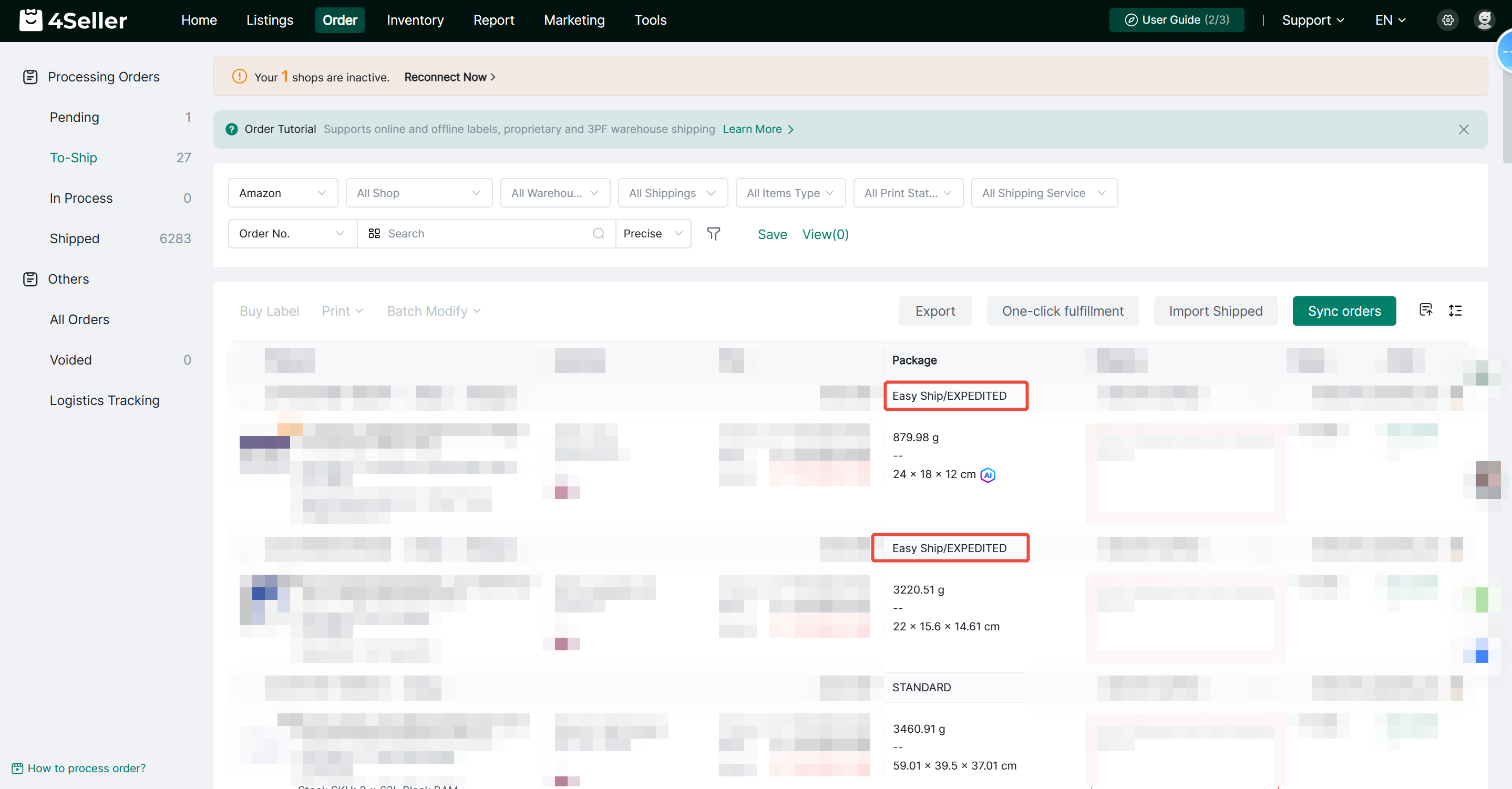
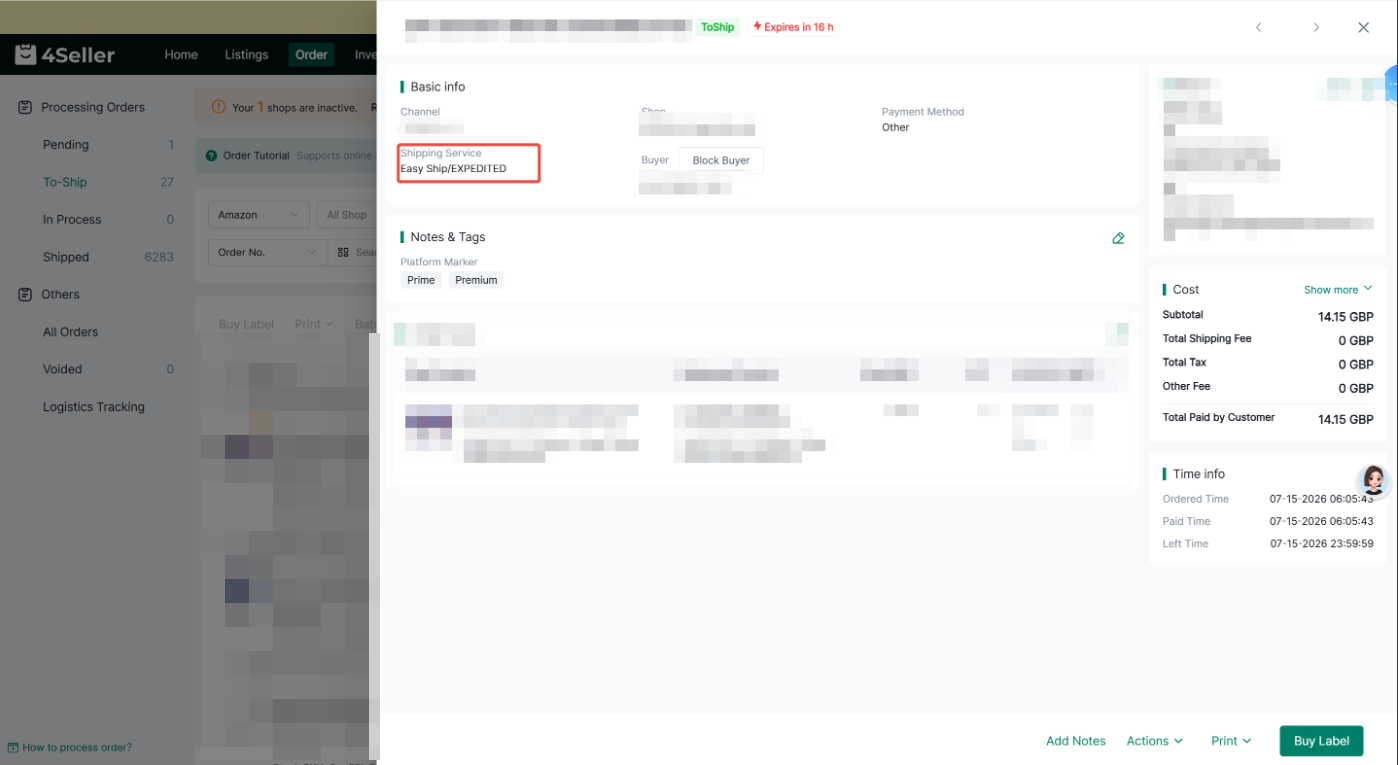
	After Amazon Easy Ship orders are synced to 4Seller, the system will automatically identify the order type.


	View the Easy Ship label in the order list and order details page.


2. Select the Easy Ship Shipping Service


	Select the Amazon Easy Ship order you want to process.


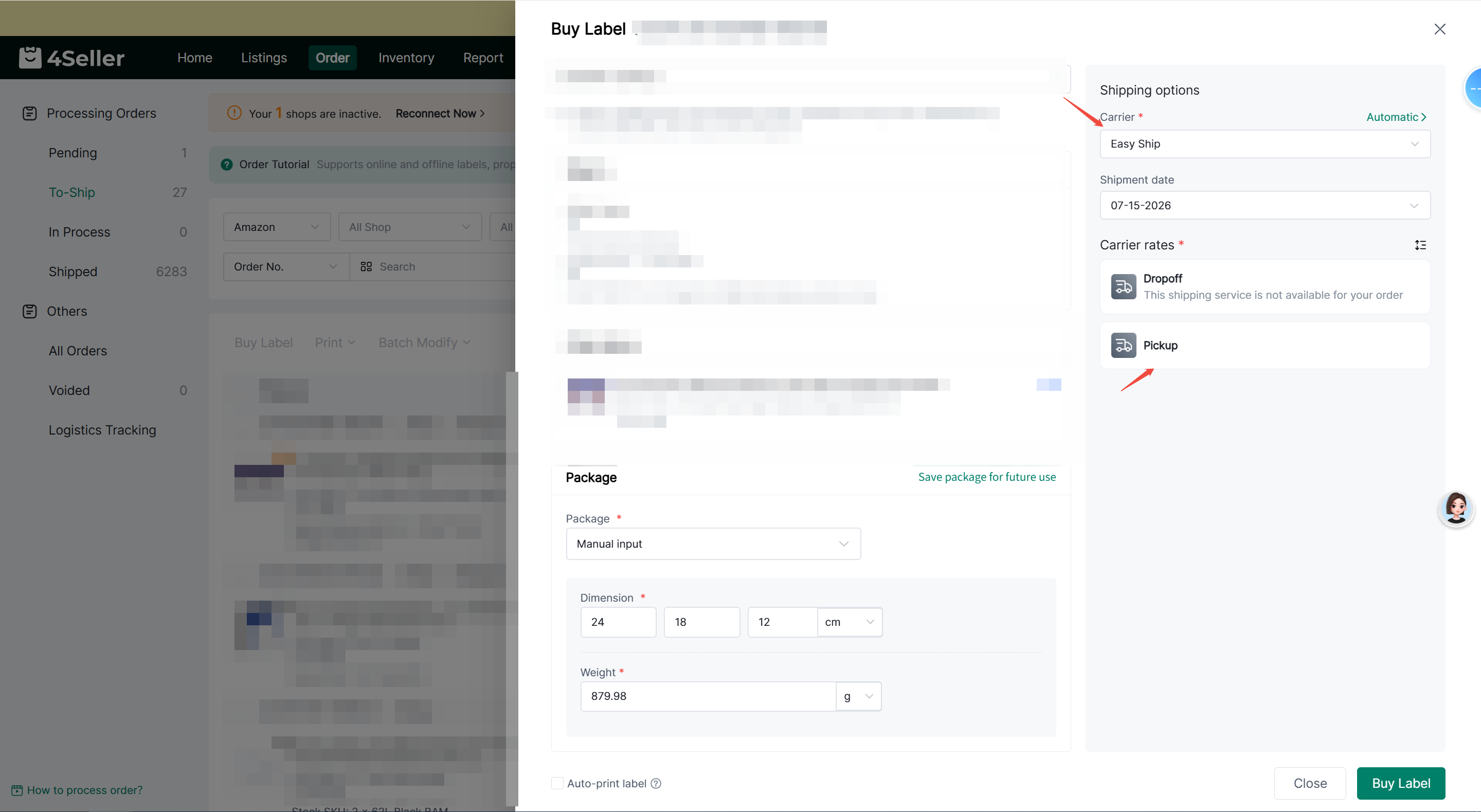
	Click Buy Label.


	Select Easy Ship as the shipping service.


	Choose a handover method based on your order:

	Pickup: The carrier will pick up the package from your address.

	Dropoff: Drop off the package at a designated drop-off location.


3. Select a Handover Time

After selecting Easy Ship as the shipping service, the system will automatically retrieve the available handover time for the order. If no handover time is available for the selected service, the following message will be displayed: This shipping service does not support the current order. If you modify the package weight or dimensions, you will need to retrieve the available handover time again.

4. Purchase an Easy Ship Shipping Label


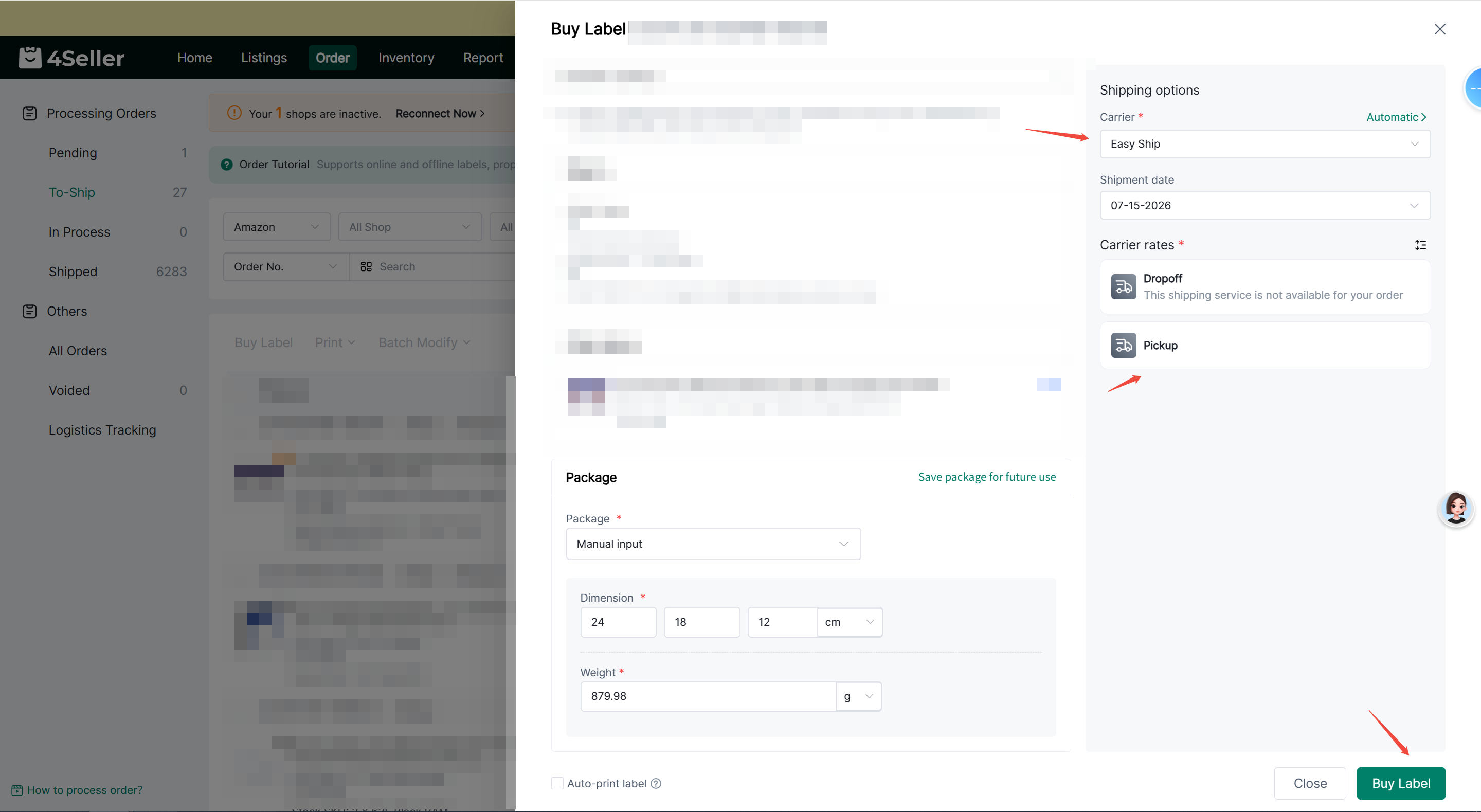
	Select the shipping service and handover time.


	Click Buy Label.


	The system will create an Easy Ship shipment.


	Once the shipping label is generated, you can print the label and proceed with shipment.


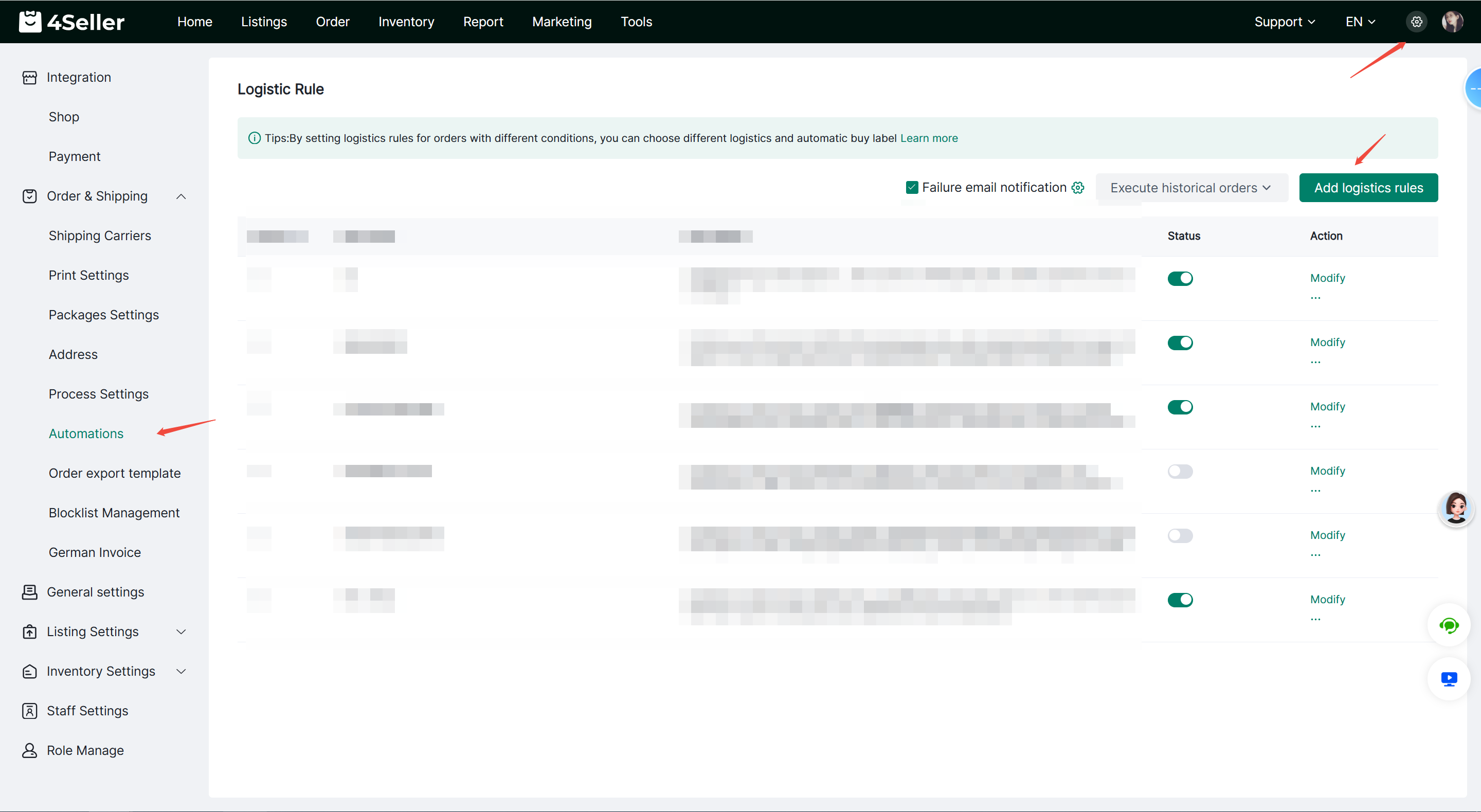
Configure Logistics Rules

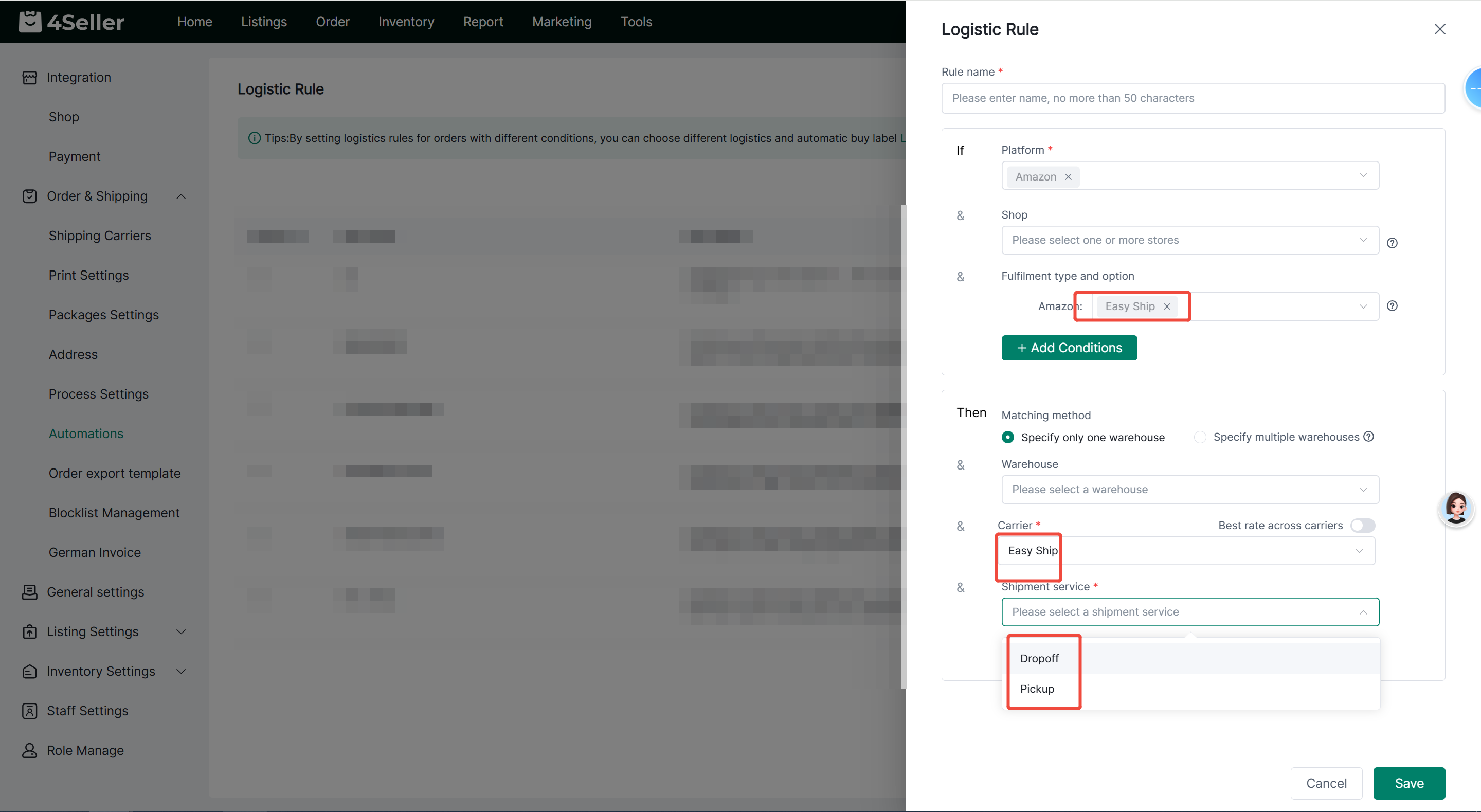
You can automatically match Amazon Easy Ship by configuring Logistics Rules.

Navigation:Settings > Orders & Shipping > Automation > Add logistics Rules

Configuration Steps:


	Select your Amazon store.


	Select Easy Ship as the Order Shipping Type.


	Select Easy Ship as the Logistics Service.


	Select Pickup or Dropoff as the Shipping Method.


Once the Logistics Rule is configured, eligible orders will be automatically matched based on the rule.


Notes


	Amazon Easy Ship orders do not support order splitting.


	Amazon Easy Ship orders cannot be merged with other orders.


	If you modify the package weight or dimensions, you must retrieve the available handover time again.


	If Amazon Easy Ship is not supported in the selected marketplace or region, you will not be able to purchase an Easy Ship shipping label.


	Shipping label generation is processed asynchronously. If the shipping label is not generated successfully after purchase, please check the shipping label status again later.

	Any problems pls feel free to contact 4Seller Support team: support@4seller.com