- Get Started
- Video Tutorials
- Knowledge Base
- FAQs & Troubleshooting
How to Connect ShipSaving with 4Seller?
Connecting ShipSaving with 4Seller consist sellers quickly in completing shipping lable purchase and order fulfillment.
How to Connect ShipSaving with 4Seller?
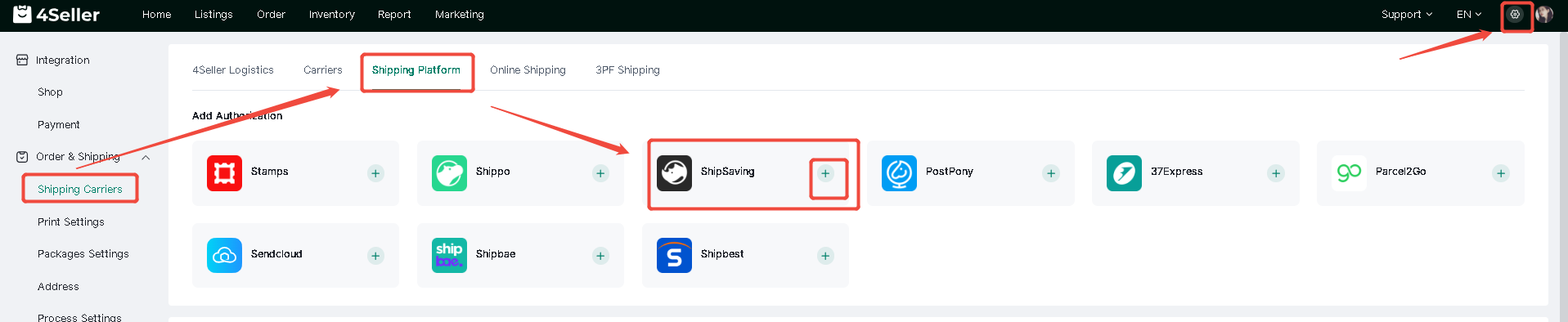
① Tap on Setting icon > Click on "Order&Shipping" > Shipping Carriers > Shipping Platform>Click on "Add account"
② Fill the "API token", "Shop name" and "Warehouse Name" in the location enclosed by the red frame> Click on "Connect"
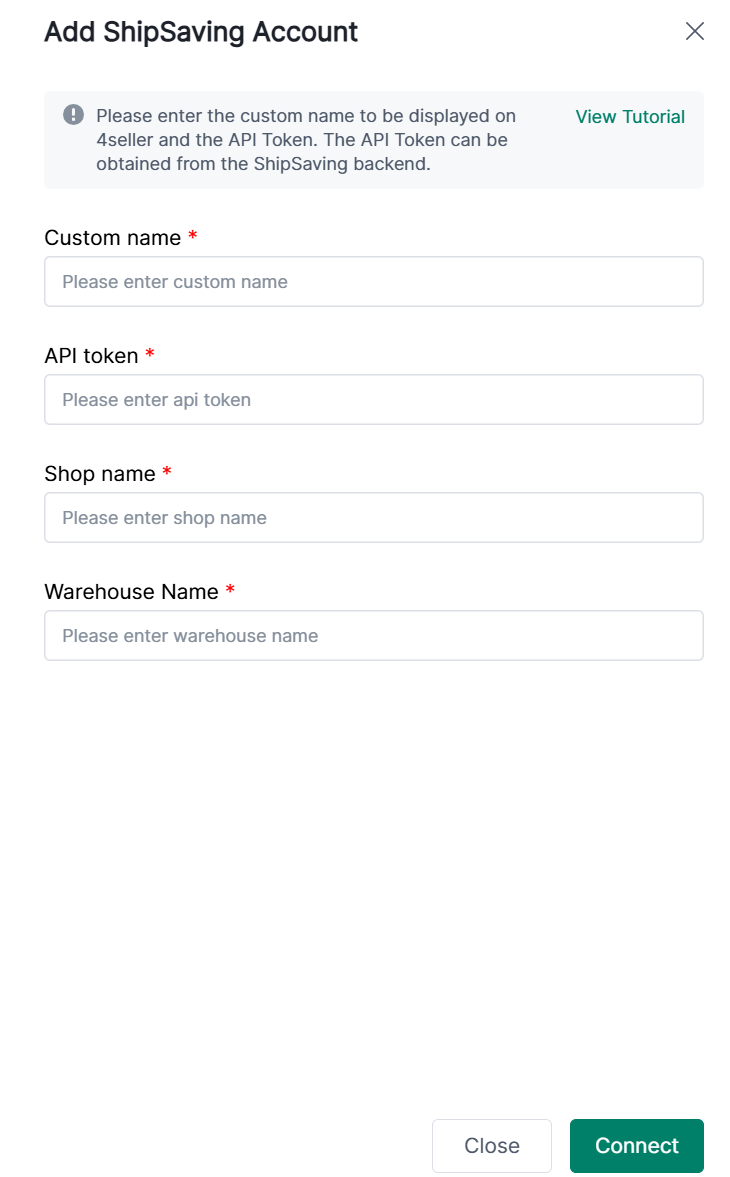
Where can you find the "API token" and "Warehouse Name"?
① Register a ShipSaving account at https://ship.shipsaving.com/signup (Have to log in via this link to get the API)
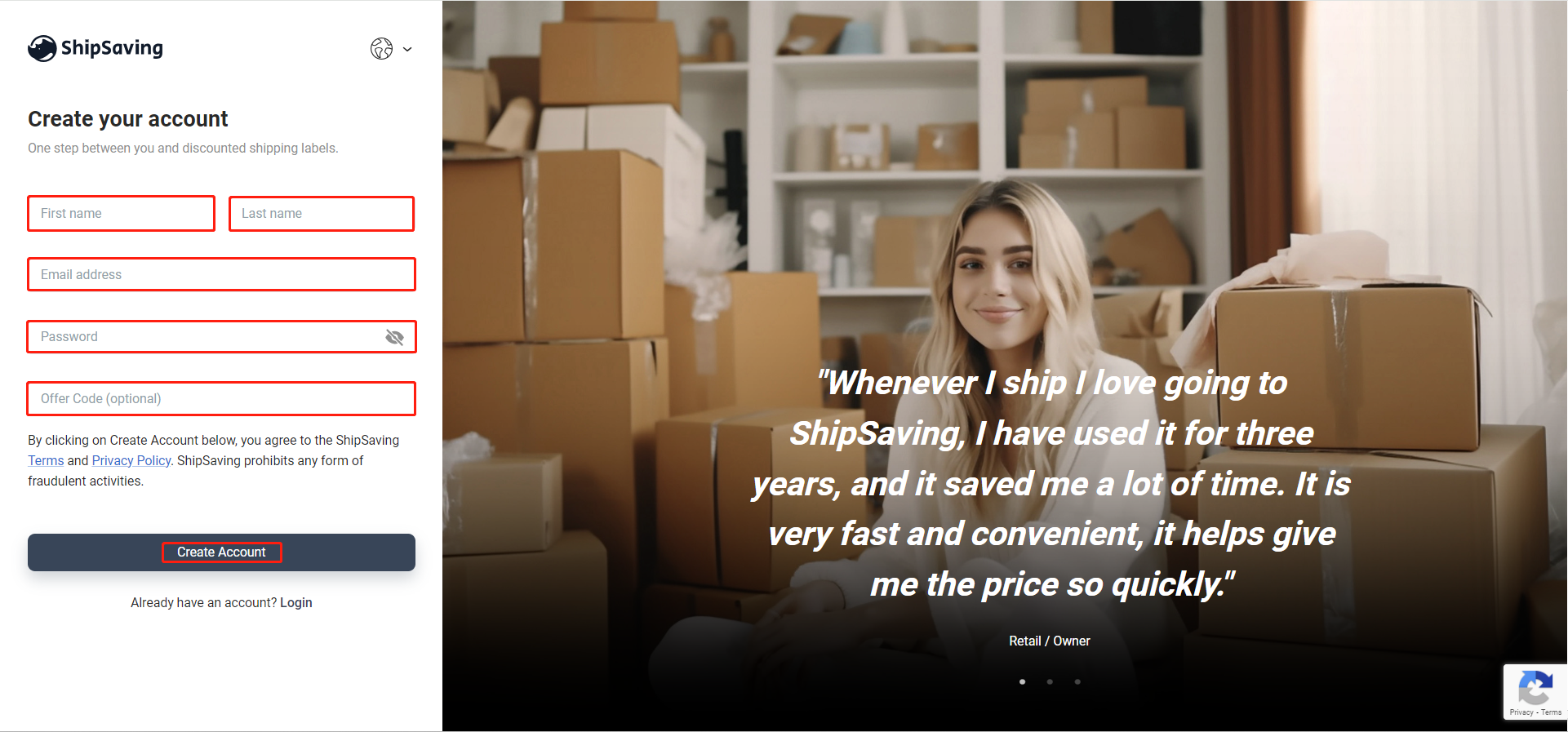
② Tap on Integration > Click on "stores" >“Customized Store” > "Nickname" will show in the location enclosed by the red frame.
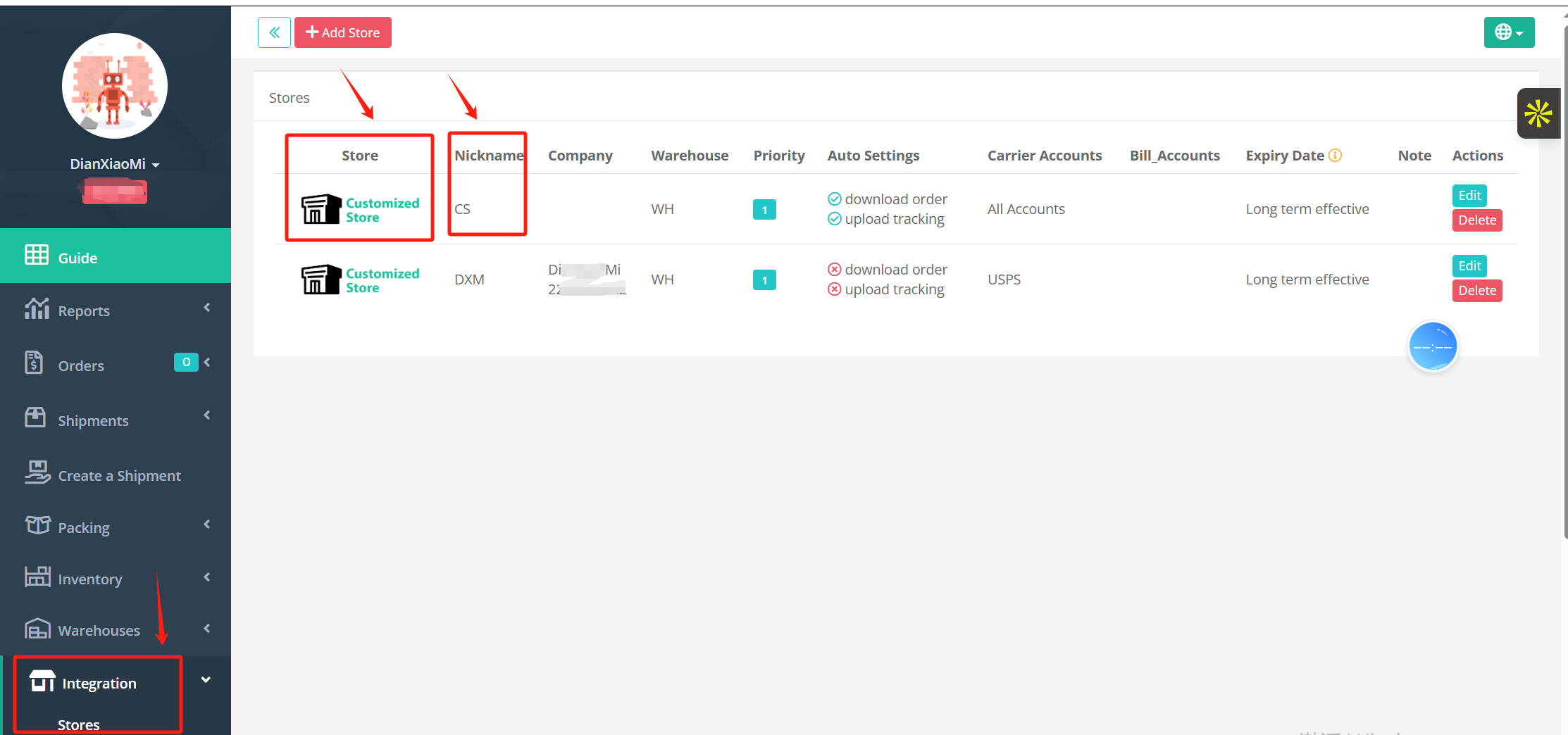
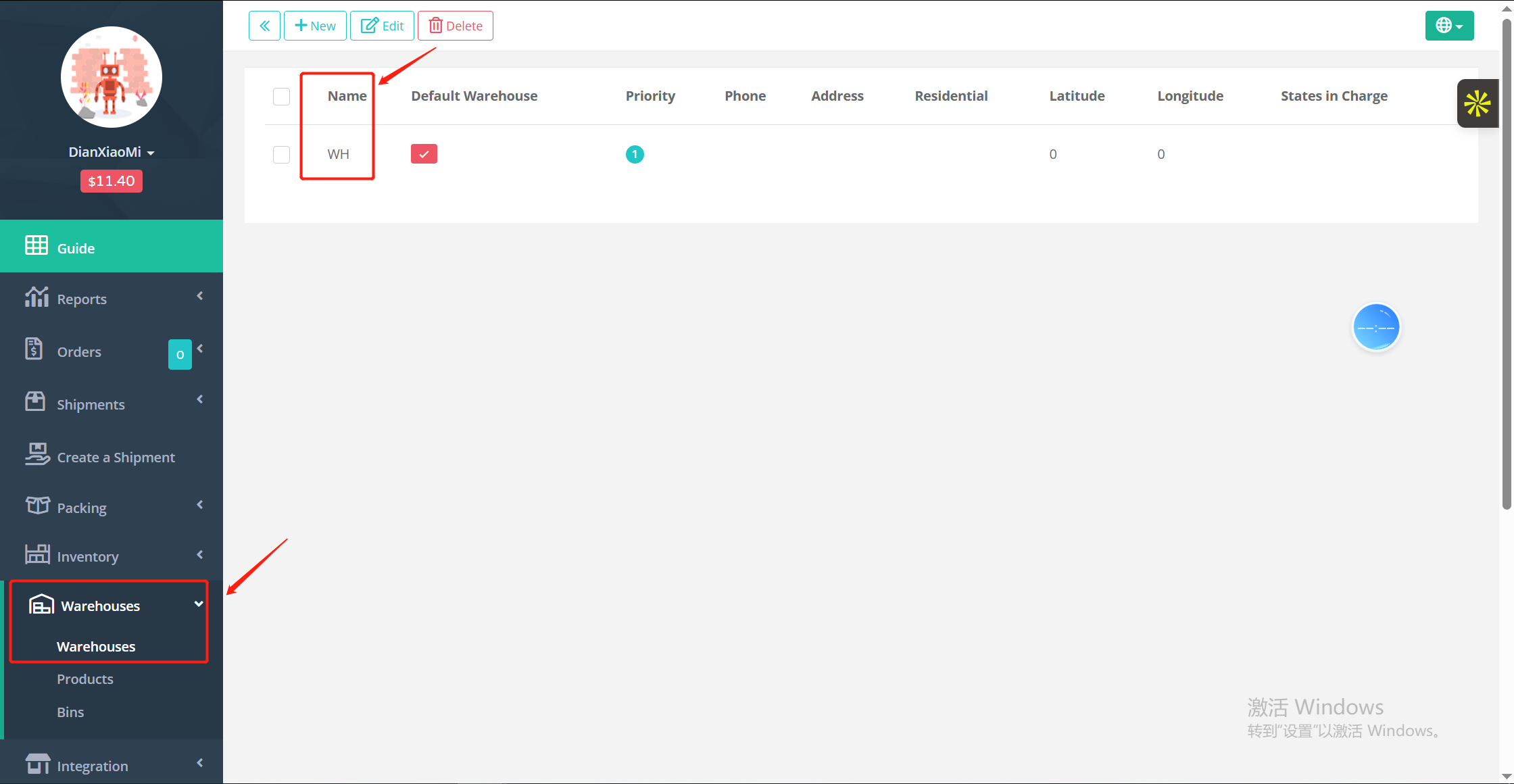
Note: The warehouse should not be "Auto", take reference from below picture
Click" Warehouse">"Name"
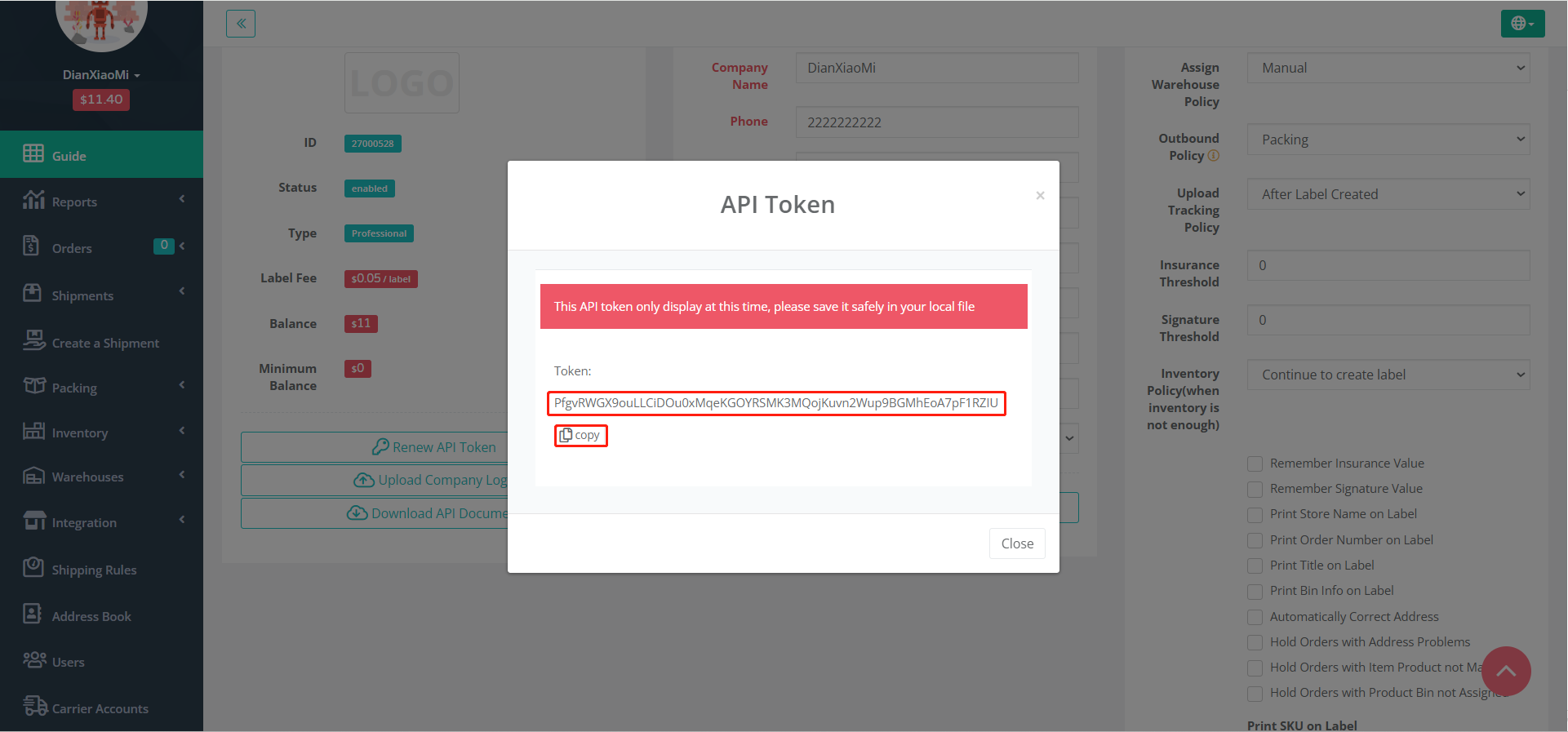
③ Tap on General under Setting section > Click on Renew API Token
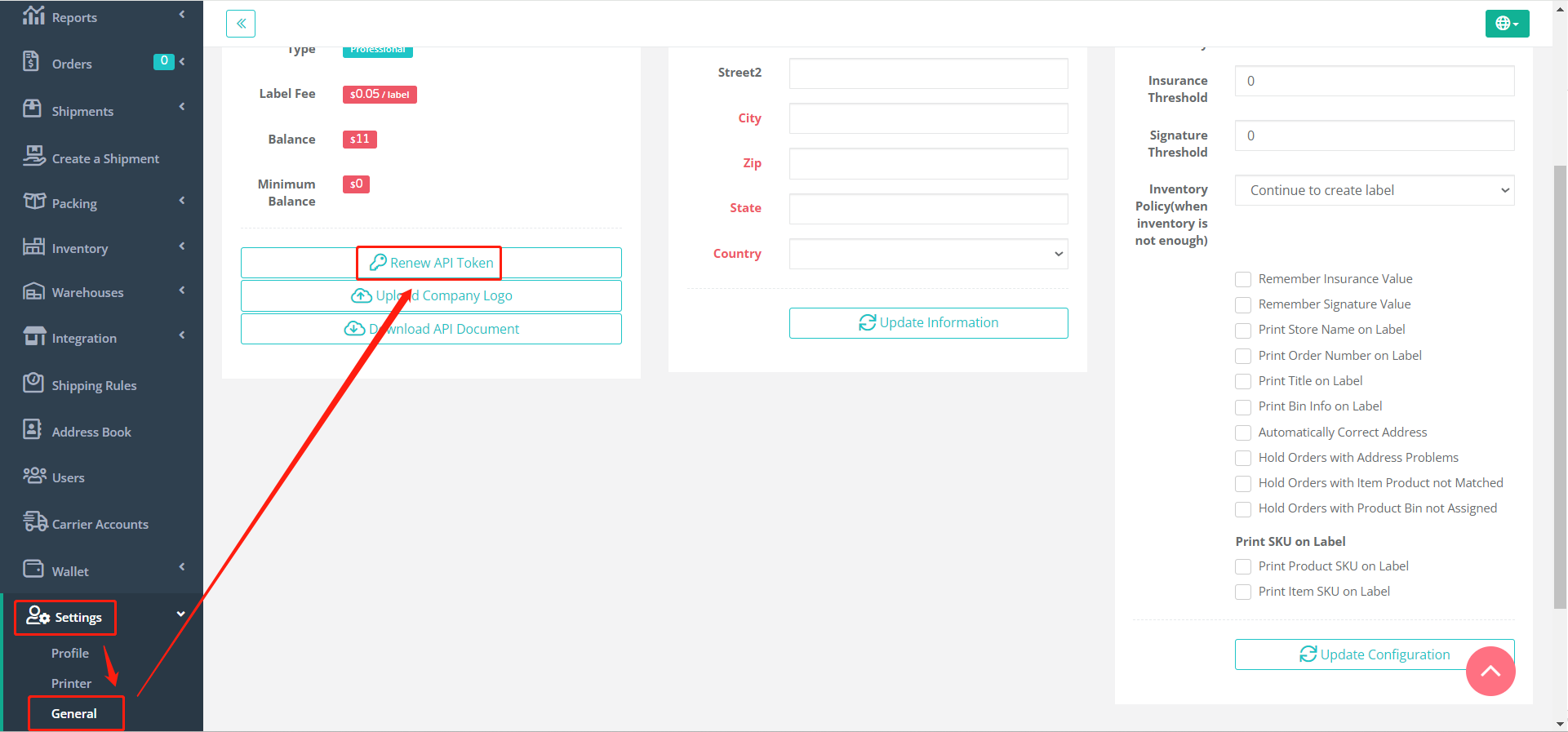
④ Token will show in the location enclosed by the red frame from the pop-up page.
If you have any further questions or suggestions, please do not hesitate to contact our support team.