- Get Started
- Video Tutorials
- Knowledge Base
- Channels
- Listings
- Inventory
- Orders
- Settings
- FAQs & Troubleshooting
AliExpress shop How to Use Listing Template to Publish in 4Seller?
4Seller supports referencing listing templates when listing in AliExpress shop which improve listing efficiency.
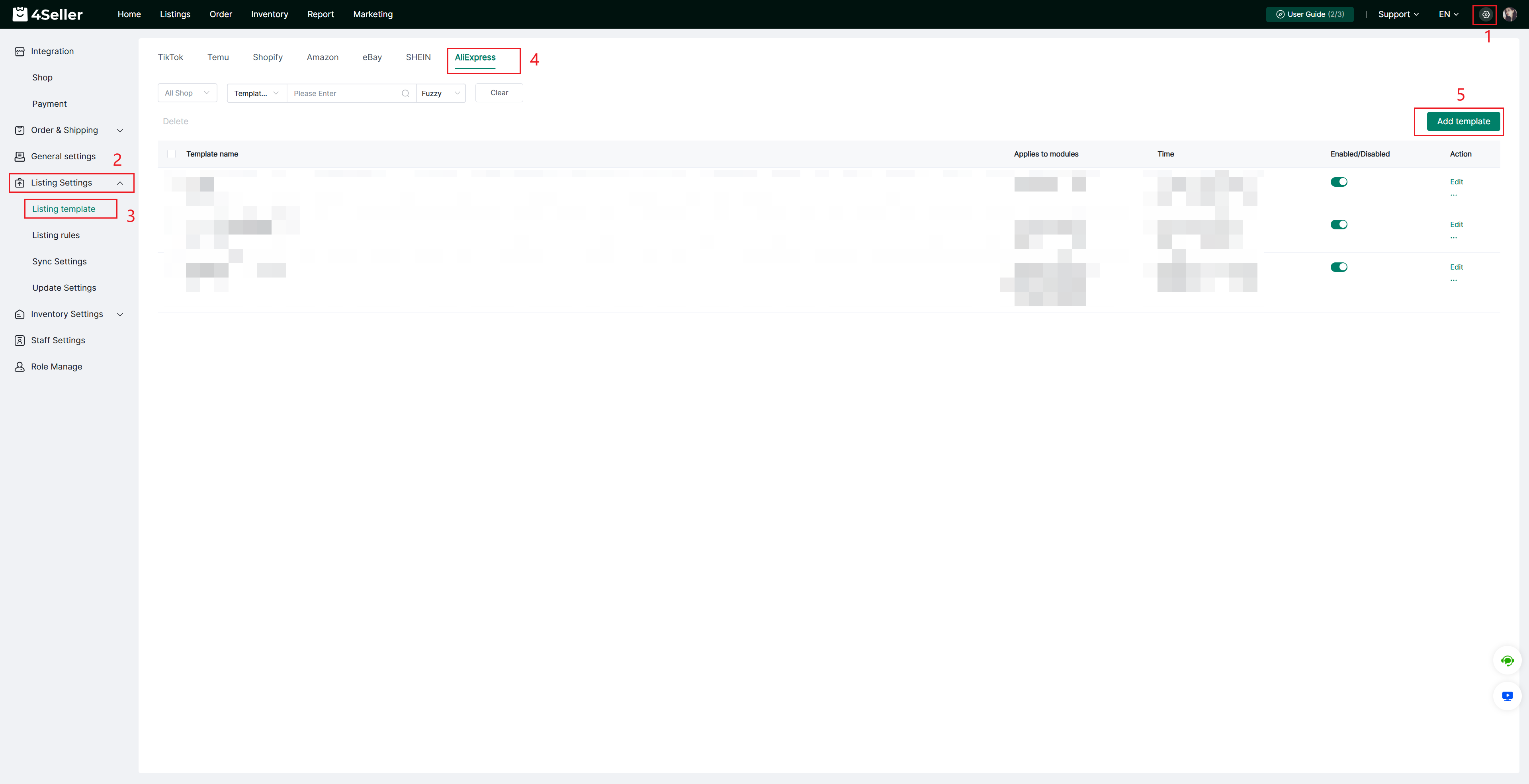
Note: 4Seller sub-accounts do not have the authority to create listing templates, only the main account has the authority to set this!Step 1: Setting--Listing Settings--Listing template--AliExpress--Add template
Note: If you didn't authorize before, you should authorize your AliExpress Shop to 4Seller first then to create listing template.
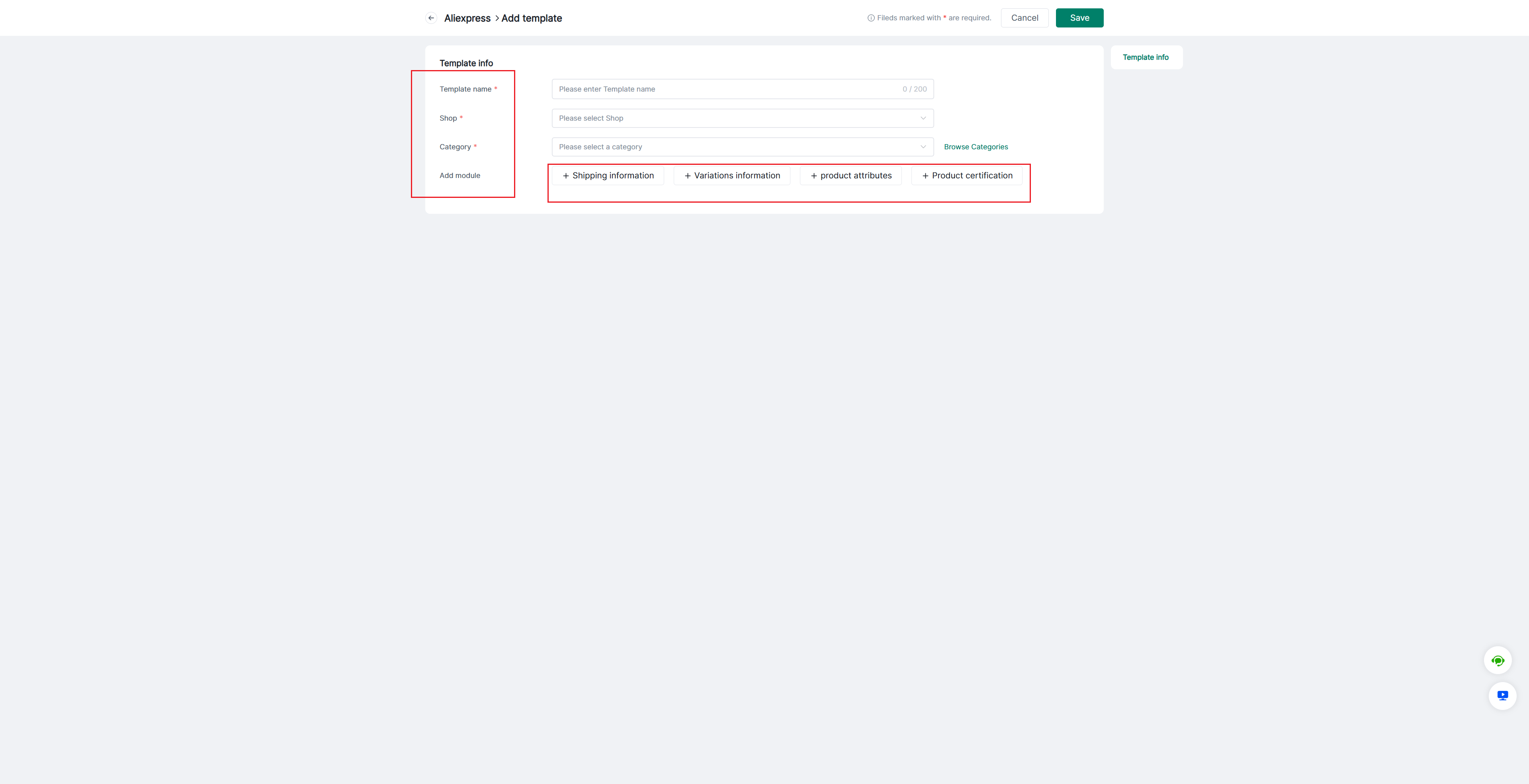
Fill the Template Info: Template name, Shop, Category, Add module
Note: If you have not selected a store, please do so first; category information can only be loaded after a store is selected—otherwise, the category information will be empty.
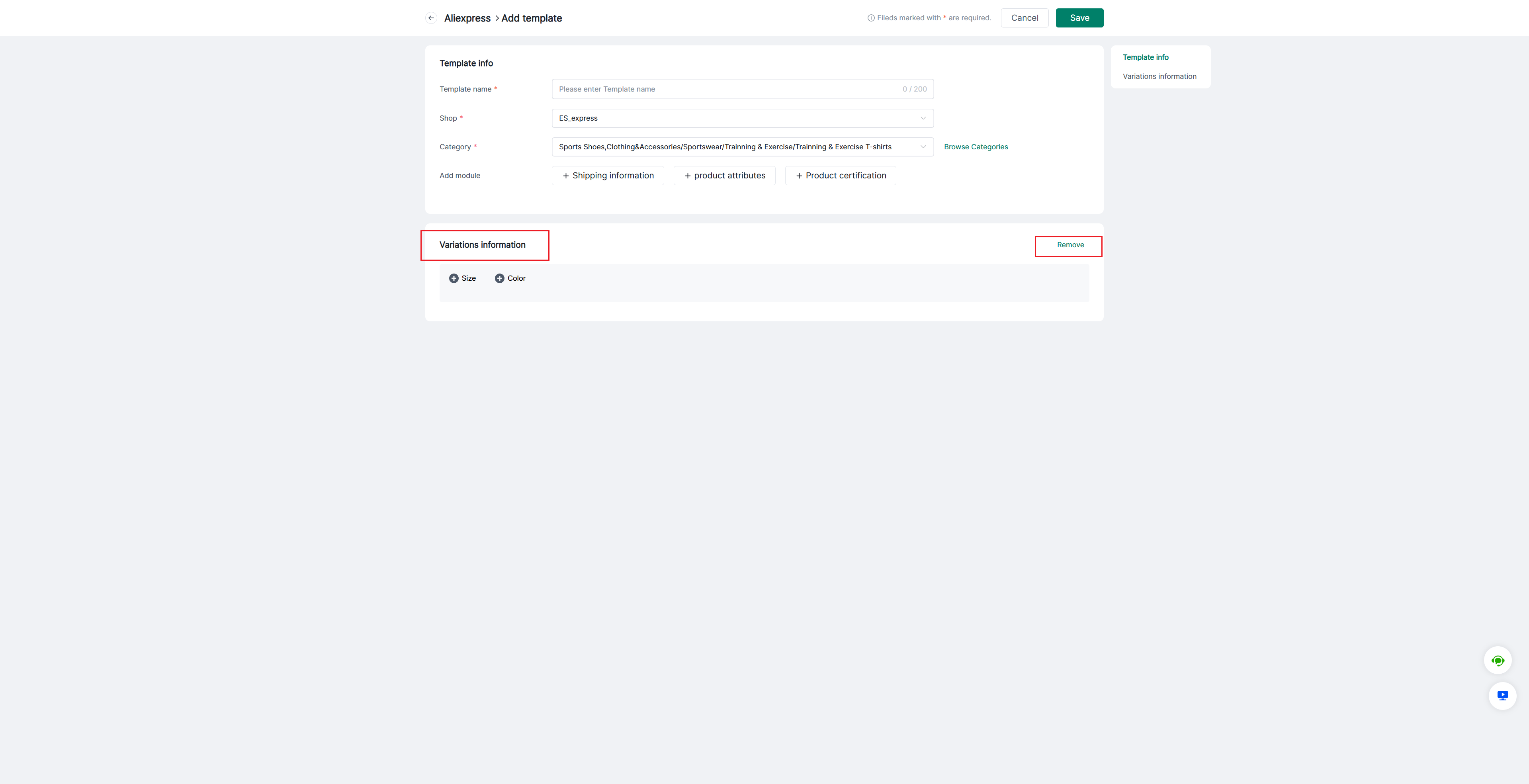
Some categories do not support multiple variants; therefore, the "Add Variant" module will not be displayed when such a category is selected.
Note: Modules can be added or removed at your discretion.
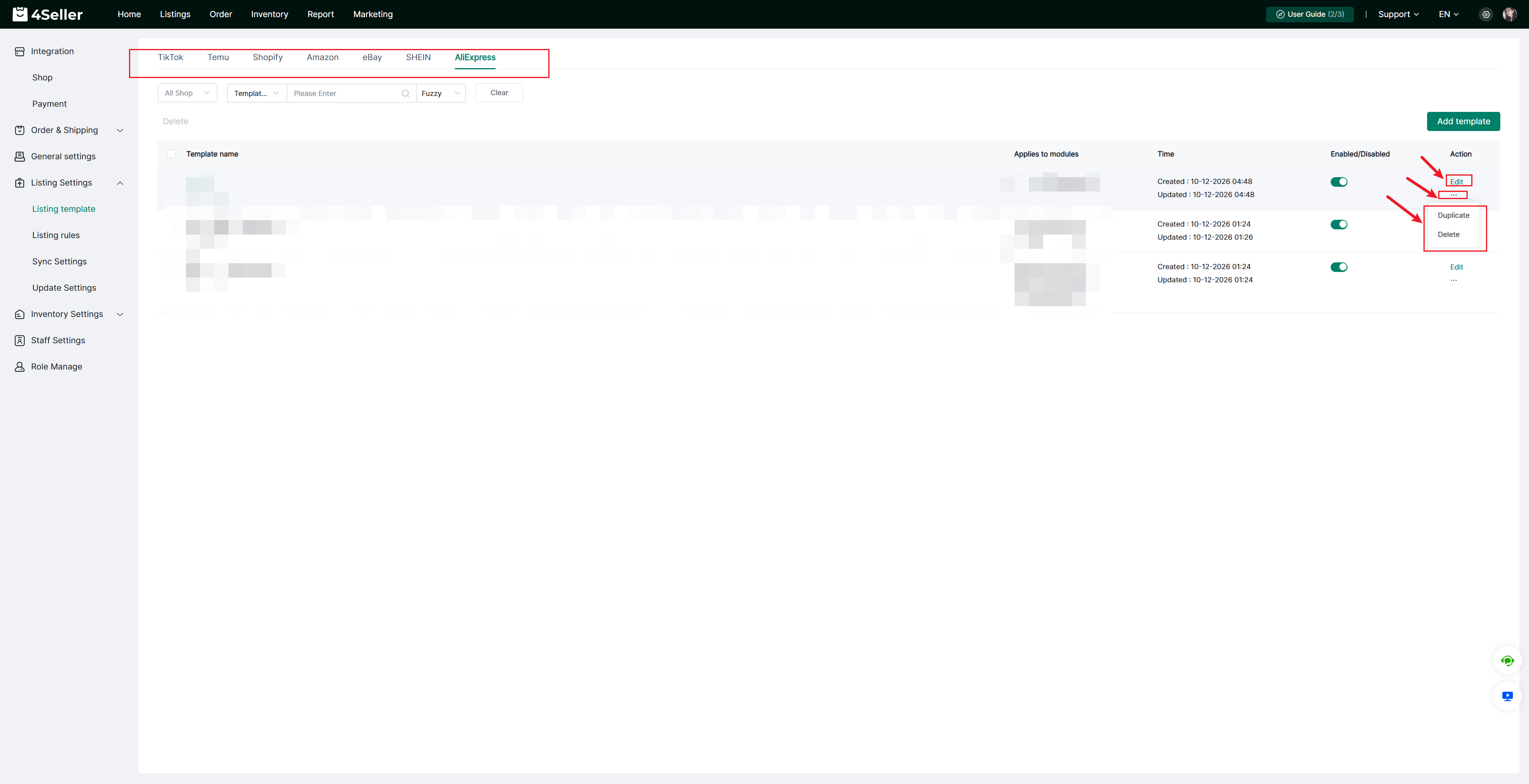
After finish the template setting, you can find the template in the setting page according to Shop, Template name. Also you can edit to update the template agian or set up the the status be Enableed/ Disabled. And Duplicate or Delete the template!
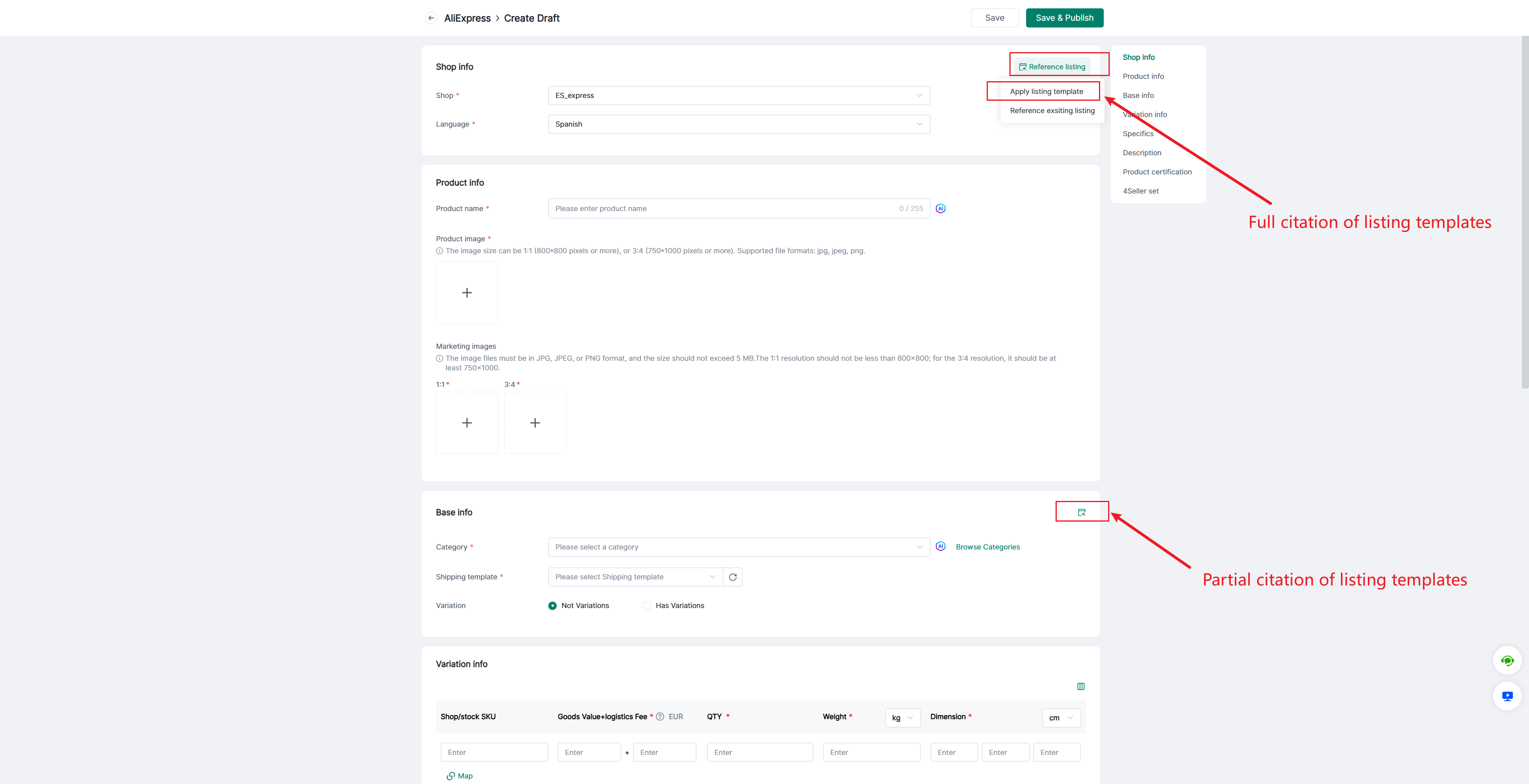
Step 2: Listings--AliExpress Draft--Create/ Edit products--Apply listing template
4Seller Supports full or partial citation of listing templates.
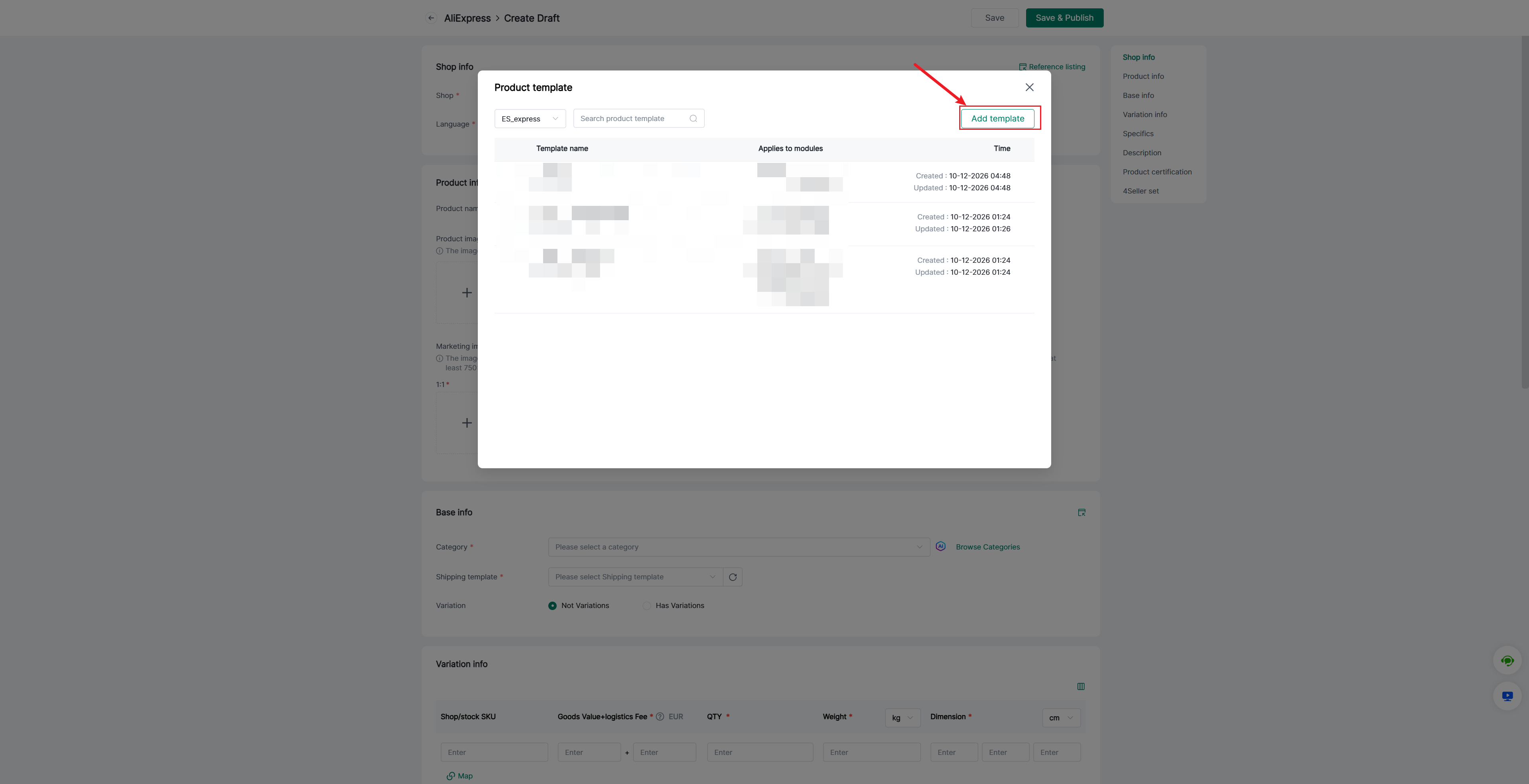
If the Shop do not have template, you can directly add template
Any problem feel free to contact 4Seller Support : support@4seller.com