- Get Started
- Video Tutorials
- Knowledge Base
- FAQs & Troubleshooting
How to Connect GOFO to 4Seller?
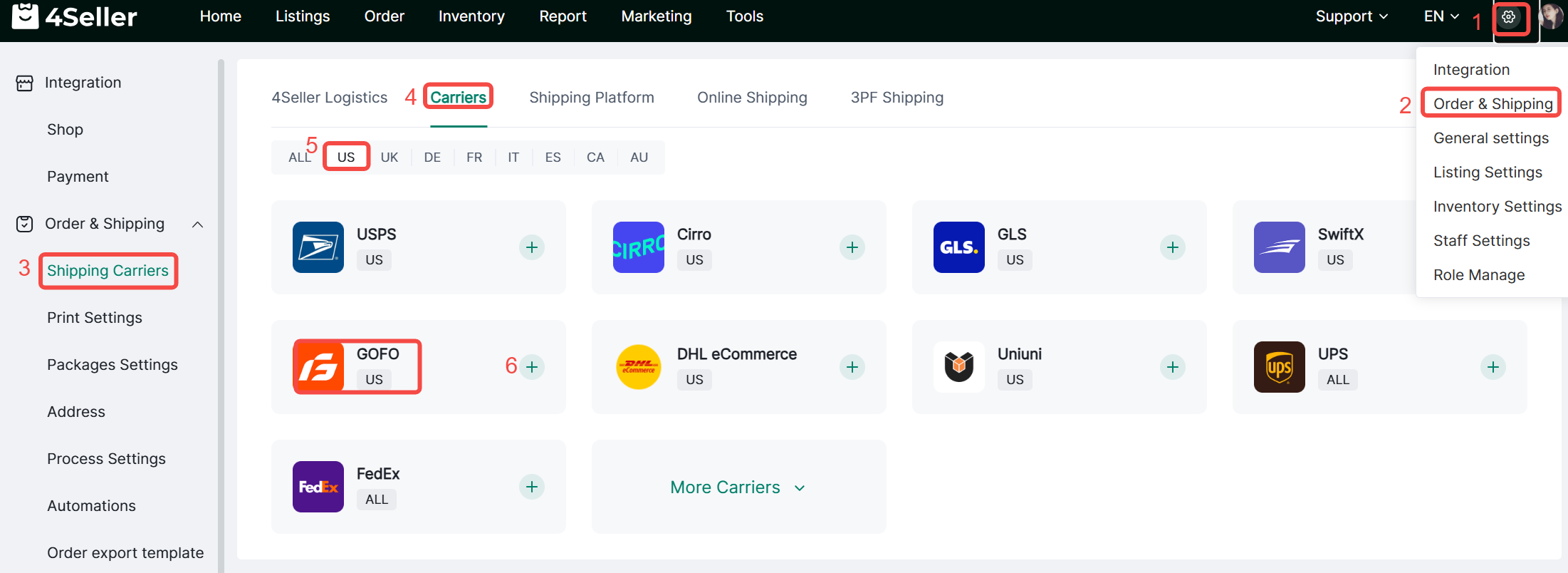
1、Click Settings-Orders & Shipping-Shipping Carriers-Carriers-Find the corresponding icon-click ‘+’.

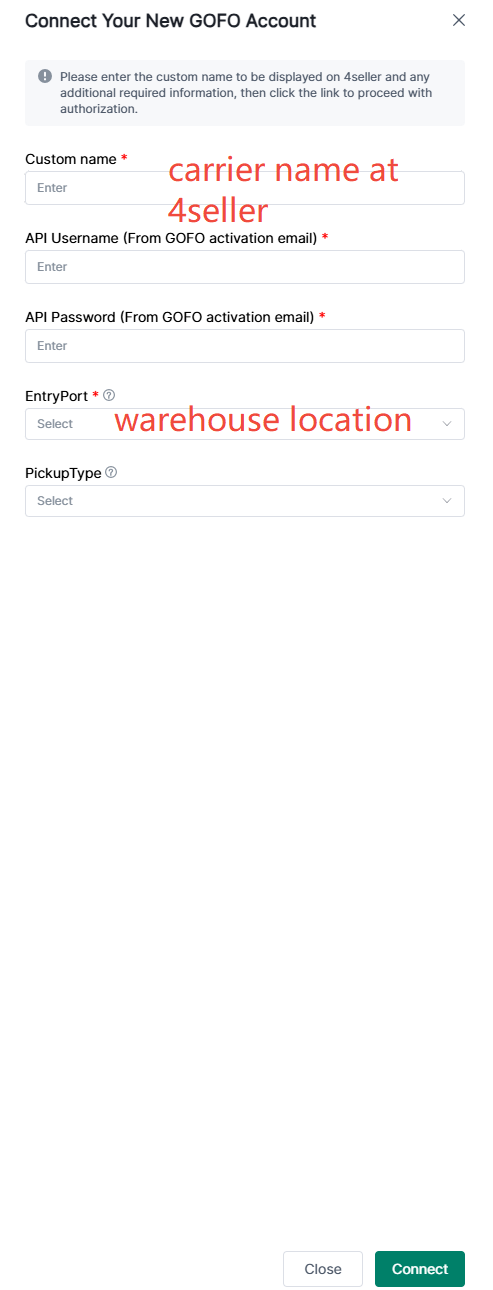
2、Fill in the relevant information in the pop-up box and click Connect.

Custom name: User-defined name for 4Seller

API Username&Password: Copied from 'Account Activation Notice for Your Gofo System Account' email, NOT the same with GOFO login username.

Pickup Type: Please confirm with your GOFO account.

Attention: Your GOFO account should complete the authorization of shipping rate retrievement before connecting to 4Seller.


Note:

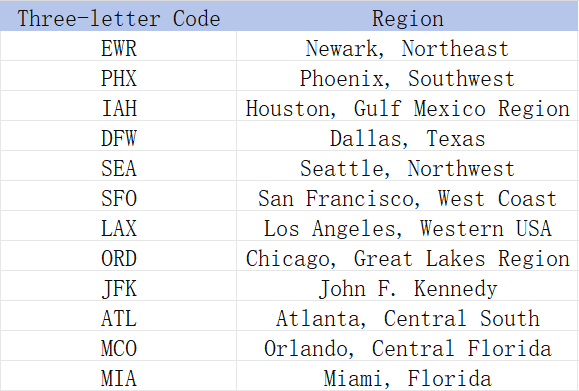
①Entryport means the sender's address is located in the region, the option of the three-letter code and the sender's address is located in the region corresponds to the following:


② If there is more than one warehouse address, you need to authorize multiple times with each EntryPort code. For example, you have two warehouse at LAX and MIA, you need to repeat the integration operation twice.

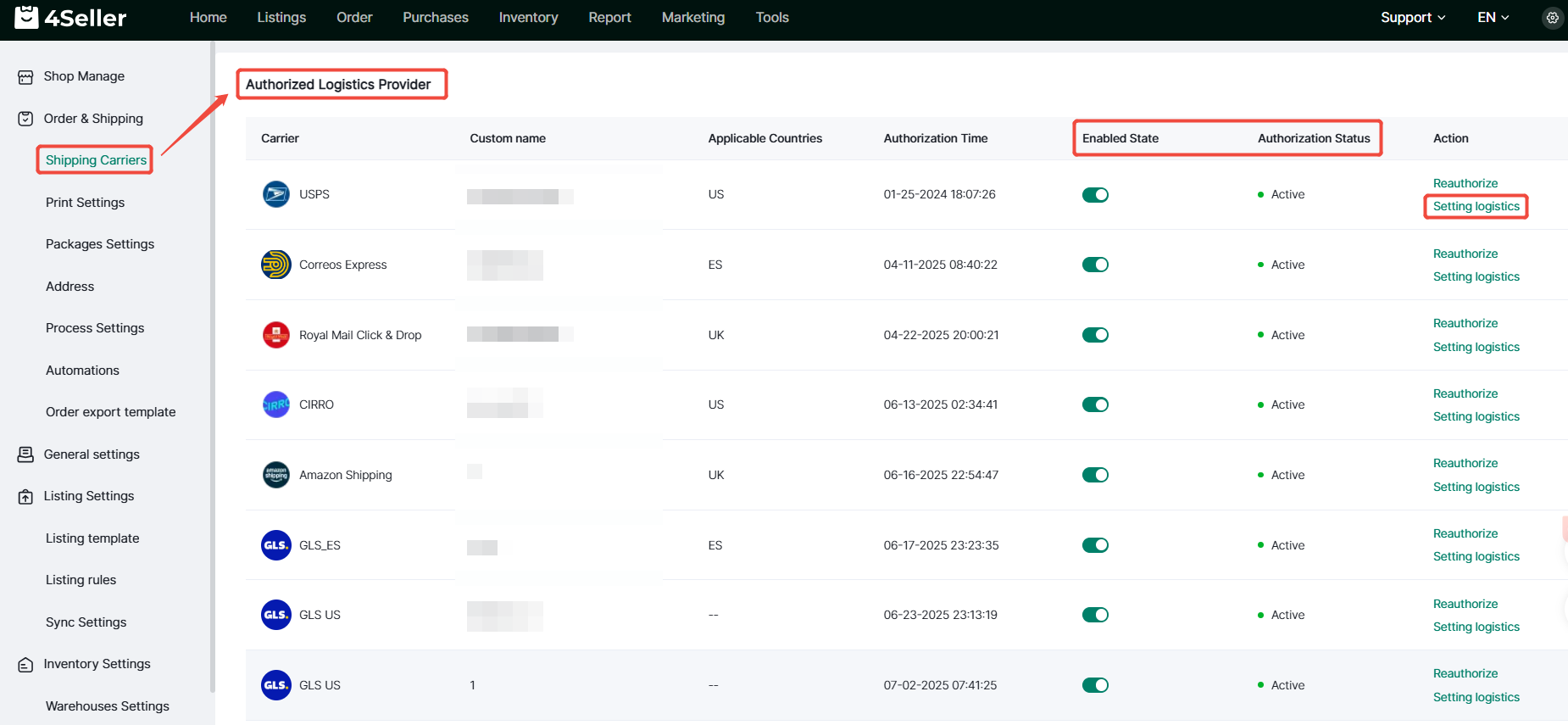
3、After the authorization is successful, you can view the authorized logistics provider below, open and close, re-authorize and setting logistics or other operations.