- Get Started
- Video Tutorials
- Knowledge Base
- Channels
- Listings
- Inventory
- Orders
- Settings
- FAQs & Troubleshooting
How to Create and Publish Product to eBay Within 4Seller?
4Seller support users list products to eBay stores through create listings, scraping, migrating and refer SPU.
Method One: Manual Create
1、Single operation
Step 1: eBay listing-- Draft--Create

Step 2: Fill products information
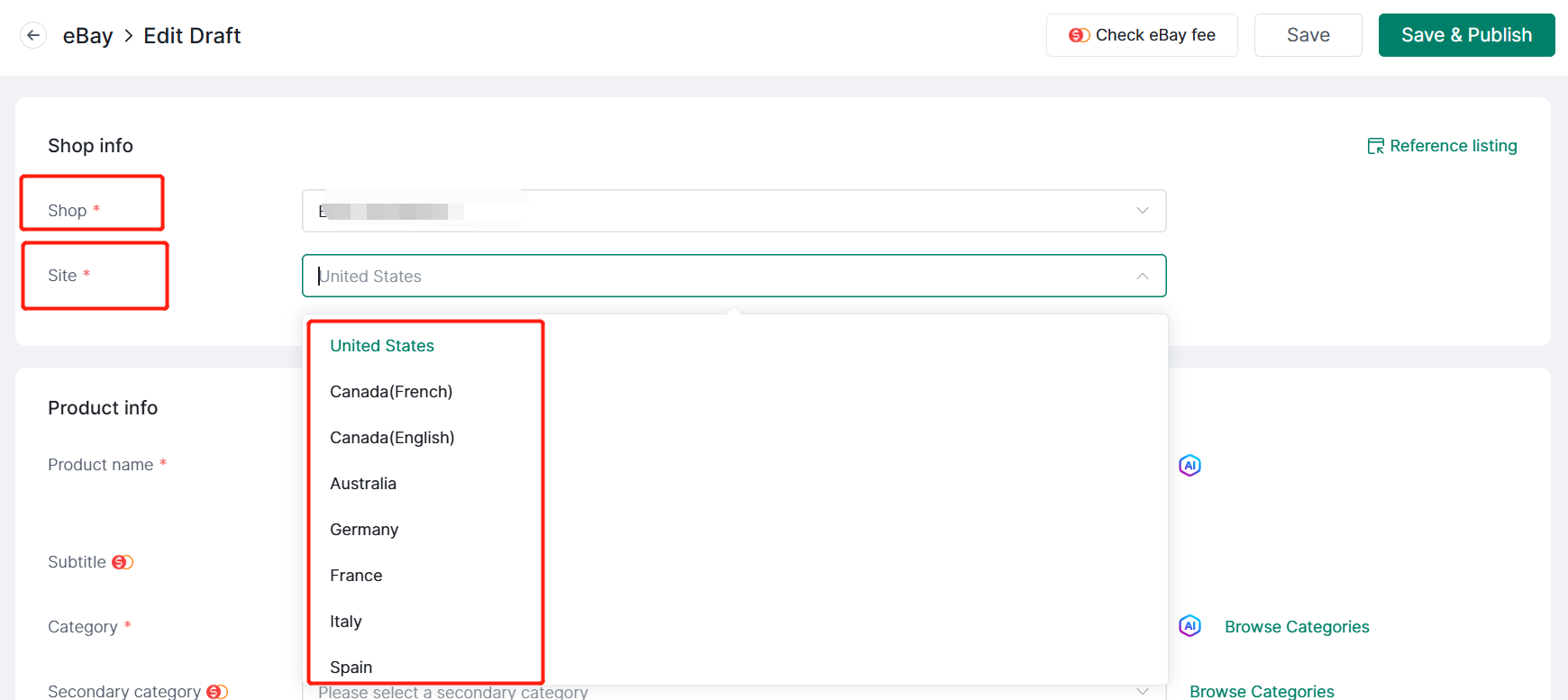
1. Shop: Select shop, site.
Different site would take different products information below.
2. Product Info
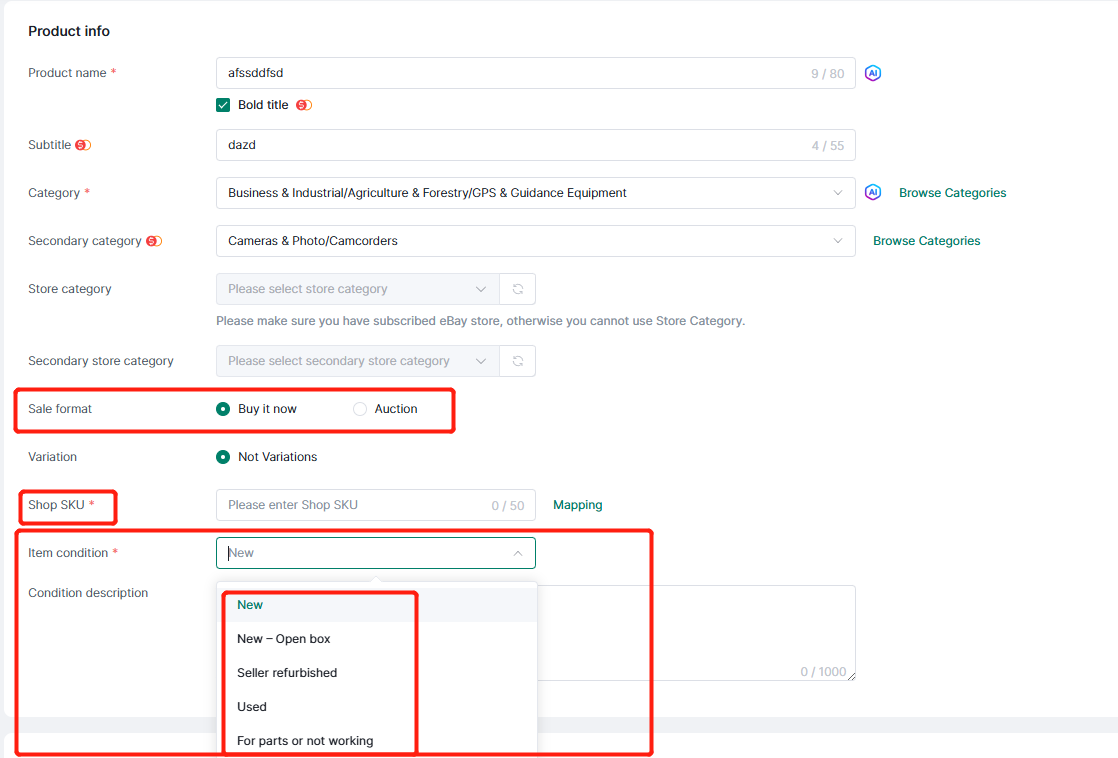
(1) Product name: Fill product name, if select "Bold title" will need fee.
Note: The charge is for eBay not for 4Seller.
(2) Category: Select Category(It should different with the category). If select secondary category, will need fee.
Note: The charge is for eBay not for 4Seller.
In the above you can check the total eBay fee

(3) Sale Format: Buy it now & Auction
Note: Buy It Now supports single/multiple variations (whether multiple variations are supported depends on the category), while Auctions only supports single variation.
(4) Shop Sku: Set up shop sku and map with stock sku!
(5) Item condition: Sync platform options, you can choose to fill by yourself.
3. Variation
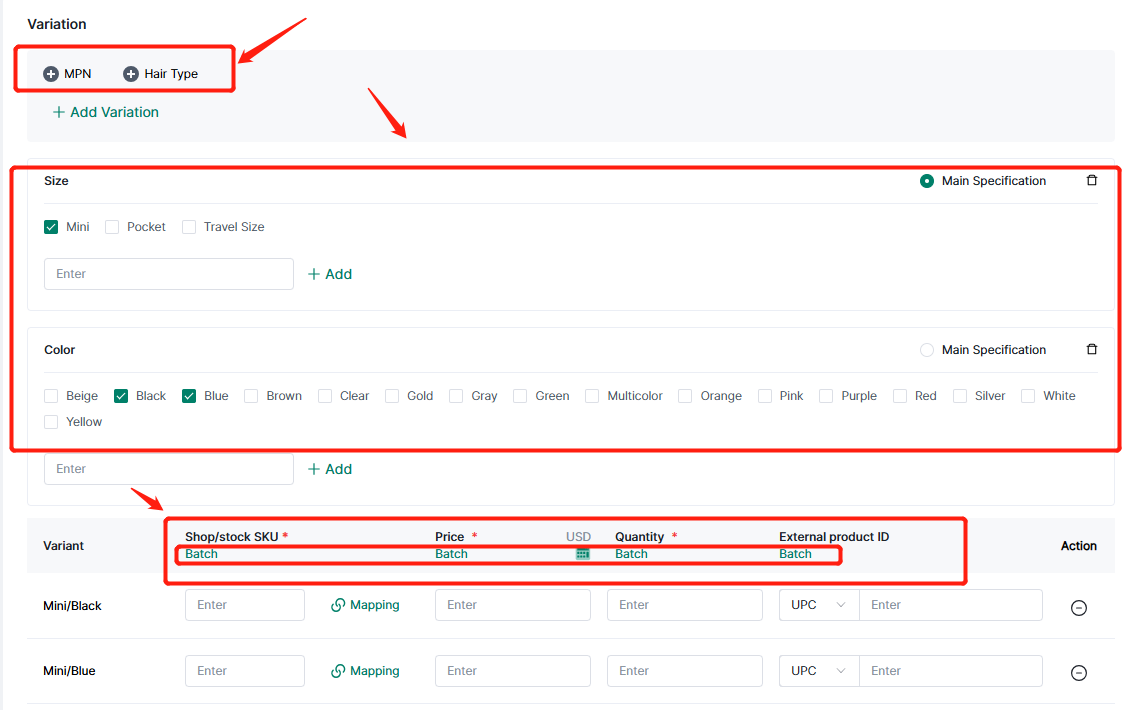
Select/add variant attributes, support batch filling of store/inventory sku, price, quantity, external products ID (product identification code depends on category) and other information.
4. Photo & Video
5. Specifics: Brand, Type, Size, Color, Department, etc sync from platform, drop down to select the relevant option.
Note: Different categories have different product attributes
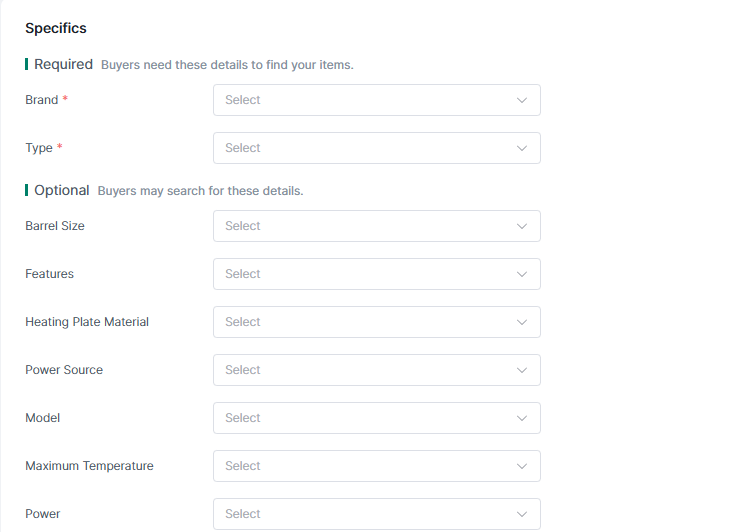
Support add custom item specific
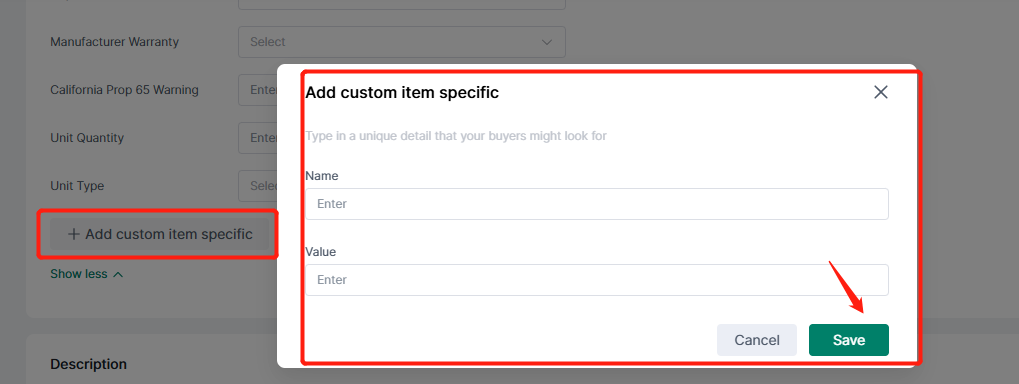
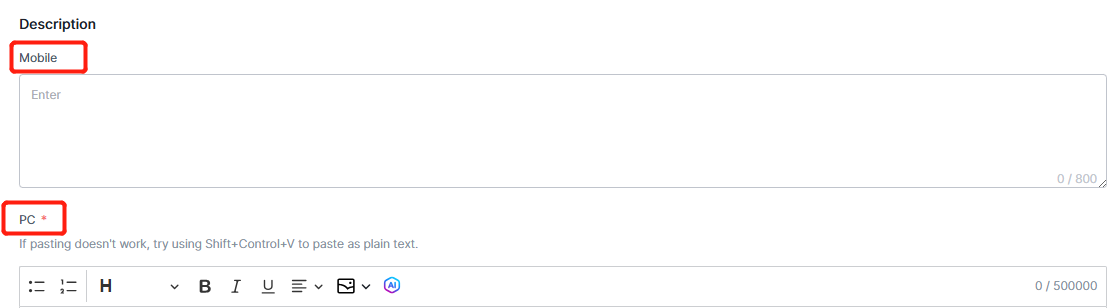
6. Description: The description for PC is required, and optional for mobile.
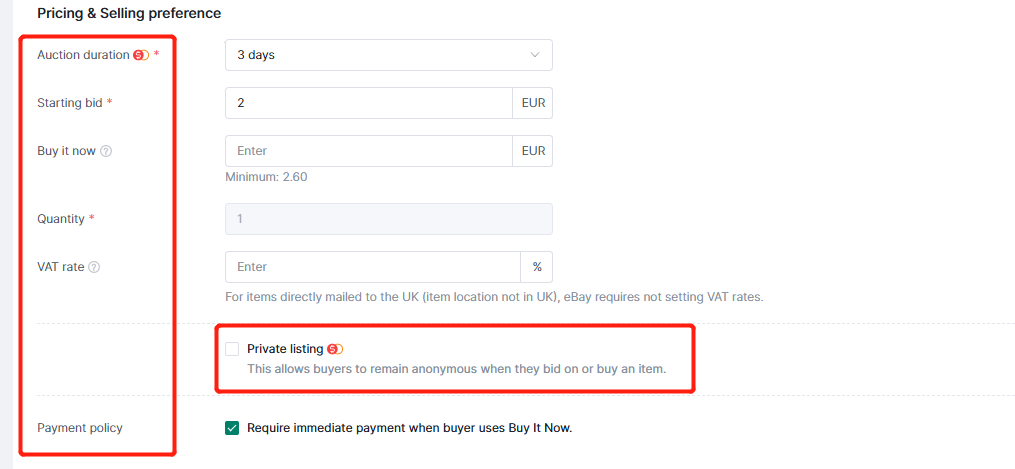
7. Pricing & Selling preference
(1) Auction duration: The number of days options present different options according to category and site.
(2) Starting bid
Note: In auction mode, the Buy Now and Allow Negotiation functions cannot be enabled at the same time.
Buy it now price is at least 30% higher than the starting price.(3) Quantity: Only can be 1.
(4) VAT rate
Note: For items directly mailed to the UK (item location not in UK), eBay requires not setting VAT rates.
US VAT Rate must be set in the eBay backend.(5) Privatee listings: allows buyers to remain anonymous when they bid on or buy an item.
Note: Some country this item is charged by eBay, not 4Seller.
(6) Payment policy: Require immediate payment when buyer uses Buy It Now.
8. Shipping
(1) Shipping, Return policy: Synchronize eBay backend settings, click the refresh button on the right to synchronize, and then select the corresponding option from the drop-down menu.
Setting policy pls refer the help article: How to Set up policy on eBay?
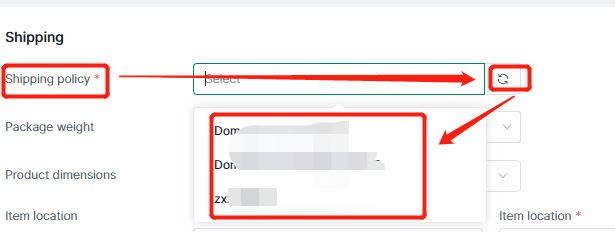
(2) Package weight, dimension
(3) Item location: Select the country or region from the drop-down menu.
Item location and zip code: You can fill in your own fields.
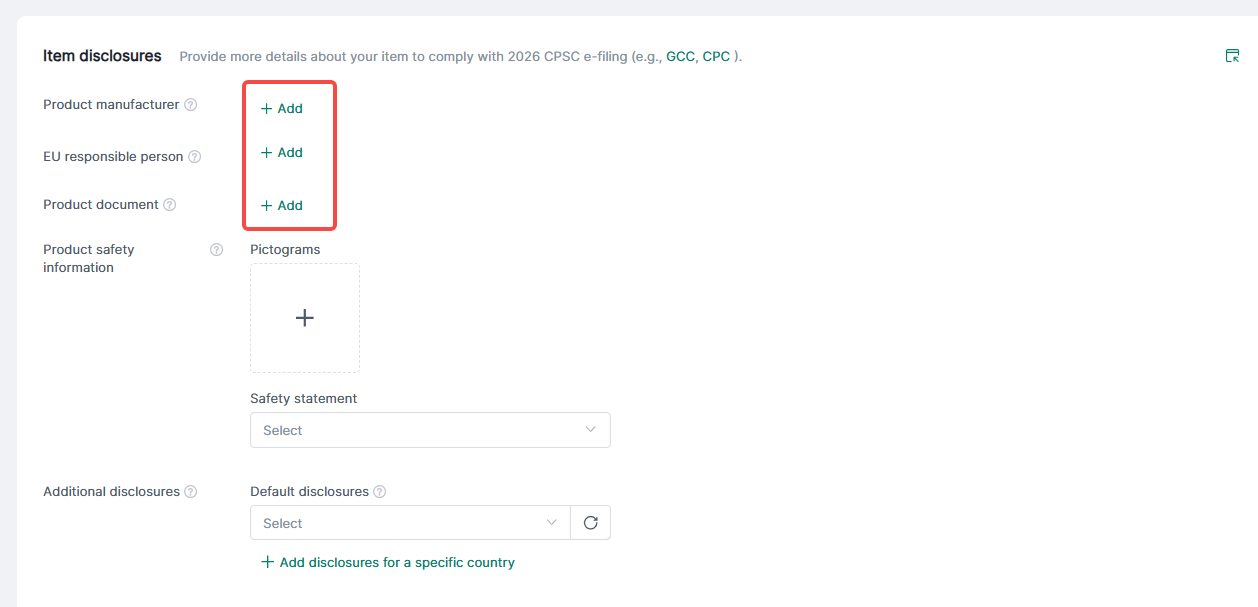
9. Item disclosures
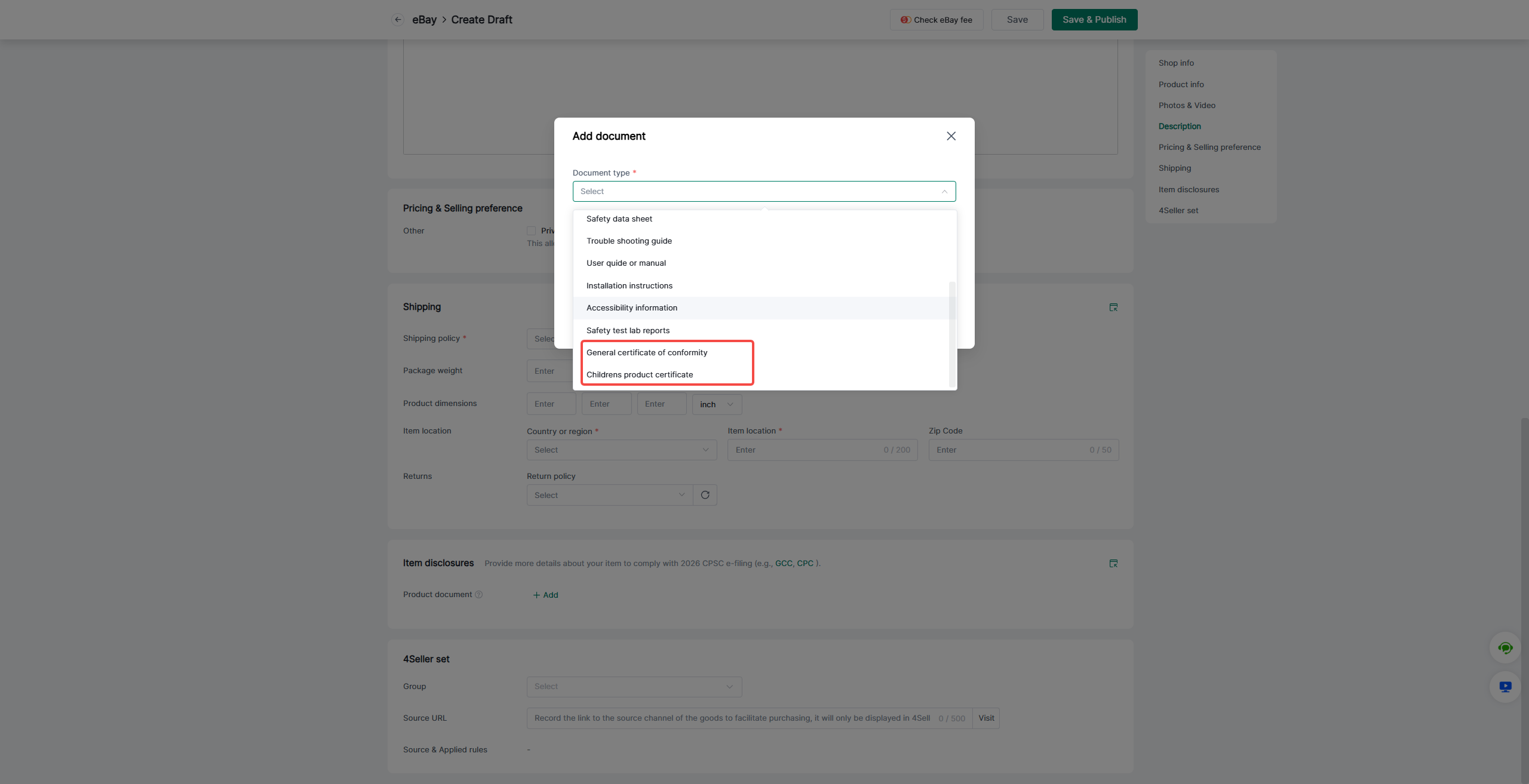
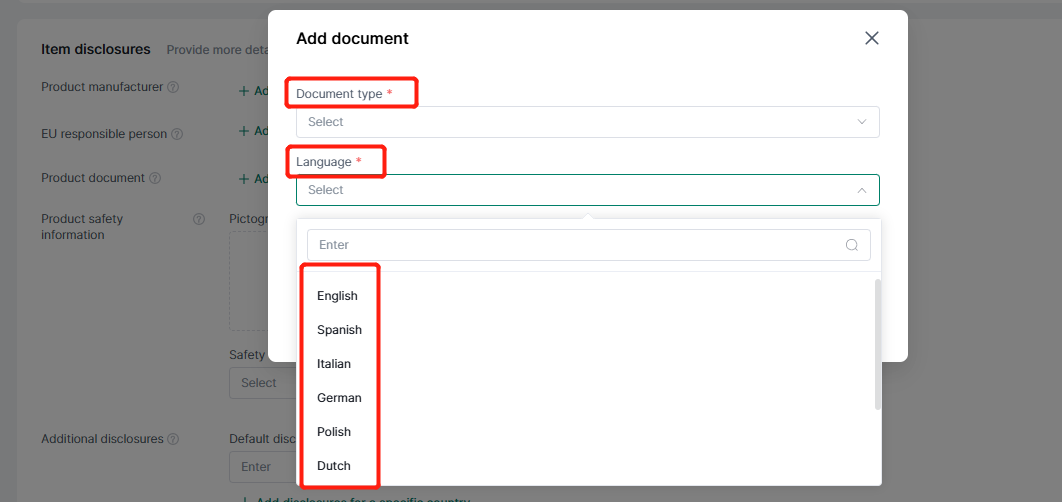
(1) Product document: support add
Note: For sellers listing on the US site or selling to the United States, to comply with the 2026 US CPSC e-filing requirements, electronic filing of the required compliance documents must be completed before shipping children’s products and general-use adult products, including children’s toys and new clothing, to the United States.
Reference links for CPSC e-filing requirements are as follows:
General Certificate of Compliance (GCC):https://www.cpsc.gov/Business--Manufacturing/Testing-Certification/Lab-Accreditation/Rules-Requiring-a-General-Certificate-of-Conformity
Children' s Product Certificate (CPC):https://www.cpsc.gov/Business--Manufacturing/Testing-Certification/Lab-Accreditation/Rules-Requiring-Third-Party-Testing
Note: Product document: support selecting multiple languages
(2) For UK and EU country sites, the following information must be filled in:
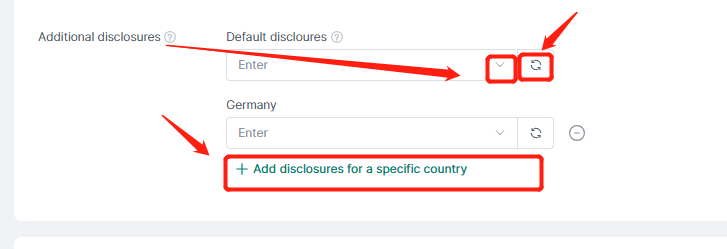
(3) Additional disclosures: Synchronize platform settings.
Click the refresh button on the right to trigger synchronization. Pull down to select more options.
(4) Item disclosure information can also be modified in bulk.
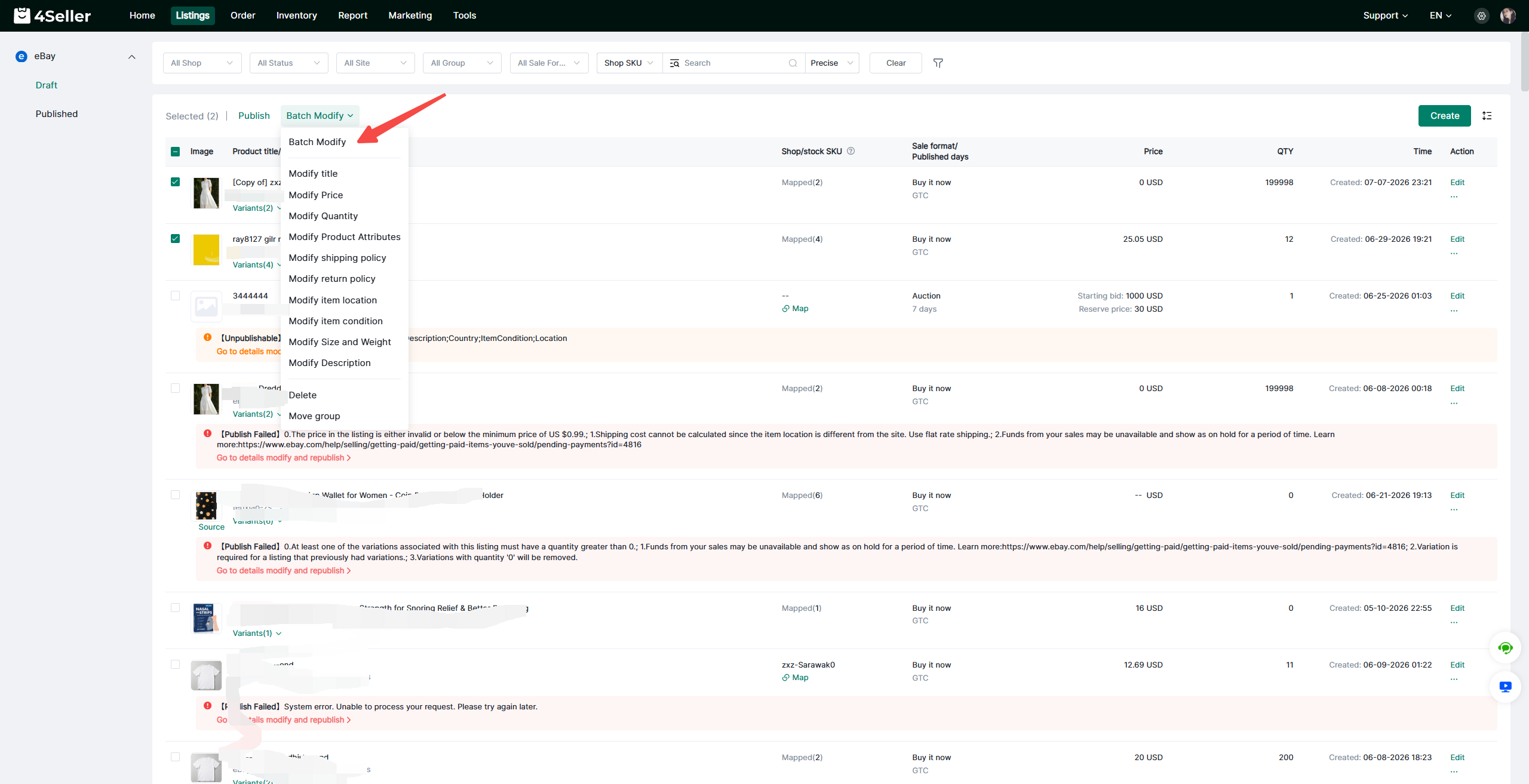
Select the products for which you need to bulk edit item disclosure information, then click Bulk Operations > Bulk Edit. Draft products support editing of product titles, prices and other details; published products support bulk editing of prices and stock quantities.
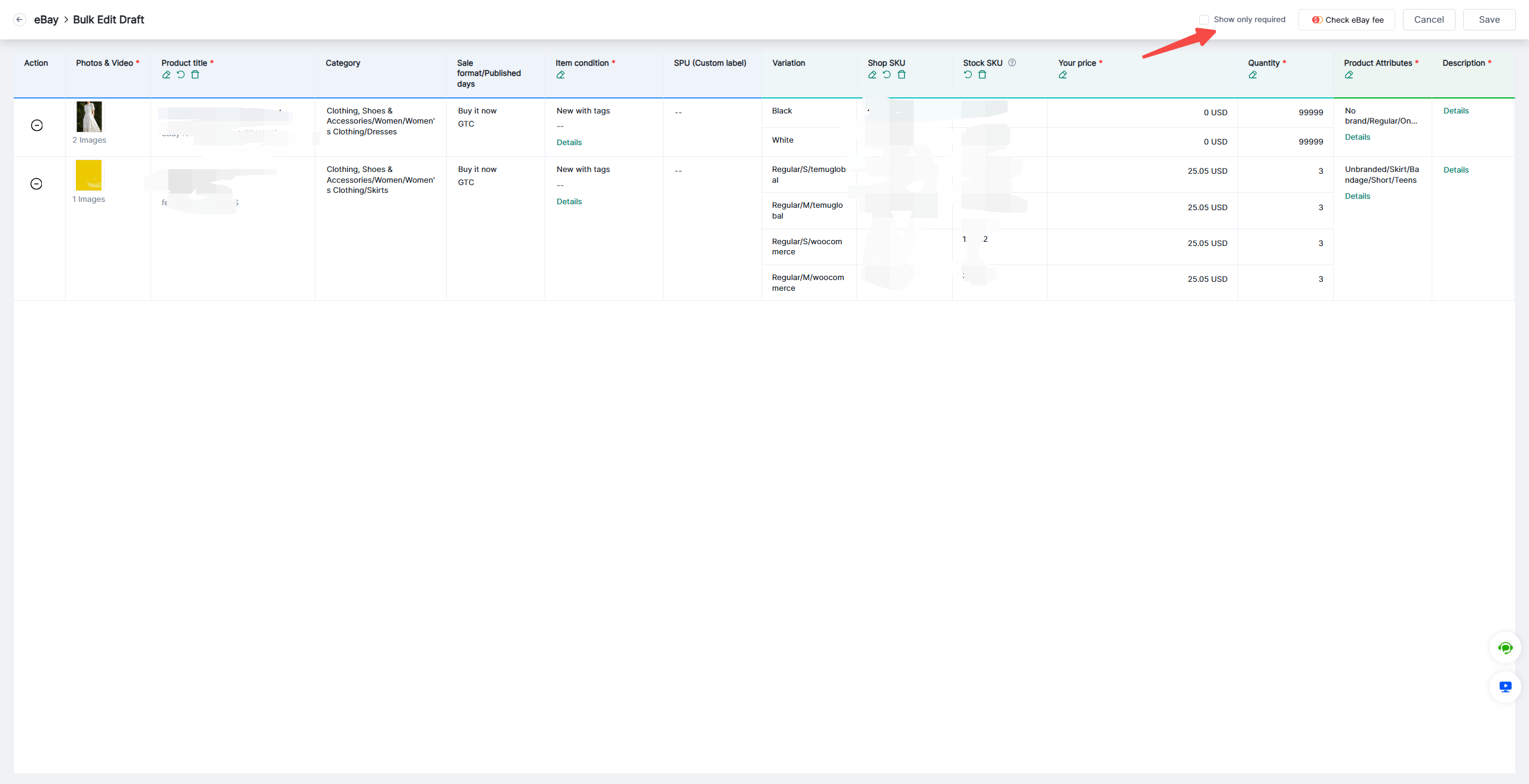
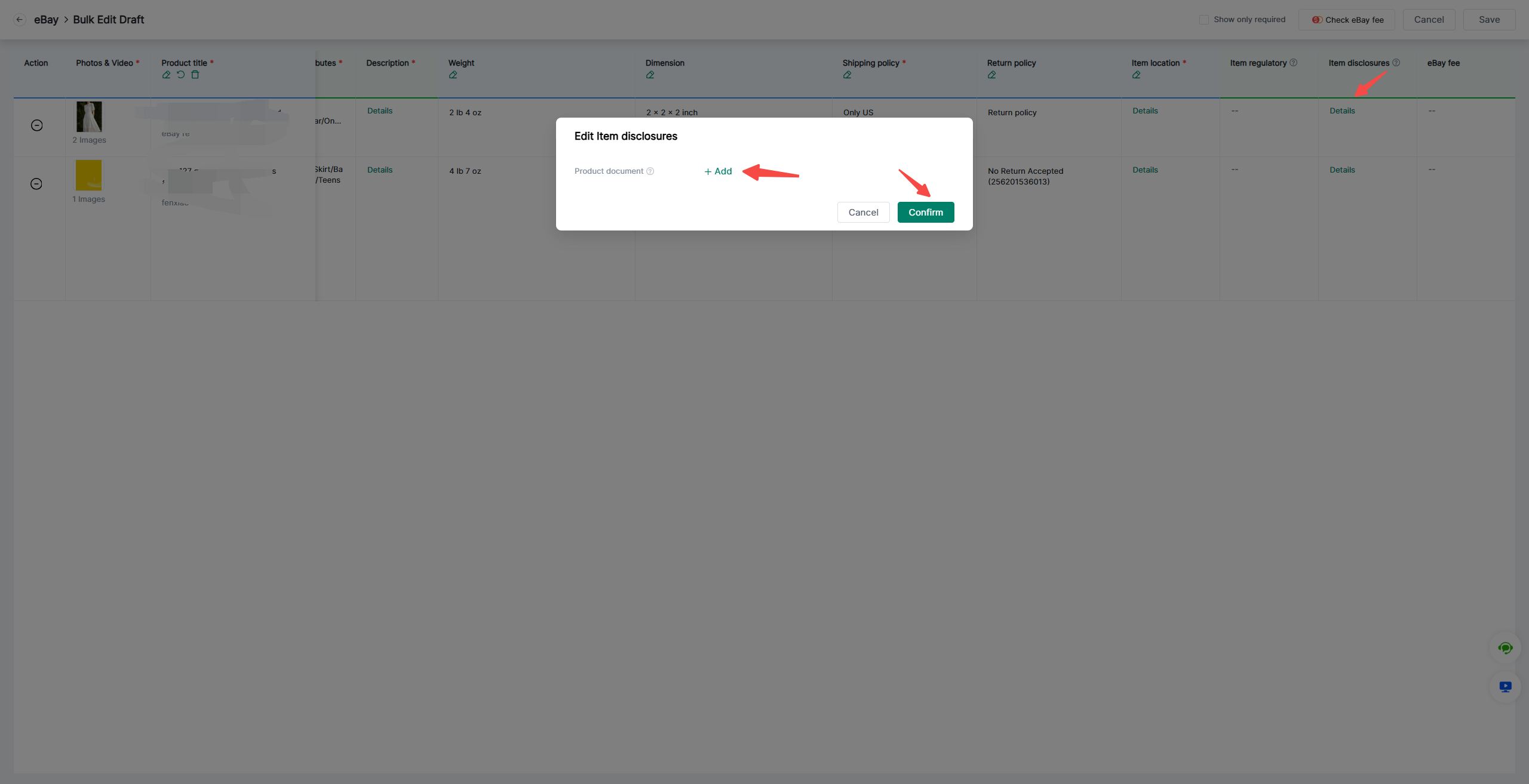
After entering the bulk edit table, turn off Show Required Fields Only. Find Item Disclosure Information, then click Details to make changes.
Find Item Disclosure Information, then click Details to make changes.
Refer to the help article for setting disclosure information: How to Set Up Disclosures on eBay?
10. Product Regulation: Required if required by the category.
Note: If your product is sold to buyers in the EU or UK, you will need to provide more detailed information regarding product safety and quality standards.

Step 3: Click Save & Publish

2. Supports batch editing of multiple product attributes to improve listing efficiency.
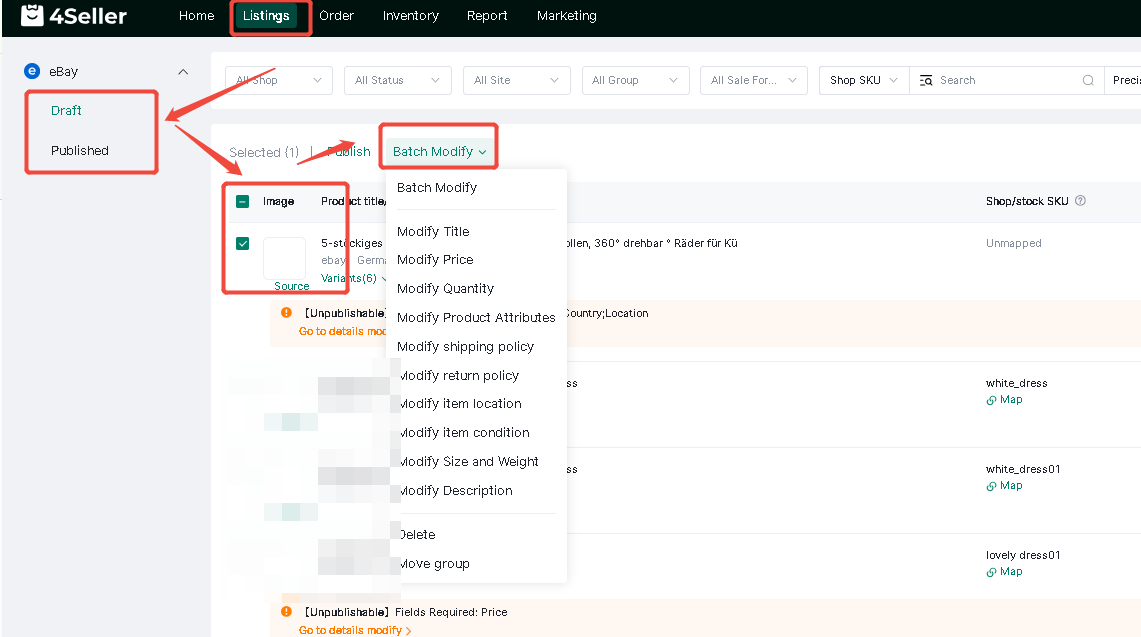
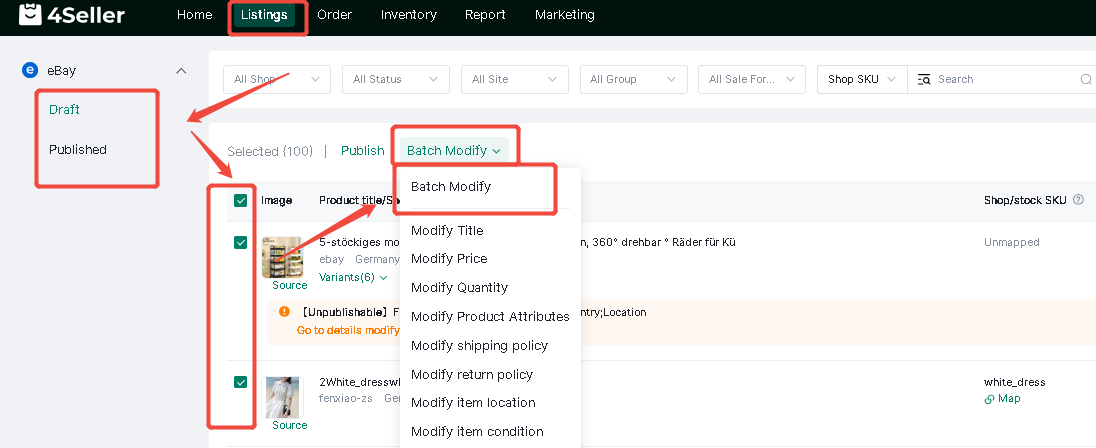
(1)Single modifya: On the "Draft" or "Published" pages, filter for the products you wish to process in bulk. Select the desired items, click "Bulk Edit," and choose the specific attributes you want to modify. For draft products, you can edit details such as the title and price; for published products, you can bulk-edit the price and quantity.
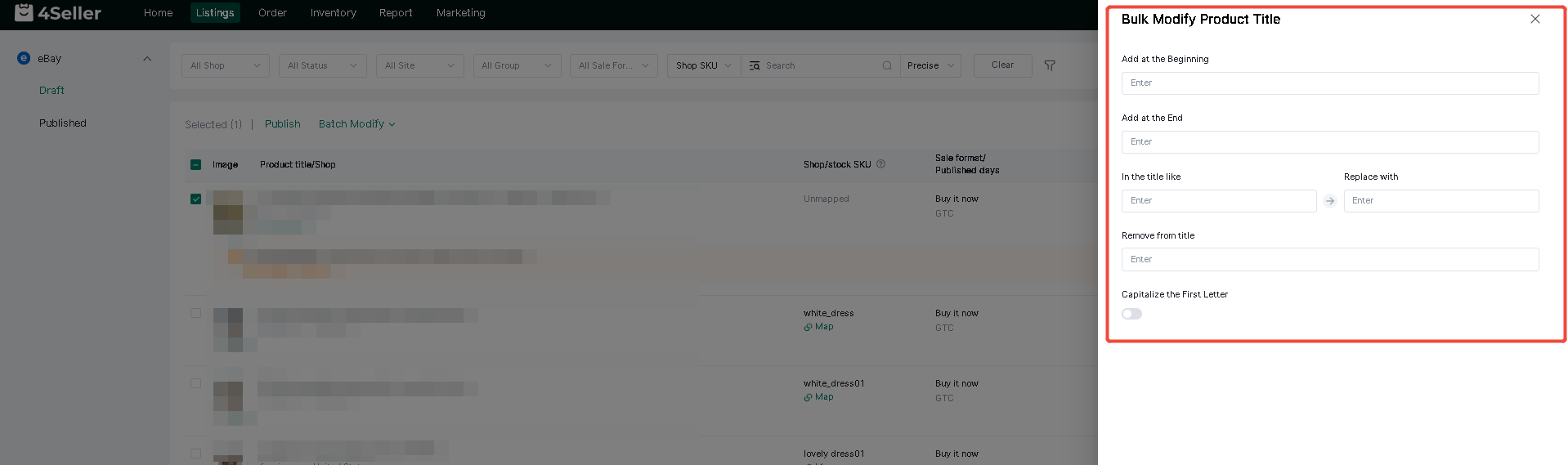
b: Batch-edit product titles—supporting options to add text to the beginning or end, replace text, or remove text—then click Confirm.
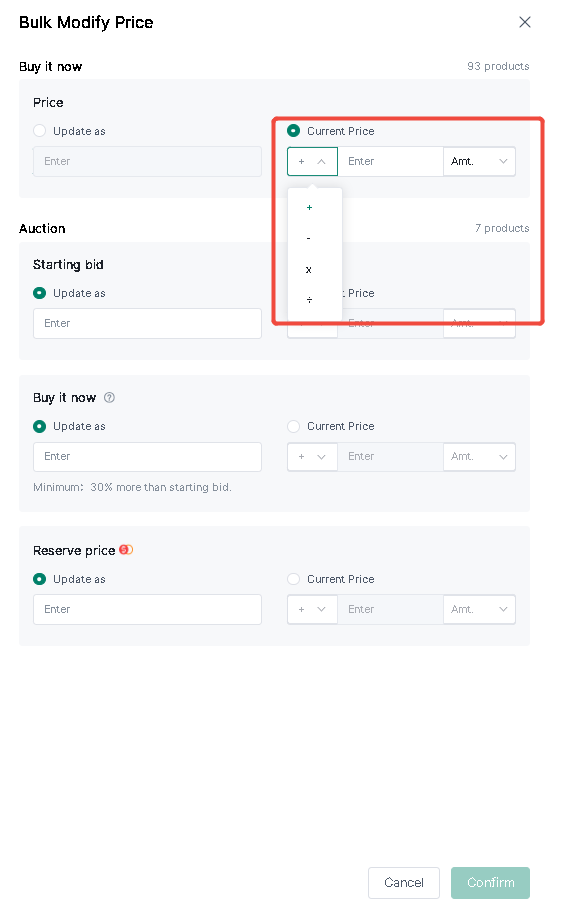
c: Bulk Price Modification:
① Items are categorized into "Buy It Now" and "Auction" listings, with the respective quantities displayed in the top-right corner.
② If the "Allow Best Offer" option is enabled, the "Buy It Now" price set here will not apply.
③ The Reserve Price is an [eBay fee-incurring item]; set the minimum price at which you are willing to sell the item. A listing fee is charged as soon as the item goes live and is non-refundable, regardless of whether the item sells.
④ When updating an auction listing where both the starting price and "Buy It Now" price are set, the "Buy It Now" price must be at least 1.3 times the starting price.
⑤ The Reserve Price must be higher than the starting price.
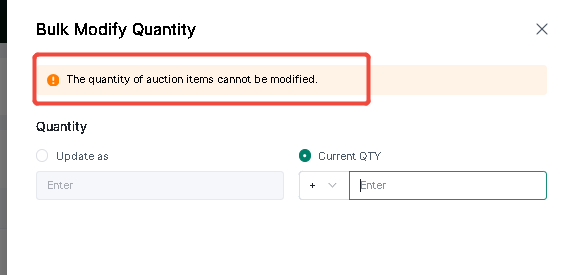
d: Bulk Quantity Modification:
① Only supports modifying the quantity for items with the "Buy It Now" sales type; quantities for auction items cannot be modified.
② Supports a maximum input of 5 digits (positive integers).
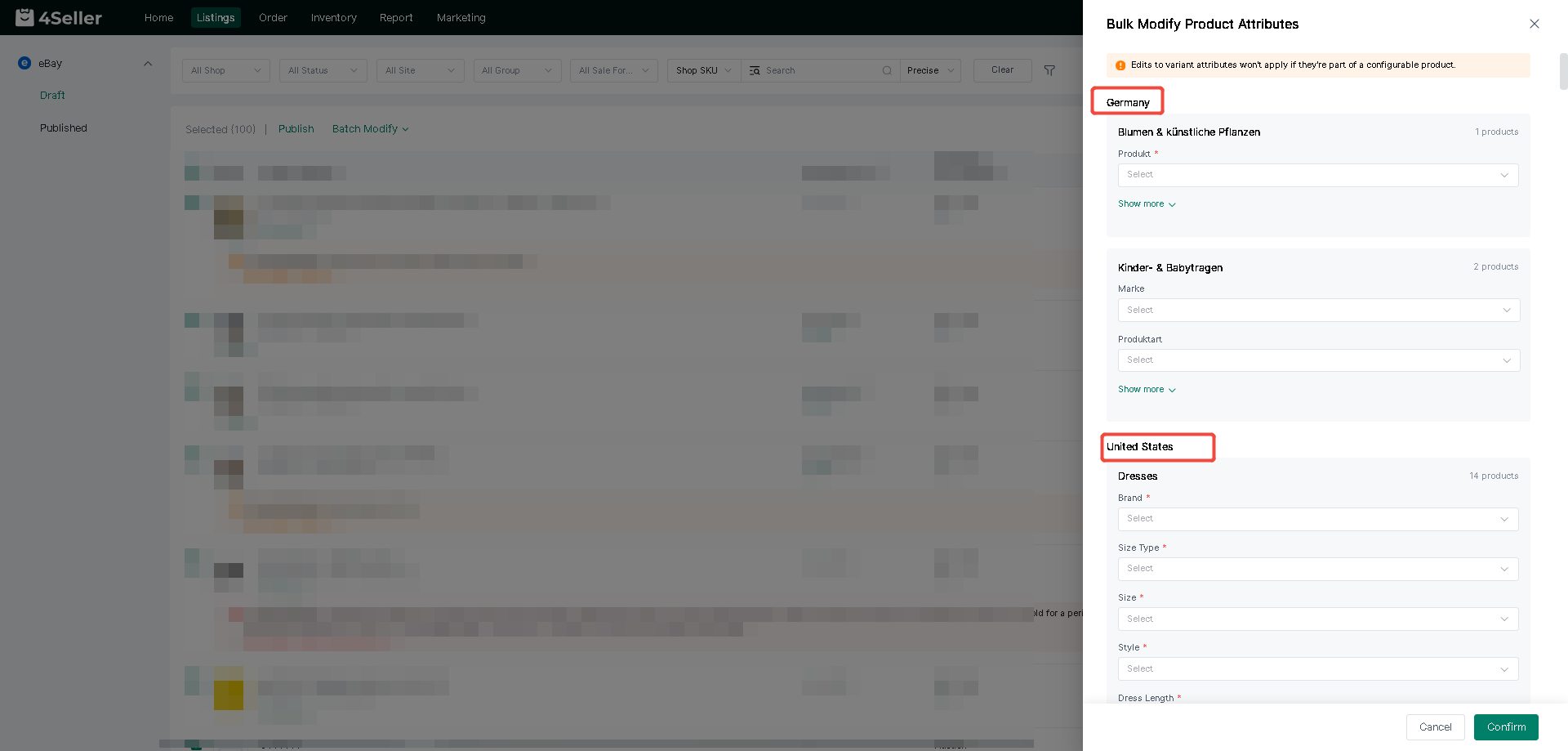
e: Batch modification of product attributes:
① Displayed by site and category, with the specific product count shown in the top-right corner.
② If the attribute being edited is part of the variant attributes of a multi-variant product, the edit operation will not take effect.
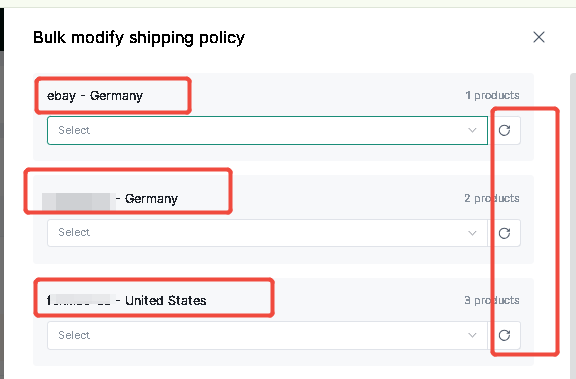
f: Bulk Update Shipping Policies
① Stores are displayed by marketplace, with the specific number of products shown in the top-right corner.
② A dropdown selection becomes available after refreshing the area to the right of the input box; items not selected will not be updated.
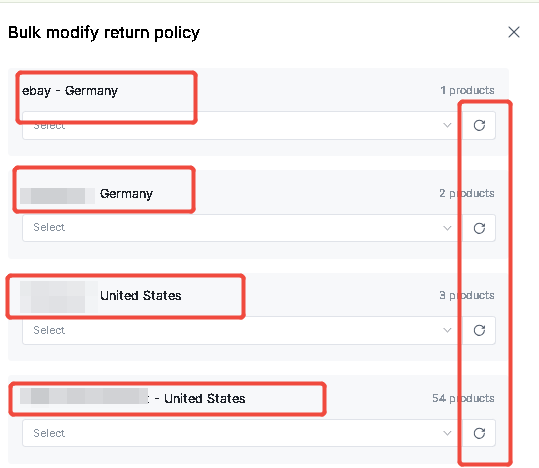
g: Bulk update return policies:
① Stores are displayed by site, with the specific number of products shown in the top-right corner.
② A dropdown menu becomes available to the right of the input field after refreshing; items not selected will not be updated.
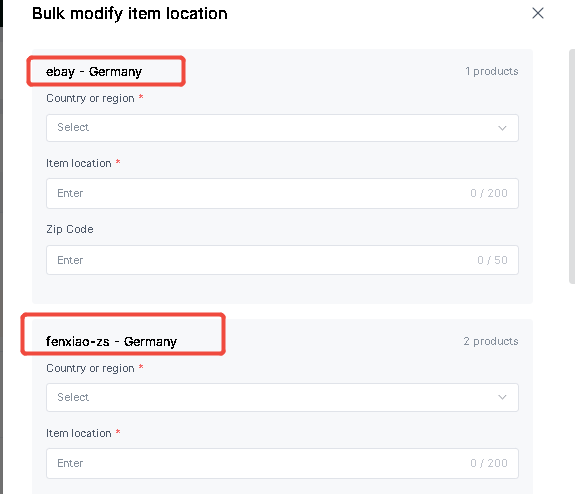
h: Bulk update item location:
① Store display by sub-site; the specific number of items is displayed in the top-right corner.
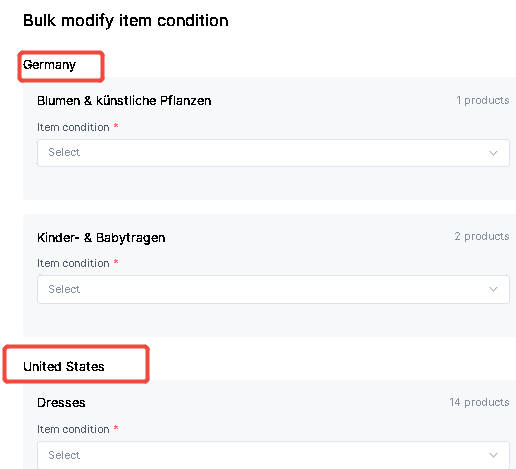
I: Bulk update item condition:① Categorized by marketplace and category, the specific number of items is displayed in the top-right corner.
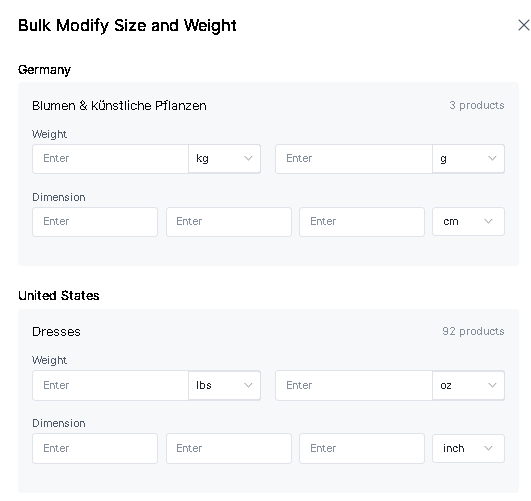
J: Bulk update dimensions and weight:
① Categorized by marketplace and category.
② Only 0 and positive integers are accepted.
③ Maximum value ranges: g [0, 999], oz [0, 15].
④ If setting dimensions, values for length, width, and height must all be entered.
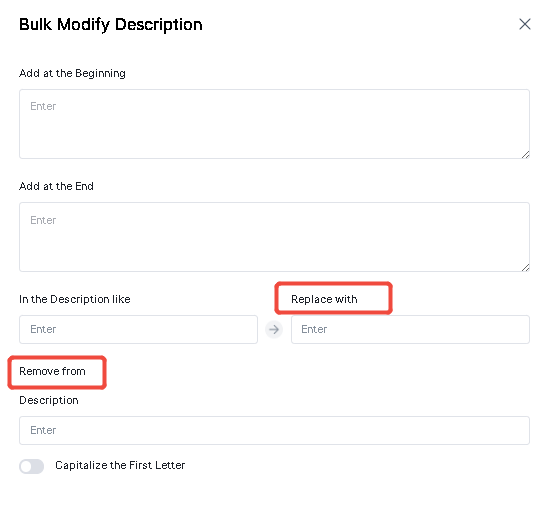
K: Batch edit product descriptions: Supports adding, replacing, removing, etc.
3. Batch Modify
(1) Select the products for which you want to modify attributes in bulk – click "Batch Operations" – select "Batch Modify."
(2) After entering the batch editing table, simply select the relevant attributes to edit them.
Method Two: Scraping
Refer the help artcile: How to scrape Amazon, TikTok, CJdropshipping, SHEIN, Aliexpress, TEMU, etc listings to eBay store?
Method Three: Migrating
Refer the help article: How to sync Amazon, TikTok, Shopify, SHEIN, Woocommerce, ETSY, etc listings to eBay store?
Method Four: Refer SPU
Refer the help article: How to Refer SPU to List Products to eBay stores?
Method Five: Refer existing listing
eBay's draft page allows you to quickly list products by referencing existing product information!
Note: Only references to drafts, Active and Inactive items from the same site are supported.
Any problem feel free to contact 4Seller support team: support@4seller.com