- Get Started
- Video Tutorials
- Knowledge Base
- Channels
- Listings
- Inventory
- Orders
- Settings
- FAQs & Troubleshooting
How to Authorize Stripe to 4Seller?
Updated on 28 Oct,2025Copy Link
4Seller supports integrate with Stripe, helping users accelerate fund recovery, reduce disputes and refunds, and protect seller rights.
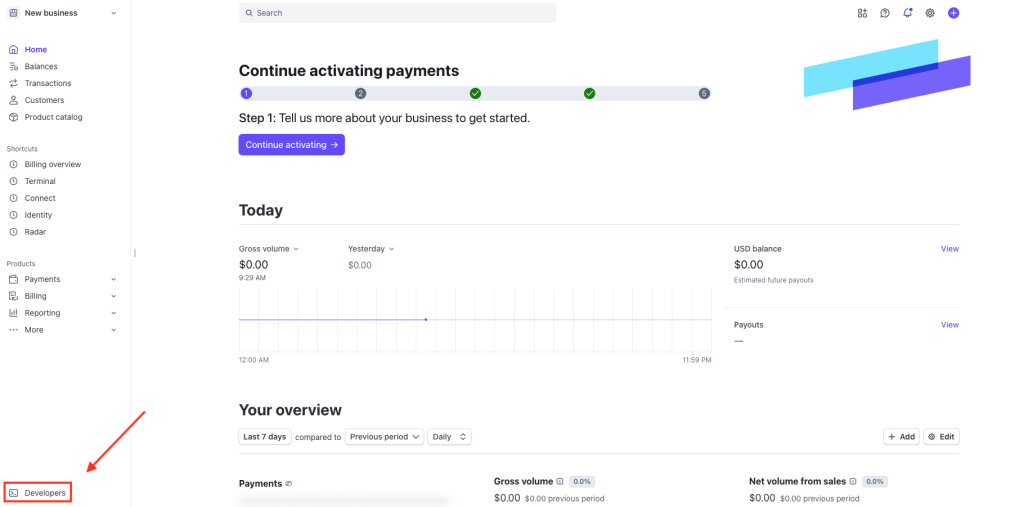
Step 1: Log in Stripe--Go to the tab Developers on the bottom left corner
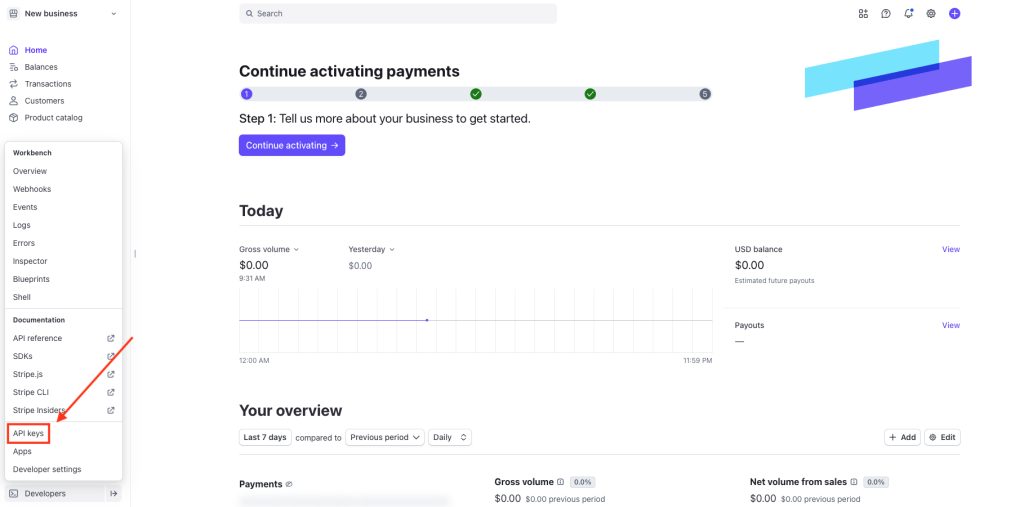
Step 2: Go to the tab API keys
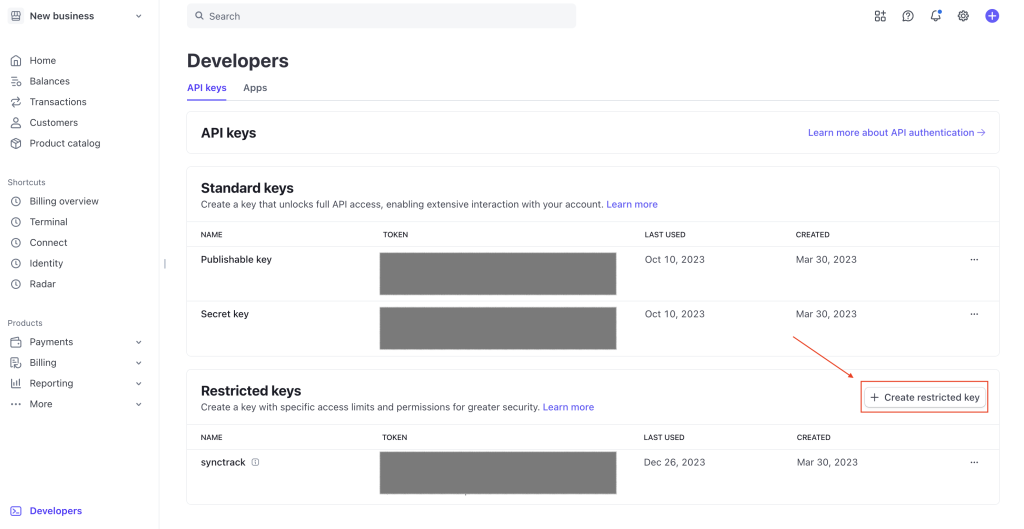
Step 3: Click Create restricted key
Step 4: Select Providing this key to another website then Continue

Step 5: Enter 4Seller for Name field and https://www.4seller.com for URL then check Customize permissions for this key
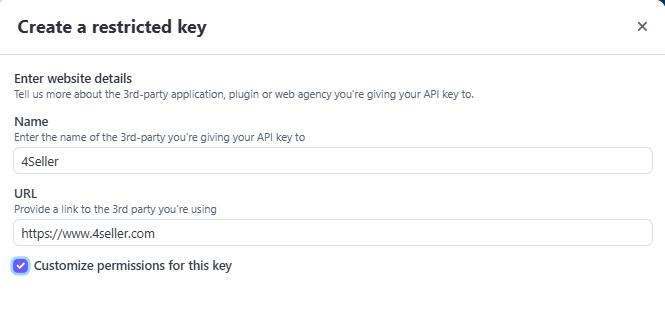
Step 6: Type the key name (it’s up to you) and turn on the Write status for giving permissions for Charges, Disputes, PaymentIntents & Orders
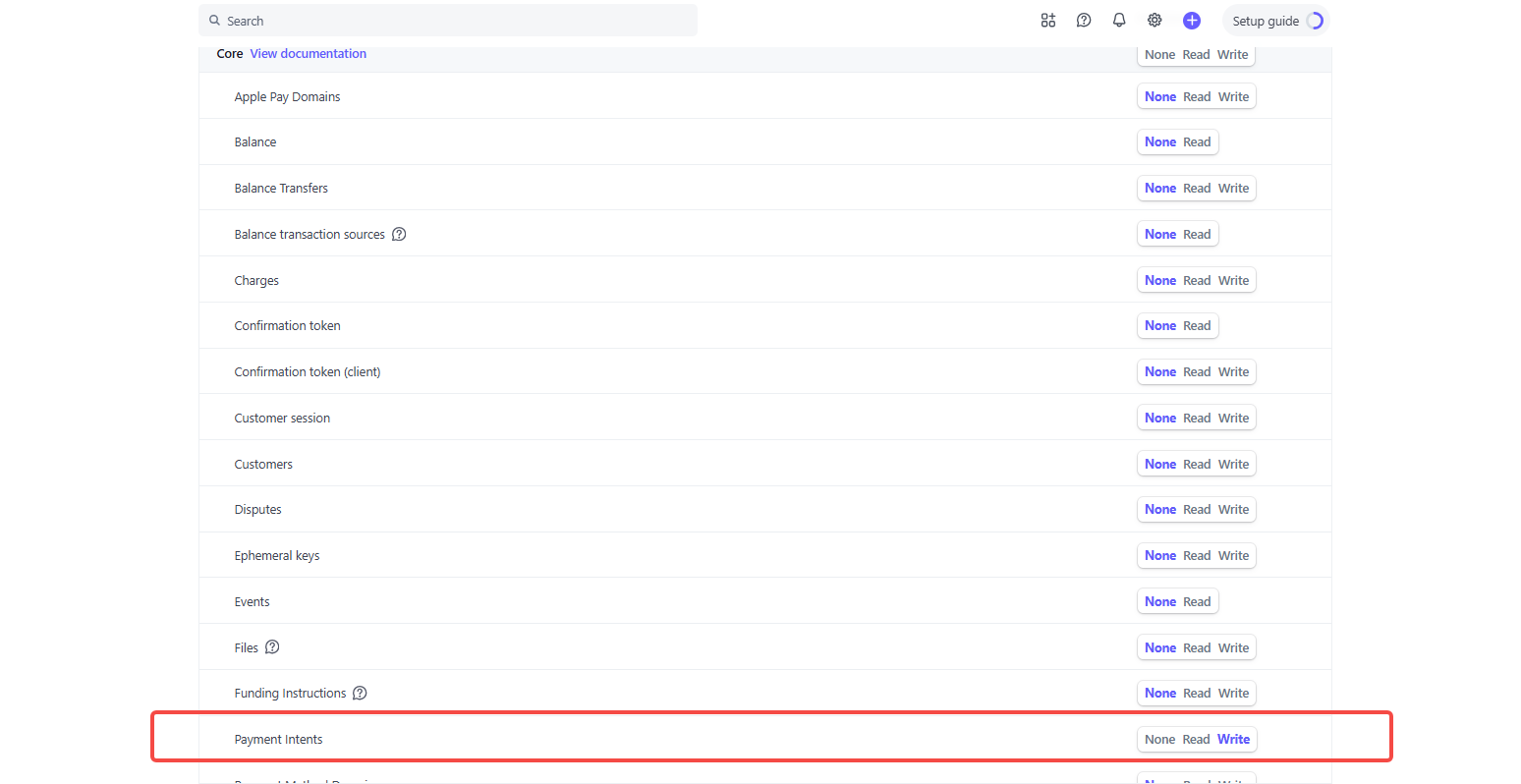
Step 7: Click to copy the token
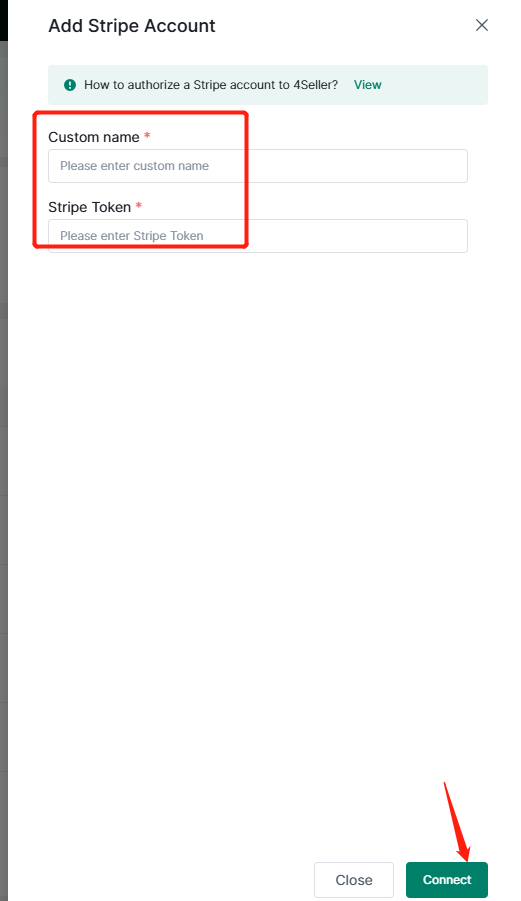
Step 8: 4Seller Setting--Integration--Payment--Click"Stripe"
Step 9: Customize Name--Fill the Stripe token--Click" Connect"
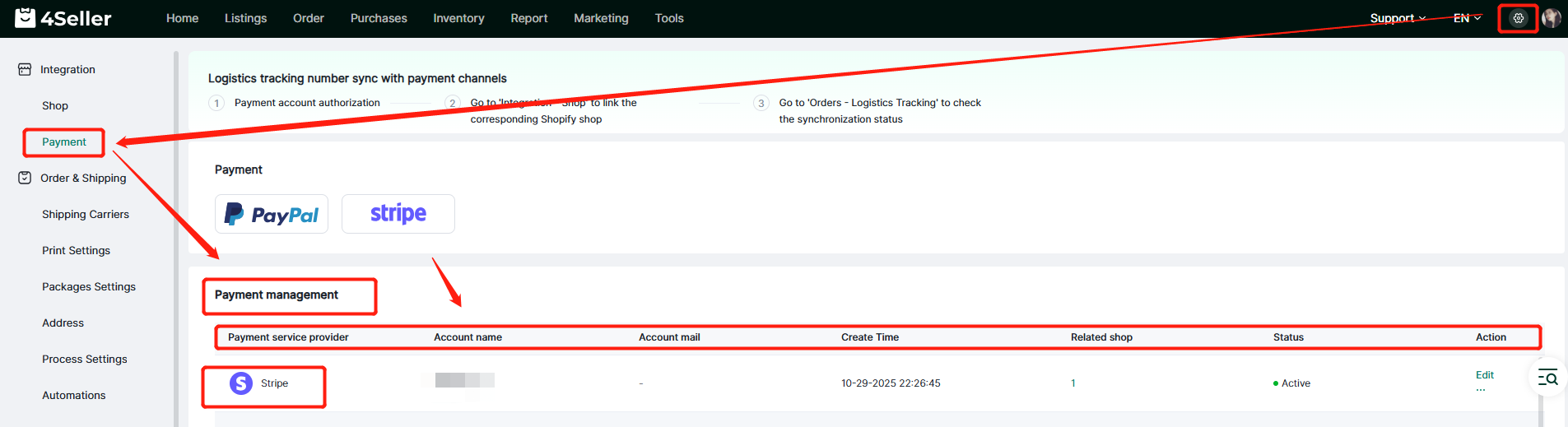
Step 10: Setting--Payment--Payment management--check the authorize account and status, etc.
Any problem feel free to contact 4Seller Support Team: support@4seller.com




Back to top