Help Center
Get Started
Introduction of 4Seller
Register and Login
Training & Support
Video Tutorials
Store Management
Listing Management
Purchase Management
Order Management
Inventory Management
Marketing Management
Knowledge Base
Channels
Listings
Inventory
Shipping
Orders
EASY MCF
Settings
Report
Marketing
Tools
FAQs & Troubleshooting
FAQs
Troubleshooting
Help Center
FAQs & Troubleshooting
FAQs
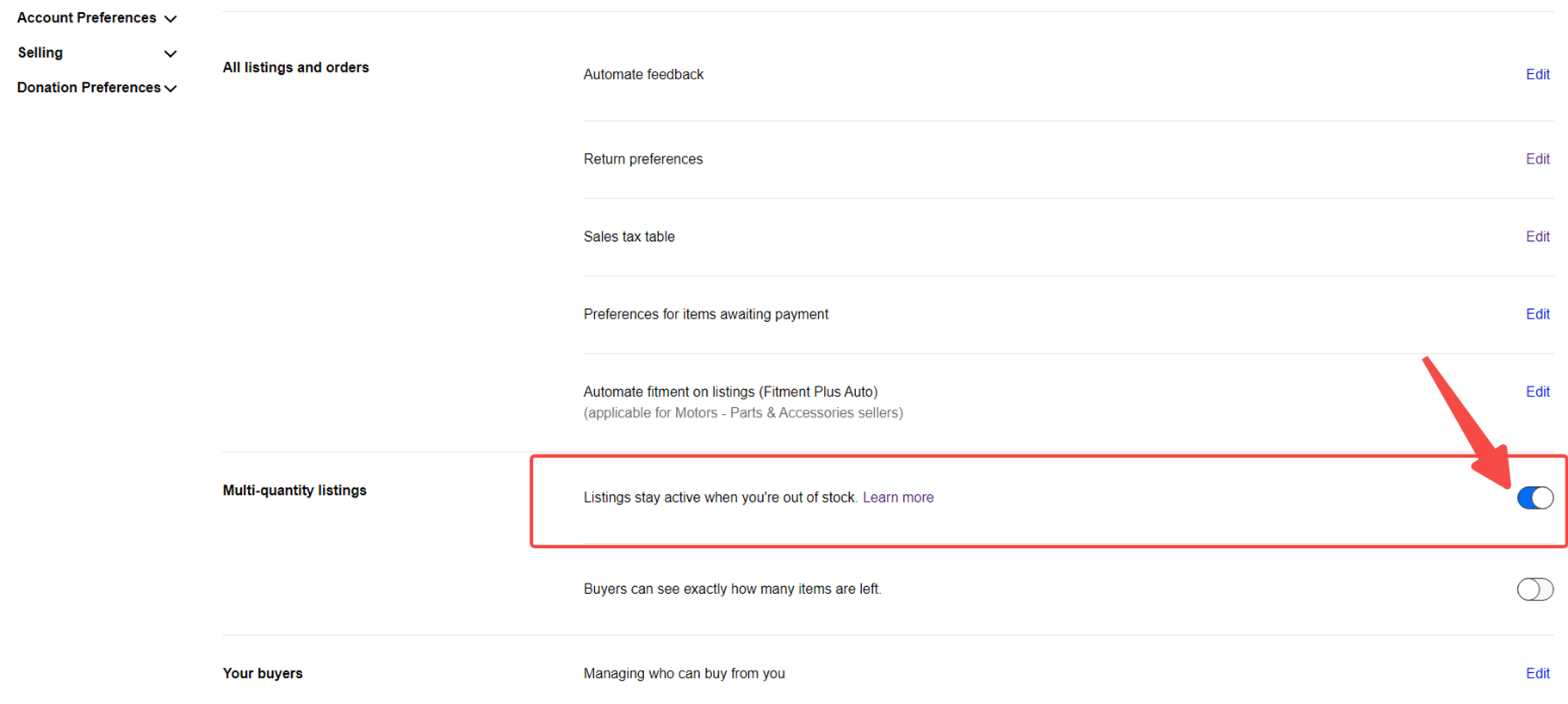
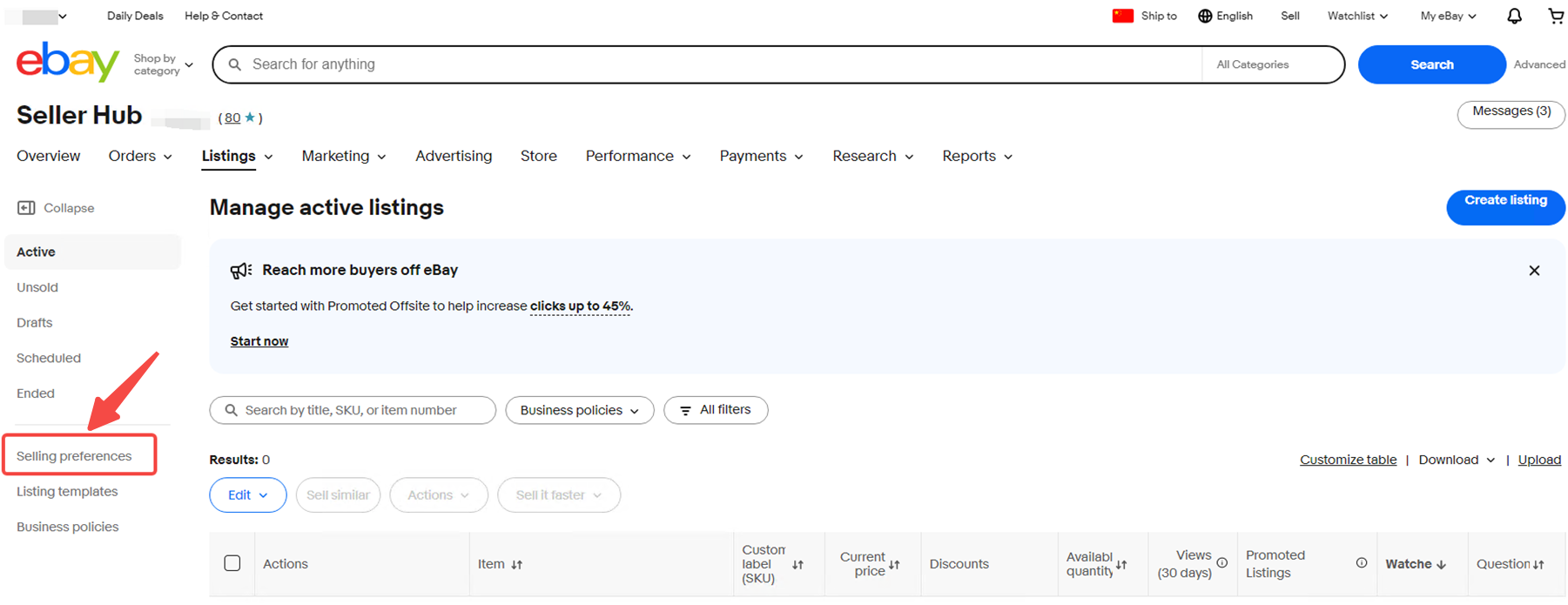
How to Enable Out-of-Stock Control in eBay Seller Center?
Updated on 26 Nov,2025
Copy Link
1. Click Sales Preferences.
2. Turn on the “Listings stay active when you're out of stock.” toggle.
Previous:
How to Download and Print Shipping Label in Bulk?
Next:
How to export the freight of orders from the past month?
Back to top