- Get Started
- Video Tutorials
- Knowledge Base
- Channels
- Listings
- Inventory
- Orders
- Settings
- FAQs & Troubleshooting
How to Manually Update SPU Information & Price to Related Products?
4Seller supports manually updating SPU information to releated products, including title, description, images, and price, greatly improving the efficiency of updating the same product information across different platforms and saving operational time!
Note: If set up listings rules, when updating product information and prices, updates should be made in accordance with the listing rules.
Step 1: Create SPU products
Refer help article: How to create SPU products?
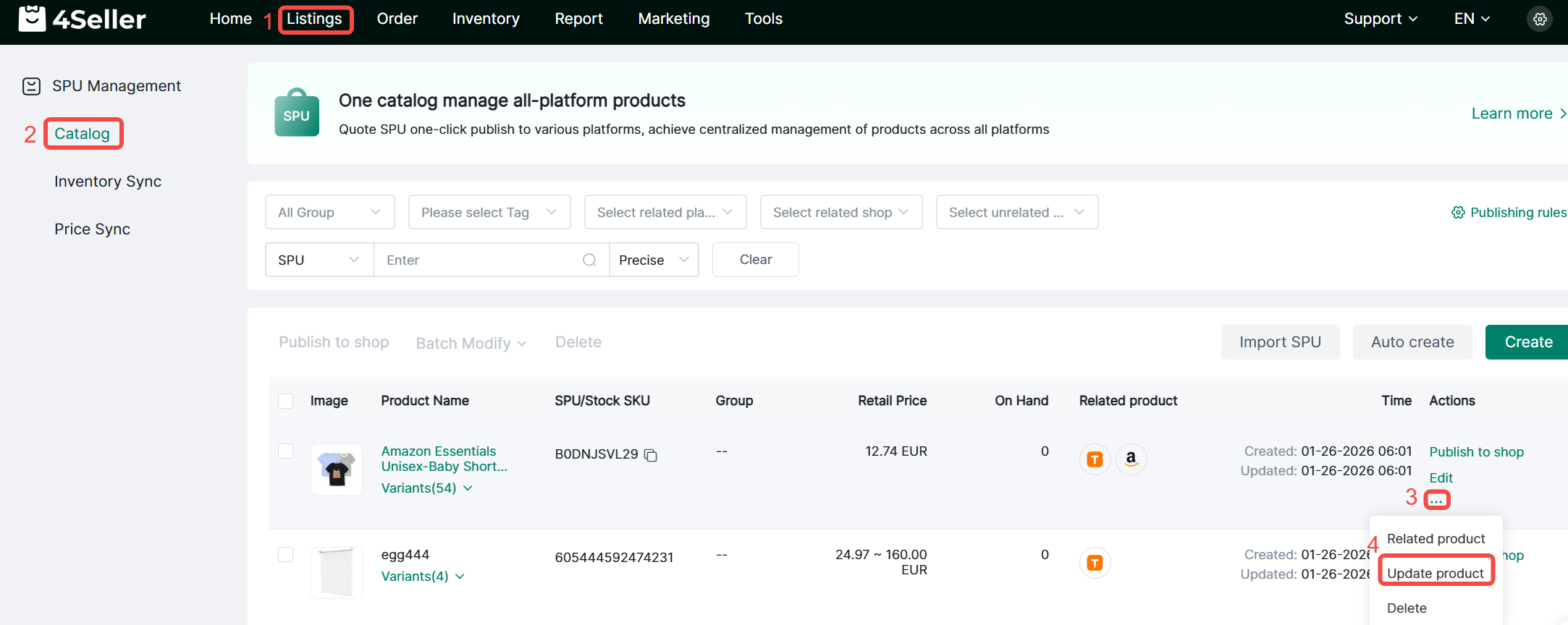
Step 2: Listings--SPU Management--Catalog--Update related products
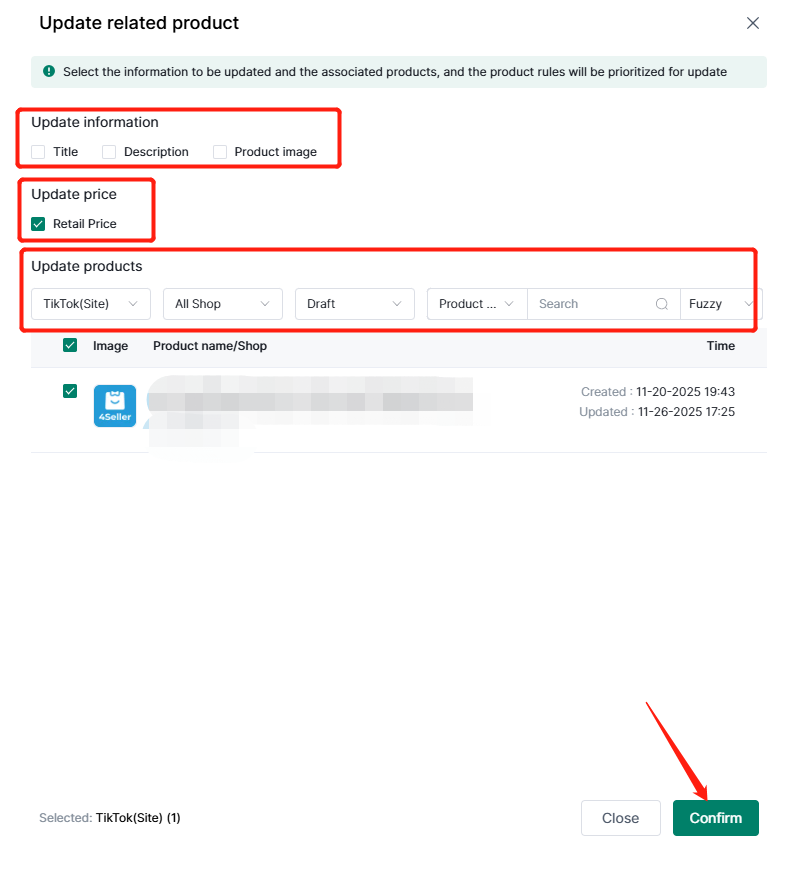
Step 3: Select to update information of related products
1. Title, Description, Product Image.
2. Price
Note: The price update here is manual. After updating, you can view the update history in the price linkage section.

If you need automatic price updates, please refer to the following help article: How to Automatically Update the Price to Platform Stores?
Note: Prices and information cannot be updated simultaneously.
3. Filter information such as platform sites, shop, and listing status to select relevant products for updating.
Step 4: Check the grenn bar to see the update result
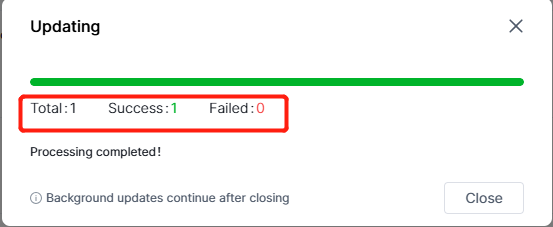
Note: If the information that the SPU needs to update is empty, the update will fail.

Any problem pls feel free to contact 4Seller Support Team: support@4seller.com

