- Get Started
- Video Tutorials
- Knowledge Base
- Channels
- Listings
- Inventory
- Orders
- Settings
- FAQs & Troubleshooting
eBay Store How to Use Listing Template to Publish Quickly in 4Seller?
4Seller supports referencing listing templates when listing in eBay Store which improve listing efficiency.

Note: 4Seller sub-accounts do not have permission to create and manage product templates, permission is required from the main account.

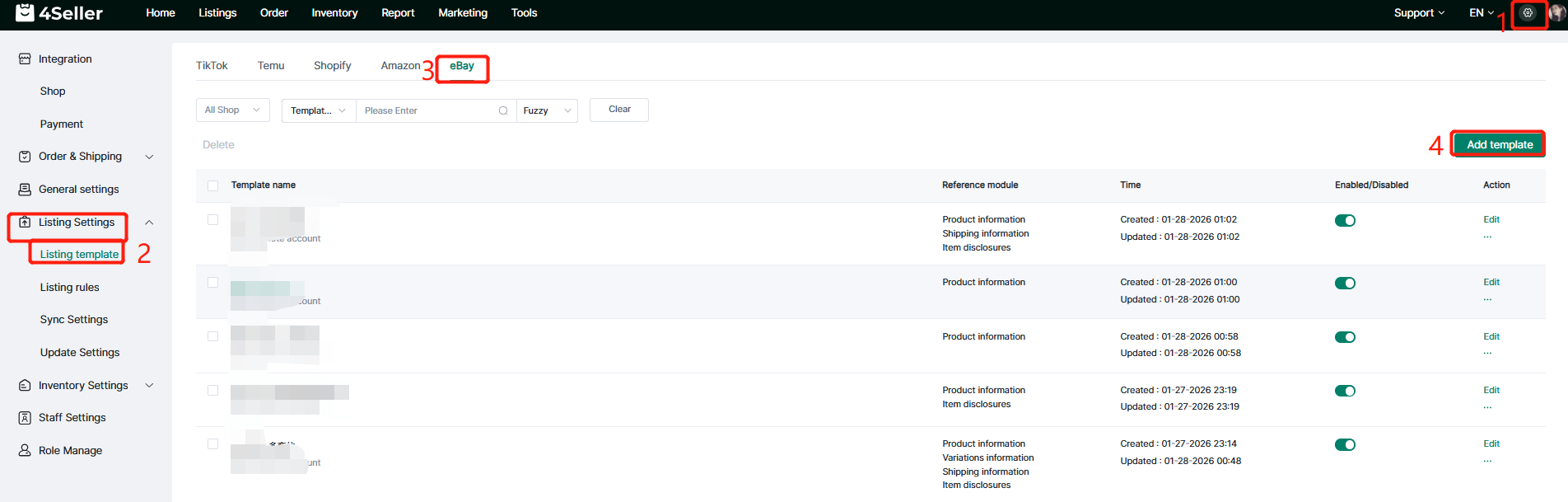
Step 1: Setting--Listing Settings--Listing template--Add template

Note: If you didn't authorize before, you should authorize your eBay store to 4Seller first then to create listing template.


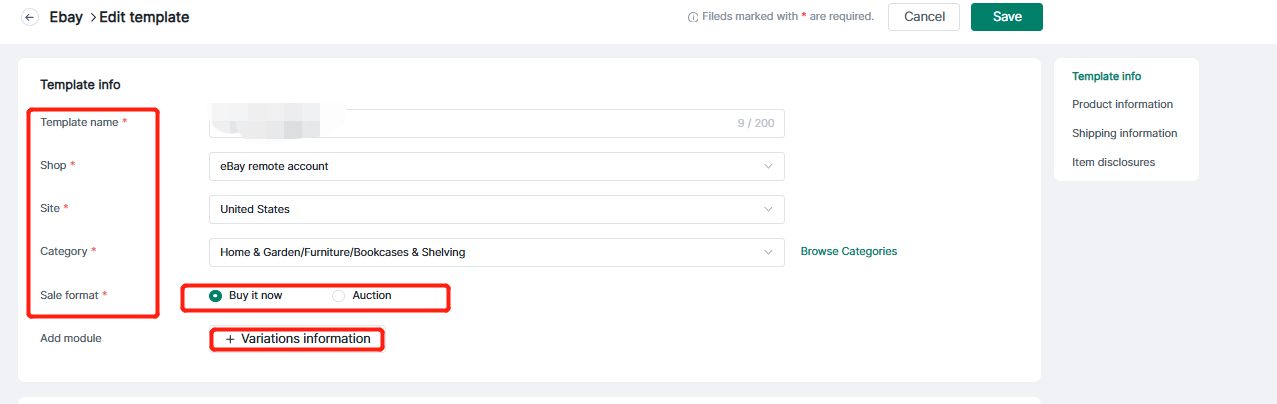
Enter the template name, select the application shop, site, category, and sales format and add the required modules.

Note:

1. Different stores and sites will correspond to different categories.

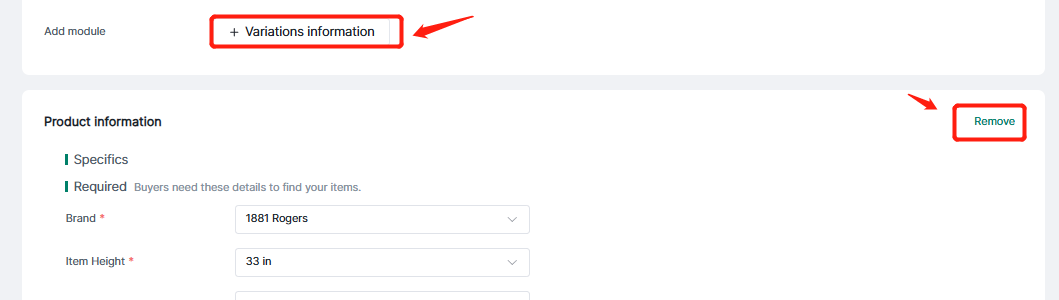
2. Modules can be added or removed at your discretion.


3. Modules can be added or removed at your discretion.


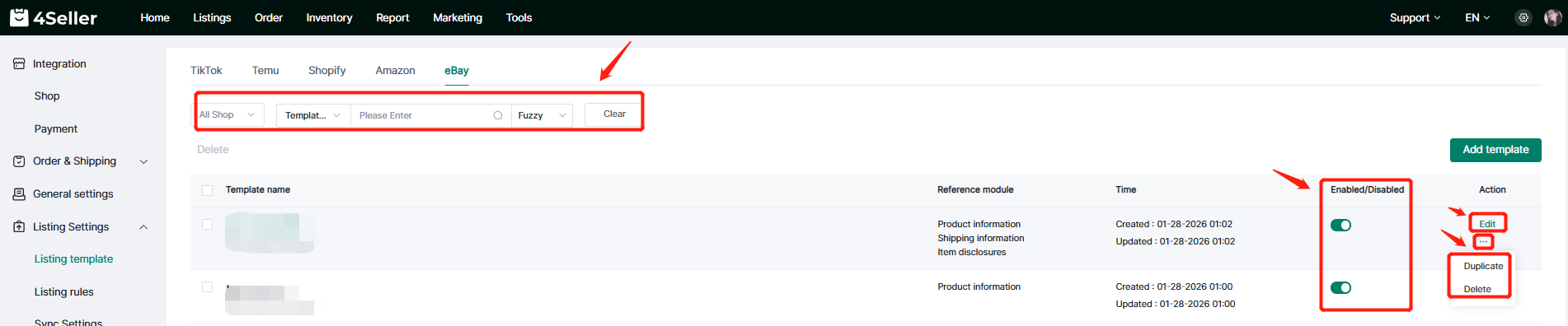
After finish the template setting, you can find the template in the setting page according to Shop, Template name. Also you can edit to update the template agian or set up the the status be Enableed/ Disabled. And Duplicate or Delete the template!


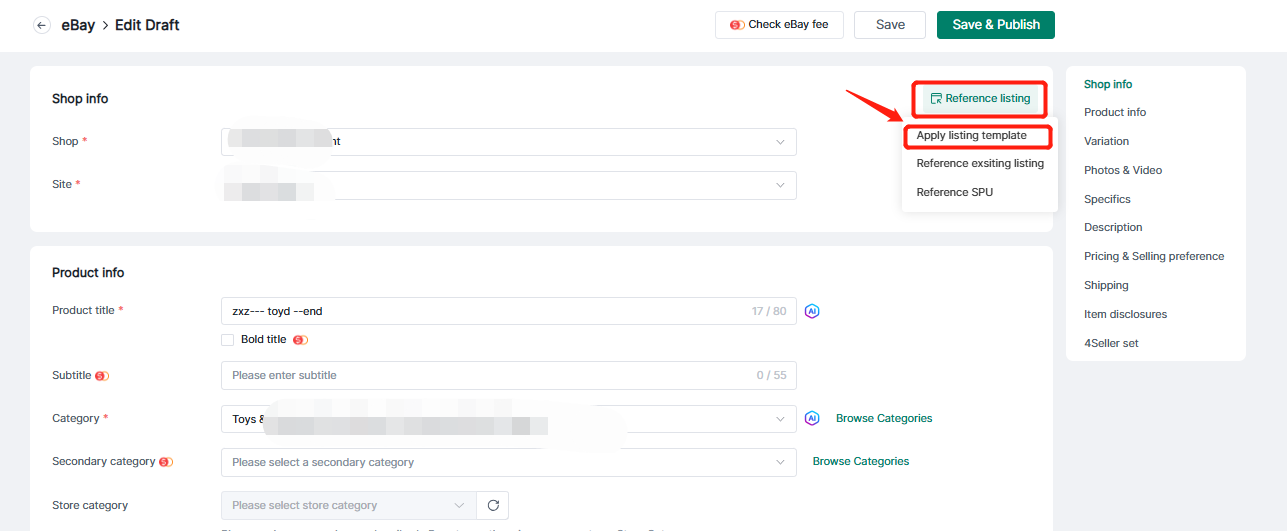
Step 2: Listings--eBay Draft--Create/ Edit products--Apply listing template

Note: 4Seller Supports full or partial citation of listing templates.


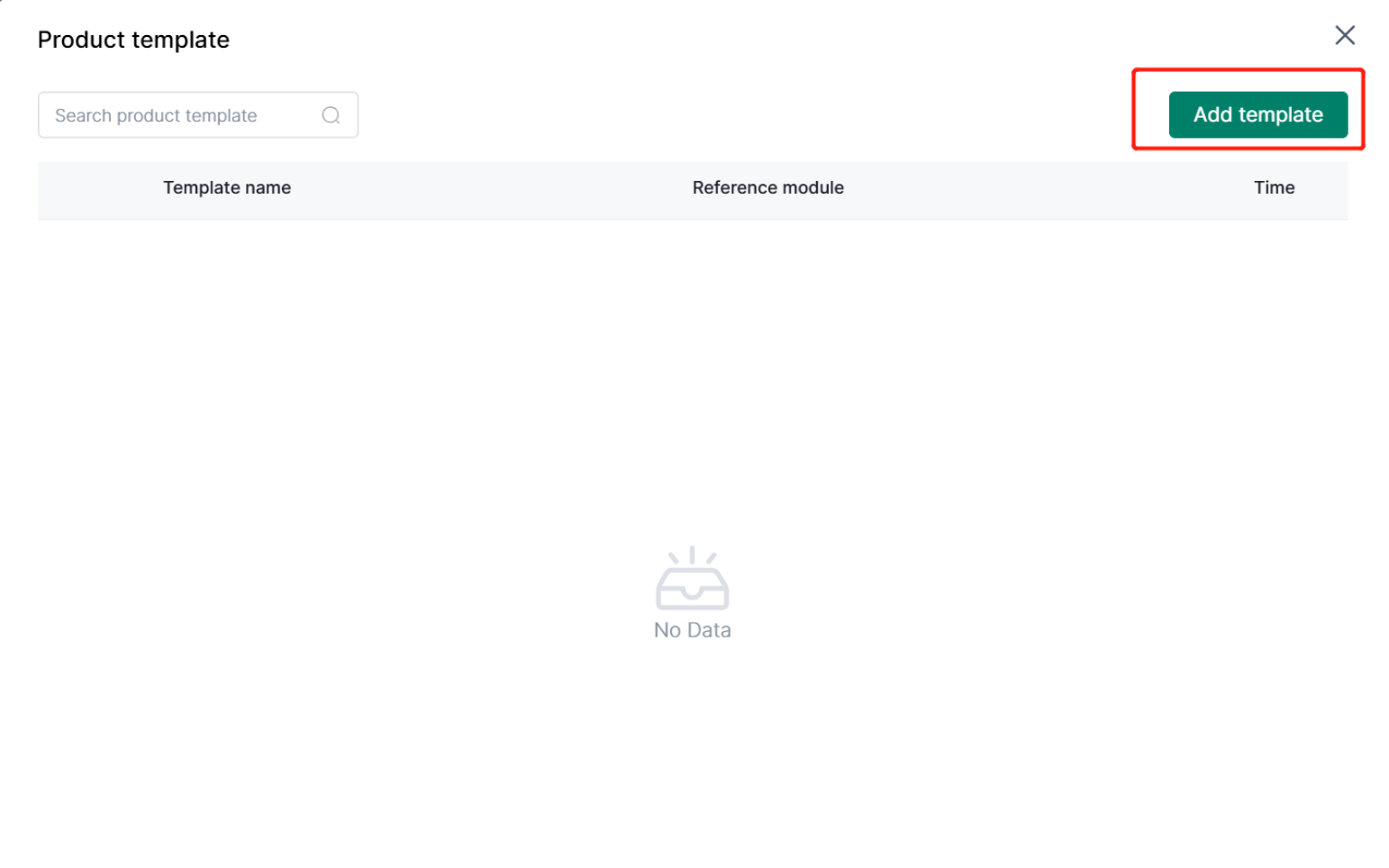
If the Shop do not have template, you can directly add template.