- Get Started
- Video Tutorials
- Knowledge Base
- Channels
- Listings
- Inventory
- Orders
- Settings
- FAQs & Troubleshooting
How to Set Up Shipping Template in TEMU Backend and Sync to 4Seller?
Updated on 05 Jan,2026Copy Link
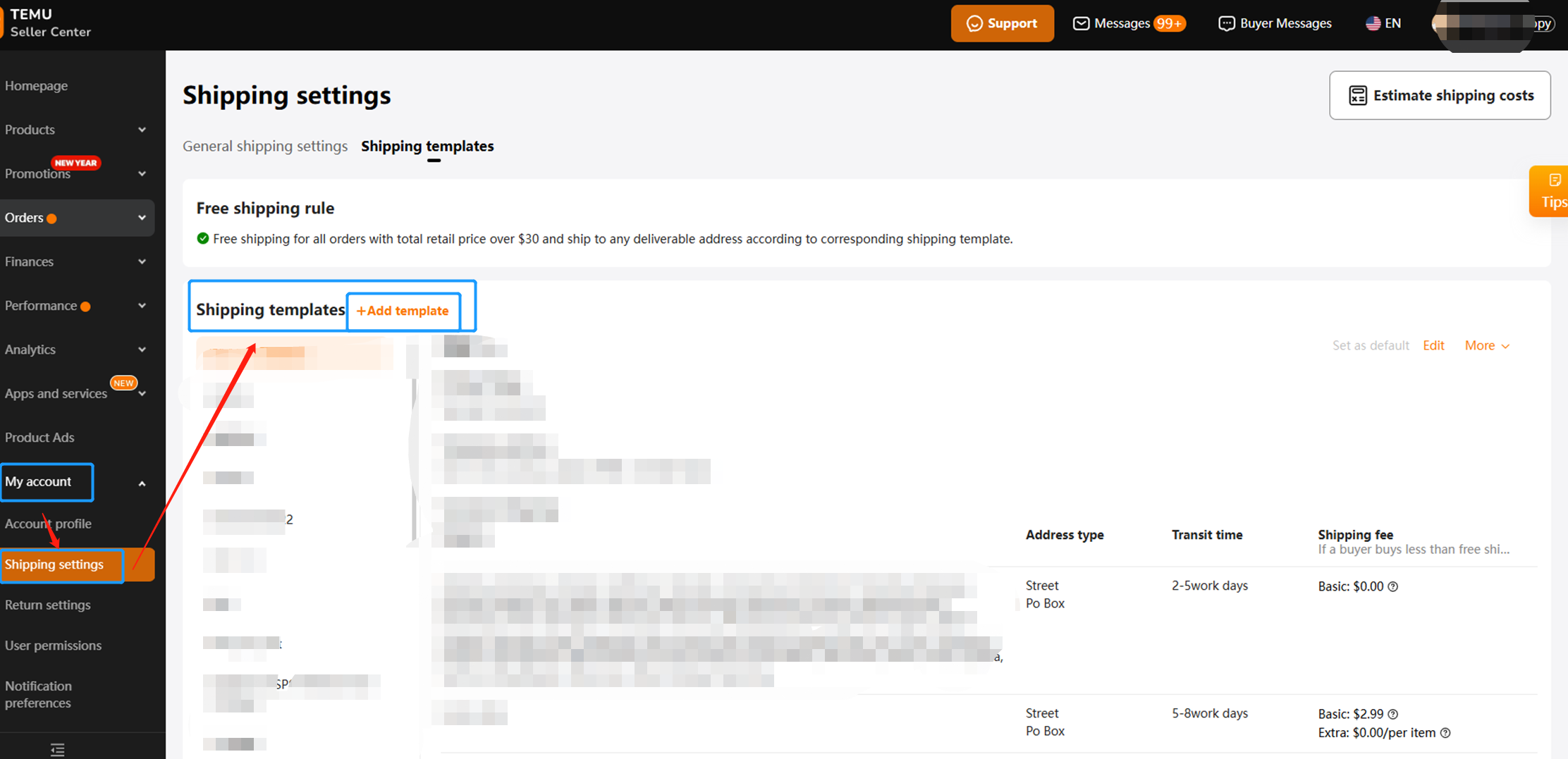
Step 1: Log in TEMU--My account--Shipping Settings--Shipping Templates--Add Templates
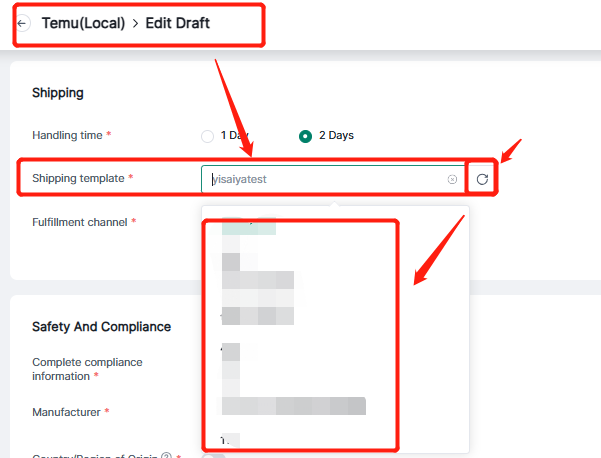
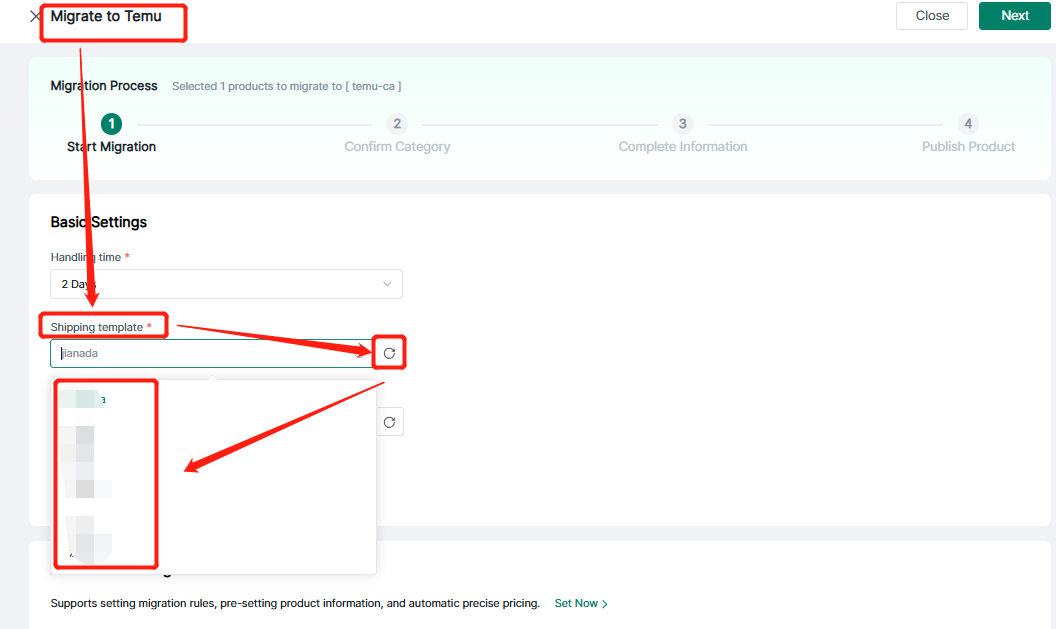
Step 2: After Setting back to Sellet--Click the shipping template refresh button to synchronize with 4Seller and select to fill in the information.
Entrance 1: TEMU listing --TEMU Draft Page
Entrance 2: TEMU Migration Page
Any problem pls contact 4Seller Support Team: support@4seller.com


Back to top