- Get Started
- Video Tutorials
- Knowledge Base
- FAQs & Troubleshooting
How to Connect TEMU Store in 4Seller Within MCF Tools?
On MCF Tools , you can enter the authorized TEMU store page through two Entrances:
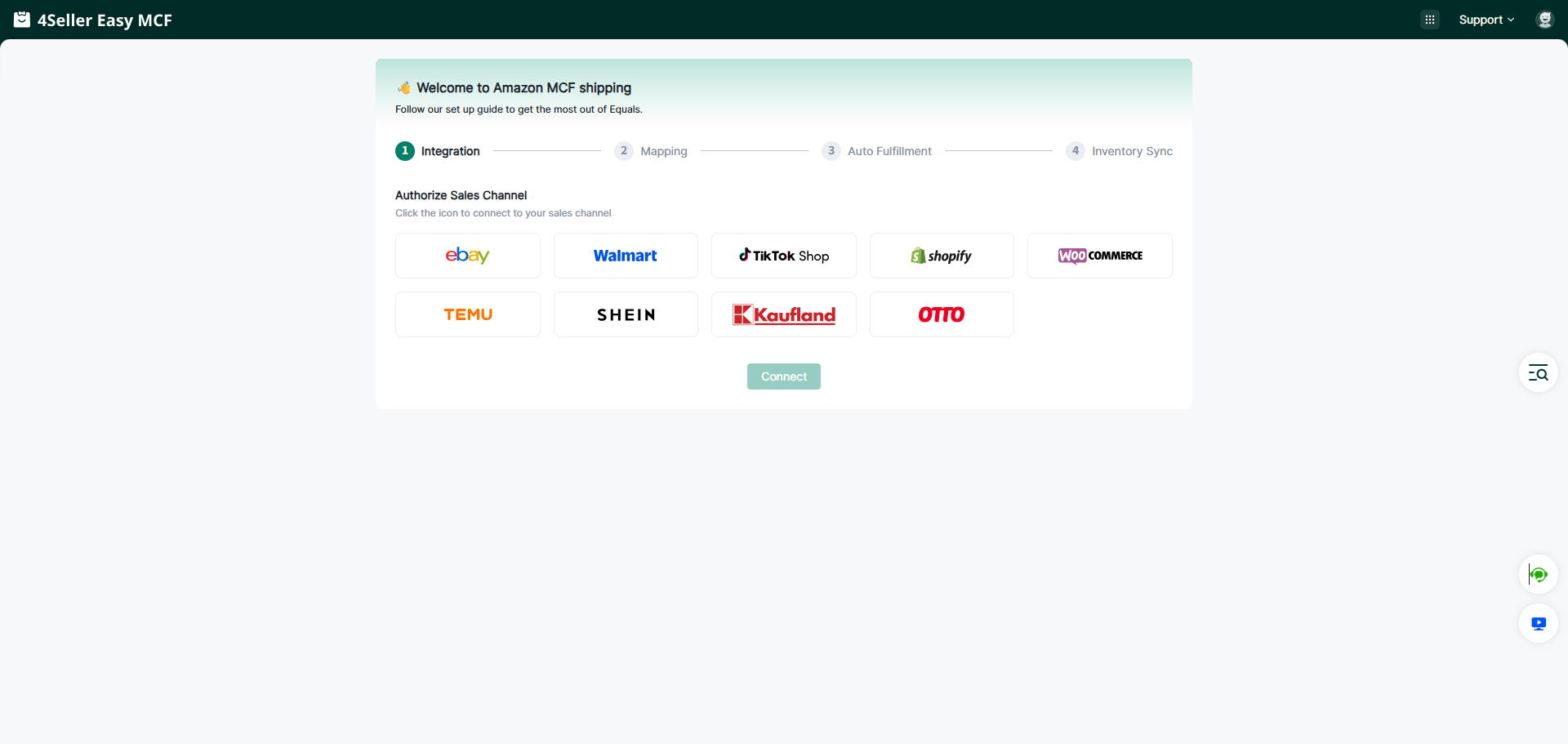
Entrance 1: On the guide page, if you are a new user, you can set up your Sales Channel in the MCF guide Wizard , and click the TEMU store icon to enter the store authorization page.
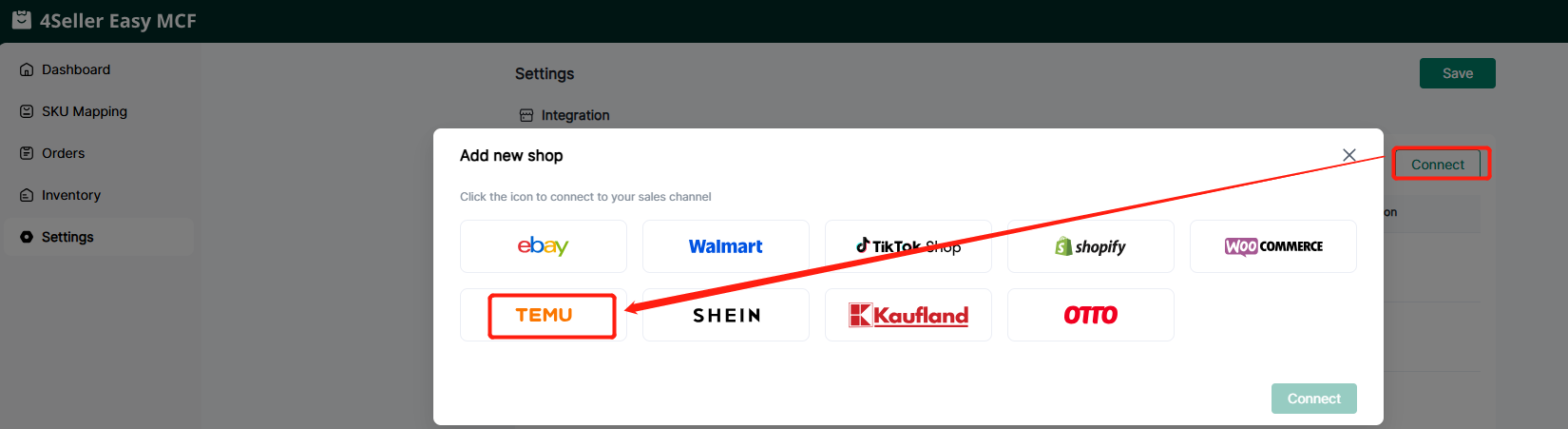
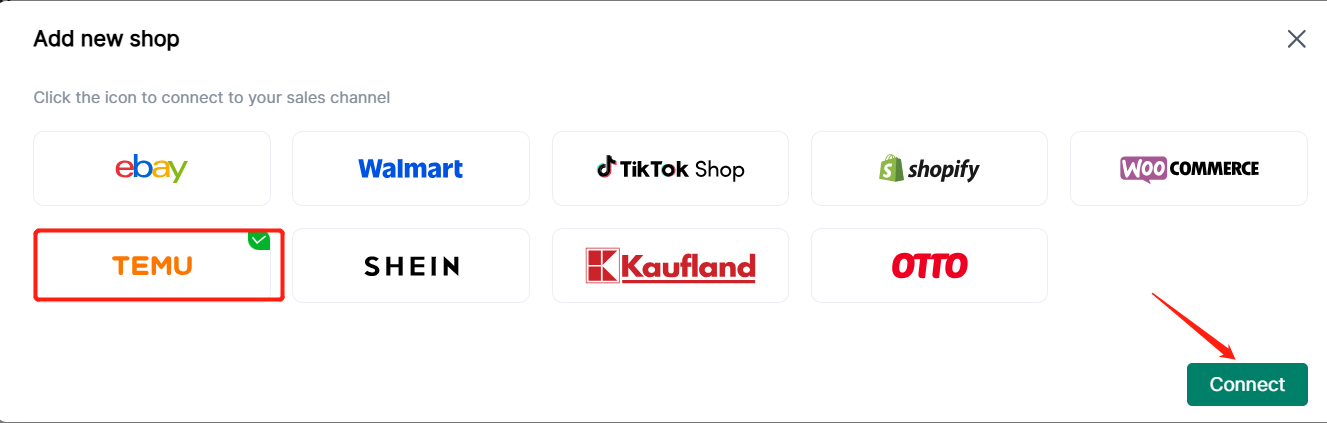
Entrance 2: On the Setting page, no matter whether you have authorized the store before, you can authorize the store here. Click Shop Manage in Settings, and then click the TEMU store icon to enter the store authorization page.
Step 1: Click the TEMU store icon, and the page connecting the TEMU account will appear.
Step 2: Get Token
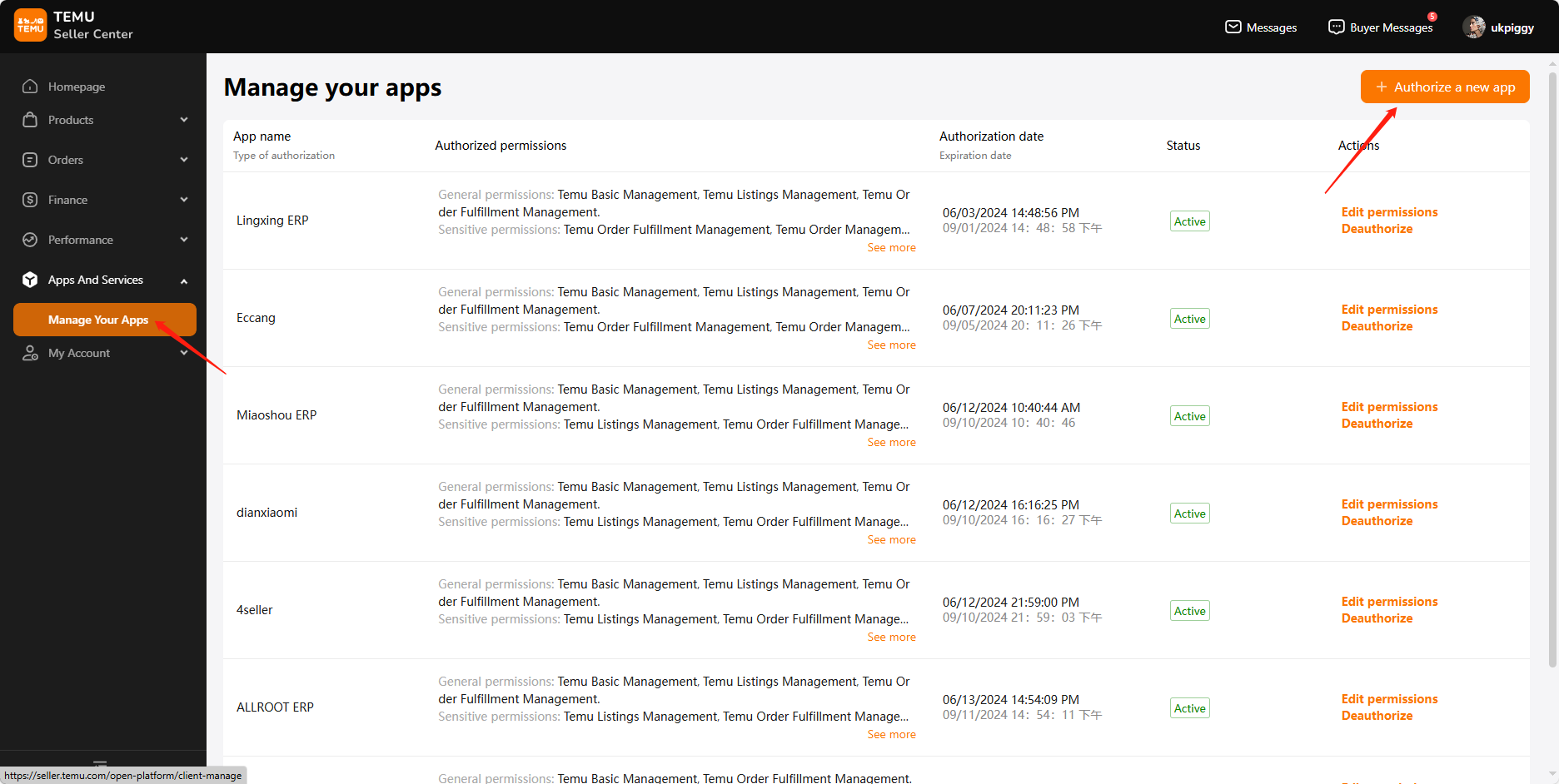
1. Tap on "Manage your Apps", then click on "Authorize a new app".
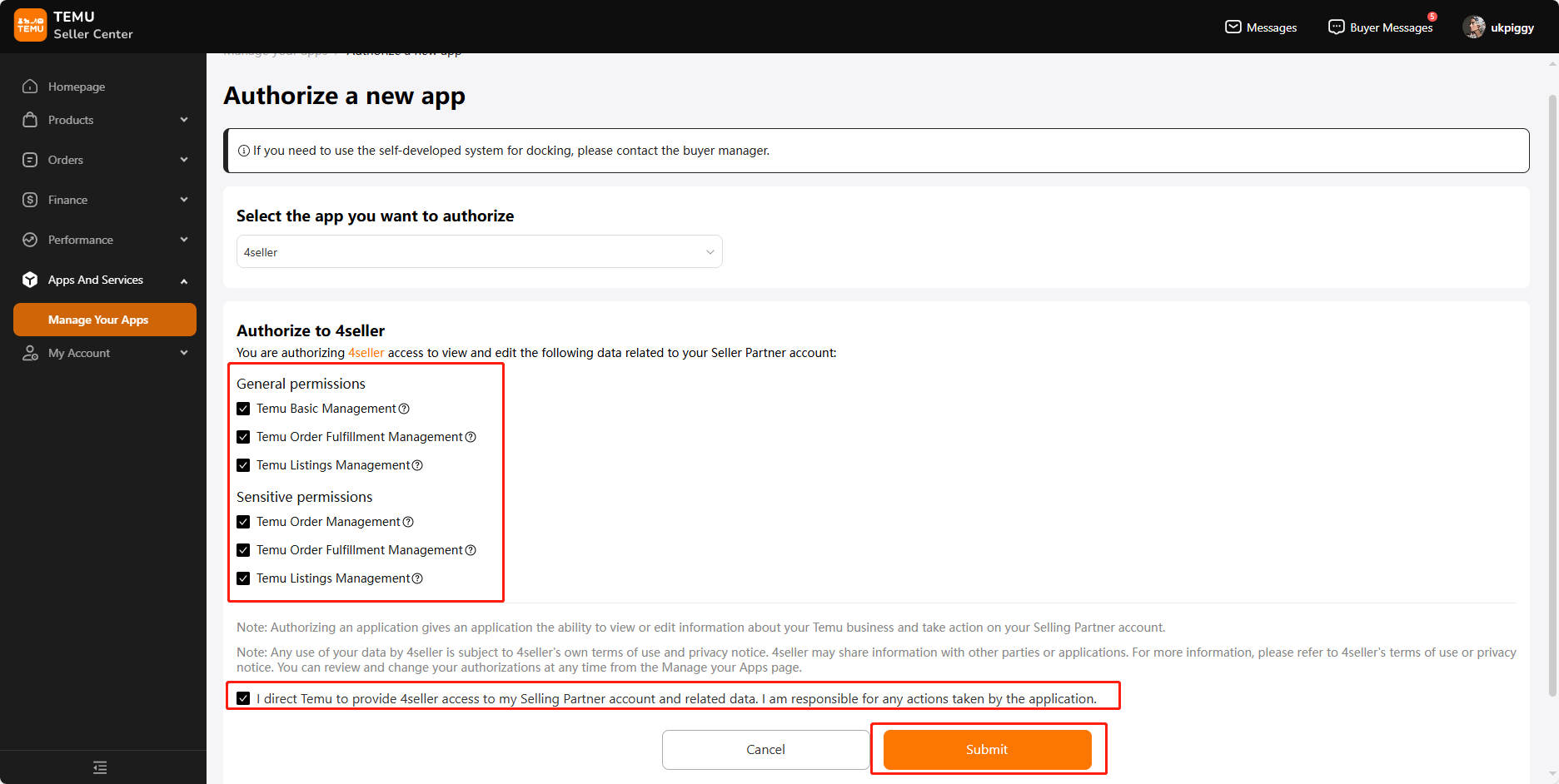
2. After selecting 4Seller, check all permissions, click "i direct Temu to provide 4Seller access to my Selling Partner account and related data. I am responsible for any actions taken by the application." below, and click "Submit".
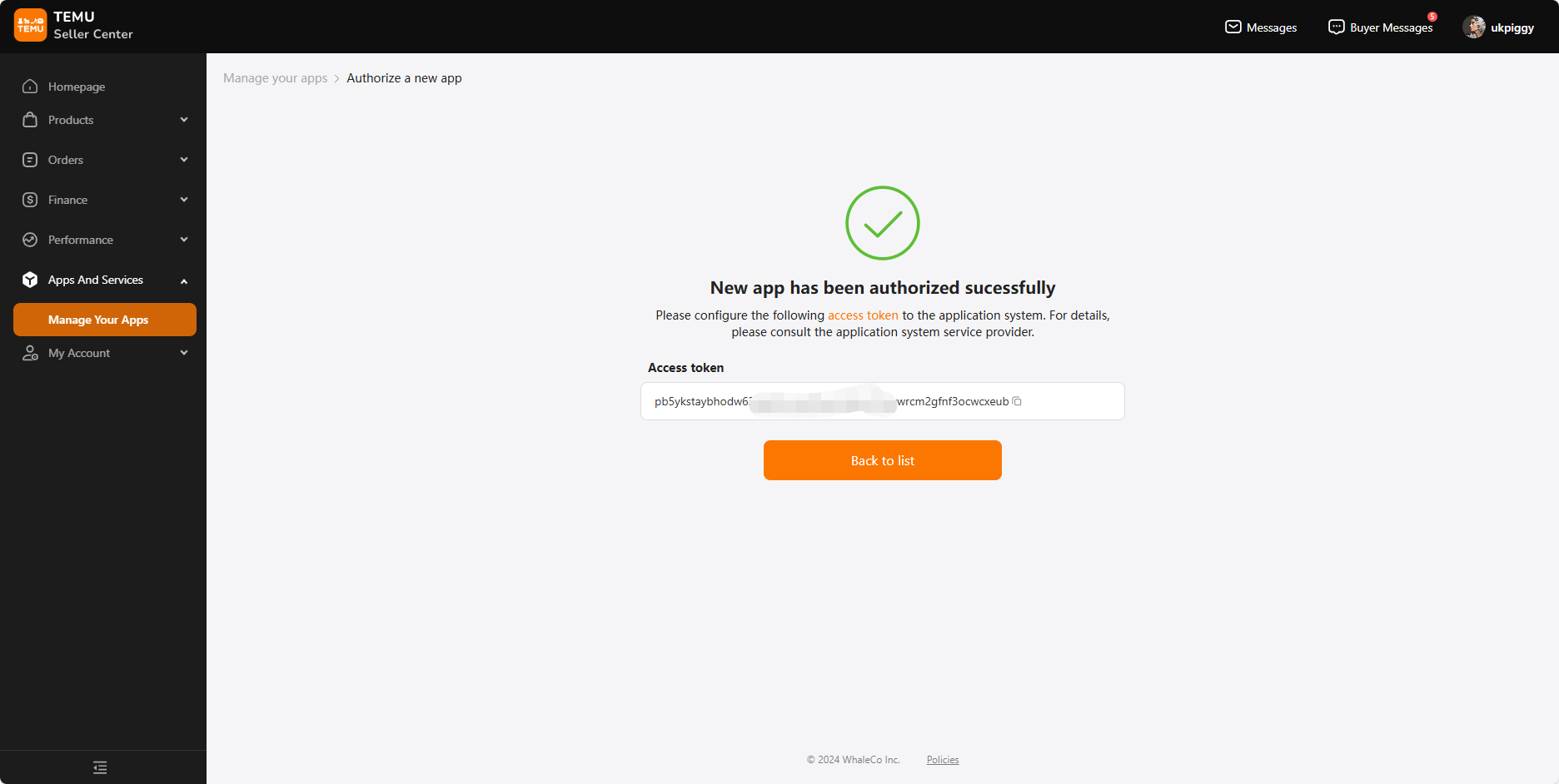
3. In the new pop-up window, copy the token.
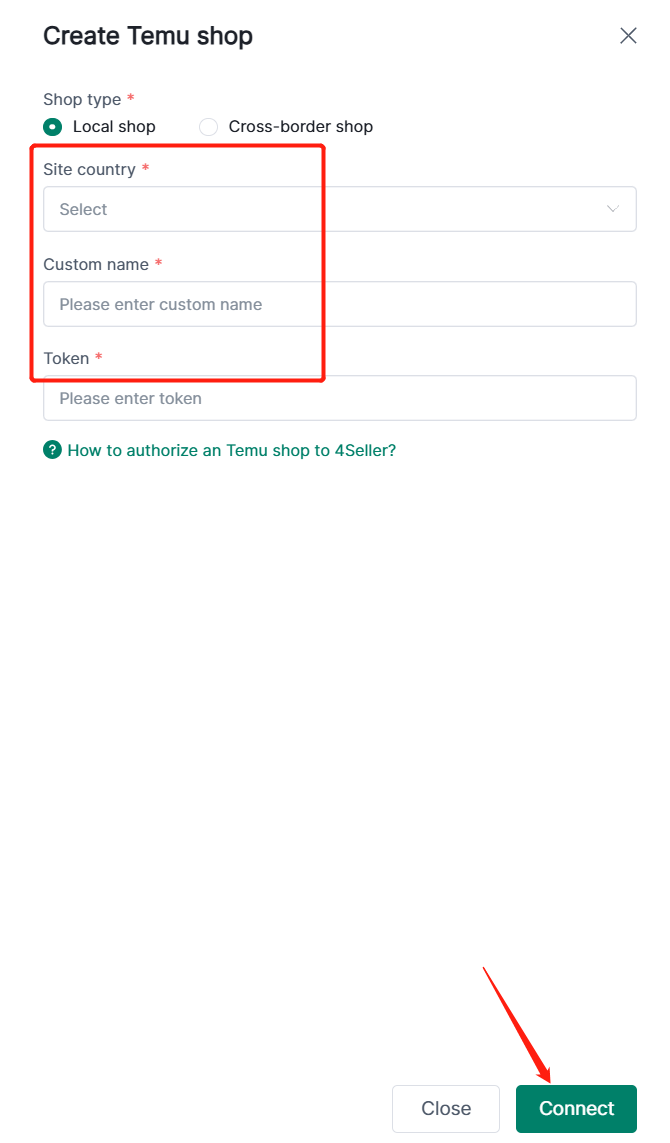
Step 3: Enter Connect Page, Fill relevant required information
Step 4: After connect successfully, you can go to the setting page "Connect Shop" for checking status and edit.
Any Problem pls feel free to contact 4Seller: support@4seller.com