- Get Started
- Video Tutorials
- Knowledge Base
- FAQs & Troubleshooting
How to Sync Amazon, TikTok, Shopify, eBay, Shopify, Woocommerce, SHEIN, ETSY Listings to Amazon, TikTok,TEMU, Shopify Stores within MCF Tools?
4Seller Supports Sync Amazon, TikTok, Shopify, eBay, Shopify, Woocommerce, SHEIN, ETSY Listings to Amazon, TikTok,TEMU, Shopify Stores within MCF Tools.

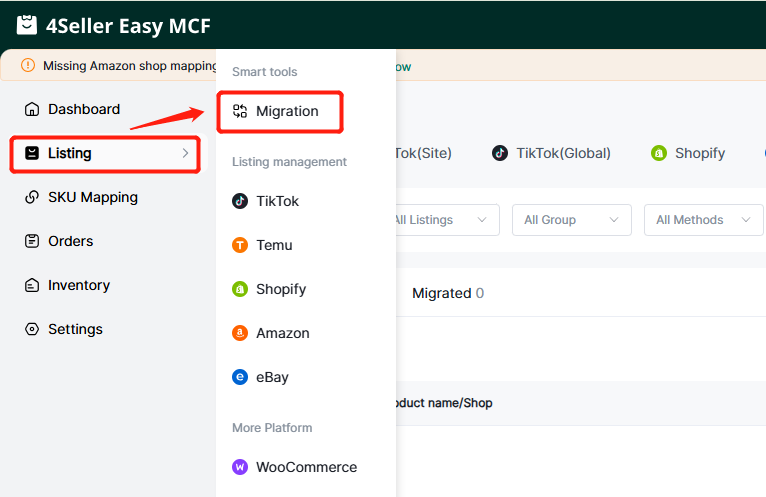
Step 1: Listing--Migration--Enter Migrate Page


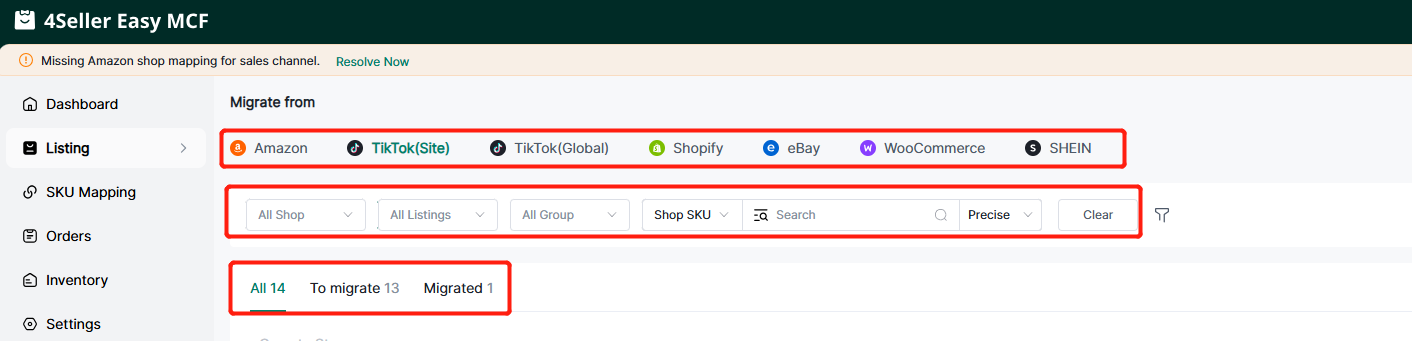
Step 2: Select Migrate from Which Platforms--Support filter listings status

Note:
-
"All " means all listings(Including " To migrate " & "Migrated" listings).
-
"To Migrate" means the listings didn't migrate before.
-
"Migrated" means the listings have been migrated.
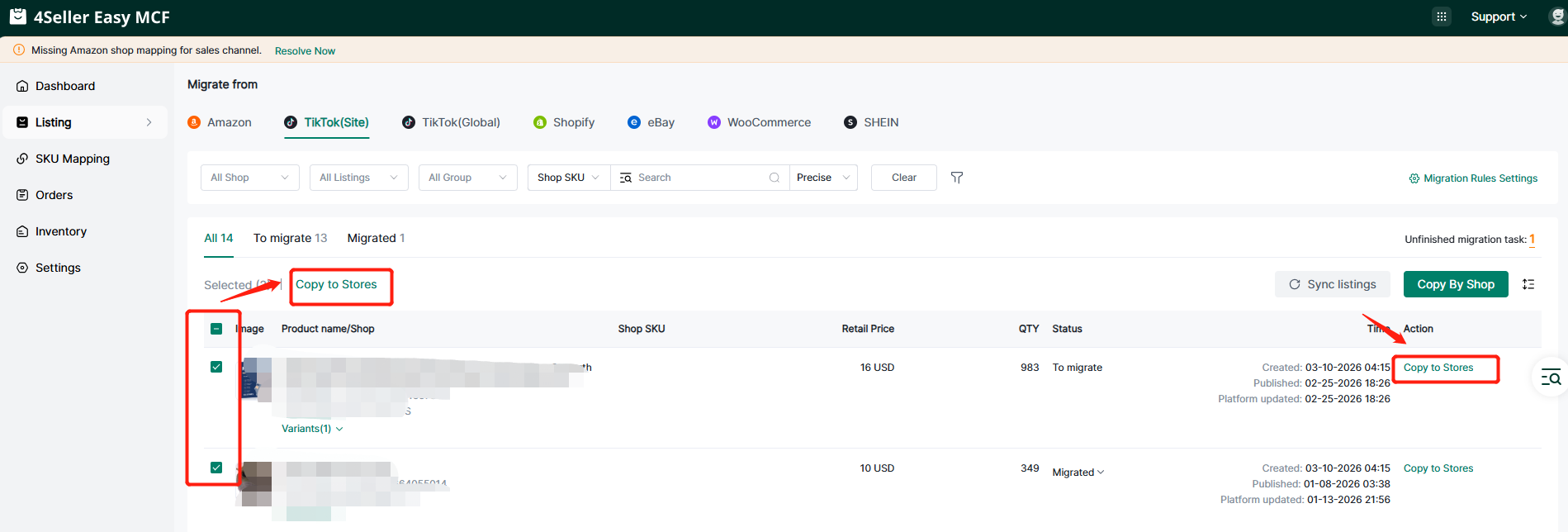
There are 2 methods to migrate listings : "Copy to Stores" & "Copy by Shop"
Note: "Copy by Shop" means sync whole shops listings to another platform stores with one click.
Step 3.1: Copy to Stores
Step 3.1.1 Select single & some listings --Click "Copy to Stores"
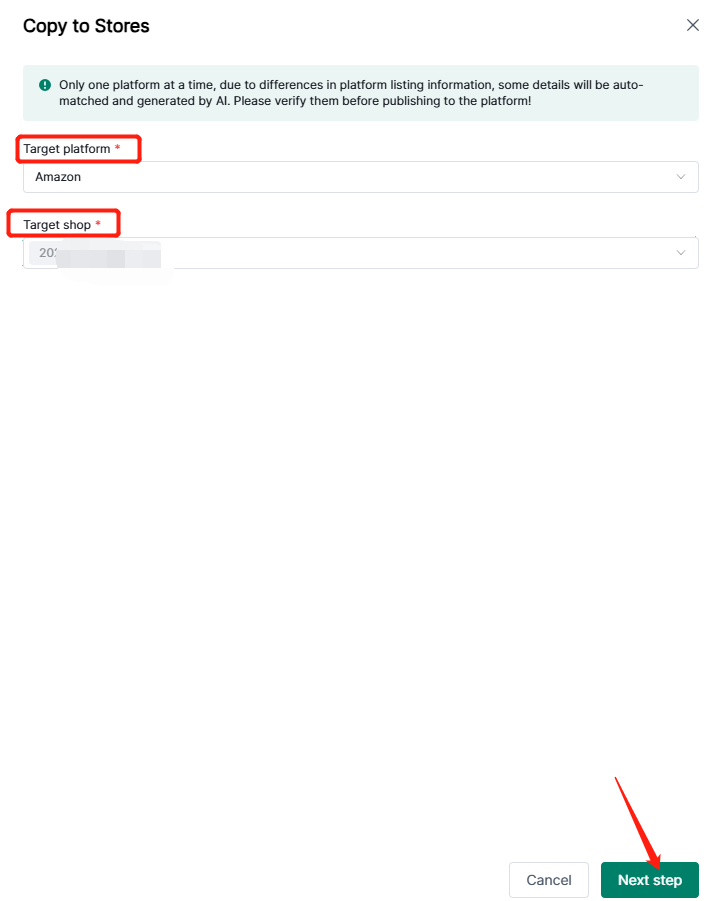
Step 3.1.2 Select Target Platform & shop--Click"Next Step".
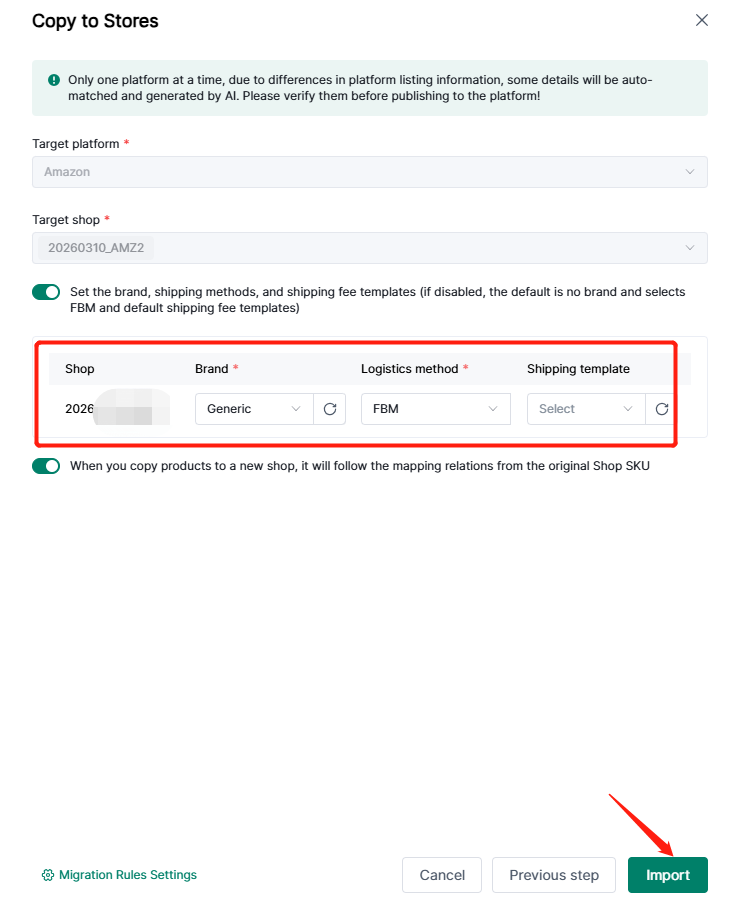
Step 3.1.3 Select Brand & Logistics Method--Click "Import".
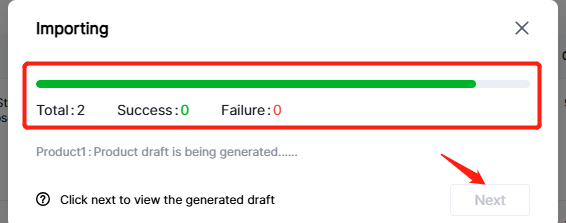
Step 3.1.4 After the green bar done means the importing successfully--Click "Next".
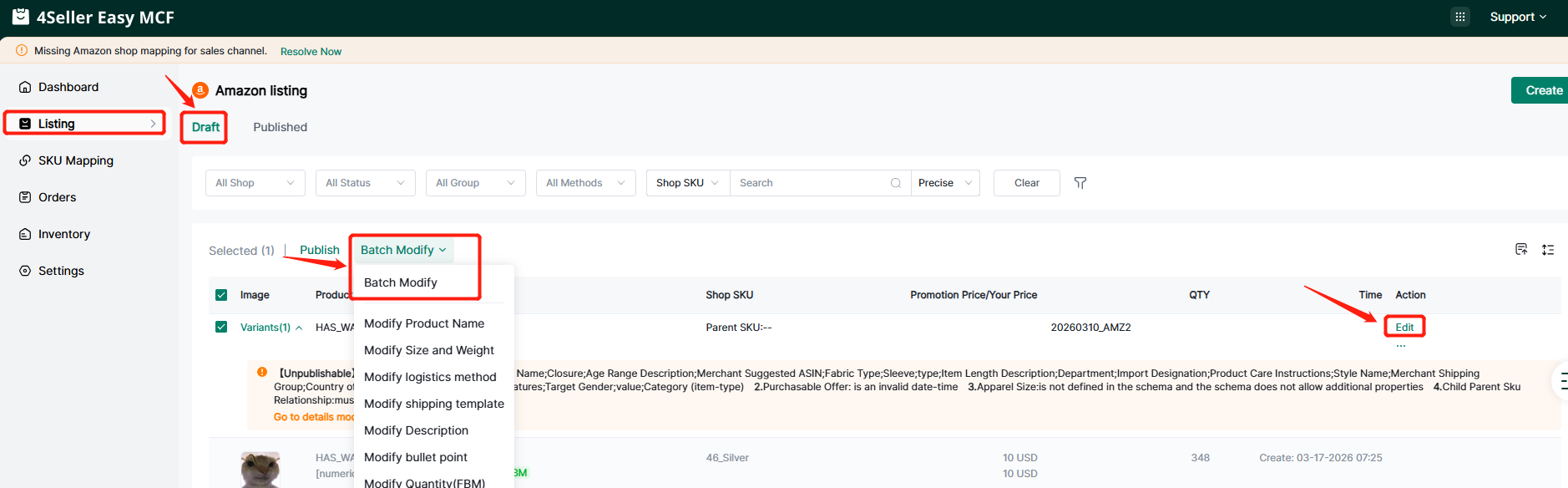
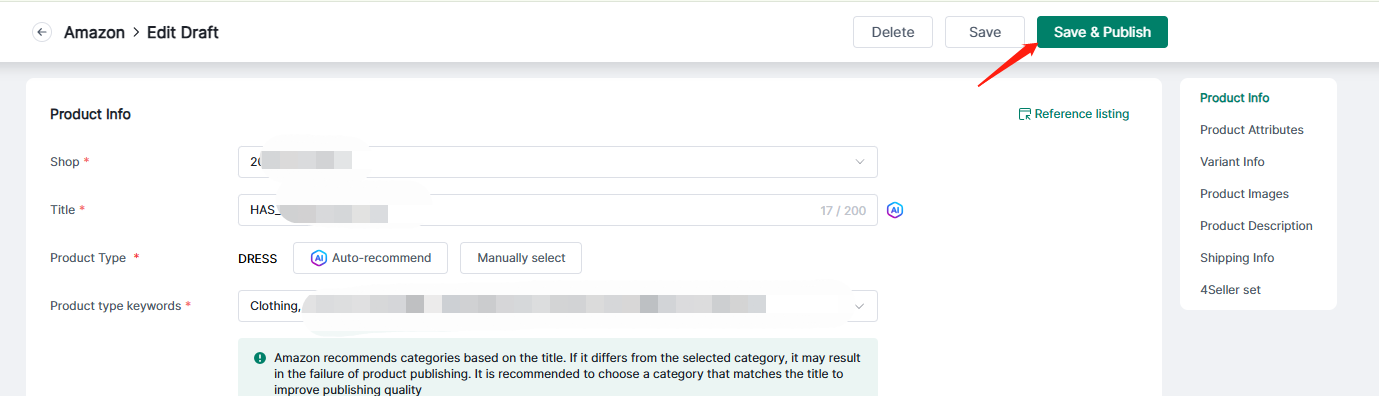
Step 3.1.5 Enter target shop draft page--Click "Edit" & "Batch Modify"--Click " Save & Publish"
Step 3.2 Copy By Shop
Step 3.2.1 Click" Copy by Shop"--Select "Copy from shop" & "Product Status"--Select "Target Platform"
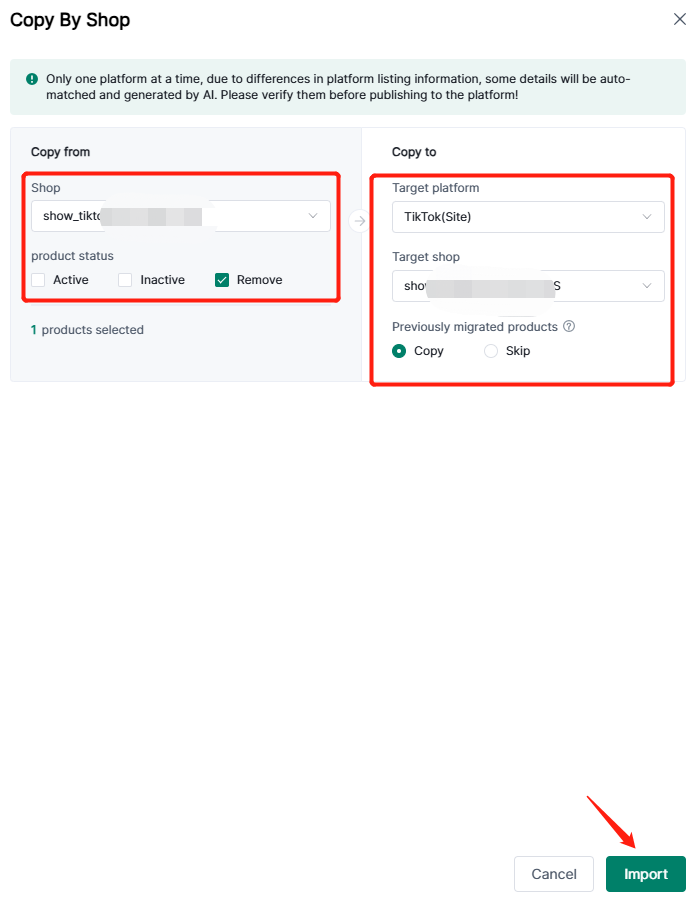
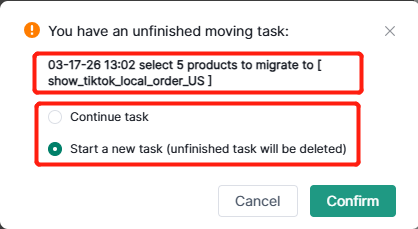
Note: If you have task unfinished, will show the waring for you to select whether continue or not.
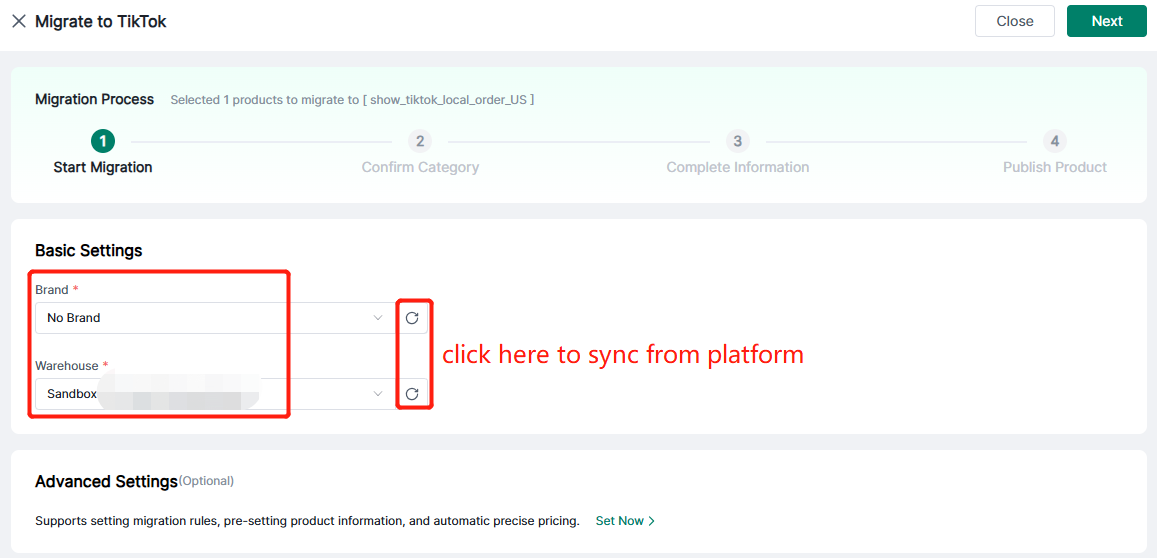
Step 3.2.2 Enter Migrate page , fill the basic setting( Brand & Warehouse)
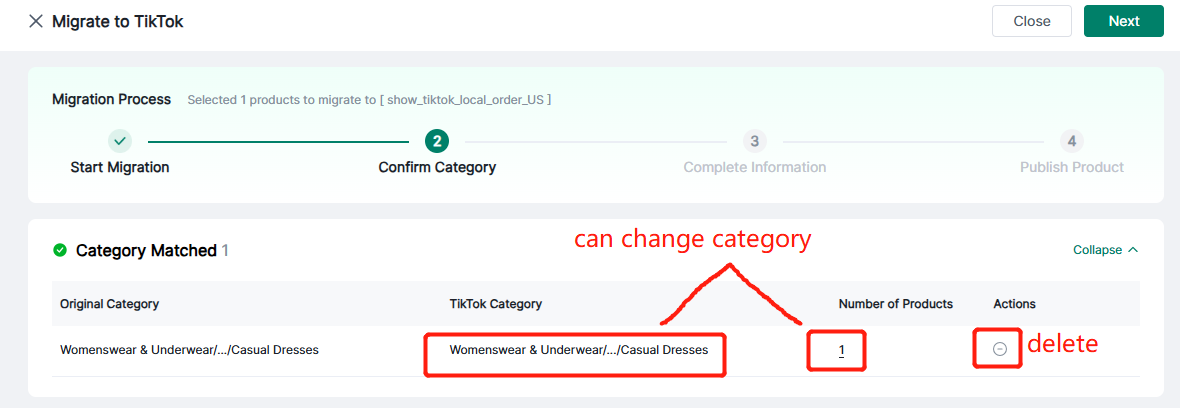
Step 3.2.3 Confirm Category--Click "Next "
Step 3.2.4 Complete Information--Support Save to Draft & Publish
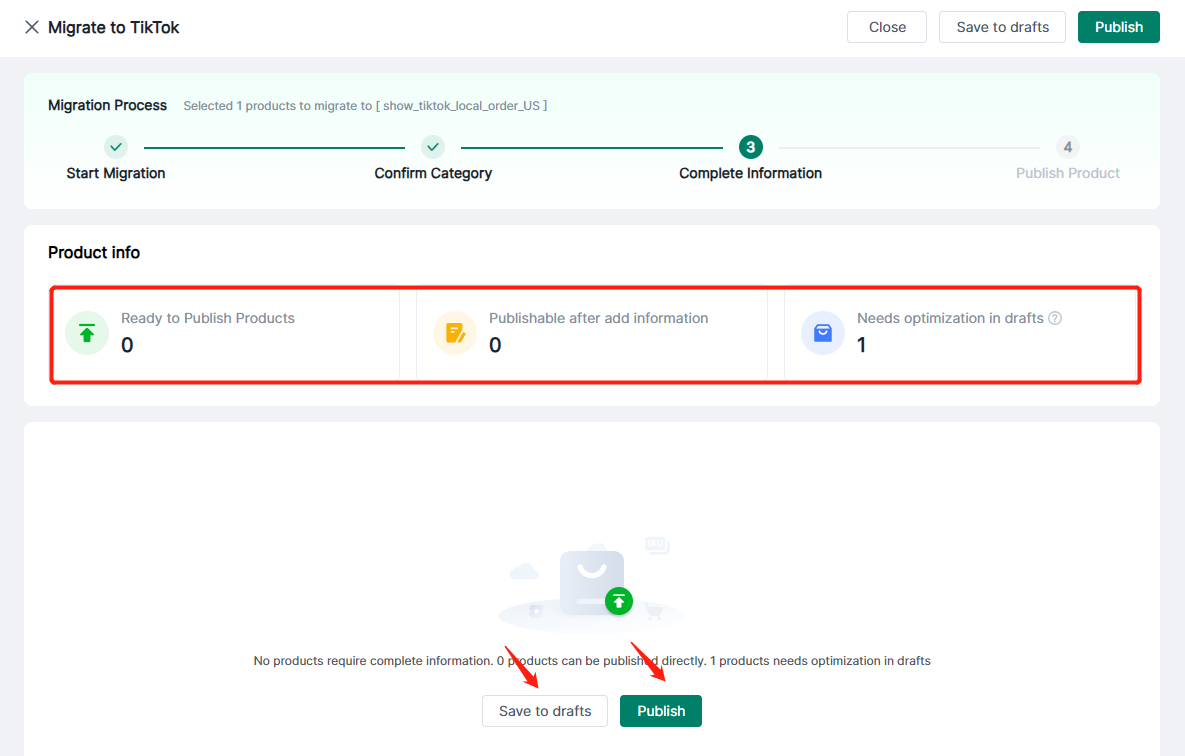
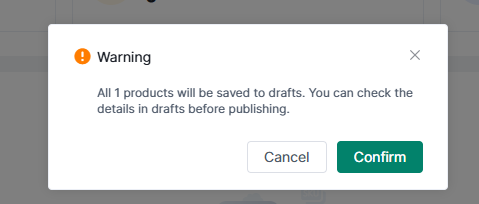
Note: When you click save to Draft wiill show the waring.
The more sync details can refer this help article.
Any problem just feel free to contact 4Seller Support Team: support@4seller.com

