- Get Started
- Video Tutorials
- Knowledge Base
- Channels
- Listings
- Inventory
- Orders
- Settings
- FAQs & Troubleshooting
How to Purchase International Shipping Label?
4Seller now supports Shipsaving, USPS, and FedEx enabling global shipping and expanding the system's fulfillment capabilities.

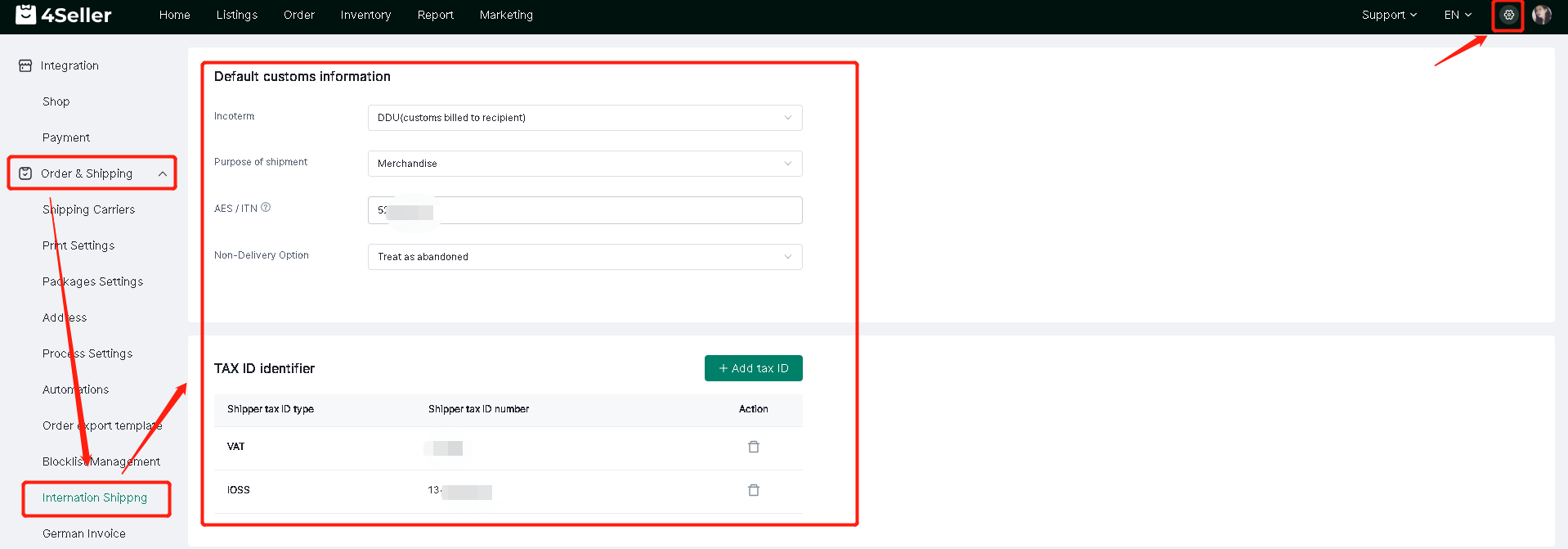
Step one: Set up default customs information and TAX ID identifier

Setting--Order & Shipping --Internation Shipping--Fill relevant info


Note: The customs declaration information you set will be automatically synchronized to the order customs declaration information.

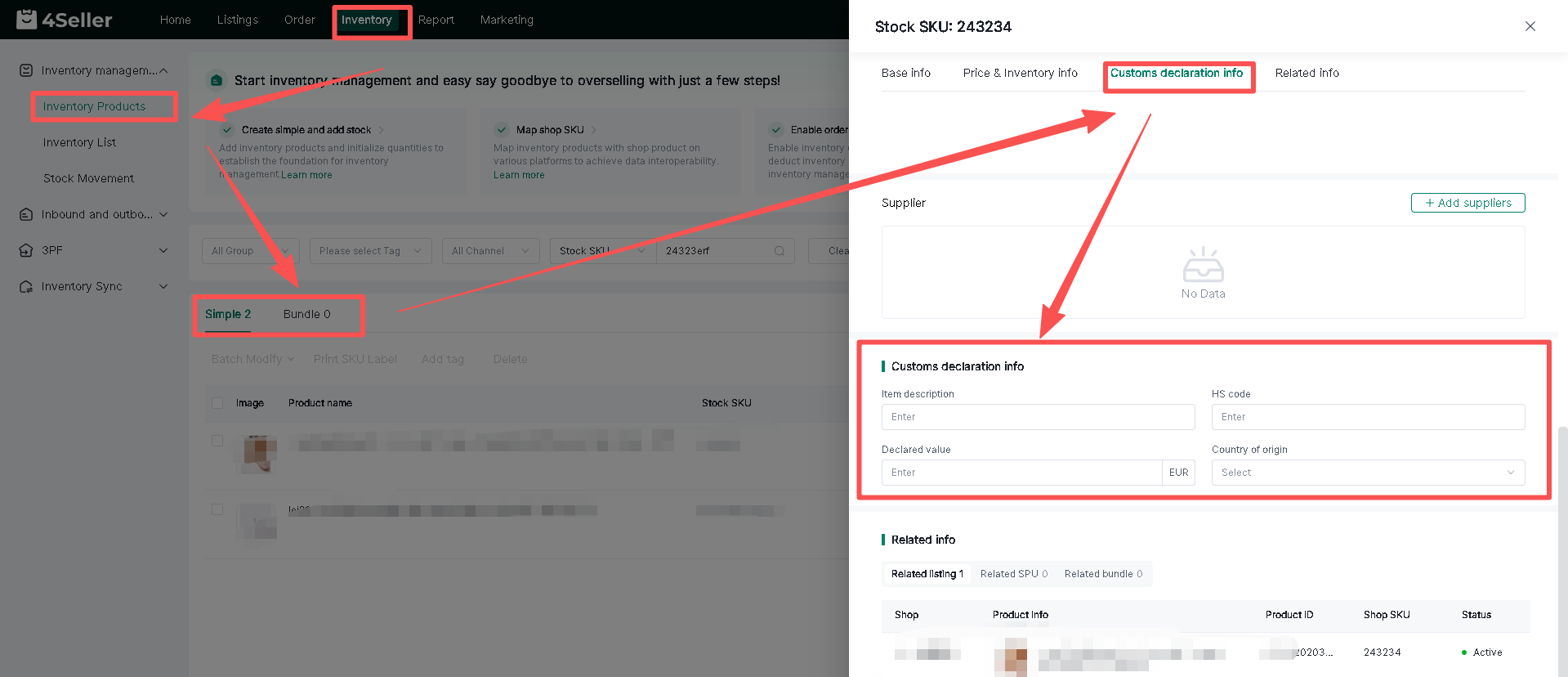
Step two: Fill the SKU declaration information (Item description, HS code, Declared value, country of  origion)

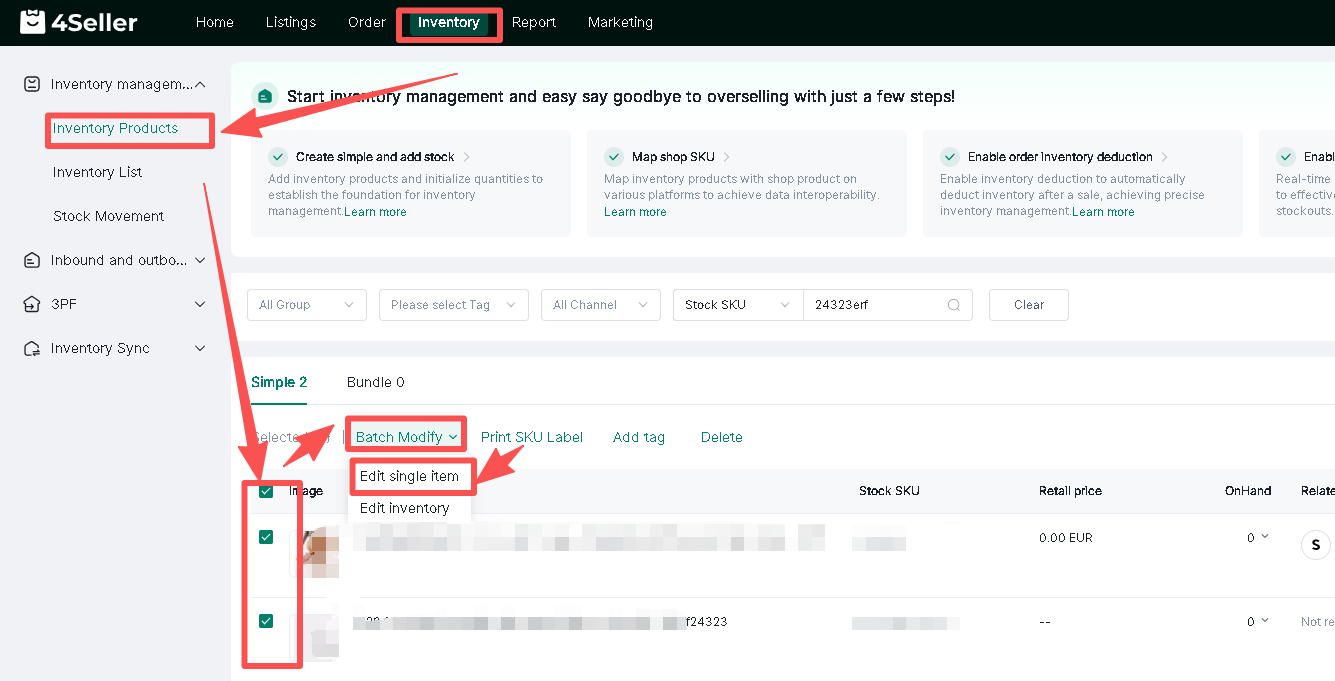
Invnetory--Inventory products--Simple/Bundle--edit--Customs declaration info--Save

1. Single edit


2. Batch edit


Click the icon to edit and save in batches.


Note: If the customs declaration information you fill in is associated with an stock SKU, it will be automatically synchronized to the order.

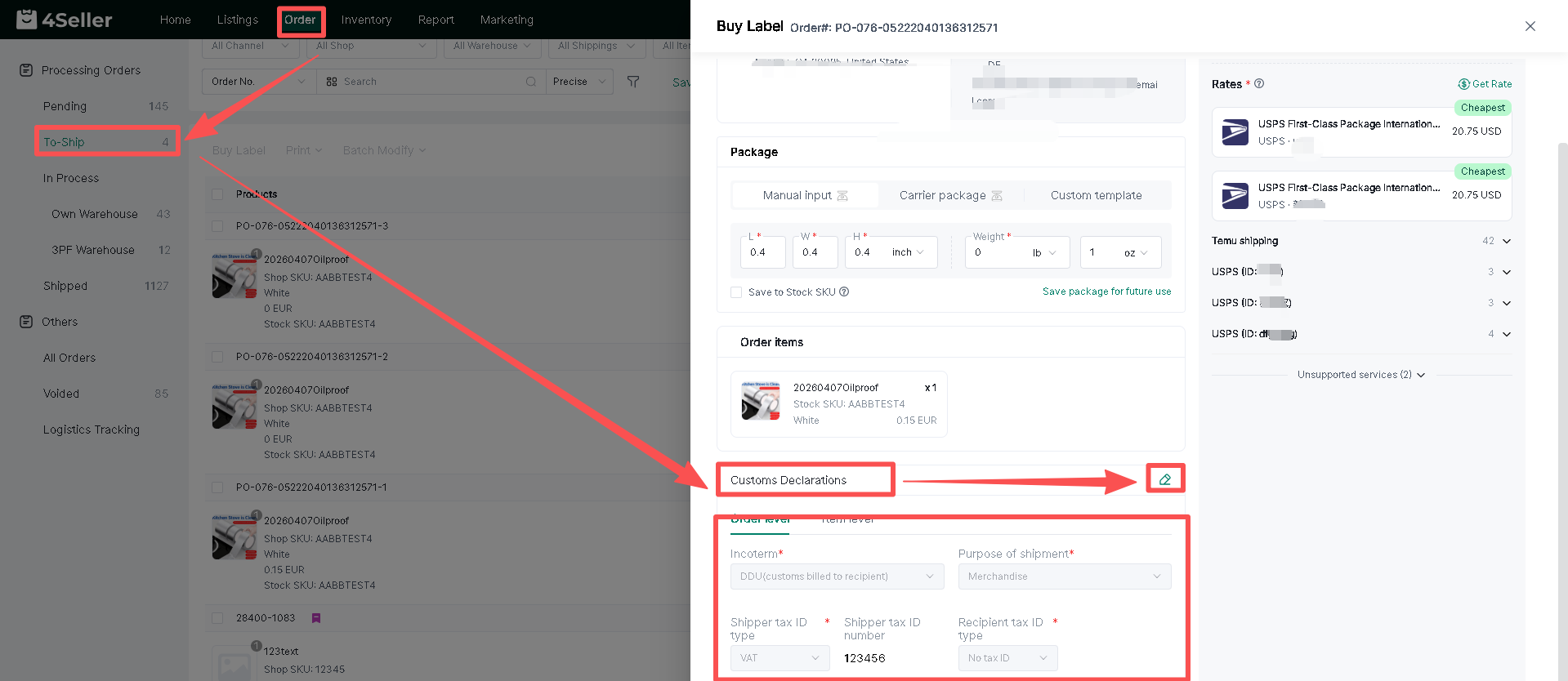
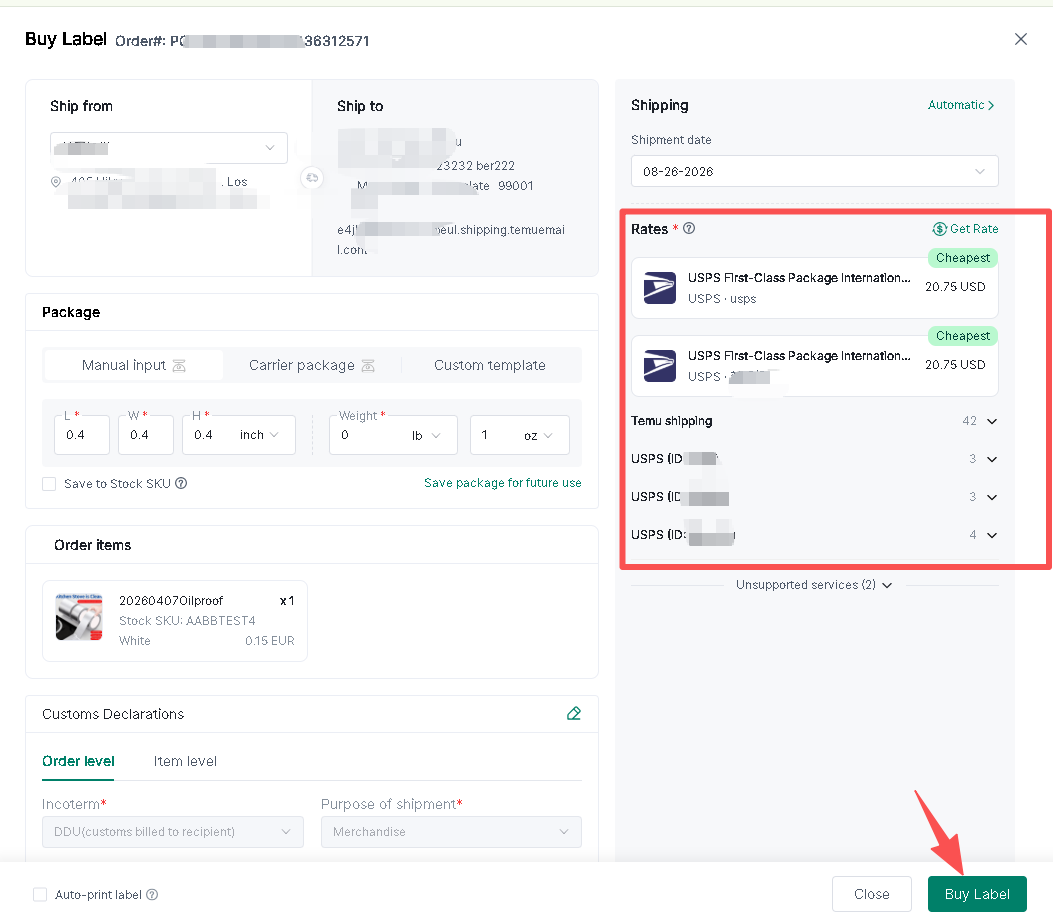
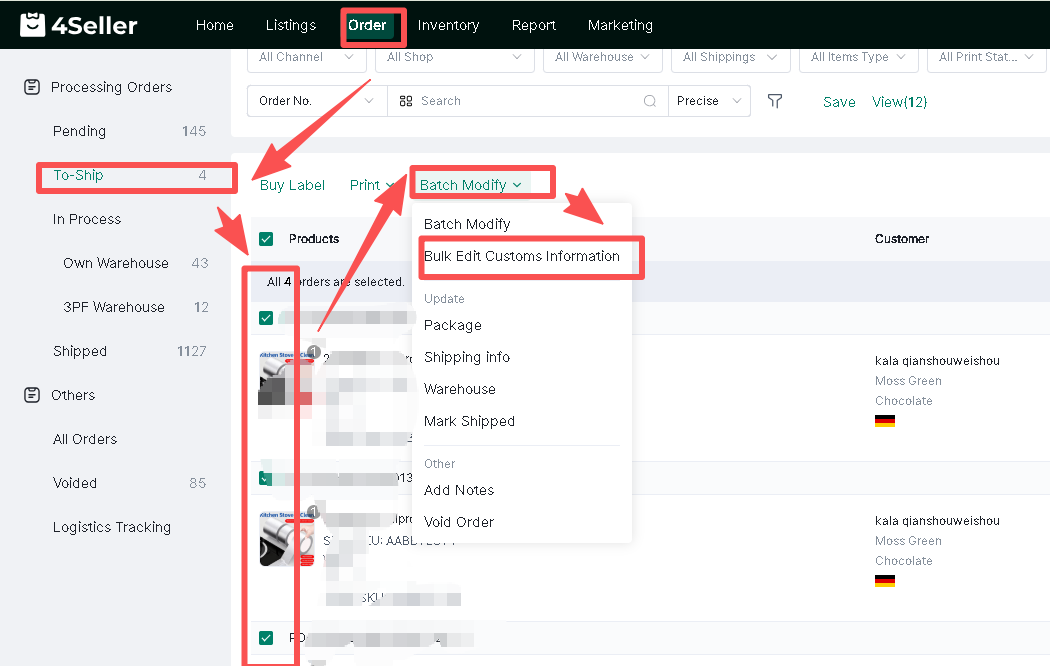
Step three: Order --To Ship--Buy label--Customs Declarations

1. SIngle operation


Save after filling in --Click "Buy Label"


2. Batch Modify


Note:

- If the address is a U.S. territory, customs information is also required.
- For U.S. military base addresses, only USPS supports shipping.
Any problem just feel free to contact 4Seller support team:support@4seller.com