- Get Started
- Video Tutorials
- Knowledge Base
- Channels
- Listings
- Inventory
- Orders
- Settings
- FAQs & Troubleshooting
How to set up DHL Parcel shipping cost calculation on 4Seller?
Updated on 20 Aug,2026Copy Link
4Seller supports setting up DHL Parcel shipping cost calculations, allowing users to customize logistics billing rules and view estimated shipping costs before purchasing shipping labels.Step 1 : Connect DHL
Authorize DHL Parcel to 4Seller, refer this help article: How to connect DHL Parcel to 4Seller?
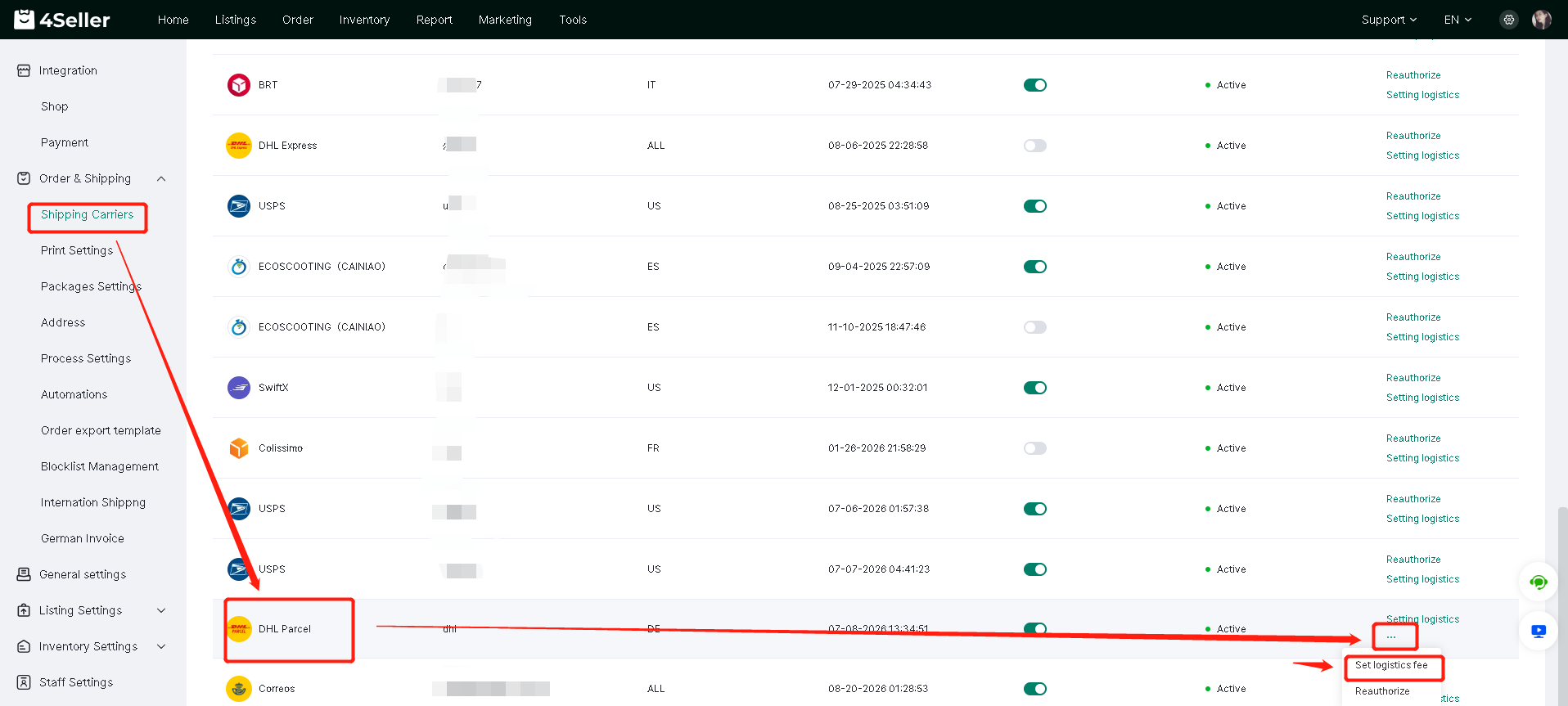
Step 2: Setting--Authorized Logistics Provider--DHL Parcel--Set Logistics fee
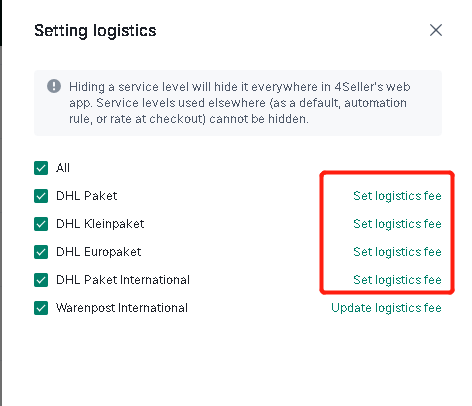
Step 3: Click to Set up Logistics fee
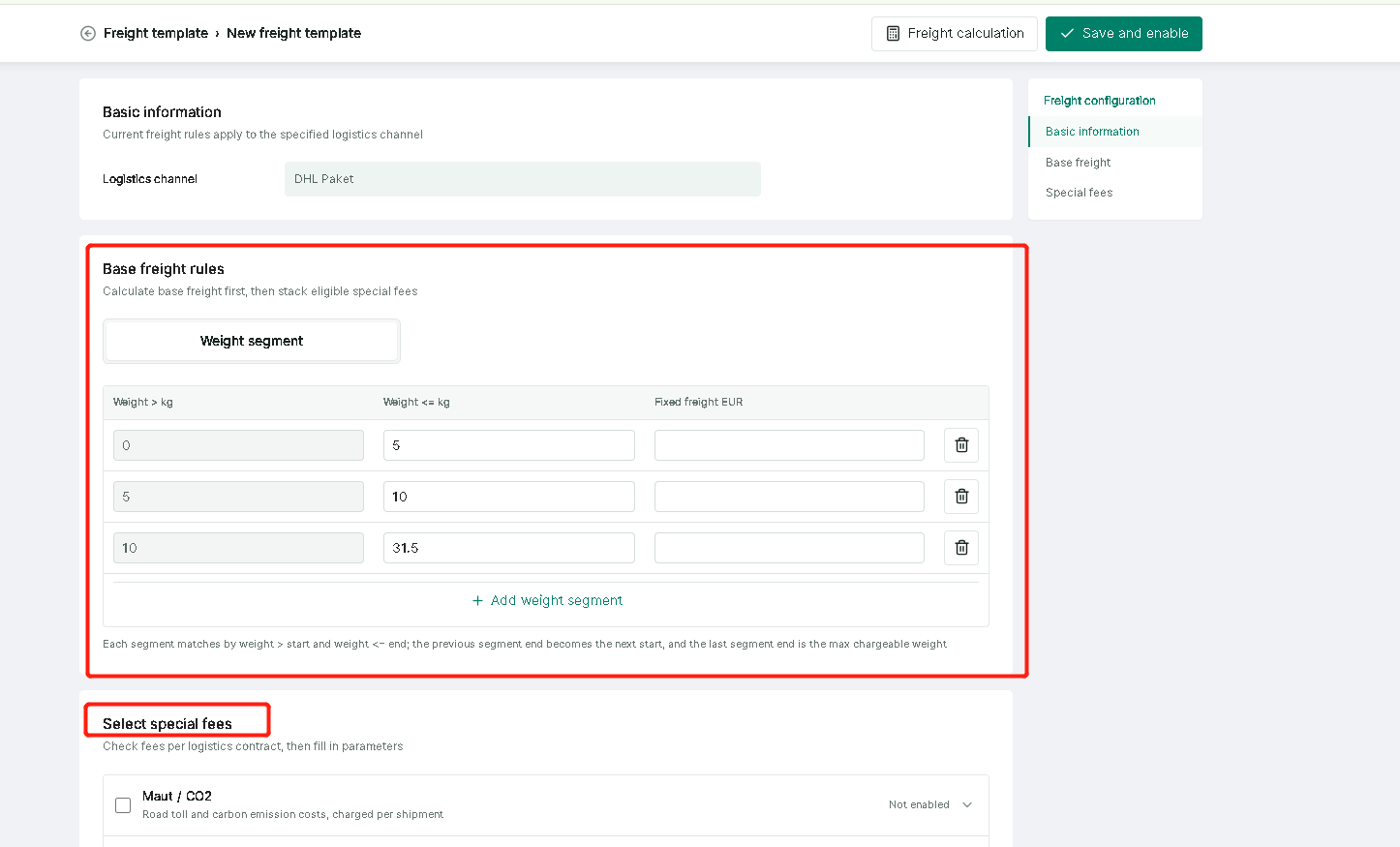
1. For shipping within Germany, you can set a weight-based freight calculation standard and also select special fees.
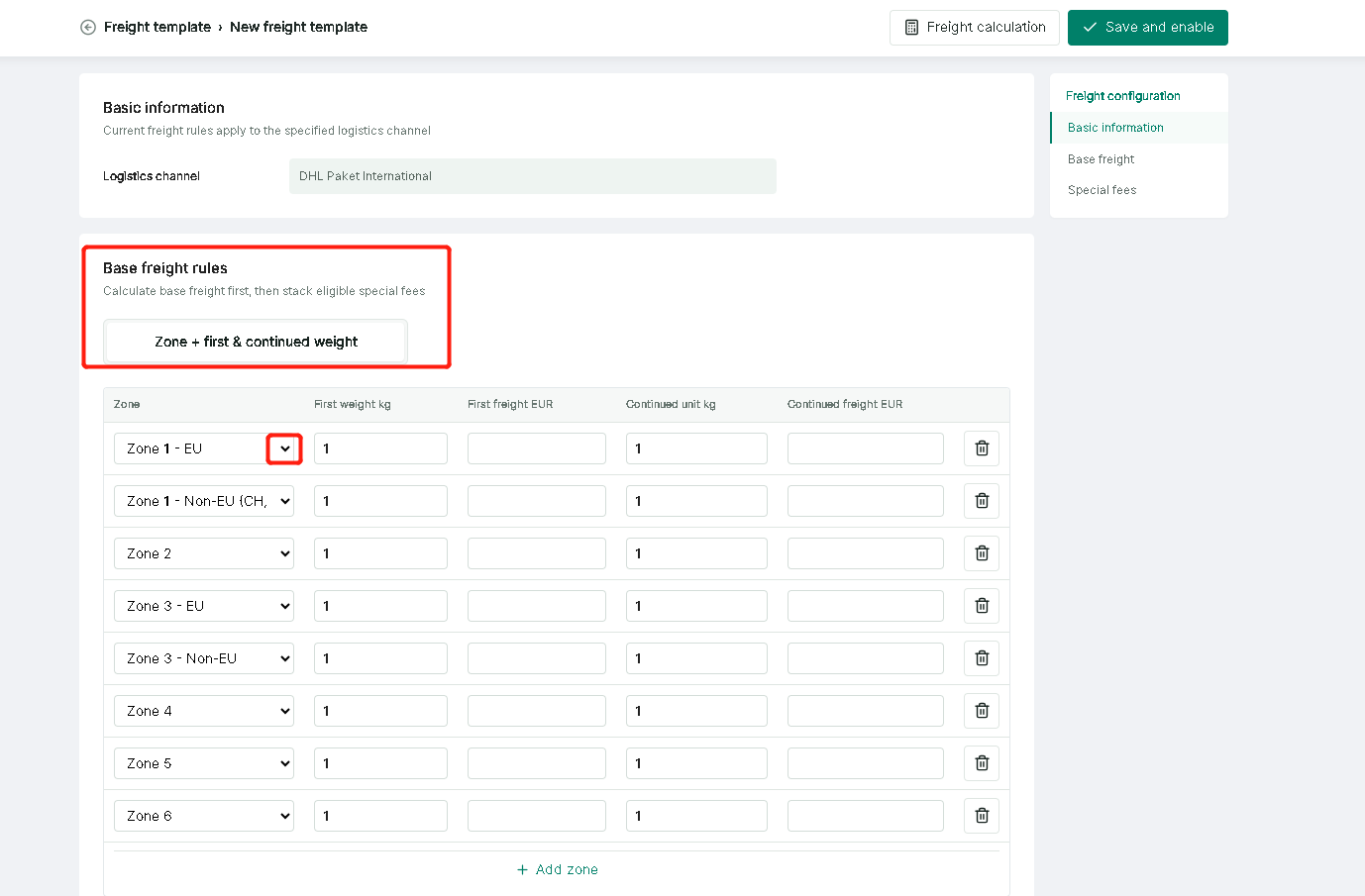
2. If the shipping is international, pricing can be set by region.
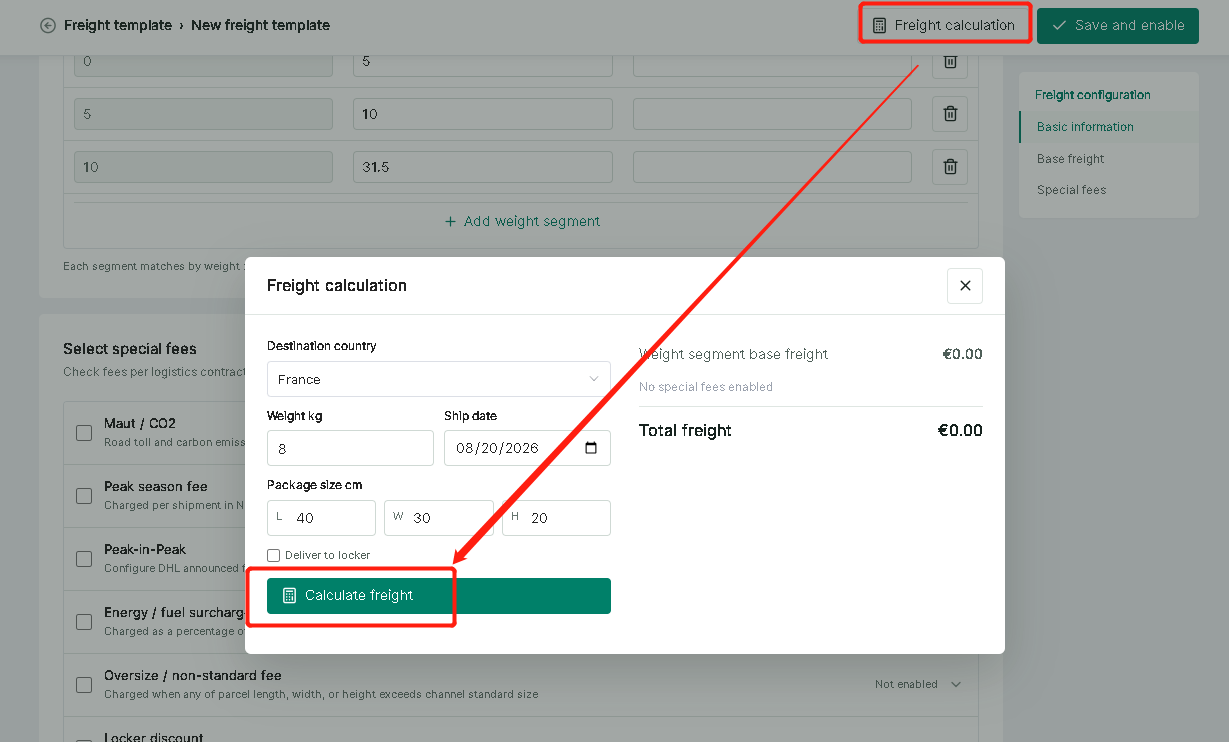
3. Supports clicking "Freight calculation". After filling in the information, click "Calculate freight".
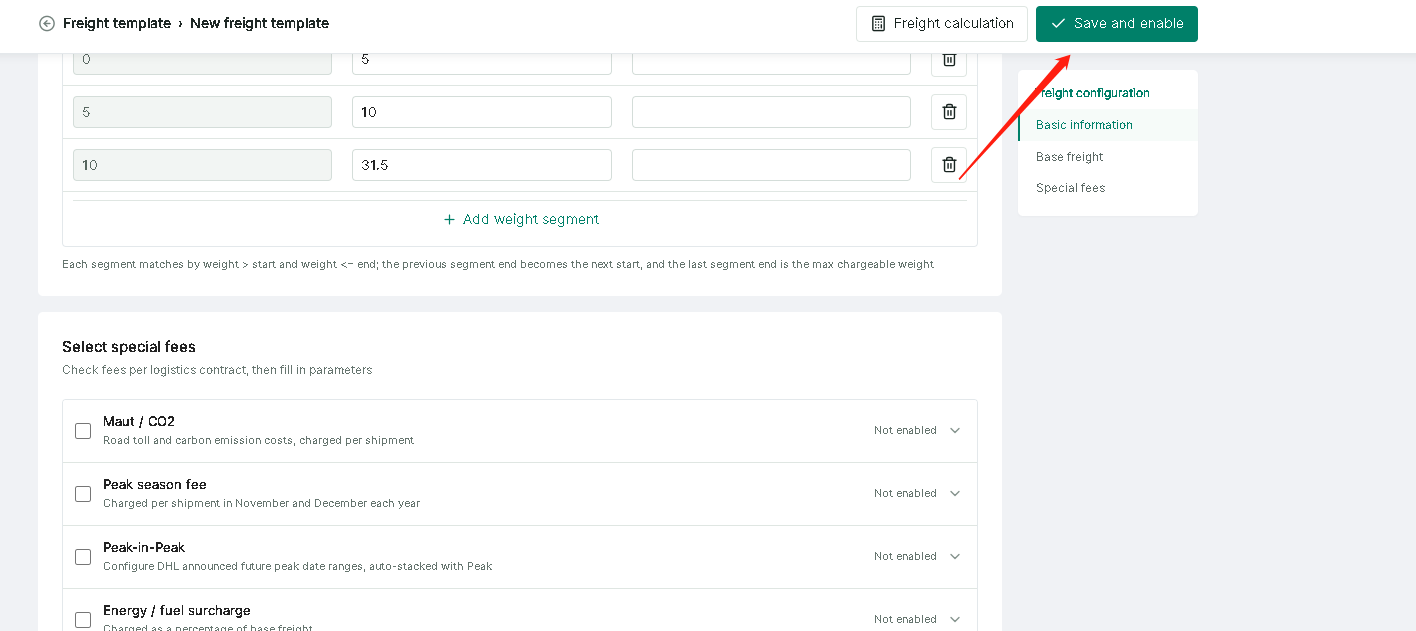
Step 4: Click "Save and enable"
Any problem just feel free to contact 4Seller support team: support@4seller.com


Back to top