- Get Started
- Video Tutorials
- Knowledge Base
- Channels
- Listings
- Inventory
- Orders
- Settings
- FAQs & Troubleshooting
How to use Return Receiving within 4Seller?
4Seller supports return and inbound processing, streamlining the entire reverse order process and improving warehousing and logistics efficiency.
Note:
1. Currently, only returns and inbound processing are supported for TikTok, Amazon, TEMU, Kaufland, Shopify, and SHEIN.
2. Only support return to Proprietary Warehouse.
Step 1: Inbound method
Method One:Enable Auto-sync package receiving on return inbound
Entrance 1: Settings -- Orders & Shipping -- Process Settings -- open Auto-sync package receiving on return inbound
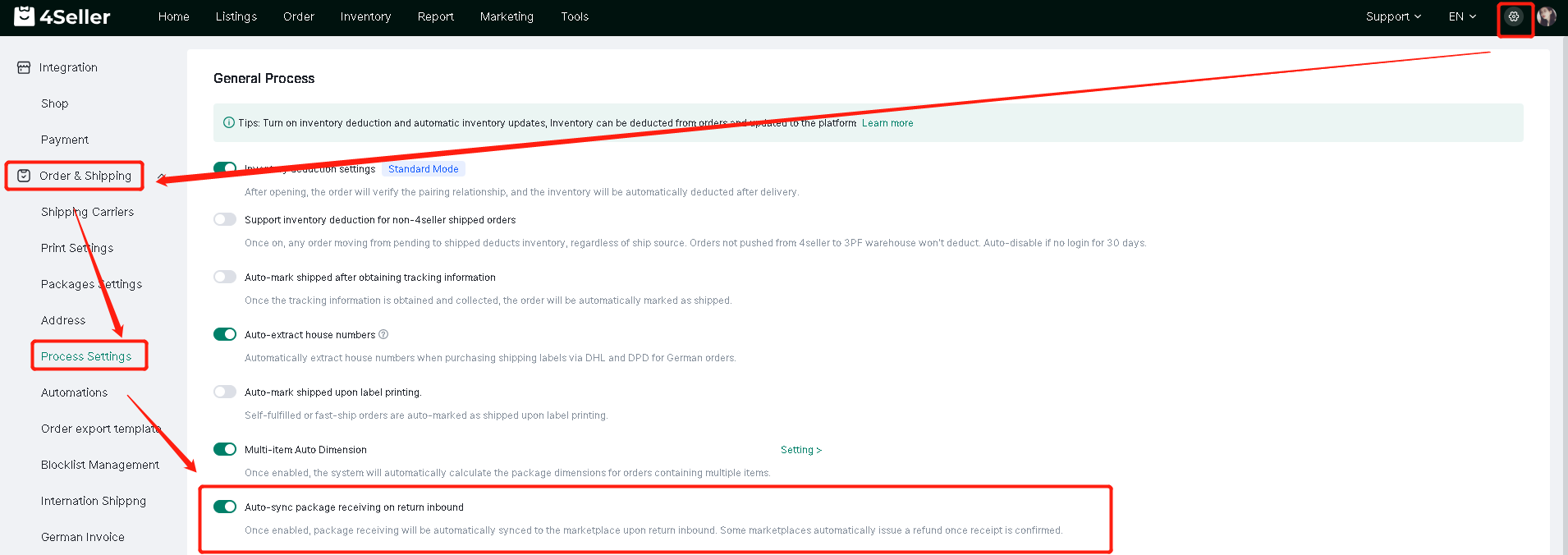
Entrance 2 : Orders -- After-sales Management -- Returns and Inventory -- Inbound Receiving Settings

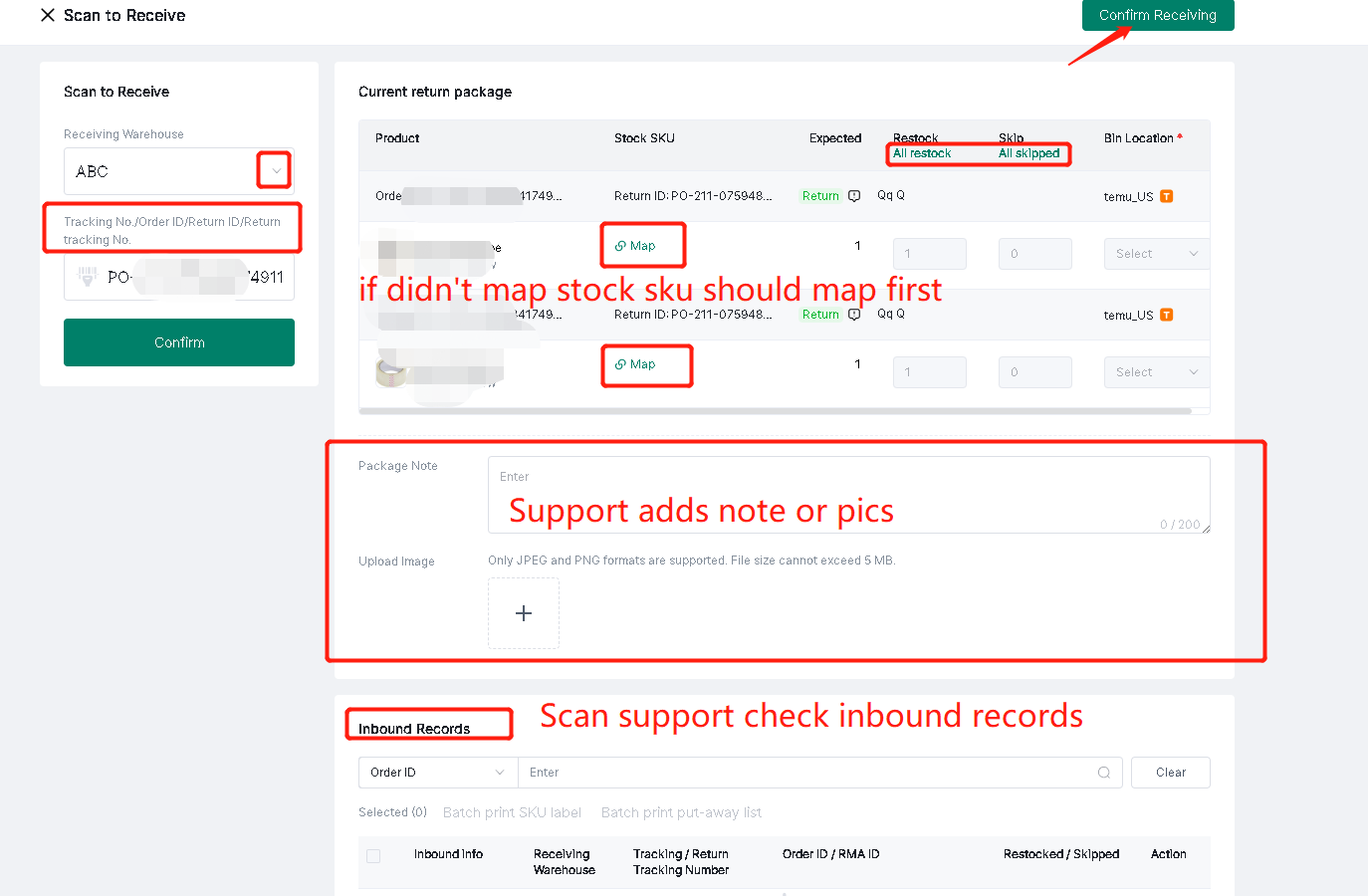
Method Two: Scan to Receive
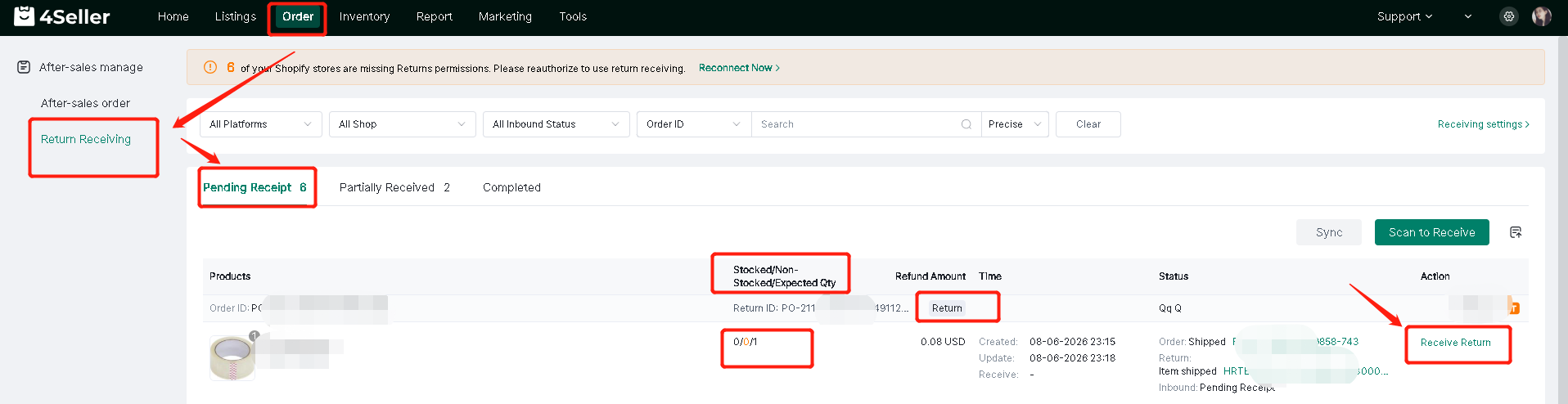
Step 2: The pending inbound list allows you to view the status of returned orders and perform inbound operations.
Note: You can view the quantity and after-sales service type of the items pending inbound.
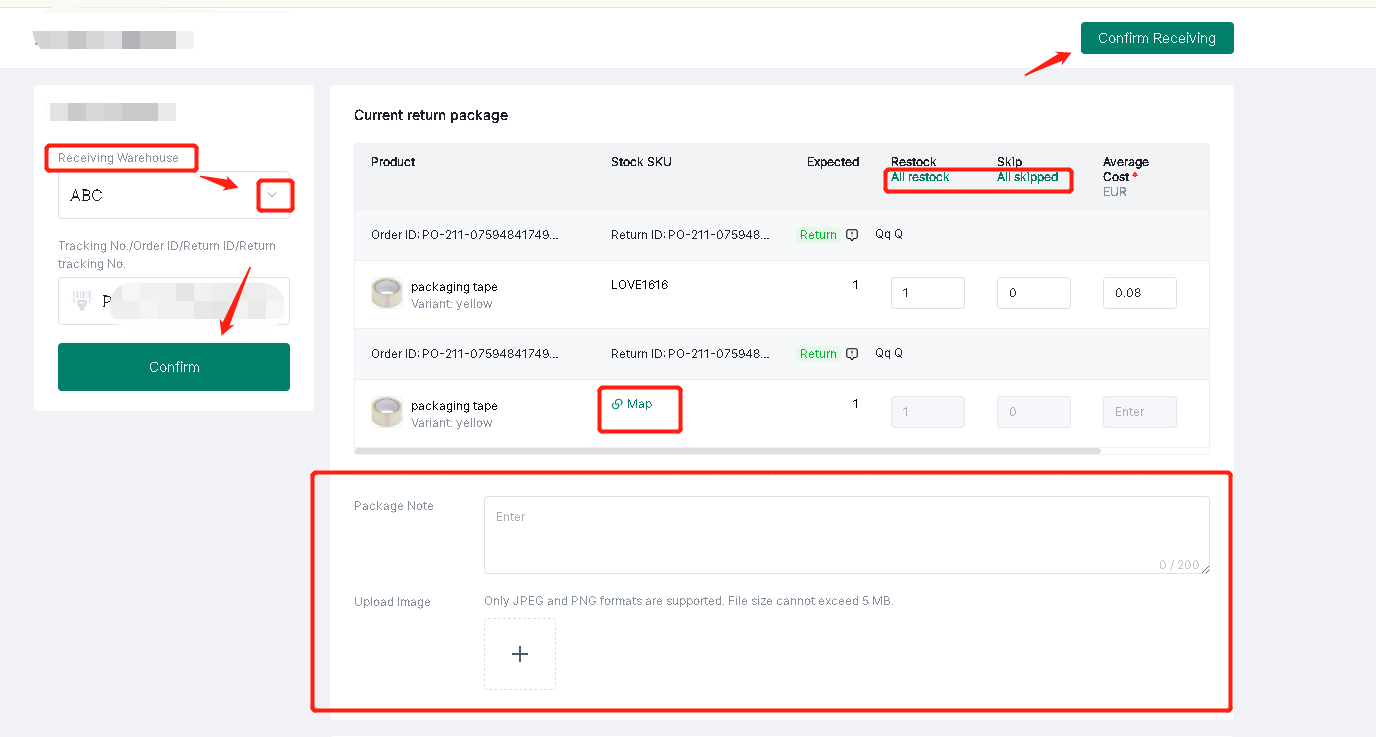
Select Returns Warehouse -- Confirm -- Supports selecting all or part of the shipment -- Confirm Shipment -- Supports setting package notes/uploading images
Note: If the order does not map stock sku, you need to click "Map" to match it.
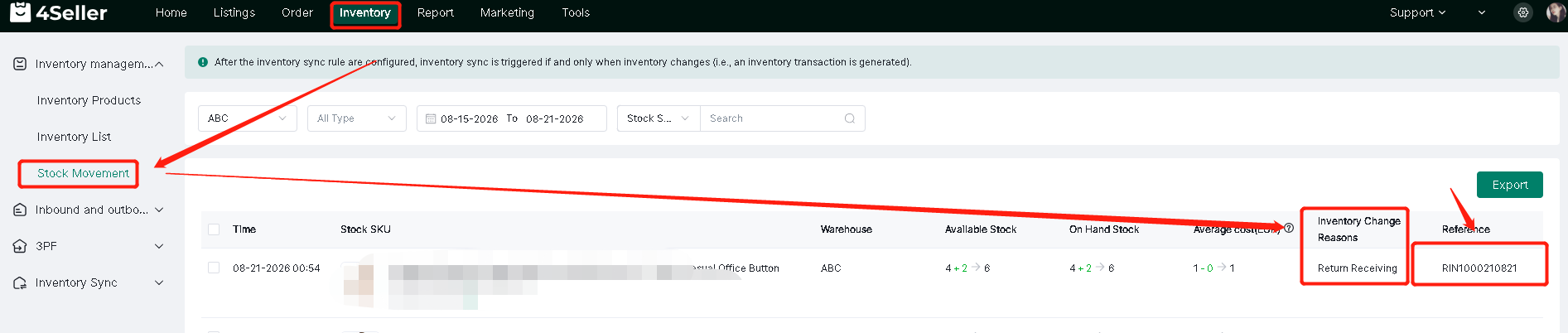
After the goods are received, you can view the inventory change records in Inventory - Inventory Movement.
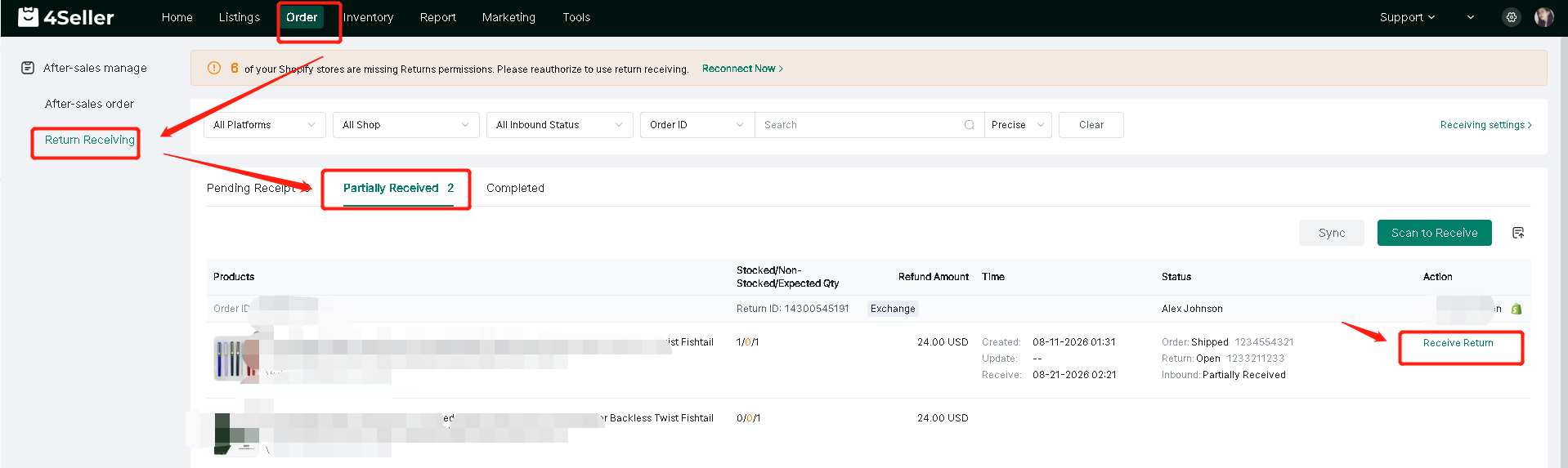
Step 3:Process partial inbound shipments
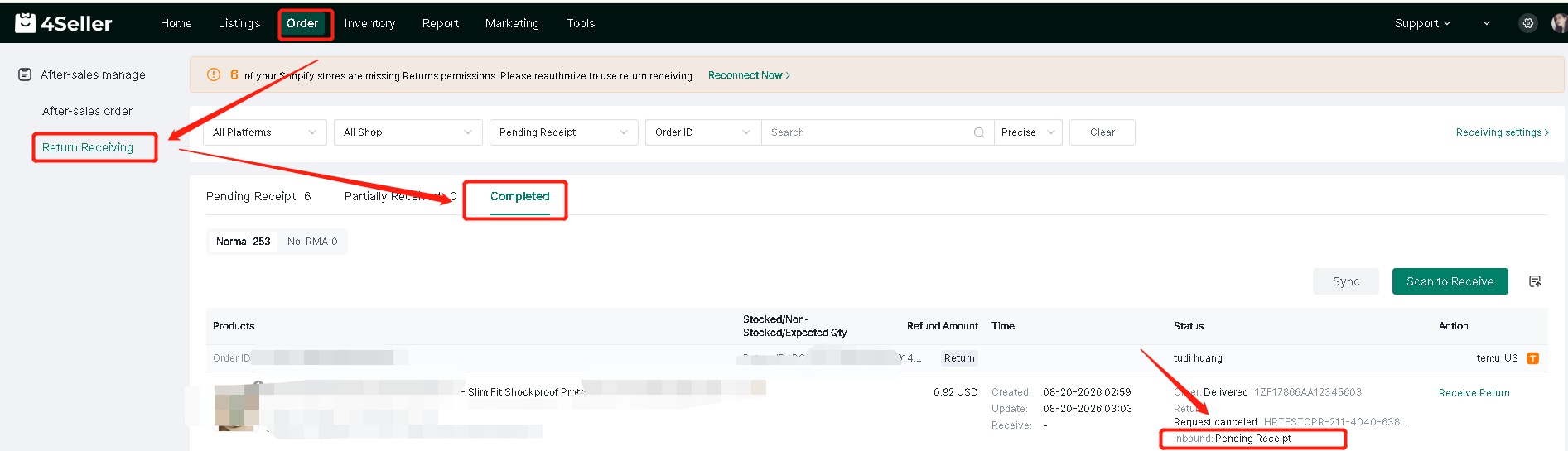
Step 4: Complete the warehousing process -- Completed
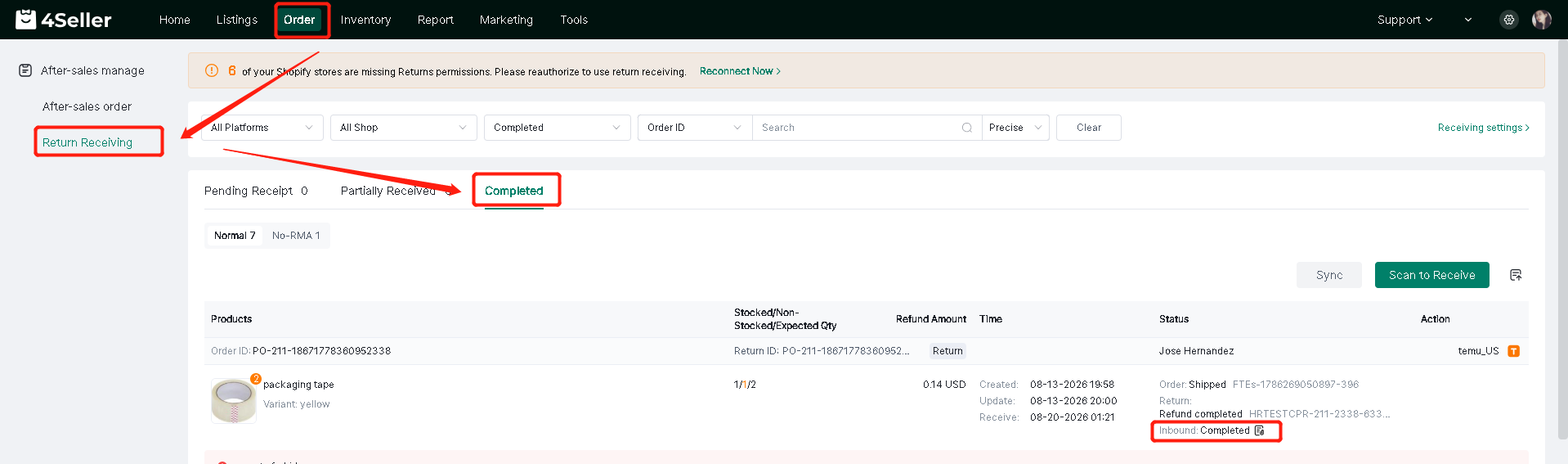
Once the after-sales order on the platform displays "Completed," the process is complete and no further processing via proprietary warehousing is required. However, if the order of operations (e.g., refund first, then receipt) necessitates physical inventory entry, the system supports adding inventory information while the order is in the "Completed" state.
Any problem just feel free to contact 4Seller suppoer team: support@4seller.com