- Get Started
- Video Tutorials
- Knowledge Base
- Channels
- Listings
- Inventory
- Orders
- Settings
- FAQs & Troubleshooting
How to Use DATEV in 4Seller?
Updated on 14 Aug,2026Copy Link
4Seller currently supports only German companies with 19%/7% VAT, third-country exports, OSS country-based configuration, fixed debtor collective account, and document text templates.

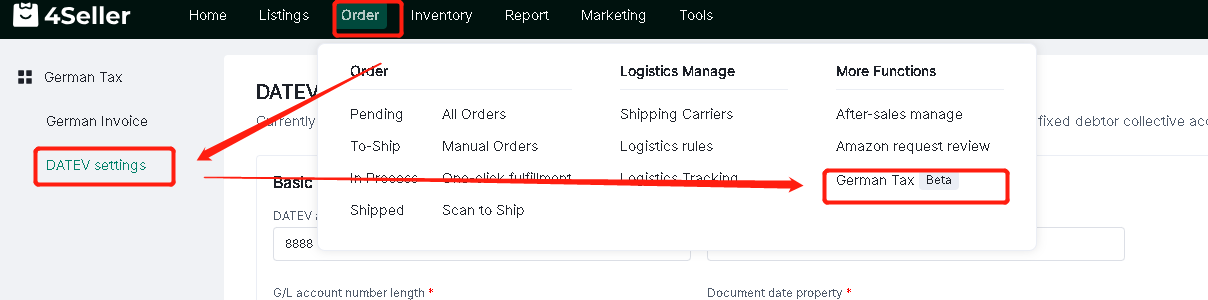
Step 1: Order --German Tax--DATEV settings


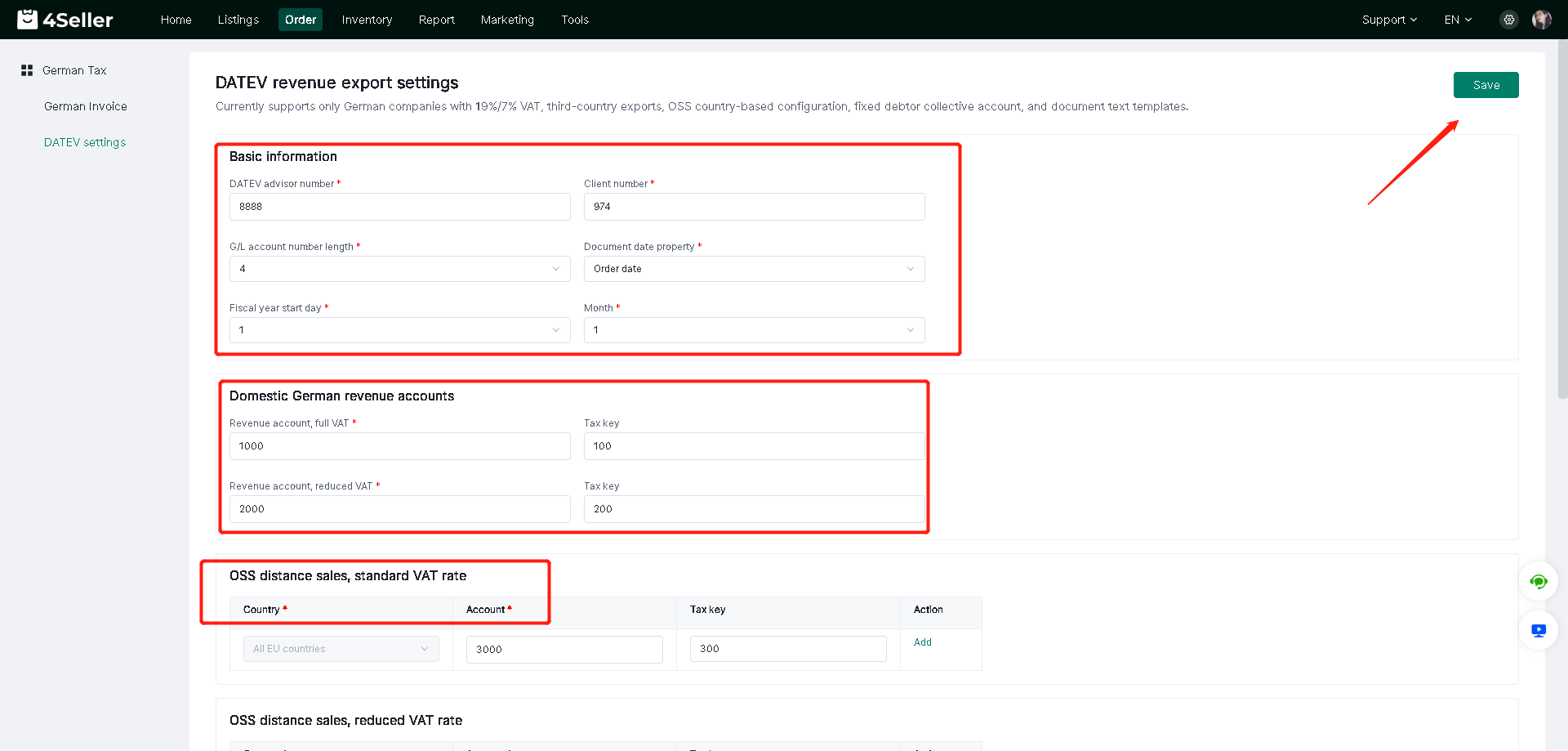
Step 2: Set up the DATEV template--Fill the required fields--Click"Save"


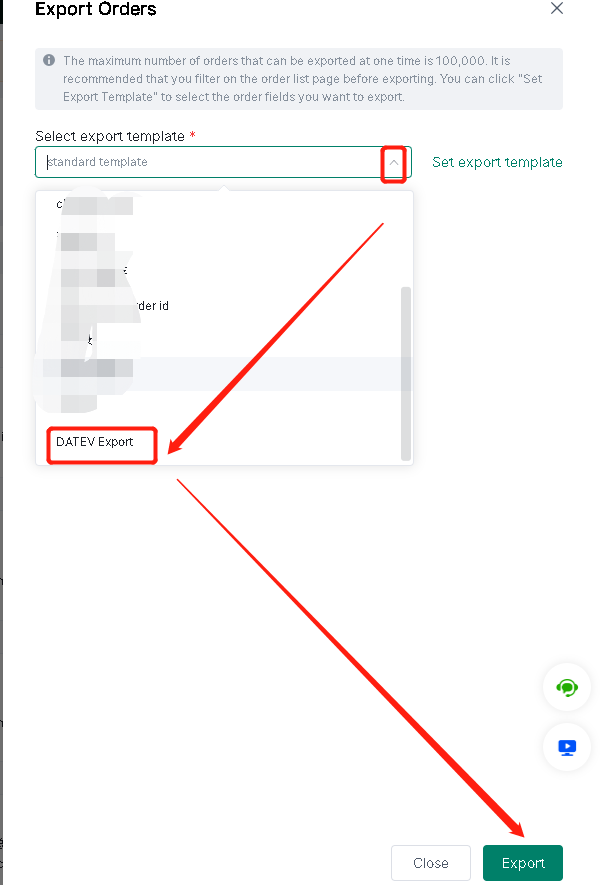
Step 3 : After setting, support export DATEV file


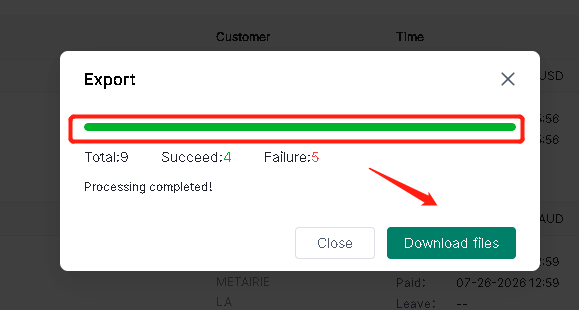
After Export click download files


Any problem feel to contact 4Seller support team: support@4seller.com



Back to top