- Get Started
- Video Tutorials
- Knowledge Base
- Channels
- Listings
- Inventory
- Orders
- Settings
- FAQs & Troubleshooting
How to Use Amazon Automatically Request Review Function?
4Seller supports setting review request rules. For qualifying Amazon orders, it automatically sends review invitations to buyers after shipment and maintains review request records.


Note:

(1) This feature applies only to FBM orders. For FBA orders, Amazon automatically sends review requests within 5-30 days after delivery, eliminating manual requests.

(2) Upon initial store authorization, 4Seller synchronizes only orders within the last 90 days. Rules do not apply to orders older than 90 days.

(3) Supported only for orders processed for shipment within 4Seller.


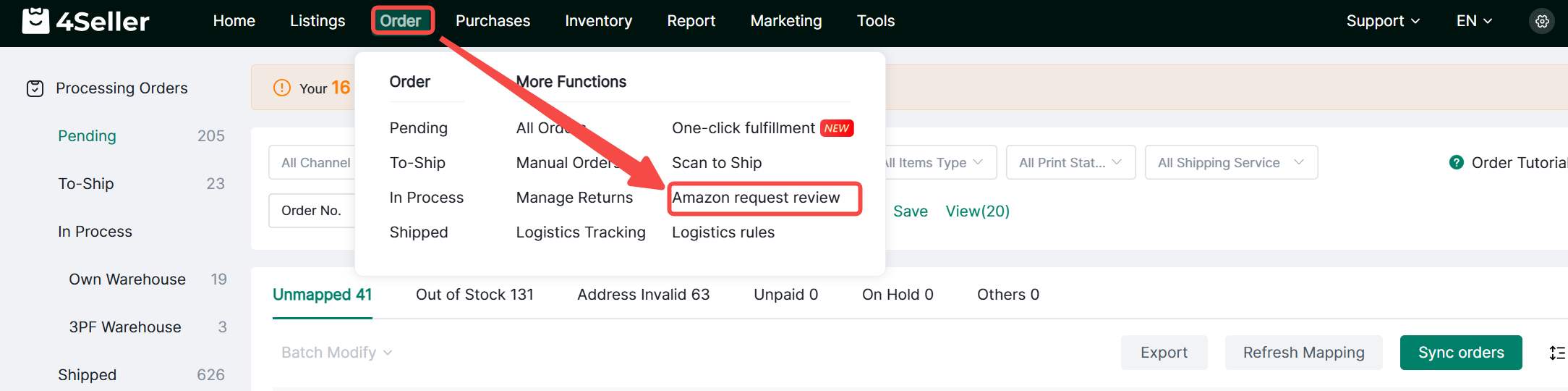
1. Access: Click Orders> Amazon request review

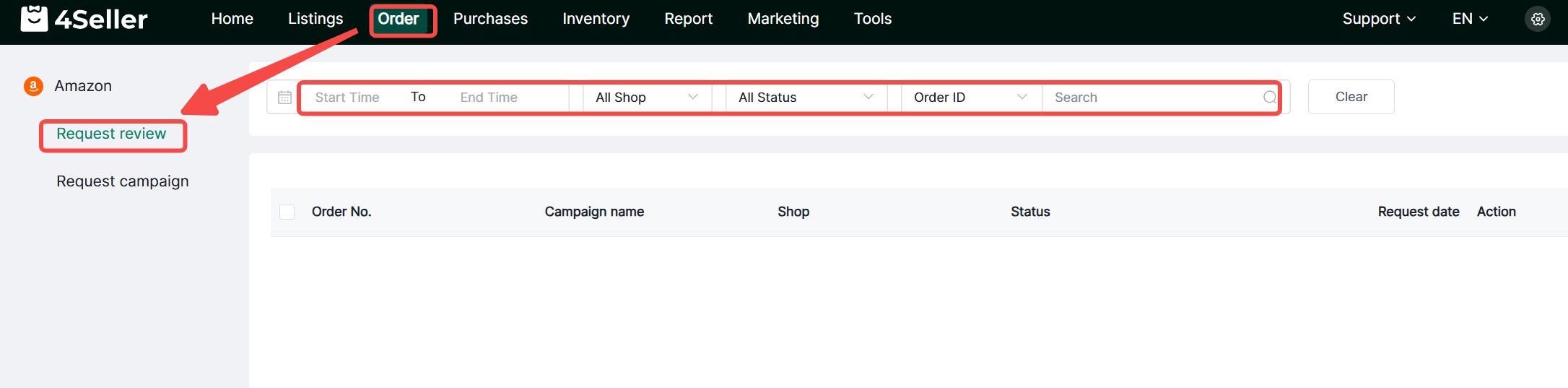
2. Request History

(1) The request history page displays order ID, rule name, store, status, request time, and action buttons. The search bar above allows filtering by time range, store, and order ID.

(2) Each request generates a new record. For the same order, click “Request Again” only after the latest record. Results appear in the Status column. Adjust based on error messages and resubmit requests.

(3) If “Not supported” appears, the request may have already been initiated in Amazon's backend. Each order supports only one request, preventing resubmission via 4Seller.


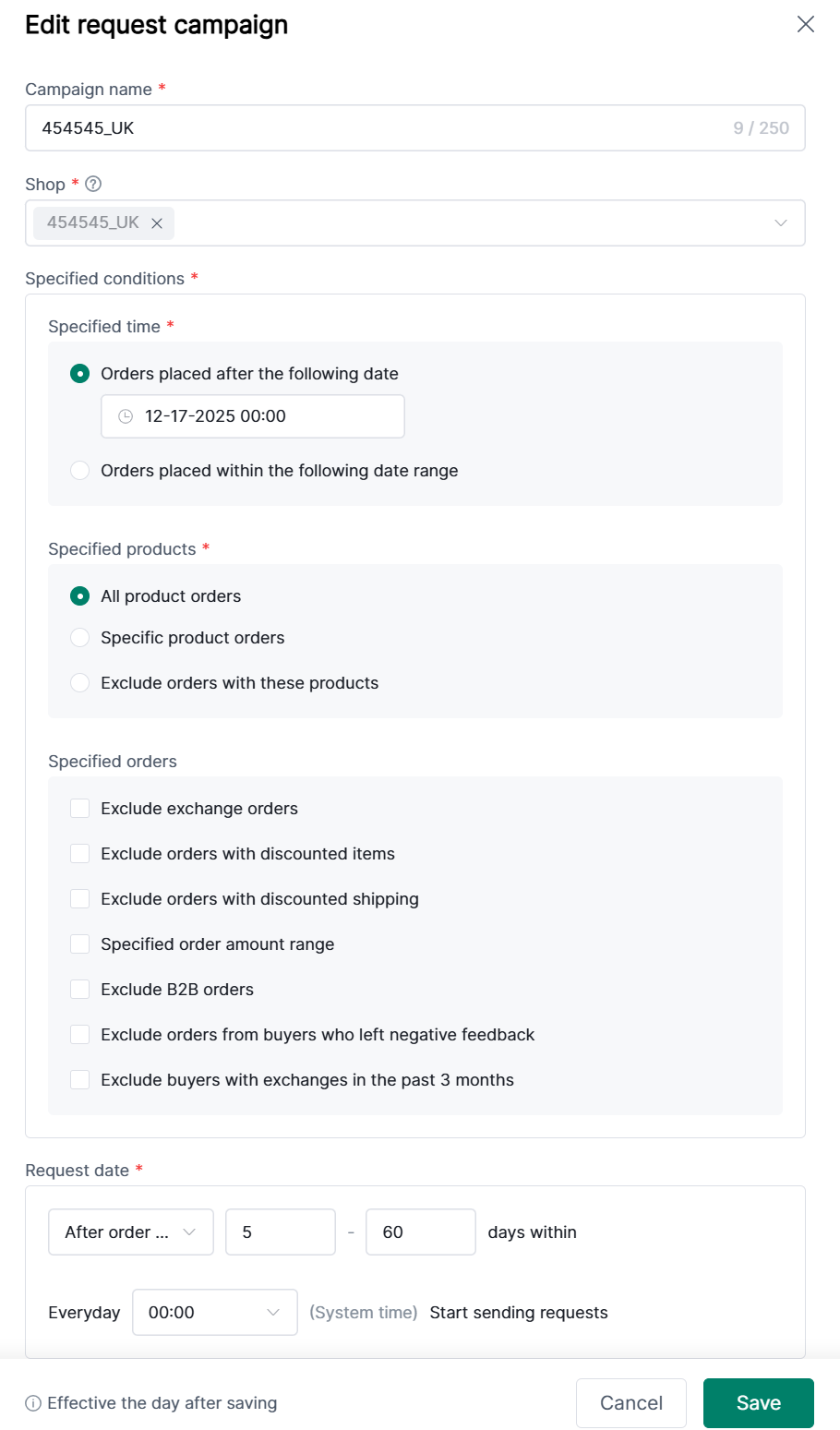
3. Review Request Rules

(1) Click Order > Request campaign > Create campaign


(2) Enter rule name, select applicable store (each store can only be included in one rule), choose specified conditions and request time. Rules take effect the following day after saving.