- Get Started
- Video Tutorials
- Knowledge Base
- FAQs & Troubleshooting
How to Connect GOFO-EU to 4Seller?
Updated on 14 Oct,2026Copy Link
4Seller now supports authorization and integration with GOFO for Spain, Italy, the Netherlands and France EU sites, catering to diverse shipping‑scenario requirements.

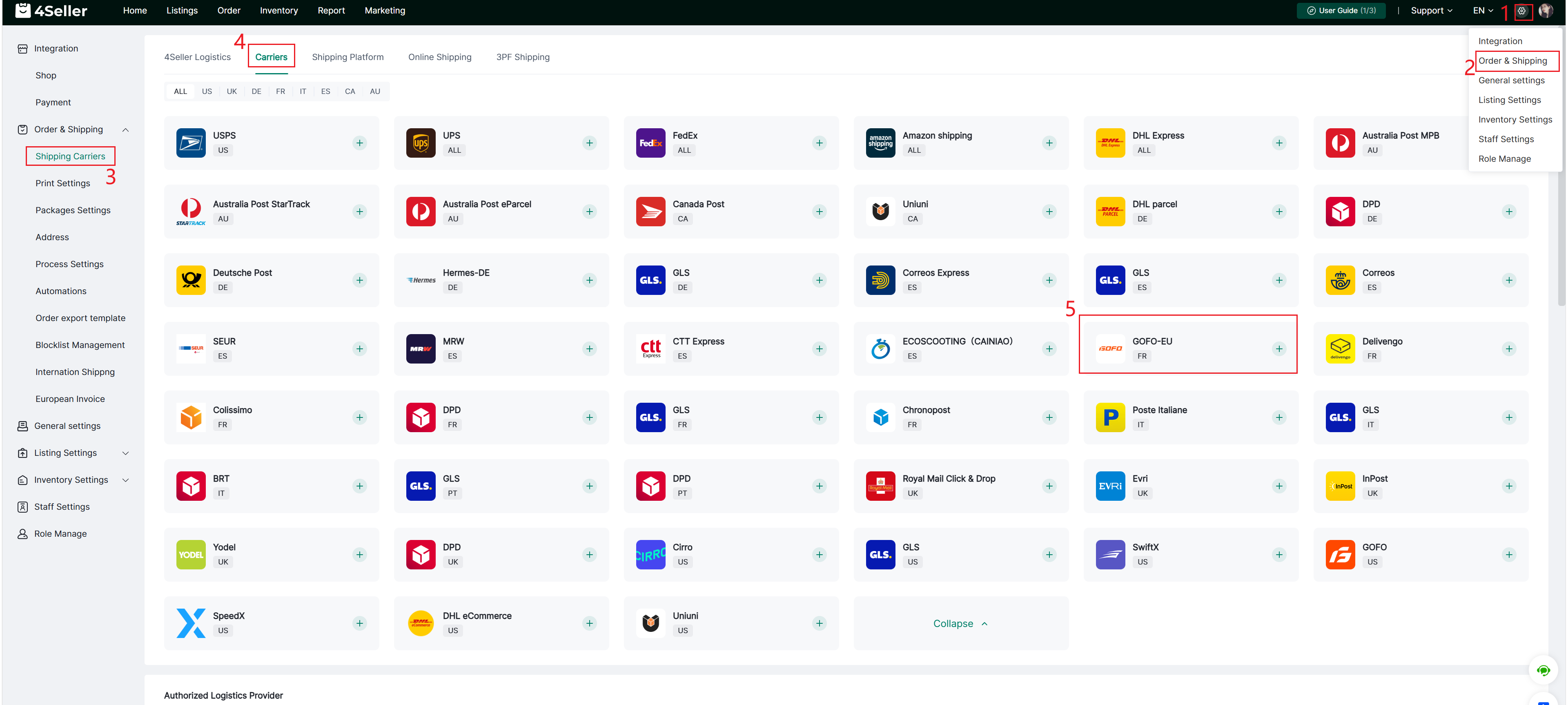
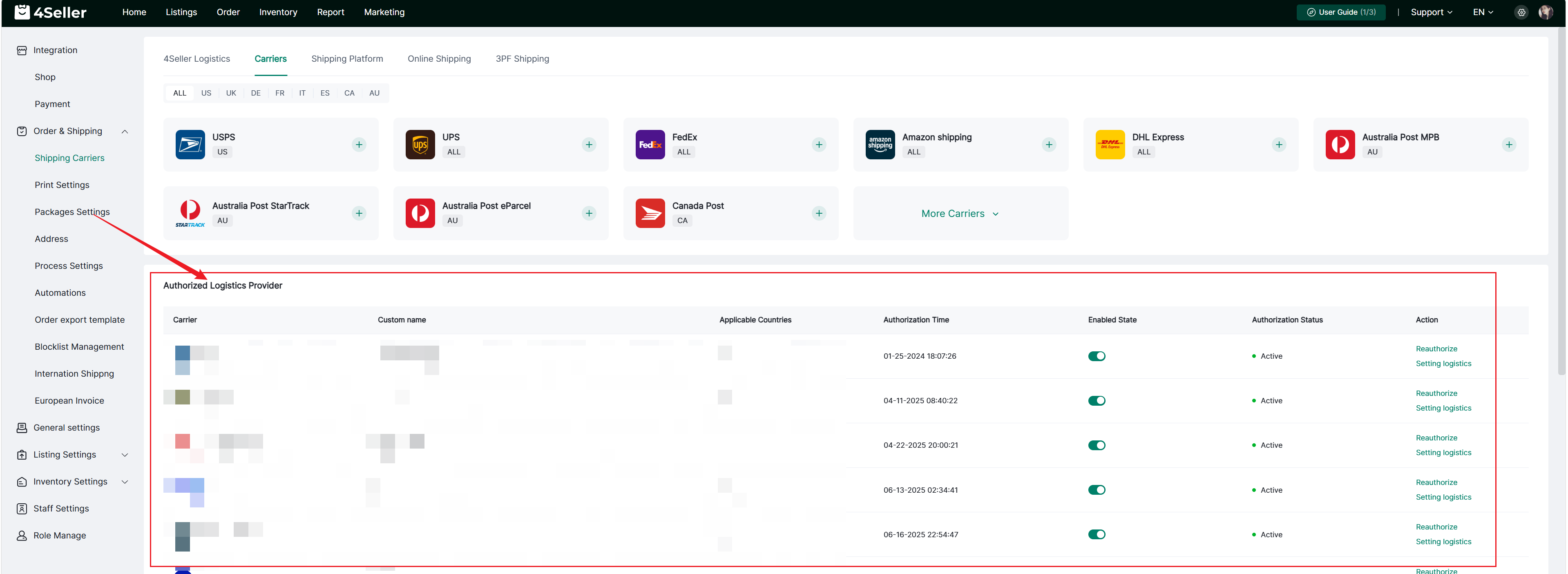
1、Click Settings-Orders & Shipping-Shipping Carriers-Carriers-Find the corresponding icon-click ‘+’.


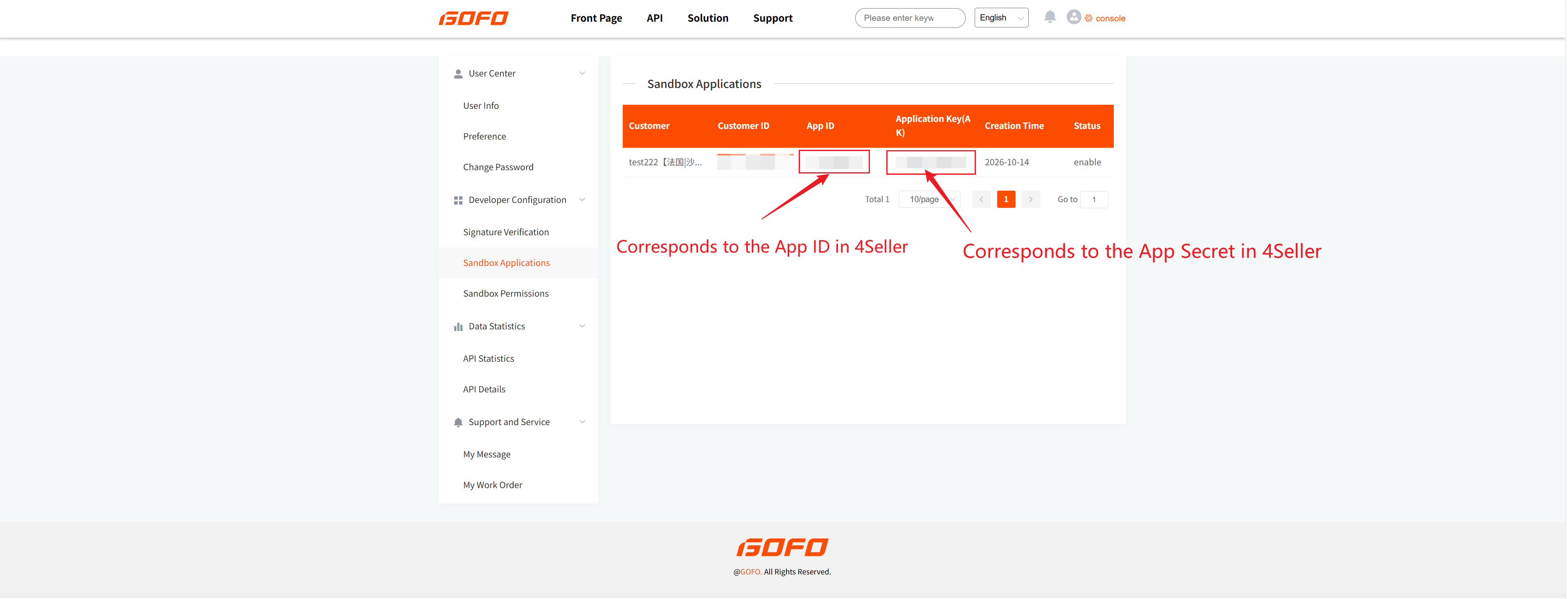
2. Then, you need to log in to the GOFO backend to retrieve the corresponding App ID and App Secret.


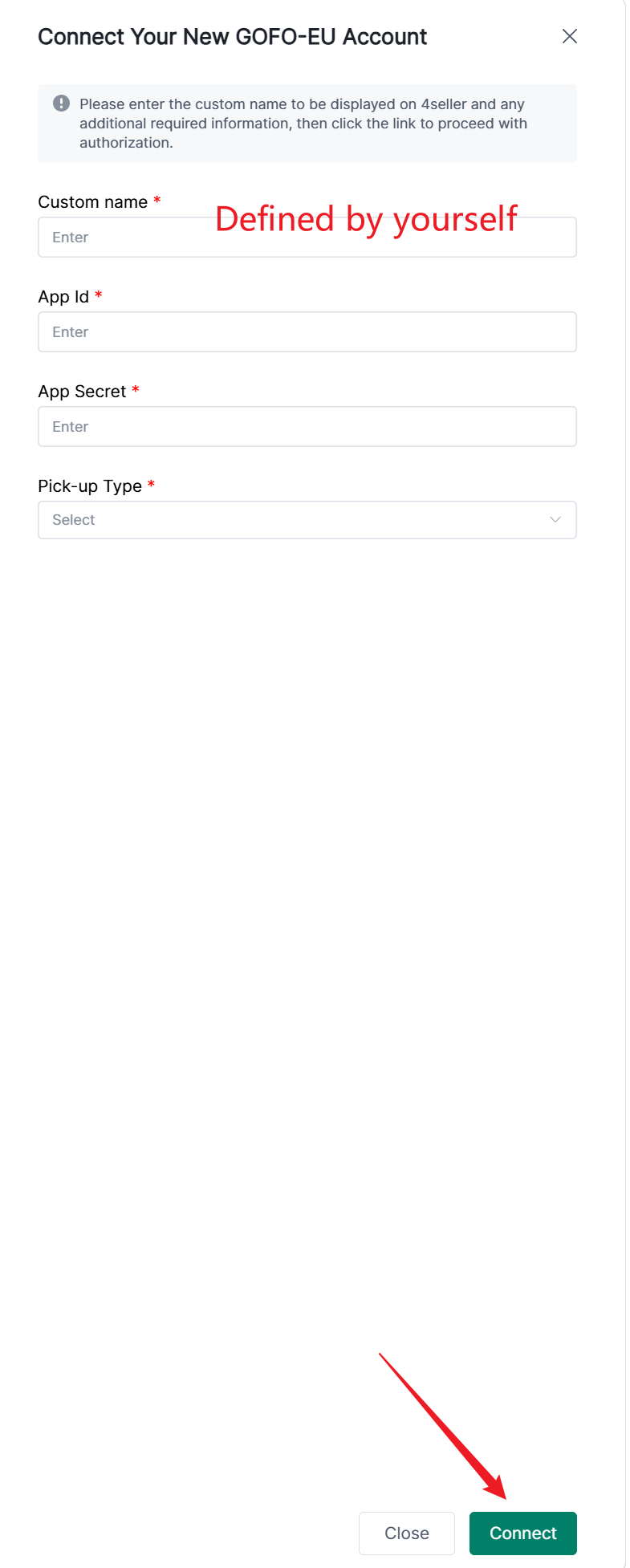
Fill in the relevant information in the pop-up box and click Connect.


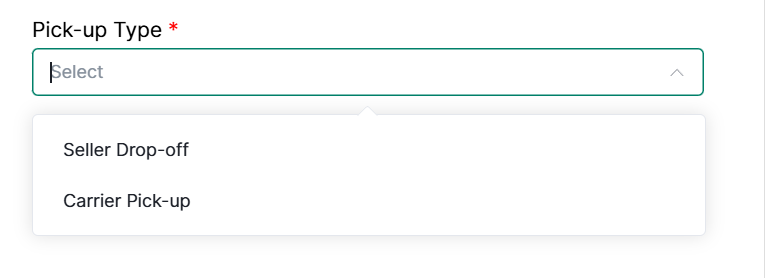
Here you may select the method for handing over parcels to the logistics carrier.

Seller Drop‑off Type: The seller delivers goods to the carrier's designated location.

Carrier Pick‑up Type: The carrier collects parcels from your premises.


3、After the authorization is successful, you can view the authorized logistics provider below, open and close, re-authorize and setting logistics or other operations.


If there any problems pls feel free to contact 4Seller support team: support@4seller.com


Back to top