- Get Started
- Video Tutorials
- Knowledge Base
- FAQs & Troubleshooting
How to Connect MRW Express to 4Seller?
Updated on 14 Oct,2026Copy Link
4Seller Support integrate MRW then purchase & print shipping label.
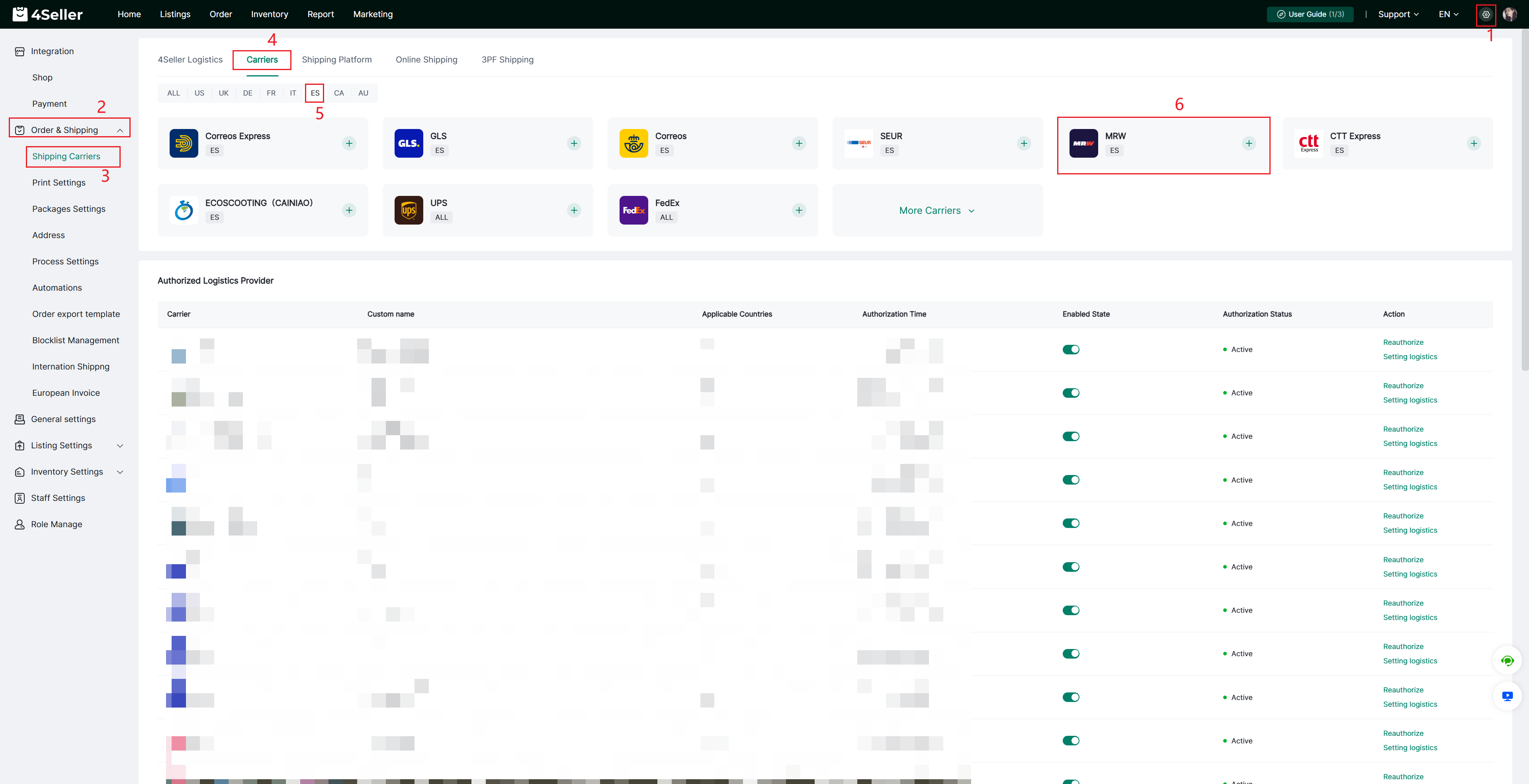
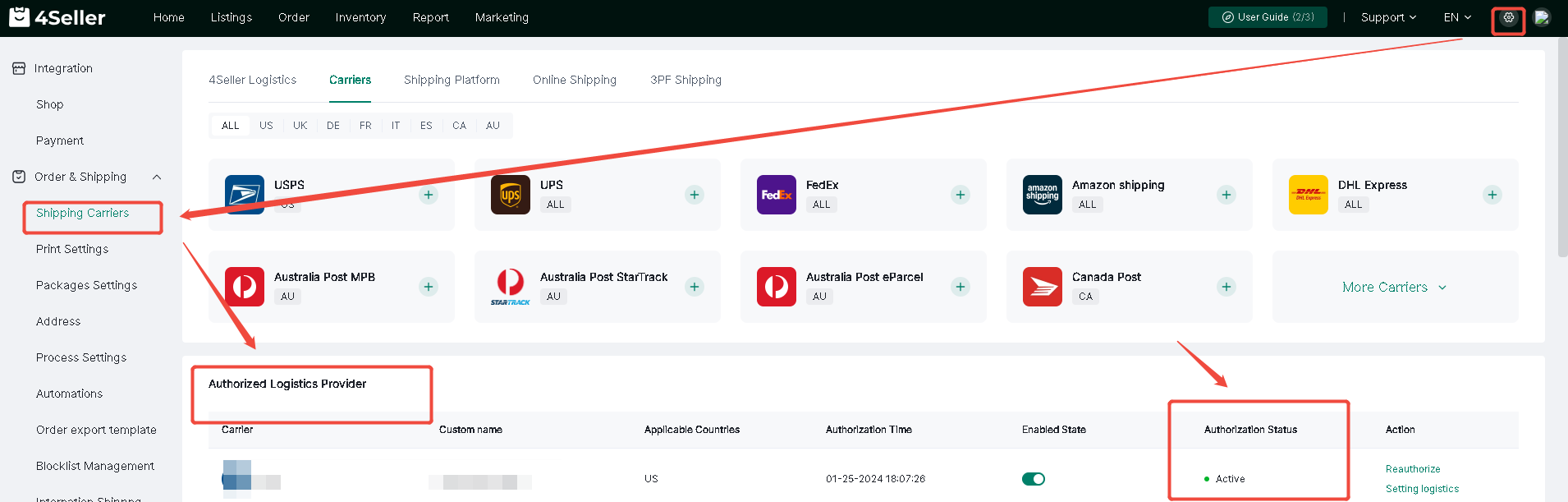
Note:You should contact MRW support team to get the sandbox account info then fill in 4Seller. After generate 3 test labels and submit them to MRW for review, then get the formal account info from MRW support team.Step 1: Go to Settings > Orders & Shipping > Carriers > Carrier, find MRW, and click + to add authorization
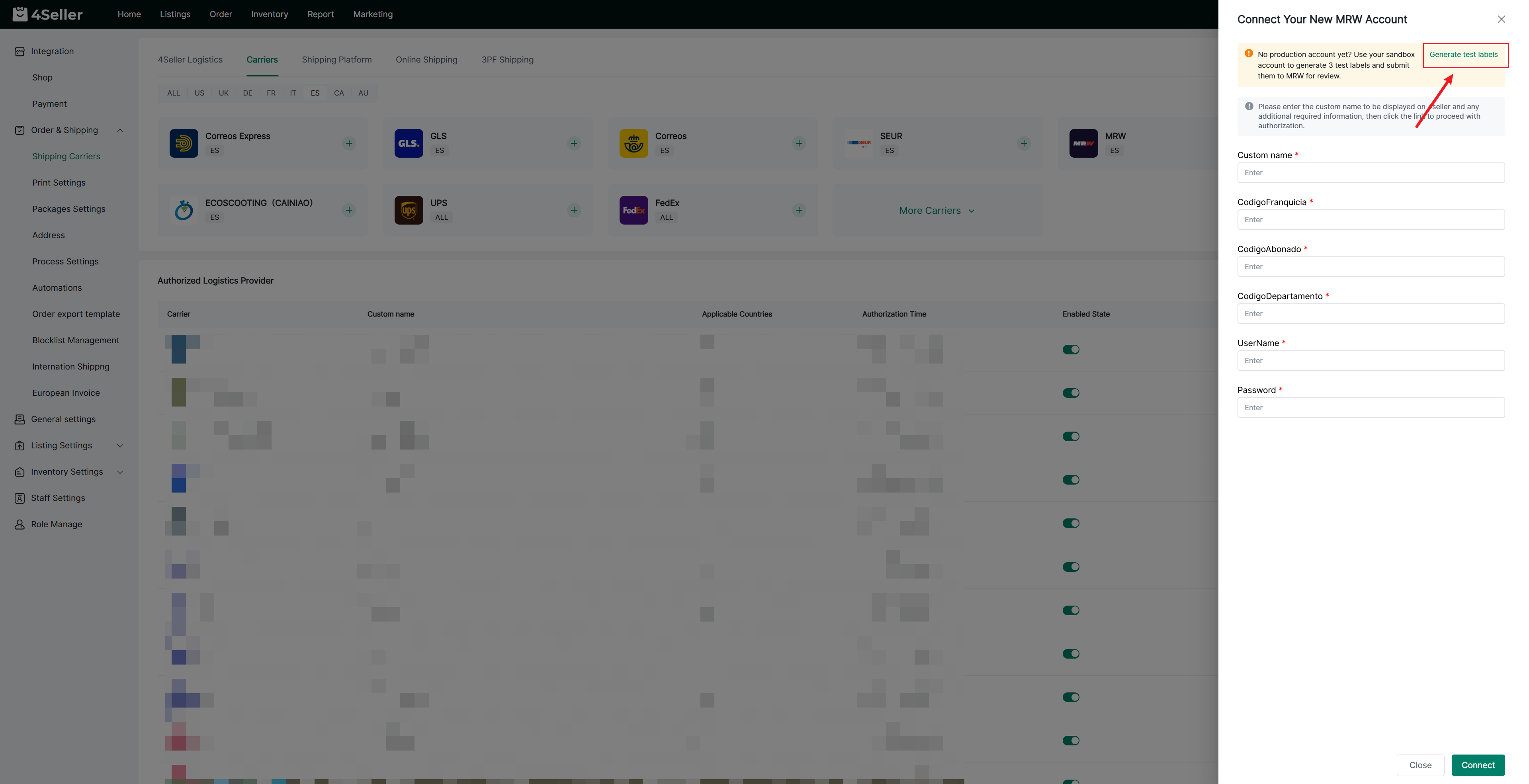
Step 2: Click "Generate test labels"
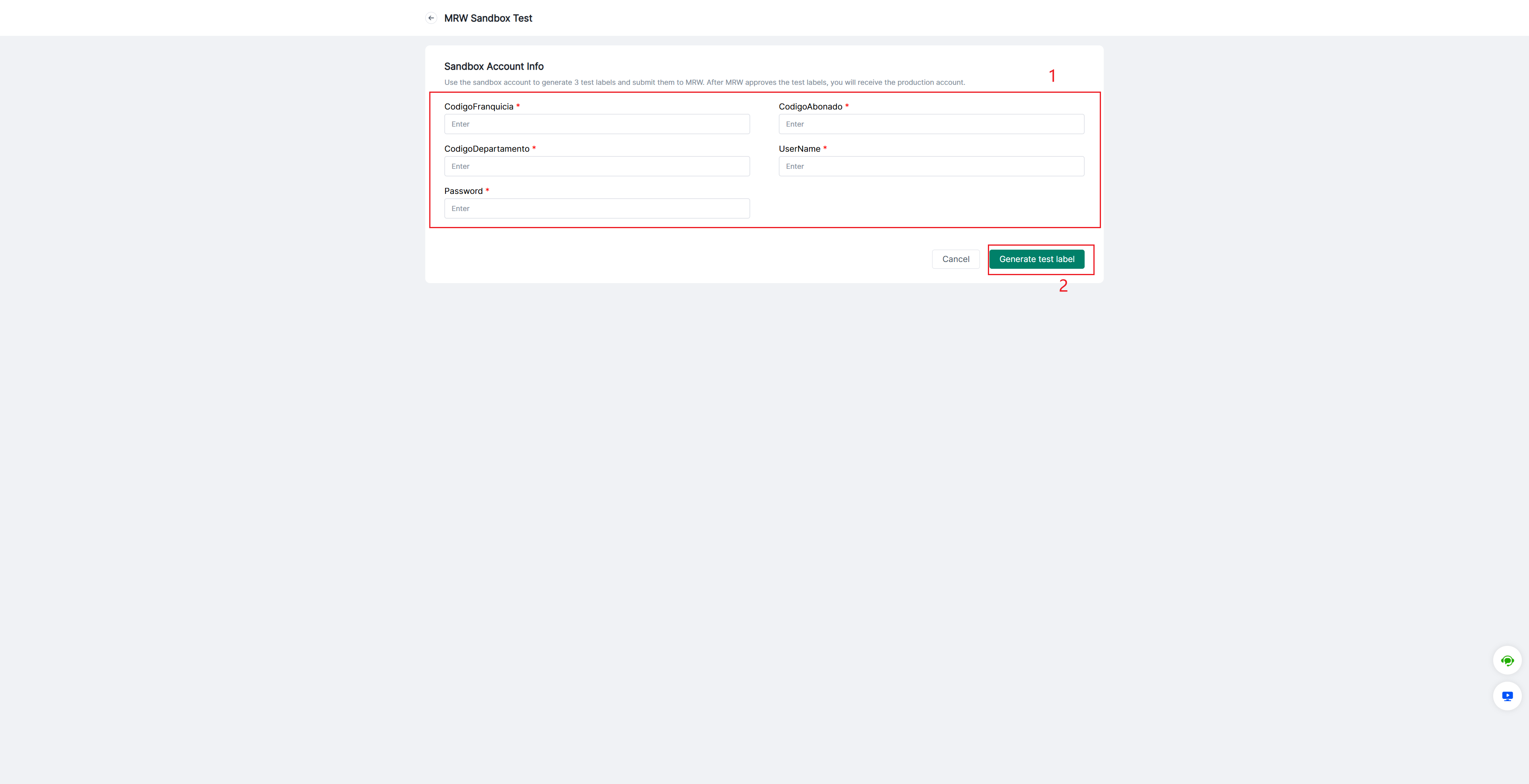
Step 3: Fill in the sandbox account info which got from MRW support team, then click generate test label, it will generate 3 test labels automatically. Please submit them to MRW for review
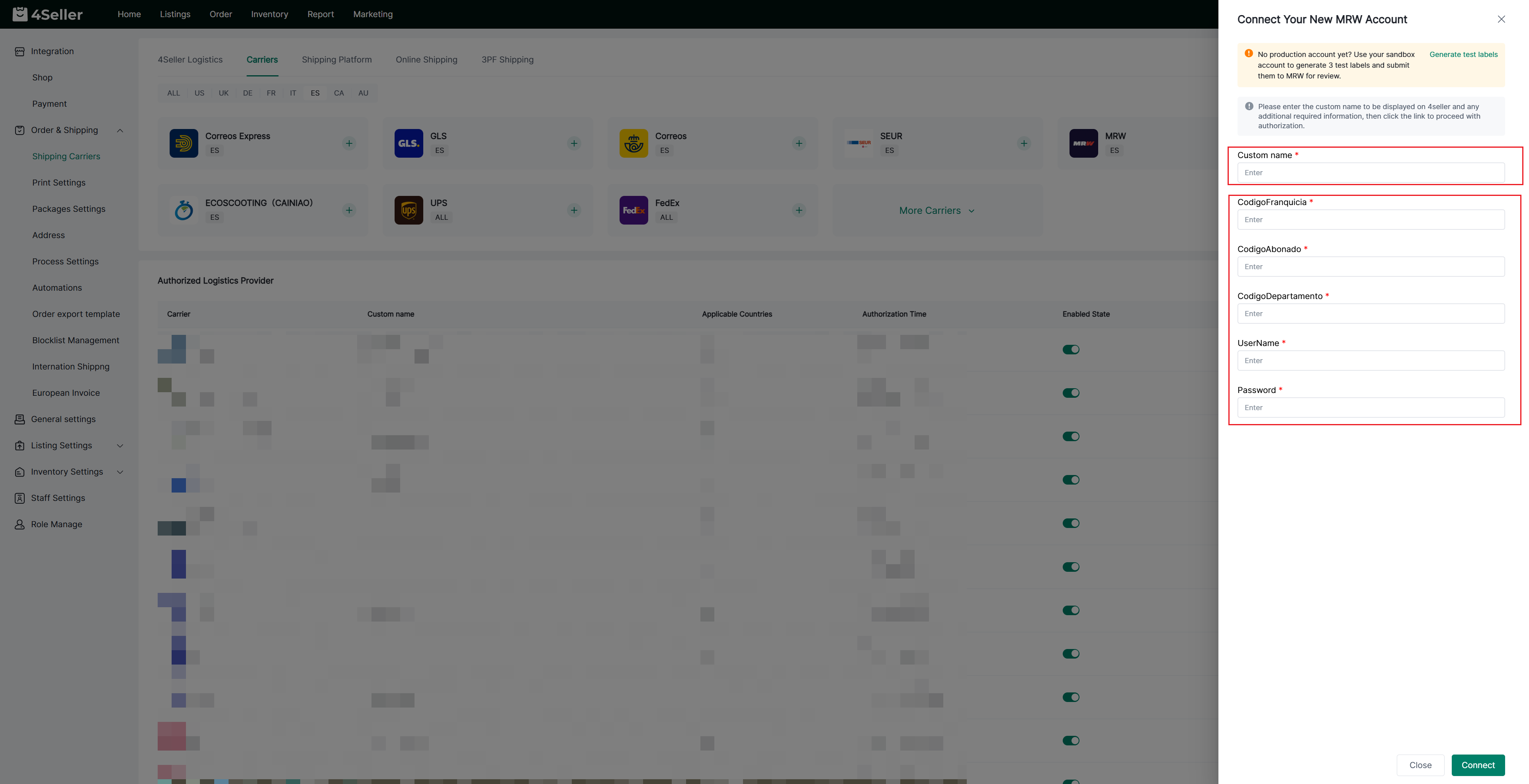
Step 4: Fill in the Custom name and the fomal account info provided by MRW support team, then click Connect
Step 5: ensure that the carrier status is enabled and the authorization status is "Active."
Any problem just feel free to contact 4Seller support team: support@4seller.com


Back to top