- Get Started
- Video Tutorials
- Knowledge Base
- FAQs & Troubleshooting
How to Connect Parcel2Go to 4Seller?
Updated on 04 Dec,2025Copy Link
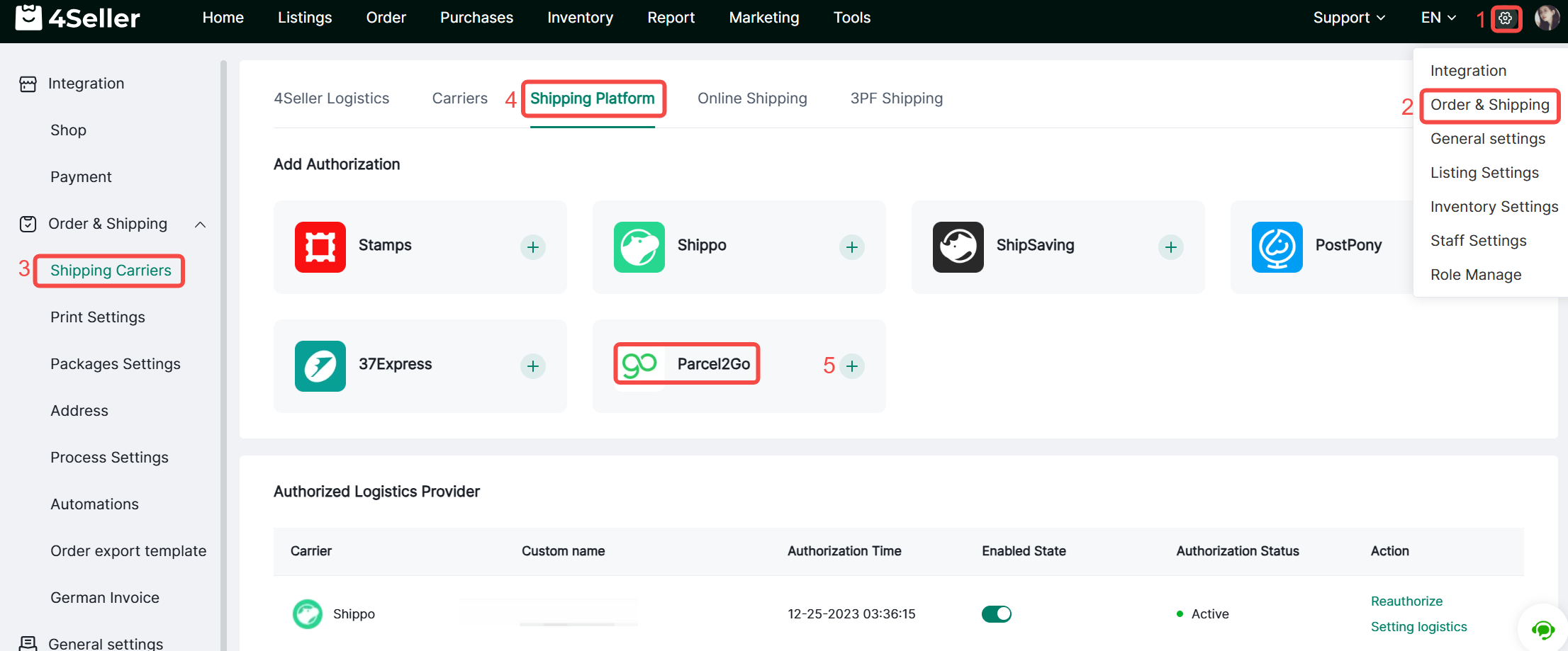
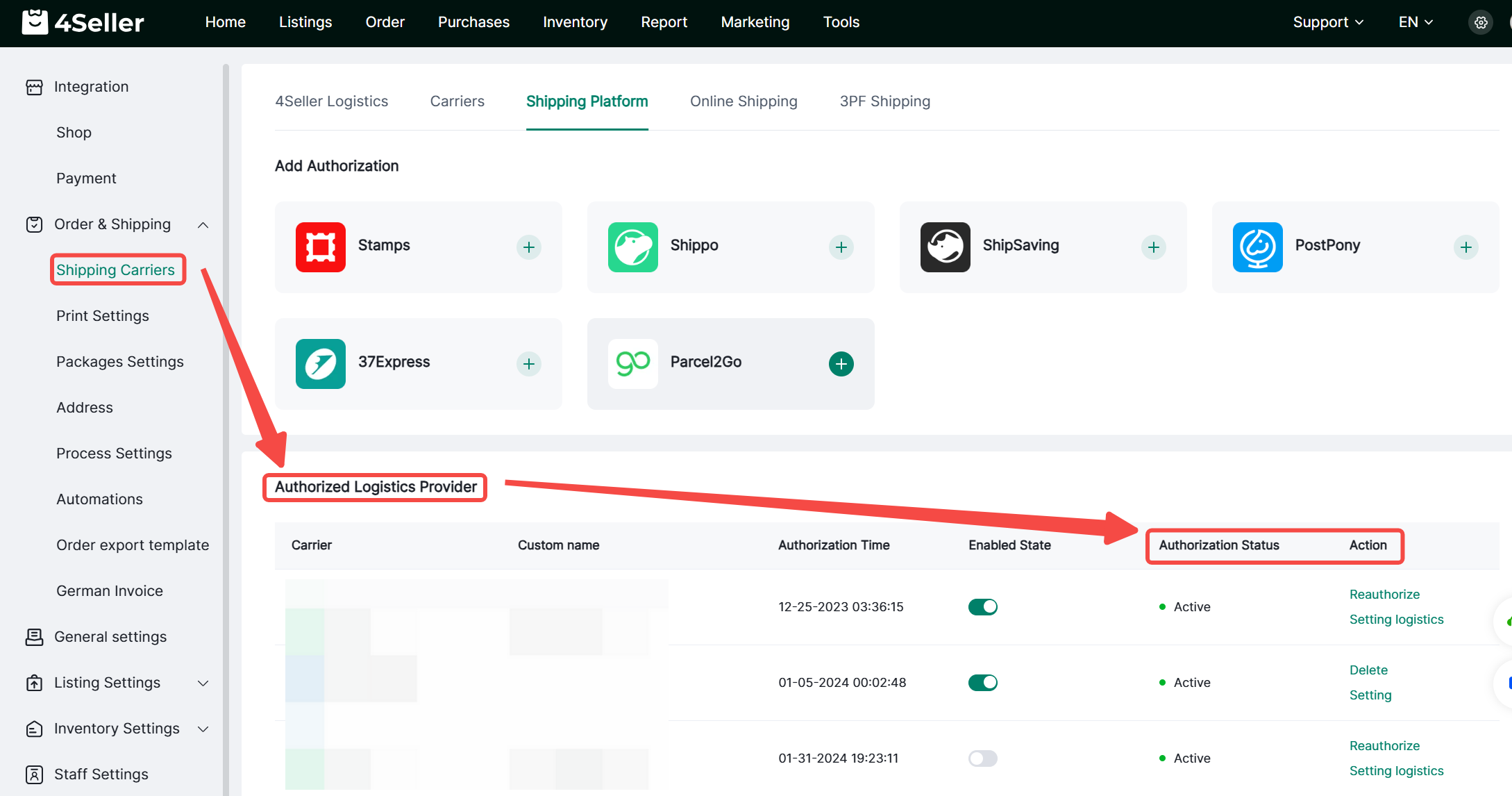
1. Click Settings > Orders & Shipping > Shipping Carriers > Shipping Platform > Parcel2Go, then click the “+” icon.


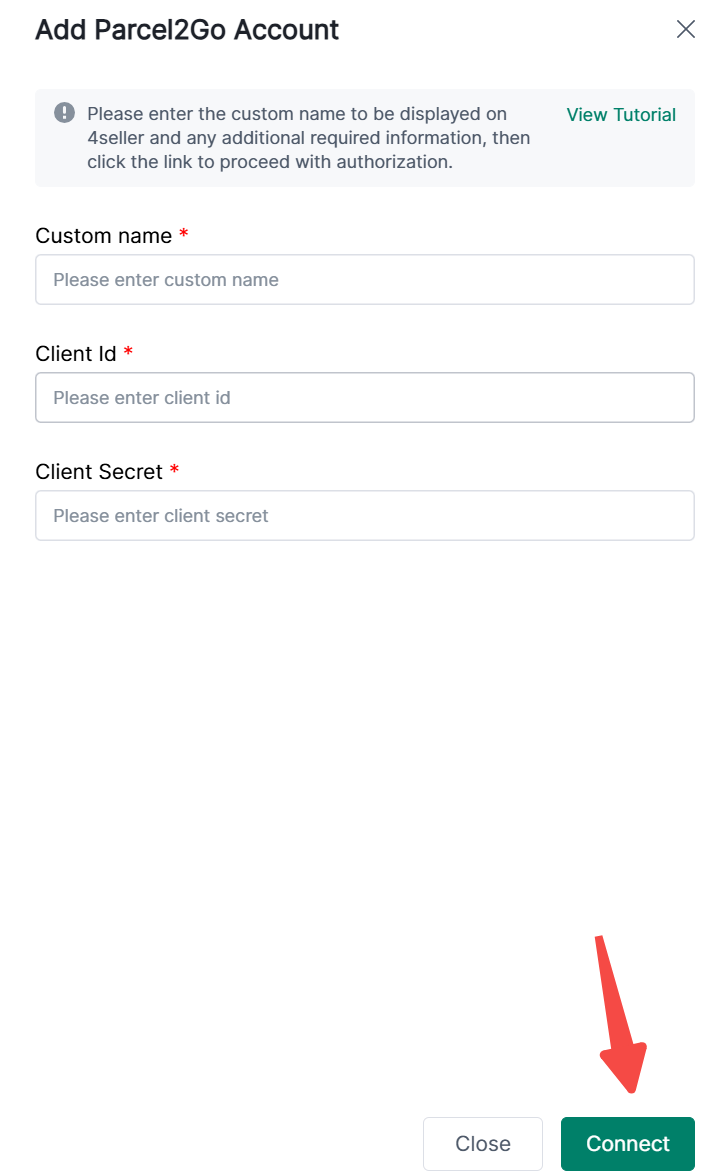
2. Enter a custom name, Client ID, and Client Secret.


Note: Obtain the Client ID as follows:

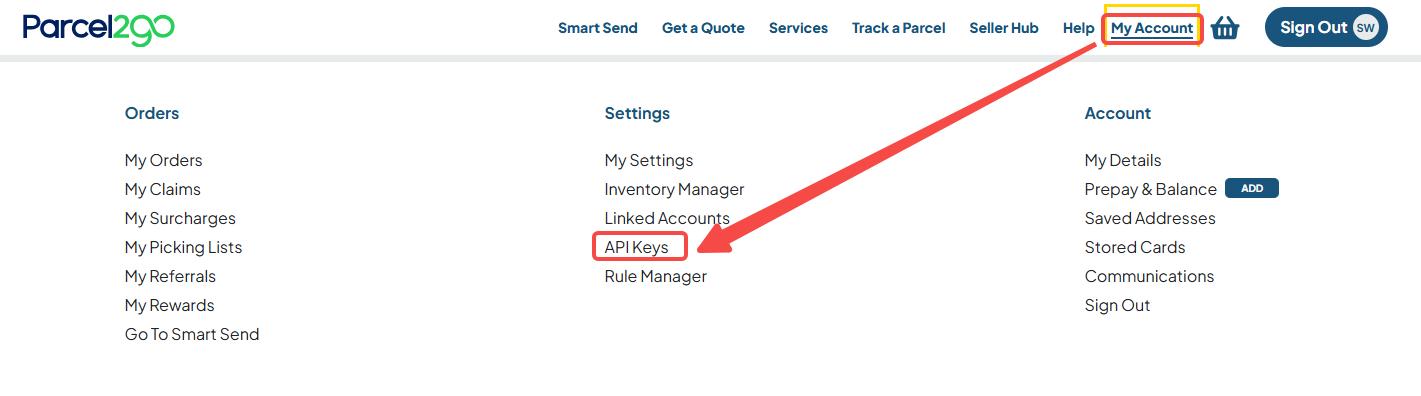
(1) Visit the official website https://www.parcel2go.com/. After registering and logging in, navigate to My Account > API Keys.


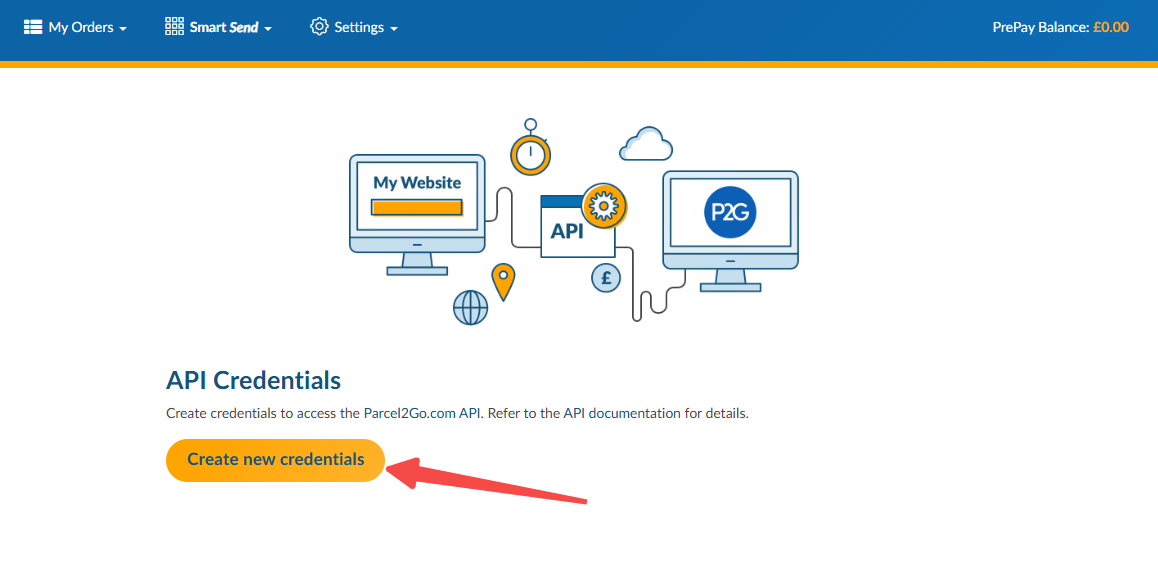
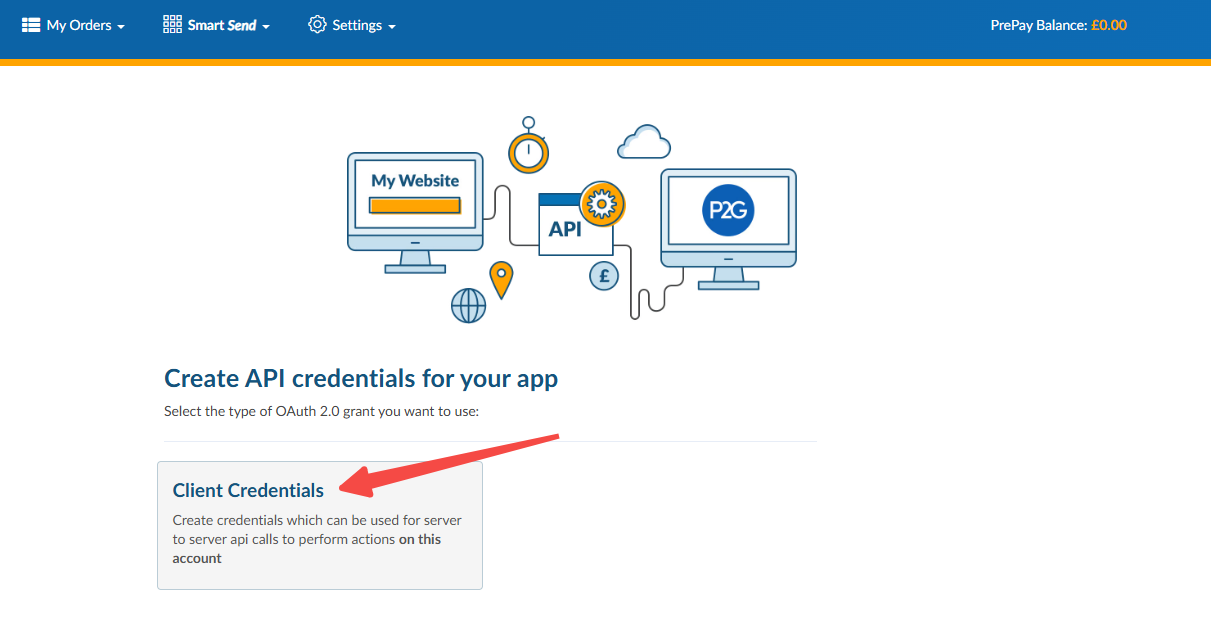
(2) Click Create New Credentials > Client Credentials


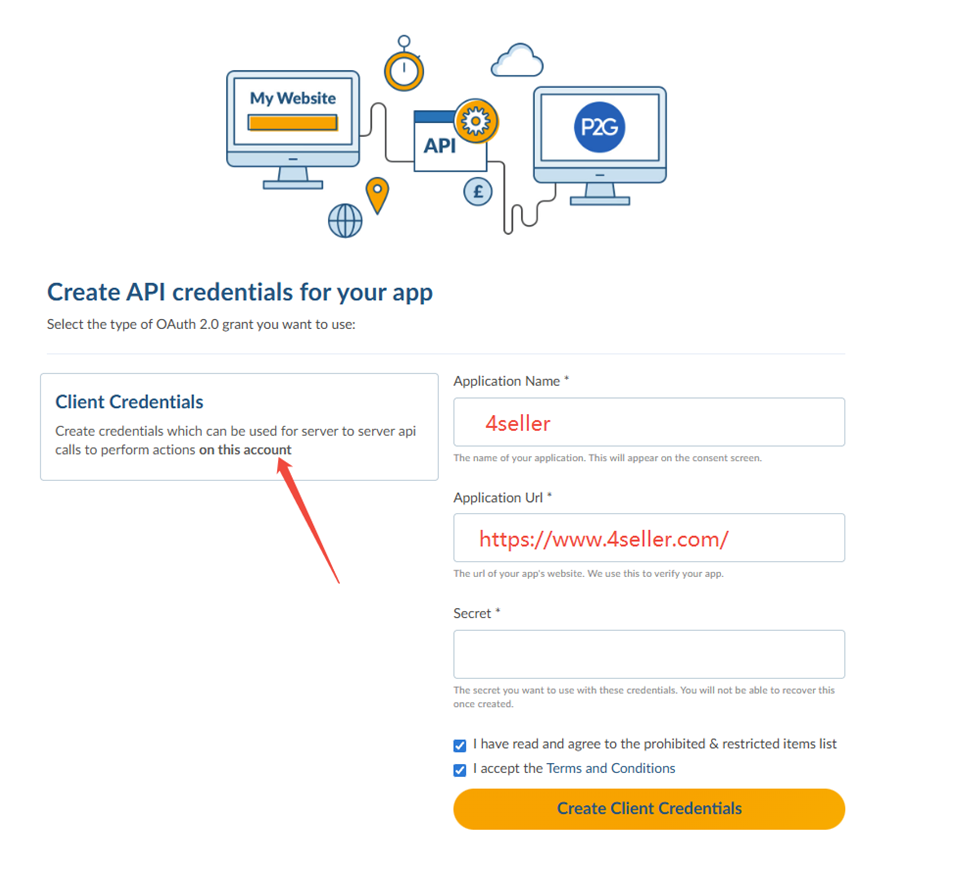
(3) Fill in the fields as prompted. Enter your account password in the Secret field, then click Create Client Credentials to obtain it


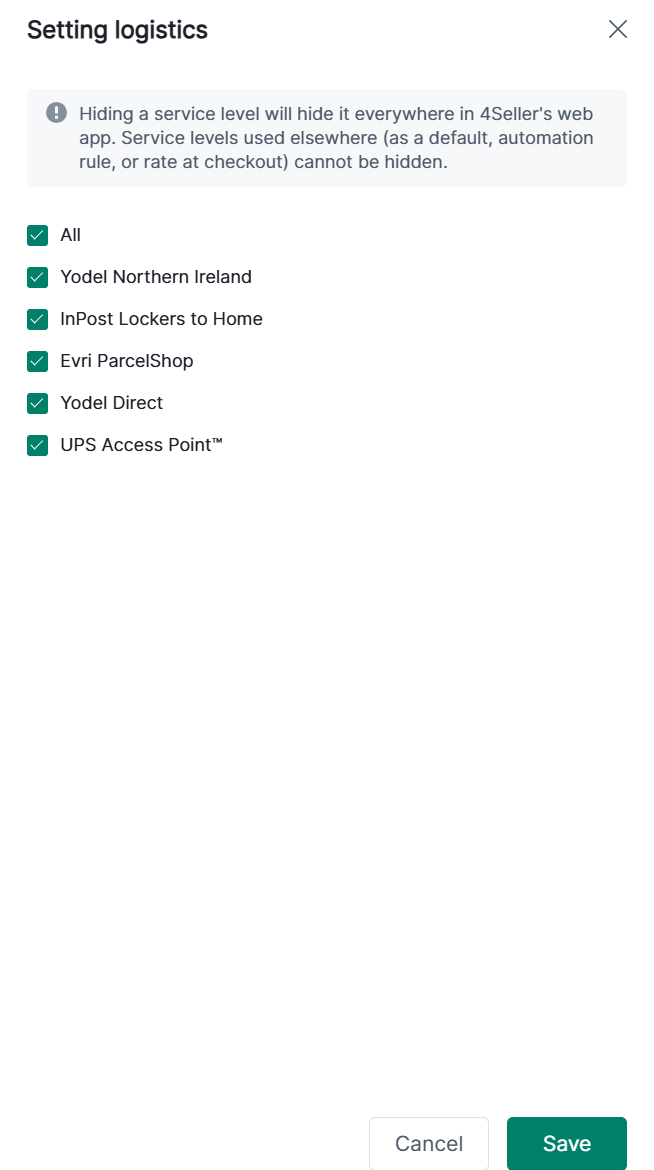
3. After successful authorization, it will appear under Authorized Carriers. You can view the authorization status, reauthorize, or configure shipping channels


Back to top