- Get Started
- Video Tutorials
- Knowledge Base
- FAQs & Troubleshooting
How to export products from ShipStation?
Updated on 19 Oct,2026Copy Link
You can export product information from ShipStation through the ShipStation dashboard.
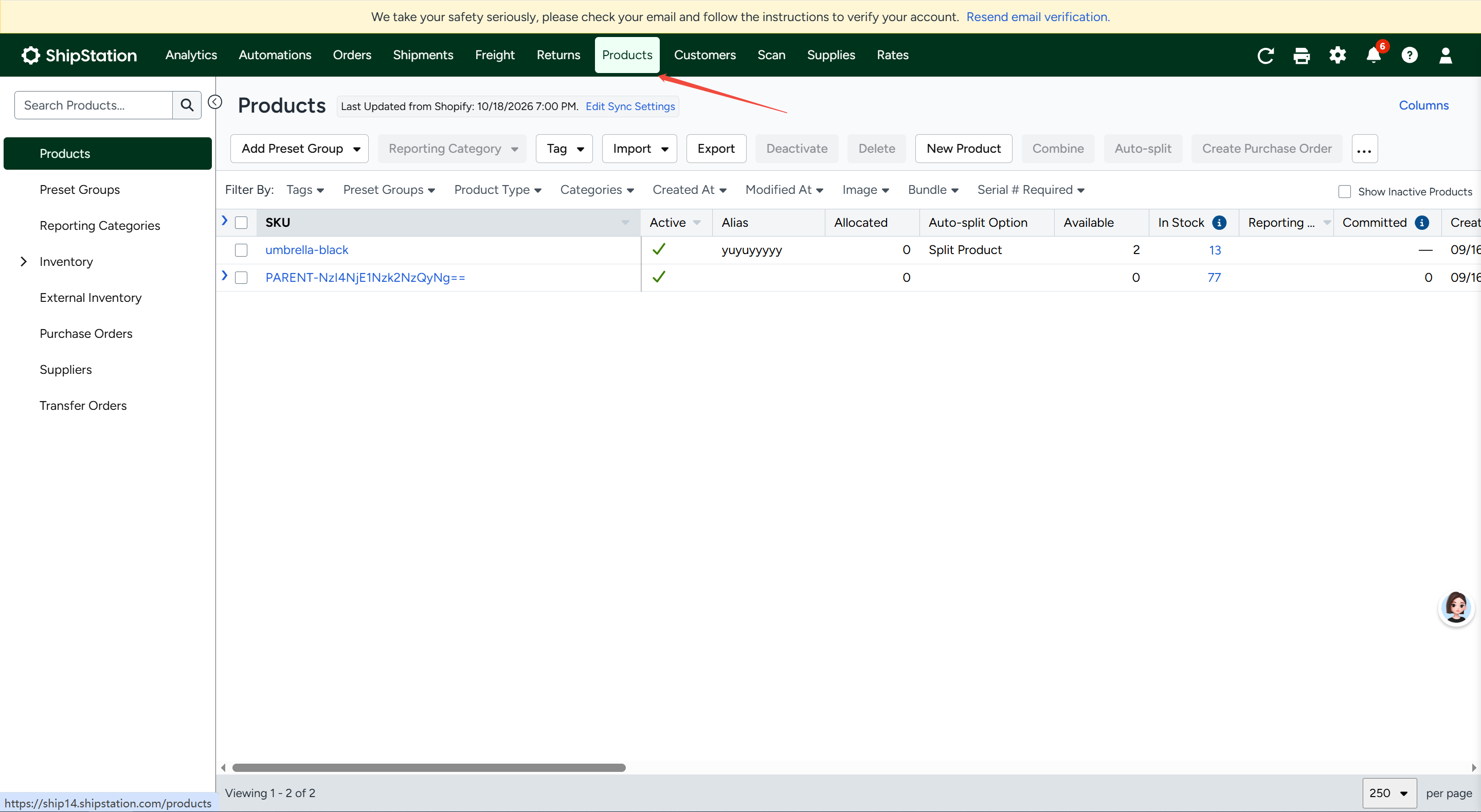
Step1. Log in to your ShipStation account and navigate to the Products page.
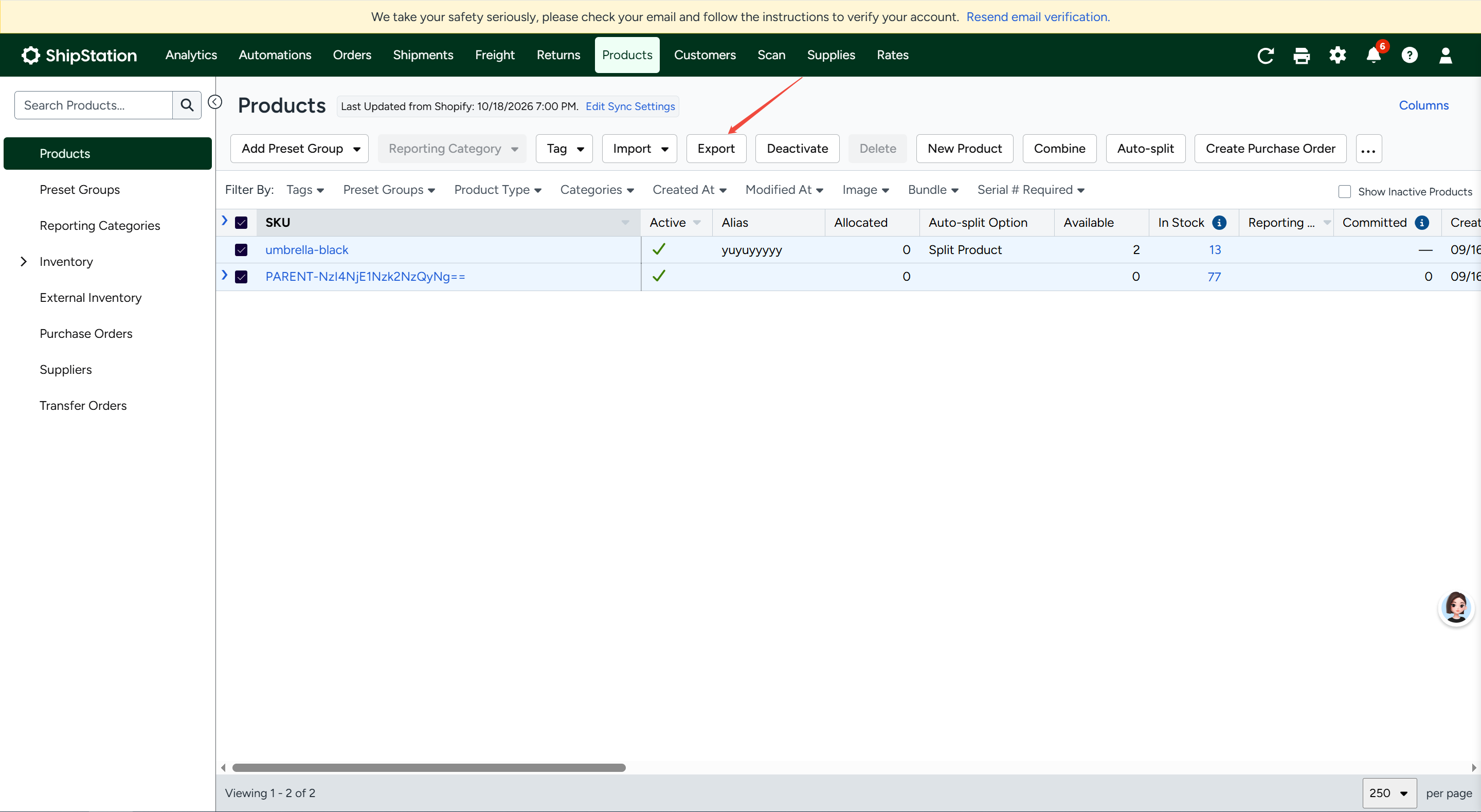
Step2. Click the Export button on the page.
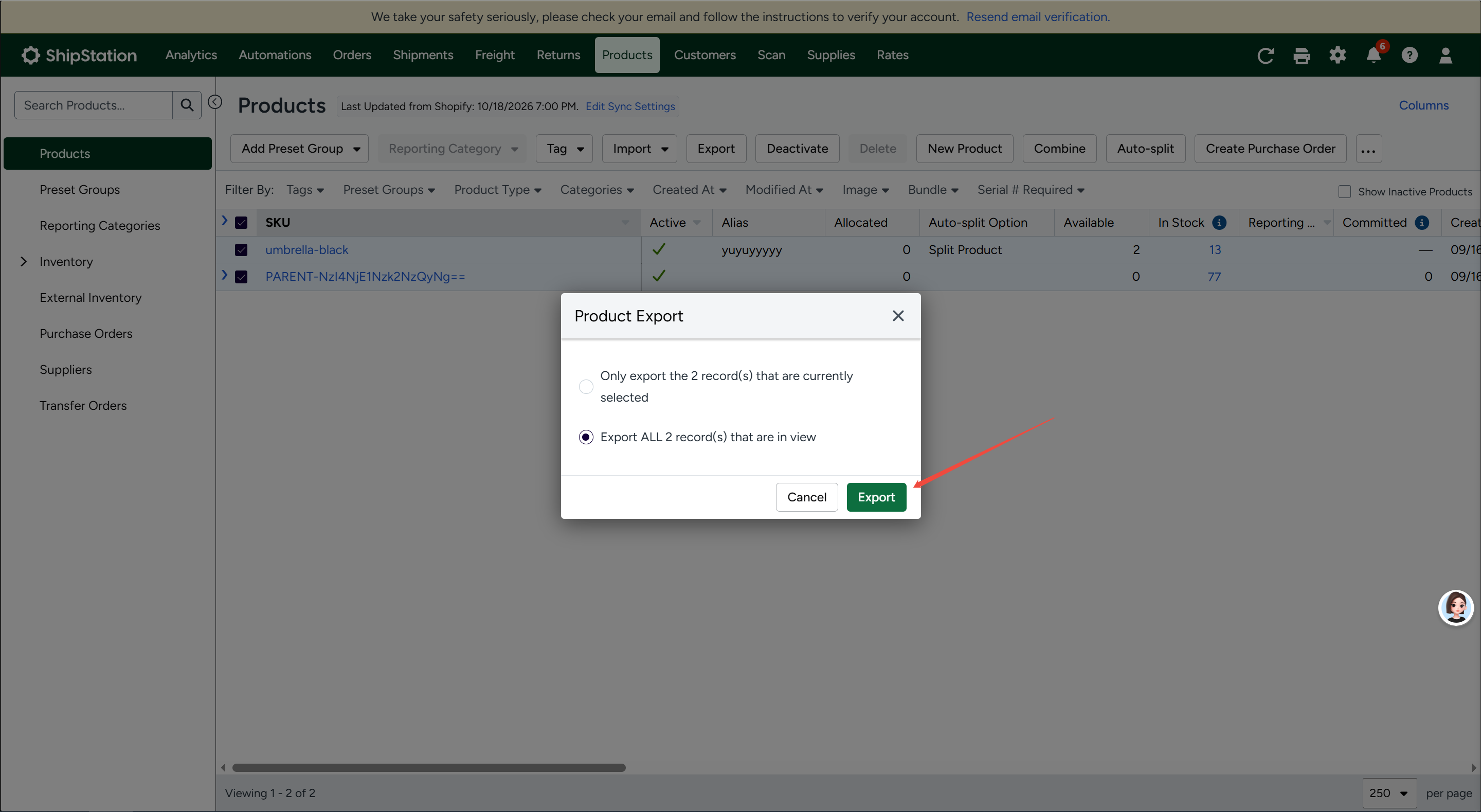
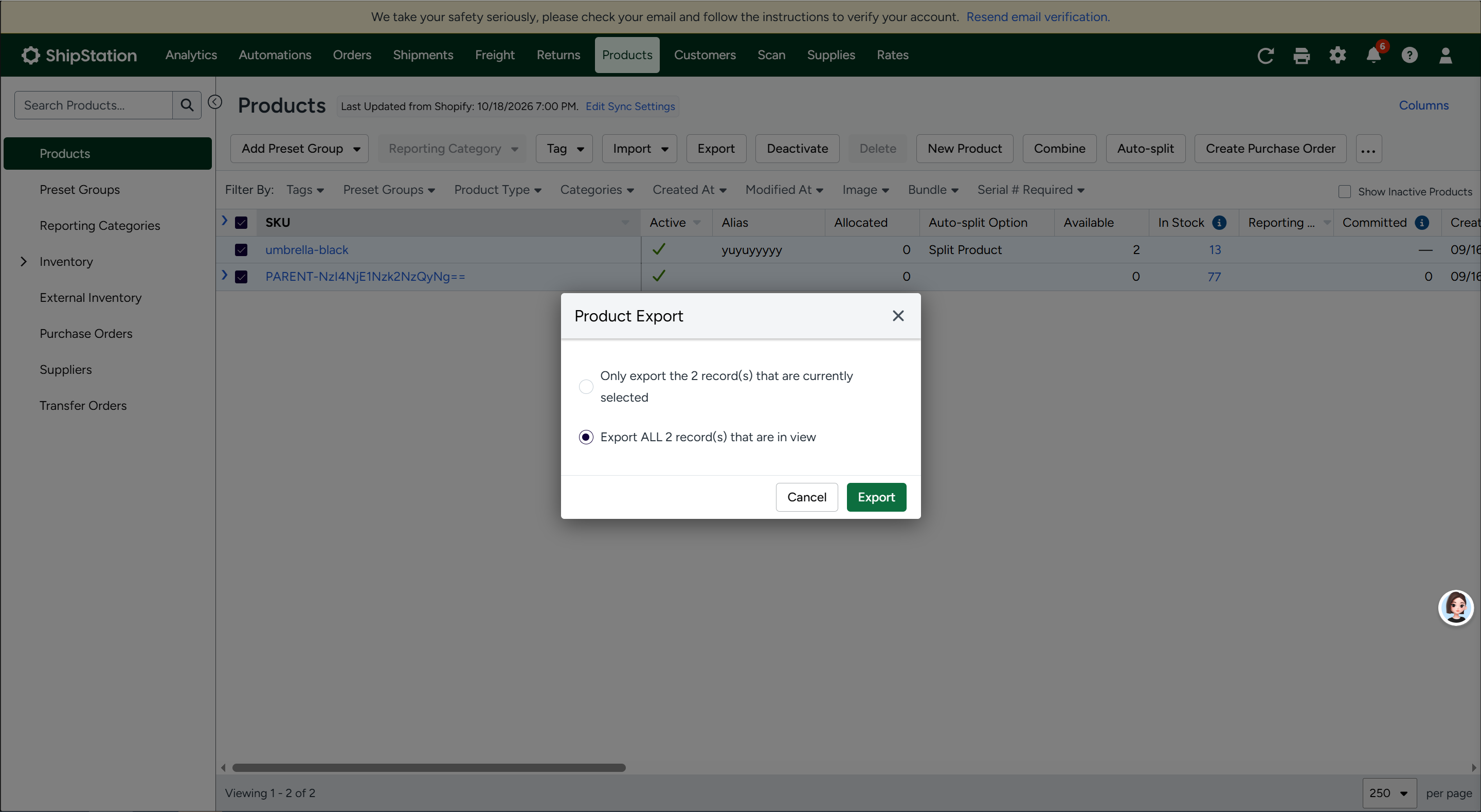
Step3. Select the products you want to export: all products, currently filtered products, or selected products.
Step4. Click Export and download the CSV file when the export is complete.
Any problem feel free to contact 4Seller support team: support@4seller.com


Back to top