- Get Started
- Video Tutorials
- Knowledge Base
- Channels
- Listings
- Inventory
- Orders
- Settings
- FAQs & Troubleshooting
How to Set Up German Invoice within 4Seller?
4Seller now supports setting up Kaufland, Shein, TikTok, OTTO, eBay, Amazon, Shopify, TEMU invoices. And Kuafland Invoice supports automatically uploading when shipping, Shein invoice supports generate, download and print invoice.
Note:
Conditions for generating a European invoice:
Kaufland, Otto, Amazon, TikTok, Temu, and SHEIN require the store or site to be in Europe.
eBay requires the order recipient's country to be in Europe.
Step one: Authorize Kaufland, Shein, TikTok, OTTO, eBay, Amazon, TEMU, etc Store to 4Seller.(Different Site maybe support different platforms)
Check How to authorize stores to 4Seller?Step two: Set up Invoice template
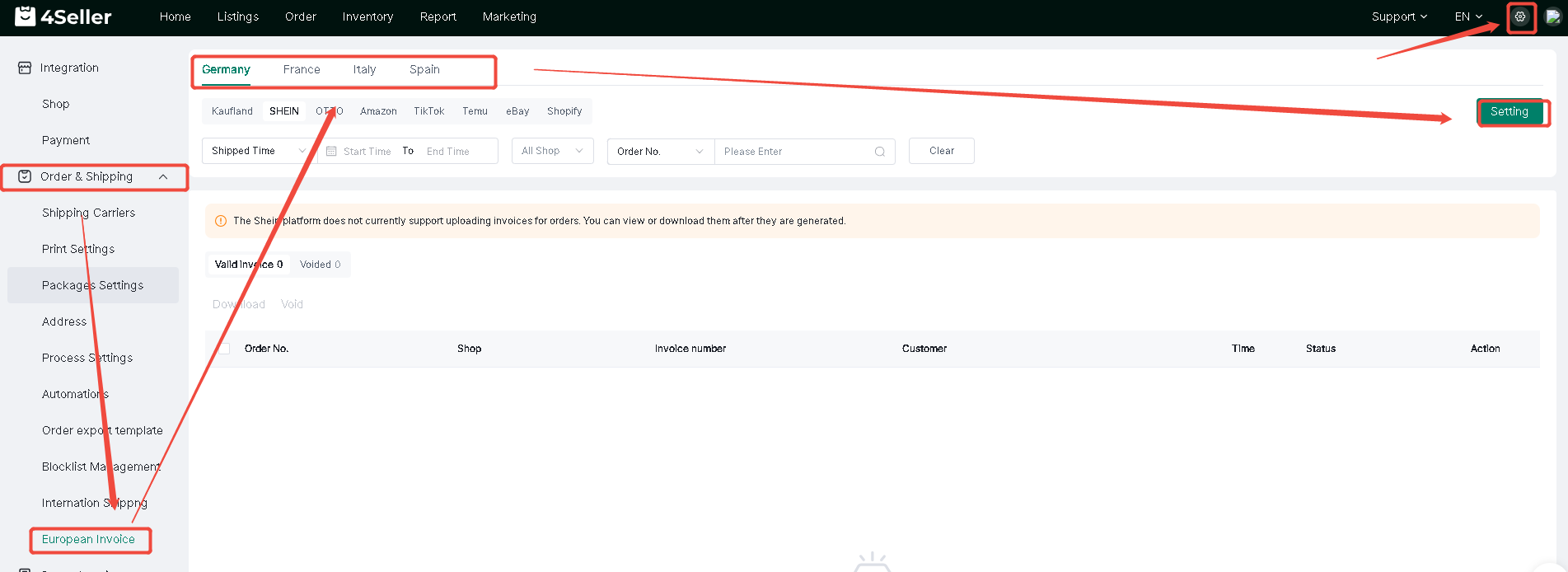
Note: If authorize Kaufland, Shein, TikTok, OTTO, eBay, Amazon, TEMU, Shopify Europe Site Store to 4Seller, in setting page will show "European Invoice" entrance.Setting--European Invoice--Setting
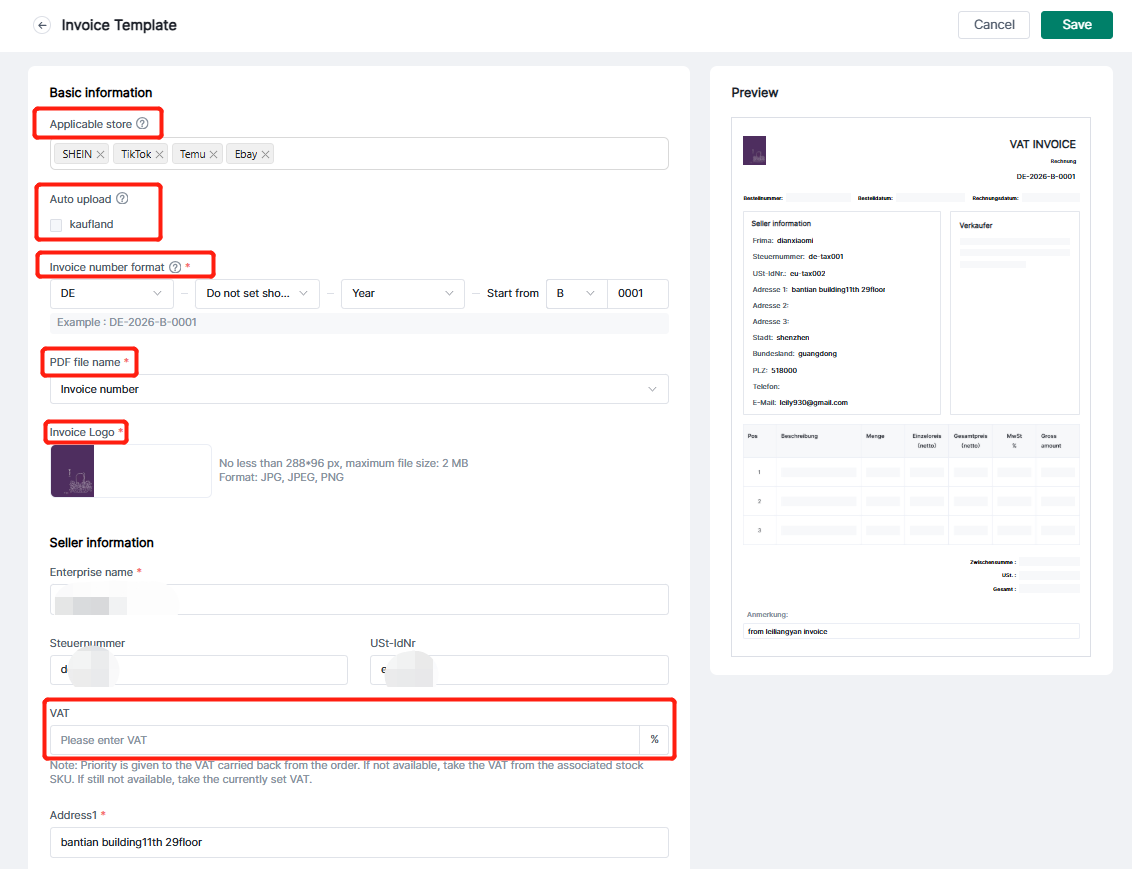
In the setting invoice page, you need to fill Invoice number format, PDF file name, Seller information, etc,. The buyer information will be synced from order infomation, after setting click "save" .
Note:
1. The Invoice supports set up applicable store.
2. If you open the " Automatically generate and upload invoices", when the orders be shipped will automatically generate and upload invoice to Kuafland Platform.
3. After setting the invoice number format, the Invoice documents are generated in sequence.
4. PDF name could be Order No. or invoice No.
5. The invoice Logo can be 4Seller or switch to Yours.
6. The VAT rate should be filled with custom setting.
Note: The VAT value may not be generated according to the user-defined value. Please refer to the VAT value generation logic.
1. If the order API returns a VAT value greater than 0, then the VAT value returned by the order will be used.
2. If the order API does not return a VAT value or the VAT value is 0, but a VAT value has been set in the inventory SKU settings, then the VAT value entered in the inventory SKU settings will be used.
3. If neither the order nor the inventory SKU has a VAT value, then the invoice will be generated according to the custom VAT value set.
Step three: In the Order Section supports create and Upload Invoice
Note:1. If the uploaded invoice is not generated by 4Seller, you need to modify the invoice number according to the order of 4Seller invoice numbers before uploading to avoid confusion of invoice numbers in the future.
2. If the invoice uploaded through Kaufland platform, It will sync to 4Seller. But if you void it, would not have void record.
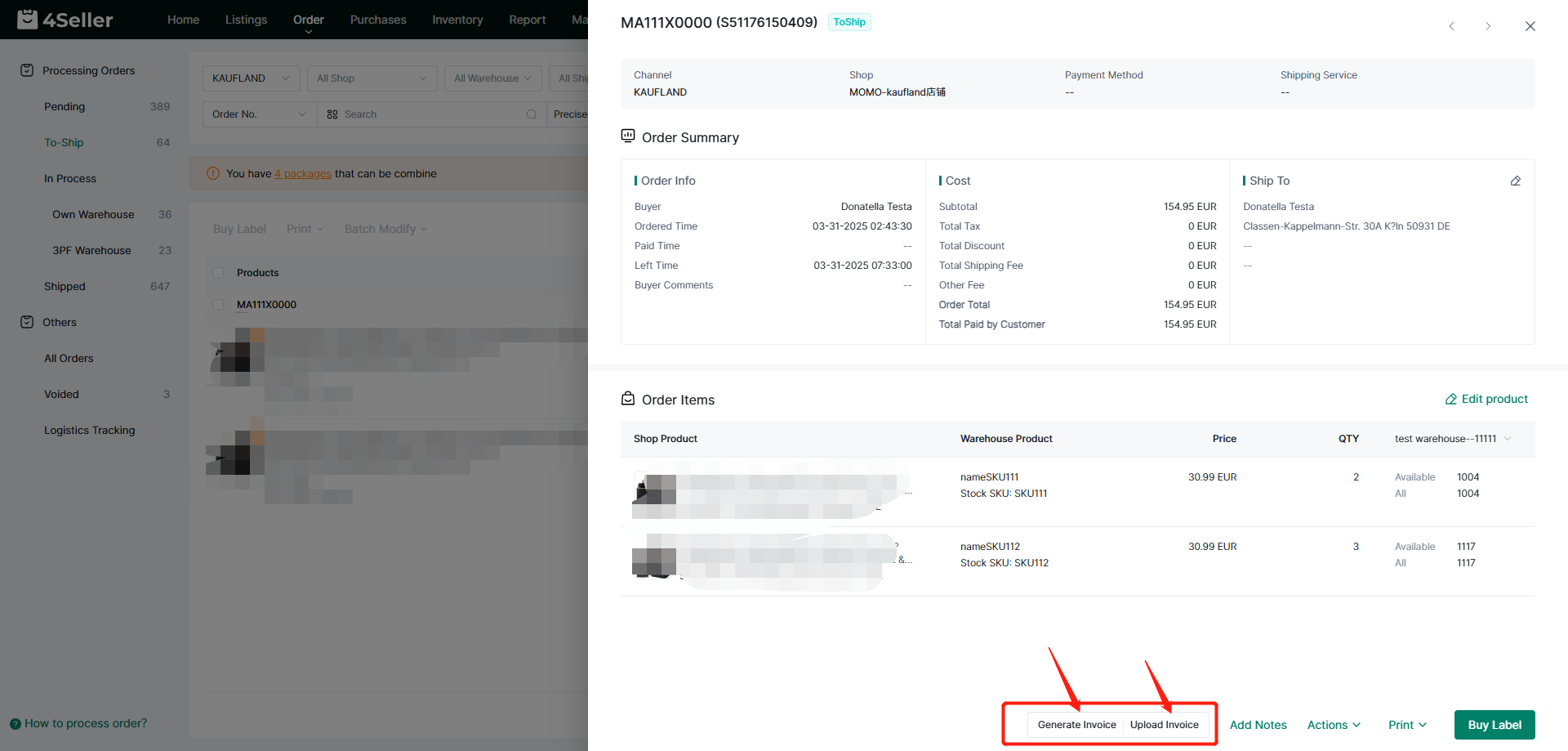
3. Shein, TikTok, OTTO, eBay, Amazon, TEMU only supports generate invoice, download and print it!
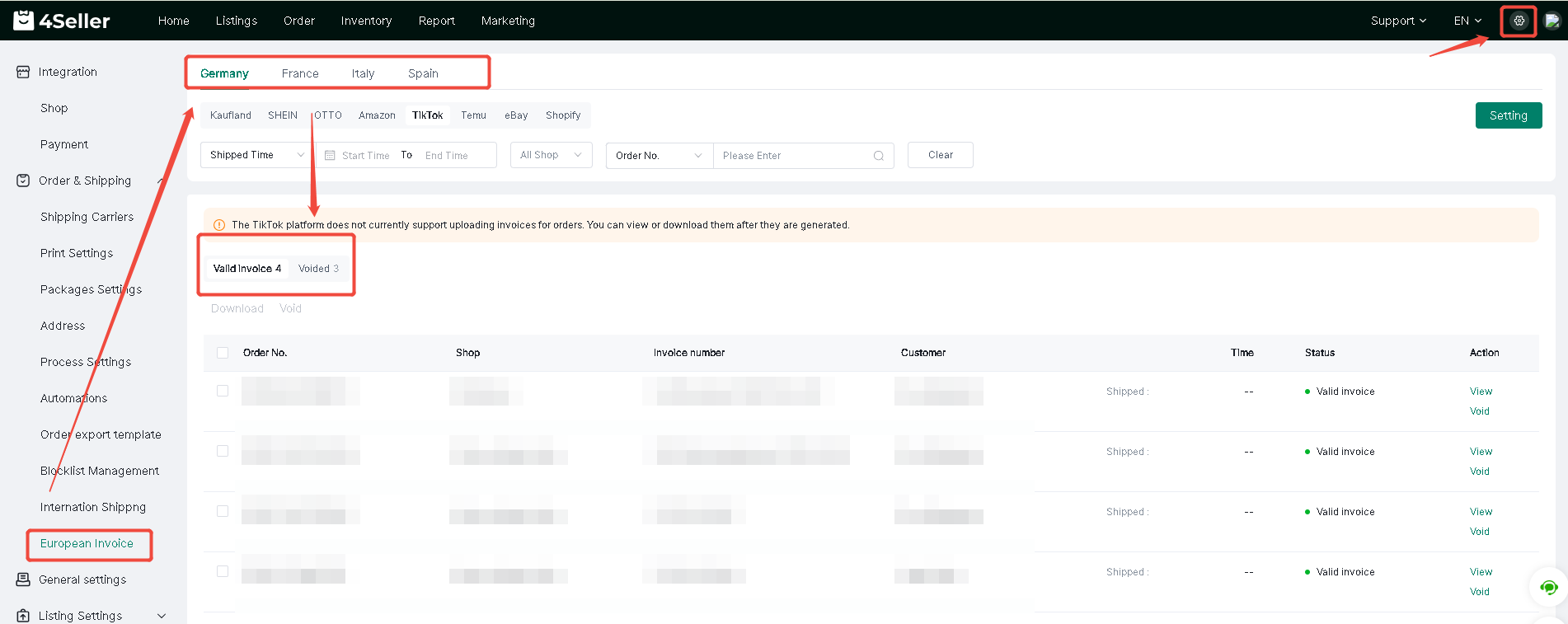
Step four: You can check the Invoice record in "Setting--European invoice"
Any problem pls contact 4Seller Support Team: support@4seller.com