- Get Started
- Video Tutorials
- Knowledge Base
- Channels
- Listings
- Inventory
- Orders
- Settings
- FAQs & Troubleshooting
How to Set Up Safety Stock?
Updated on 21 Mar,2024Copy Link
4Seller supports setting inventory alert thresholds for in-stock quantities of SKUs. When the in-stock quantity of an SKU reaches the alert threshold, an inventory alert will be triggered.

I. Individual Modification

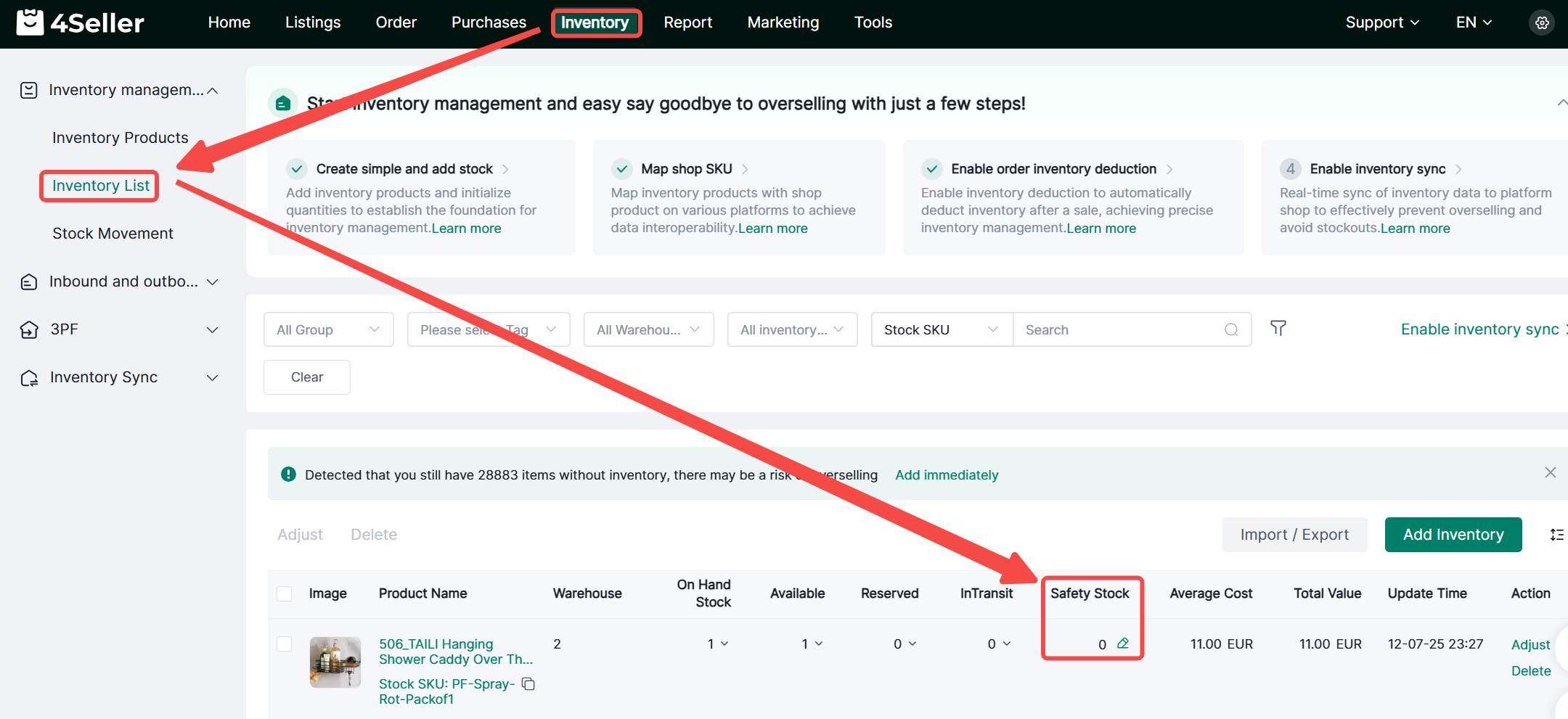
1. Navigate to Inventory > Inventory List > Safety Stock. Click the edit icon to modify the safety stock quantity.

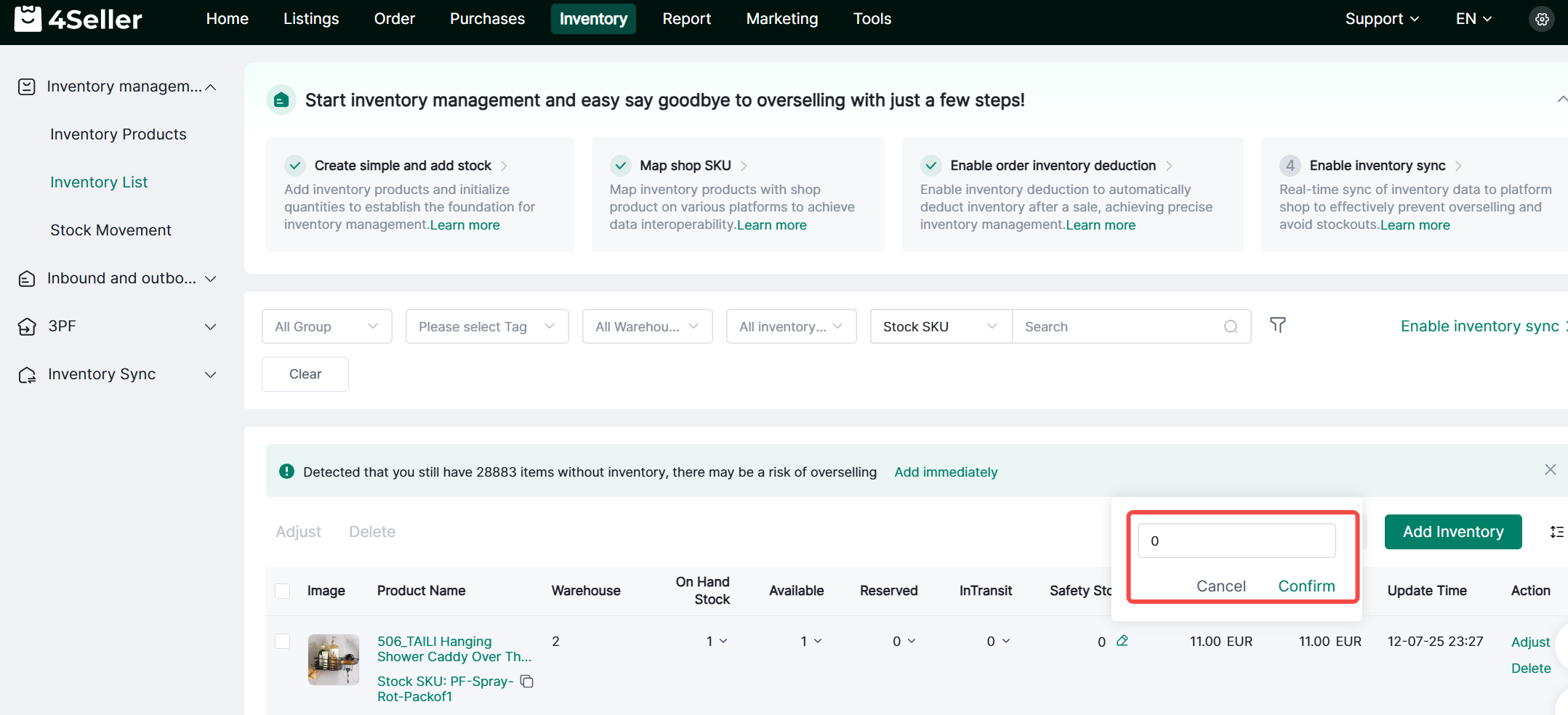
2. Enter the safety stock value and click Confirm to complete the alert threshold setup.


3. When the on-hand quantity reaches the warning threshold, the SKU will automatically appear on the inventory alert page. Click Adjust to add or update the on-hand quantity.

II. Bulk Import

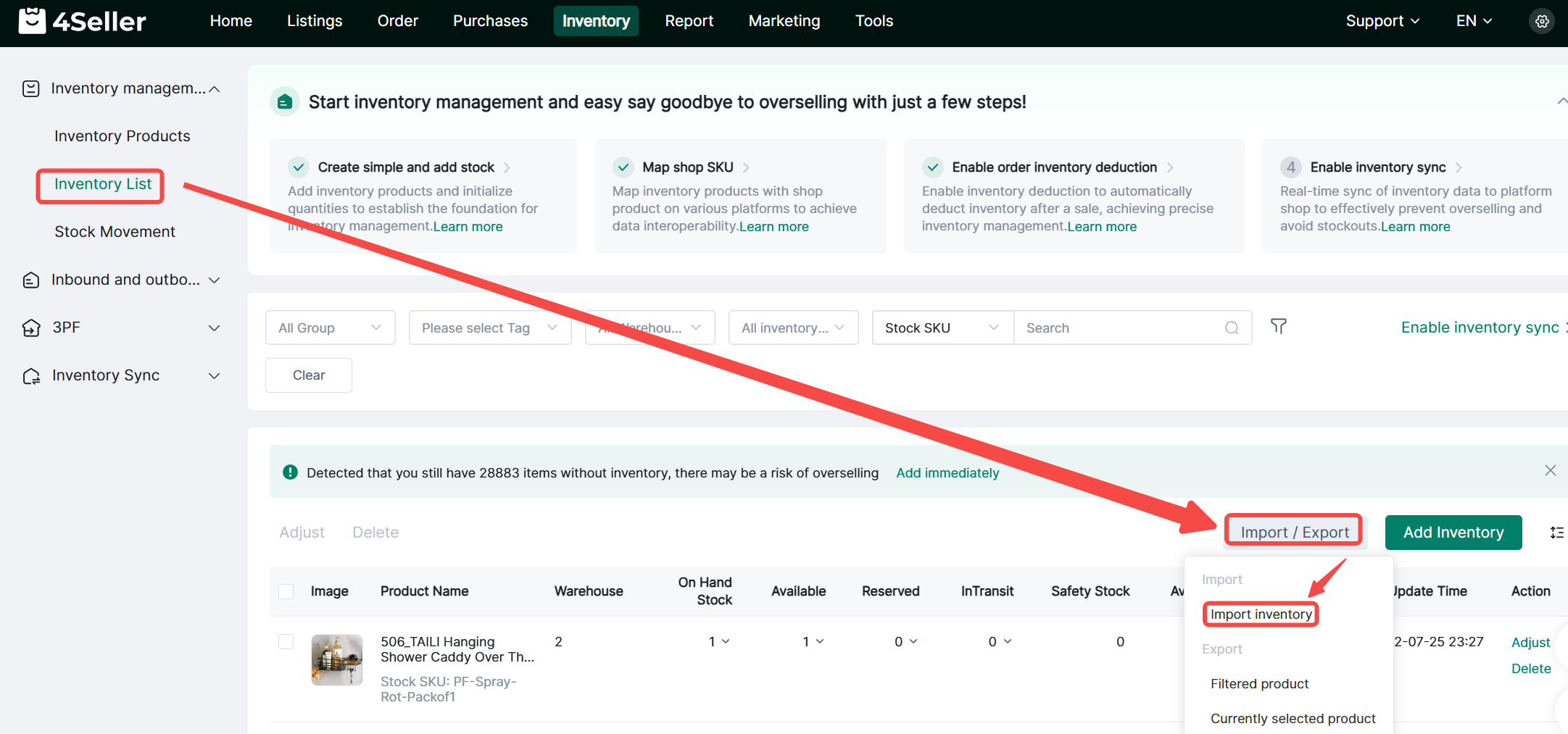
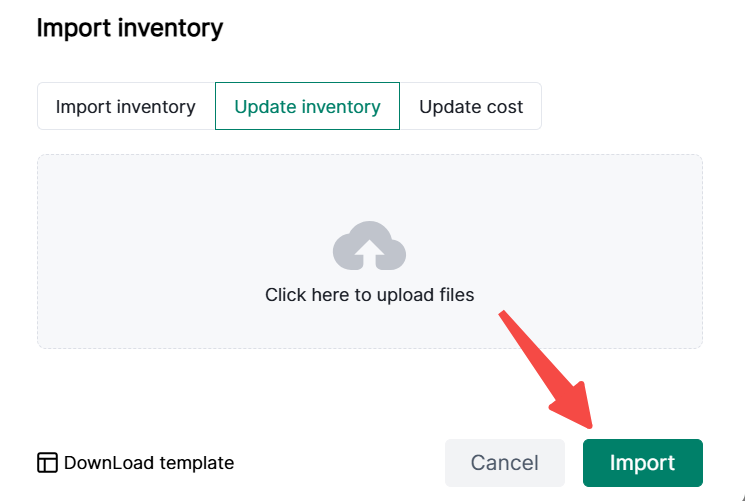
1. Navigate to Inventory > Inventory List > Import/Export > Import Inventory


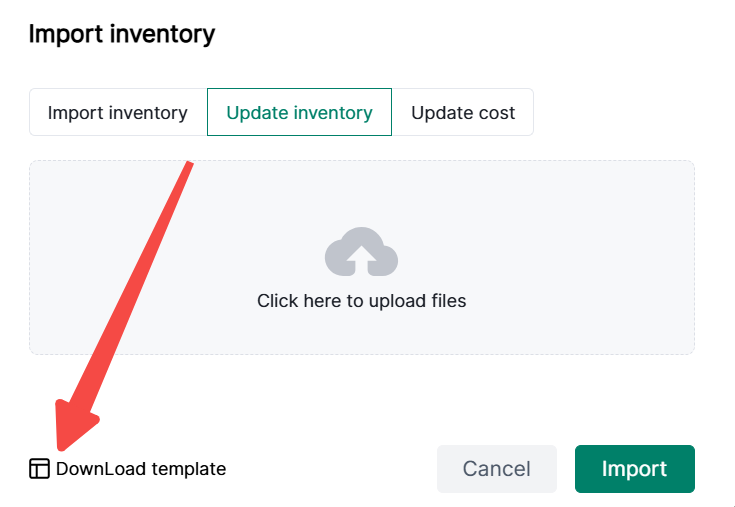
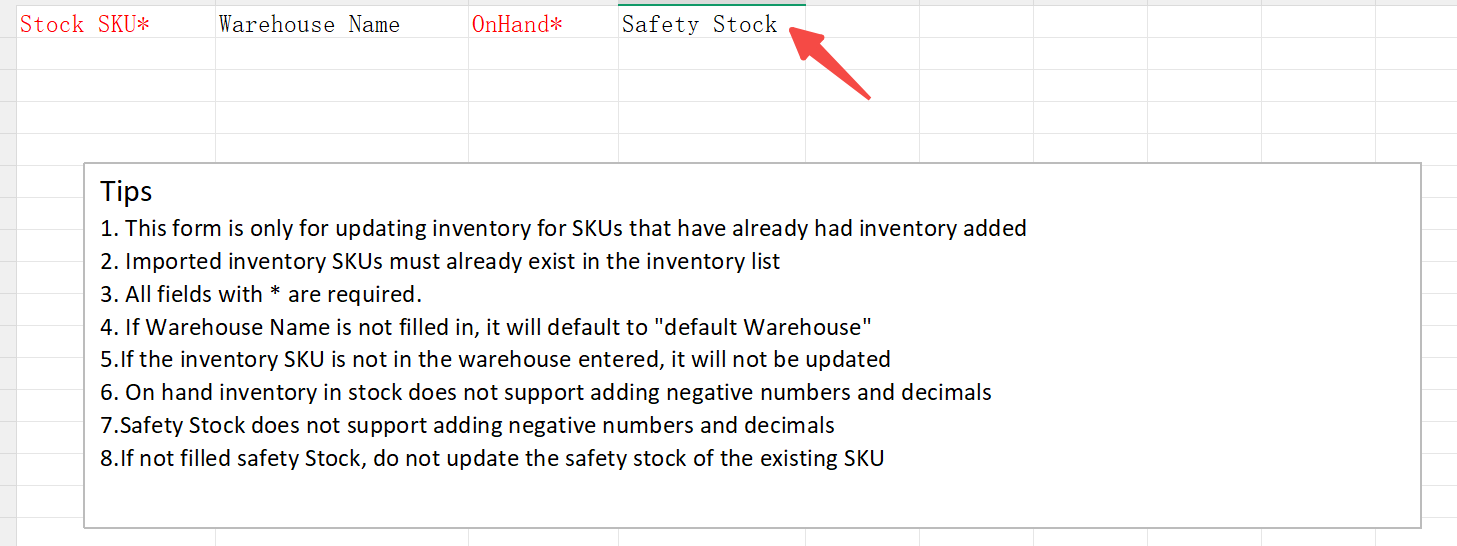
2. Select Import/Update Inventory > Download Template


3. Complete the template, upload the file, and import.



Back to top