- Get Started
- Video Tutorials
- Knowledge Base
- FAQs & Troubleshooting
How to Connect Deutsche Post to 4Seller?
Updated on 23 Jul,2025Copy Link
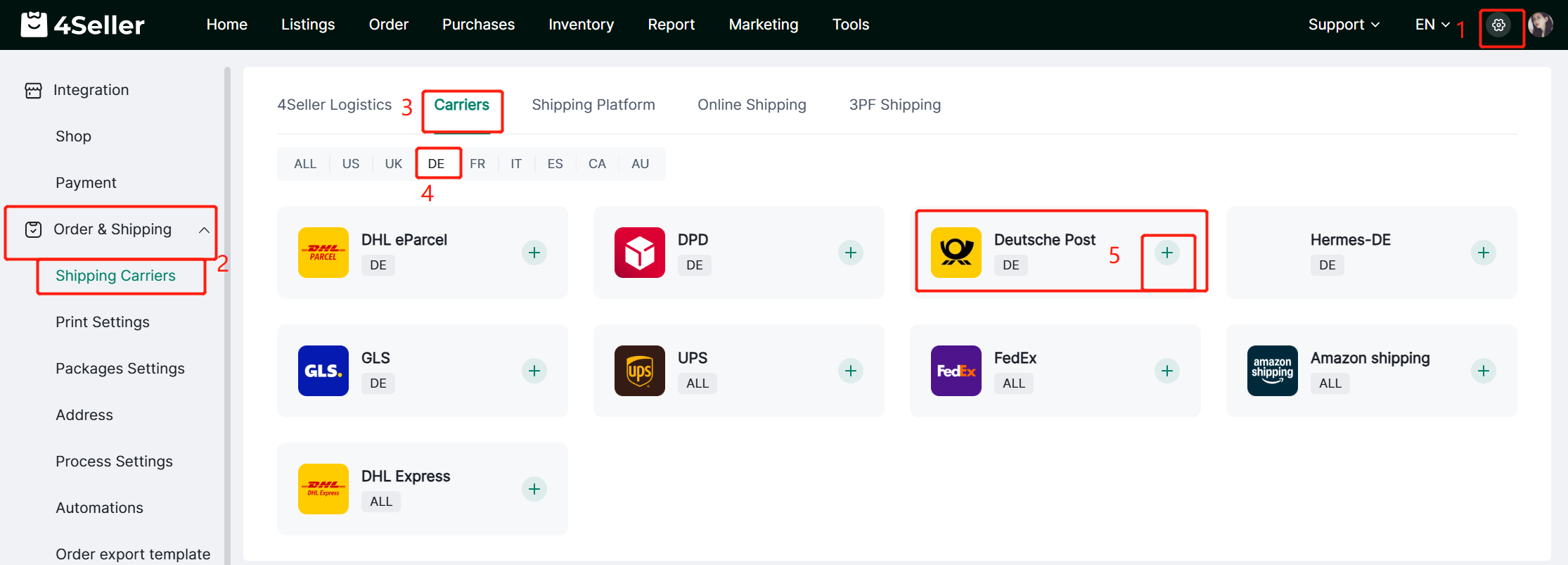
Step 1 :  Setting--Order & Shipping -- Shipping Carriers--DE--Deutsche Post


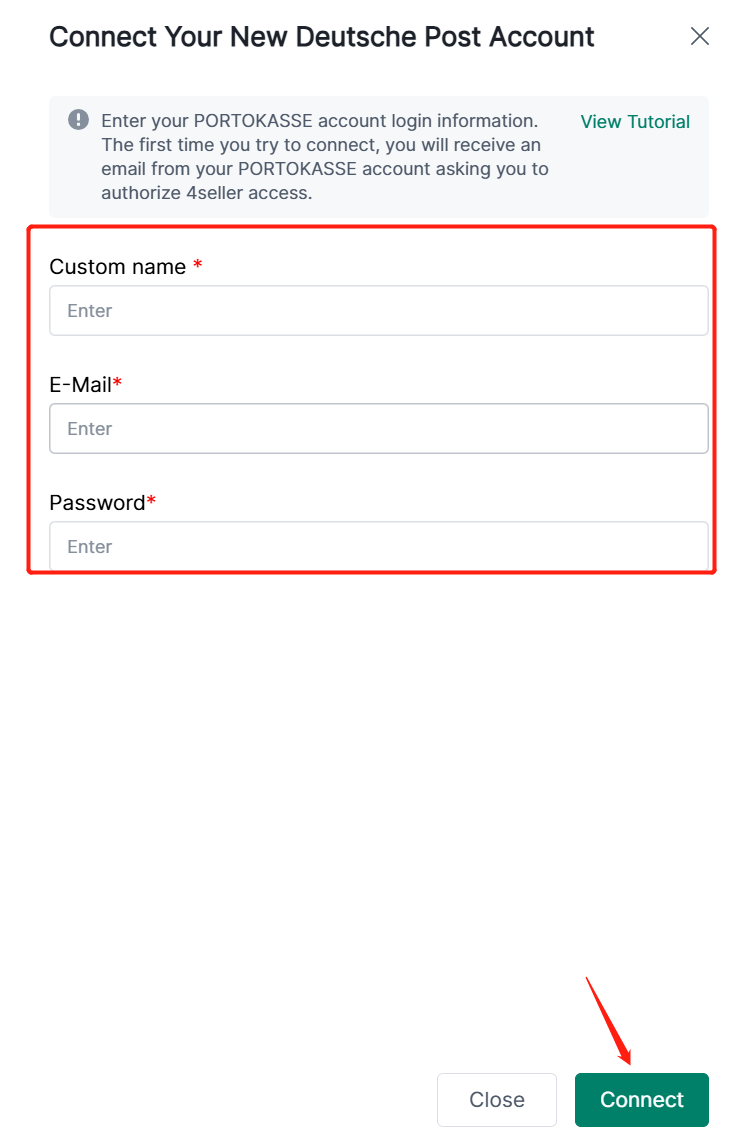
Step 2: Fill the relevant Info --Click Connect


When attempting to connect to Deutsche Post for the first time, you will receive an email from your PORTOKASSE account requesting authorization for 4Seller to access it.

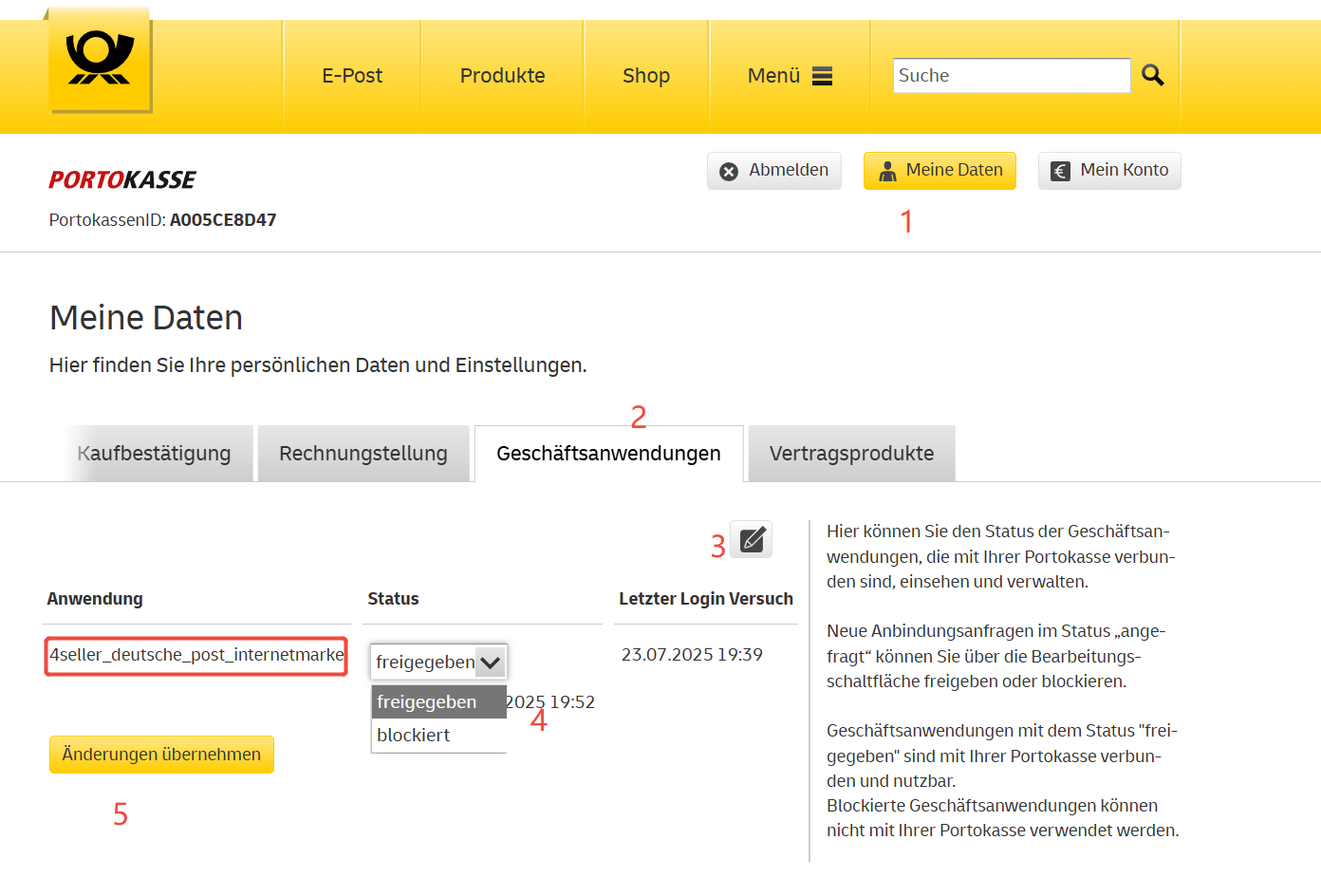
At this point, please log in to your PORTOKASSE backend:  https://portokasse.deutschepost.de/portokasse/#!/login/

Then, navigate to: "Meine Daten" → Under the tab "Geschäftsanwendung", authorize your new application by following the steps shown in the image below.


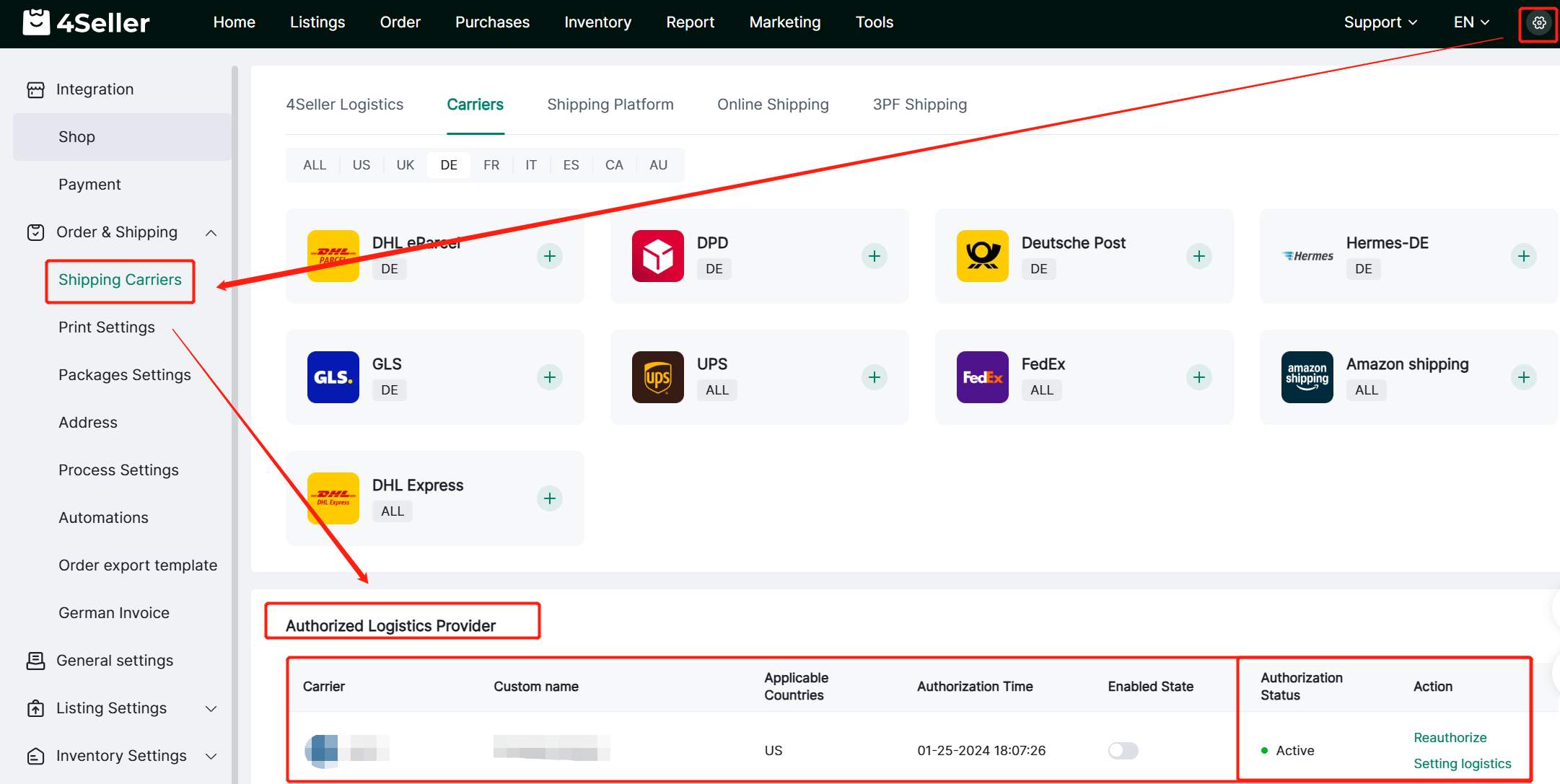
Step 3 : After Connect to 4Seller Successfully--Check in Shipping Carriers--Authorized Logistics Provider--Can Reauthorize & Setting logistcis


Any problem feel free to contact 4Seller Support Team: support@4seller.com


Back to top