- Get Started
- Video Tutorials
- Knowledge Base
- Channels
- Listings
- Inventory
- Orders
- Settings
- FAQs & Troubleshooting
How to Connect ShipHero to 4Seller?
Updated on 24 Dec,2025Copy Link
4Seller support to Connect LVK warehouse with ShipHero
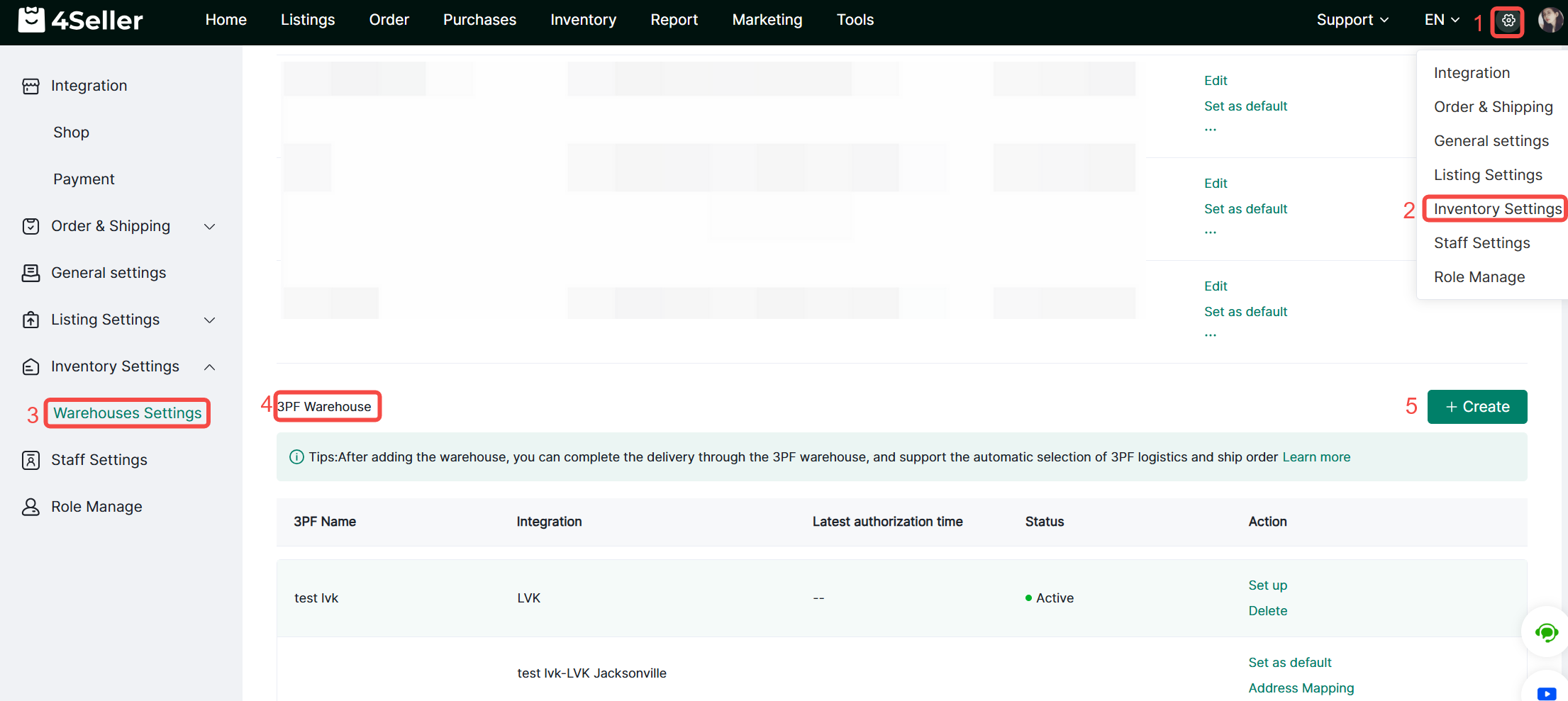
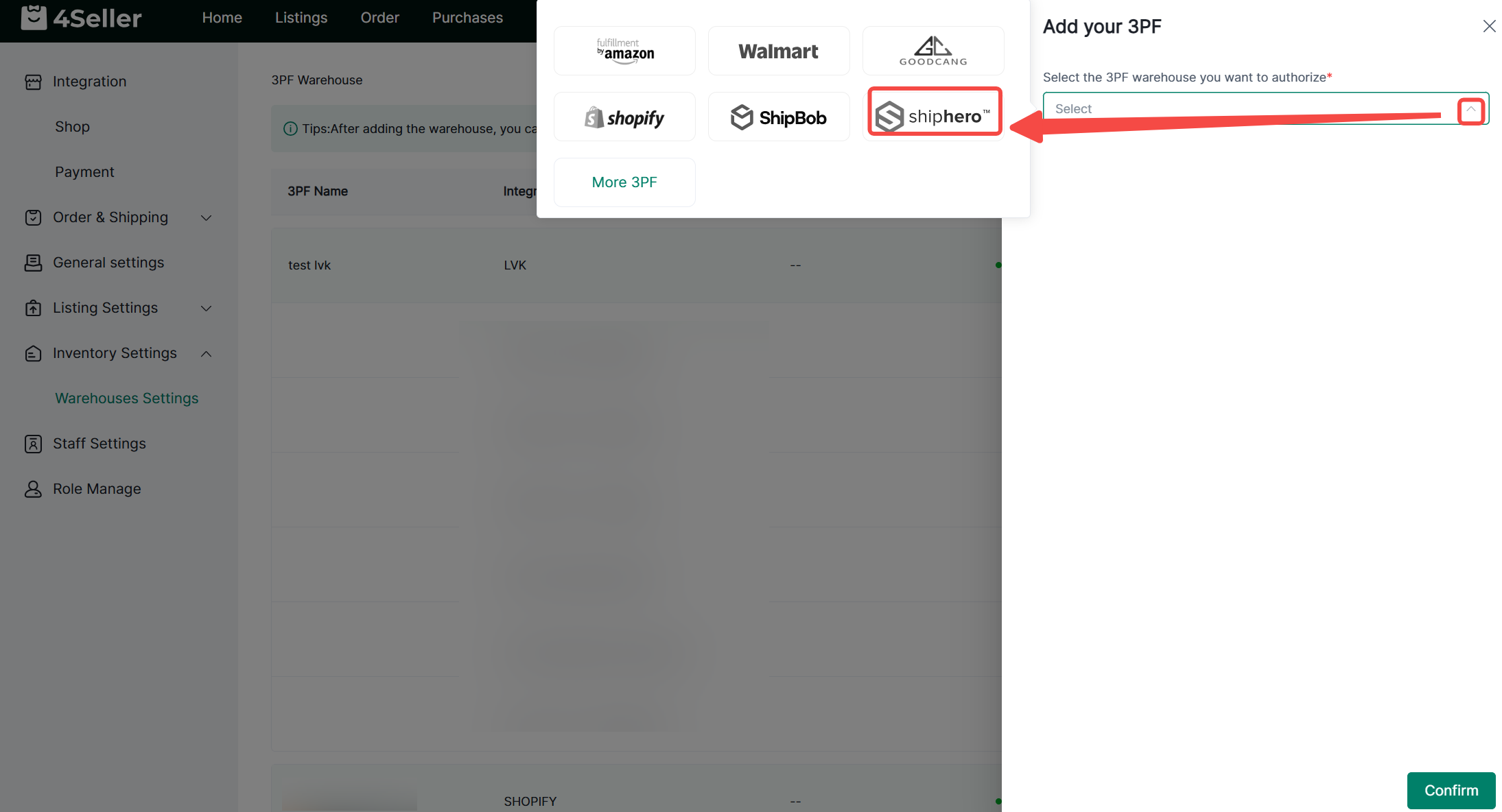
1. Click Settings > Inventory Settings > Warehouse Settings > 3PF Warehouse > Create.2. Select LVK from the dropdown menu.
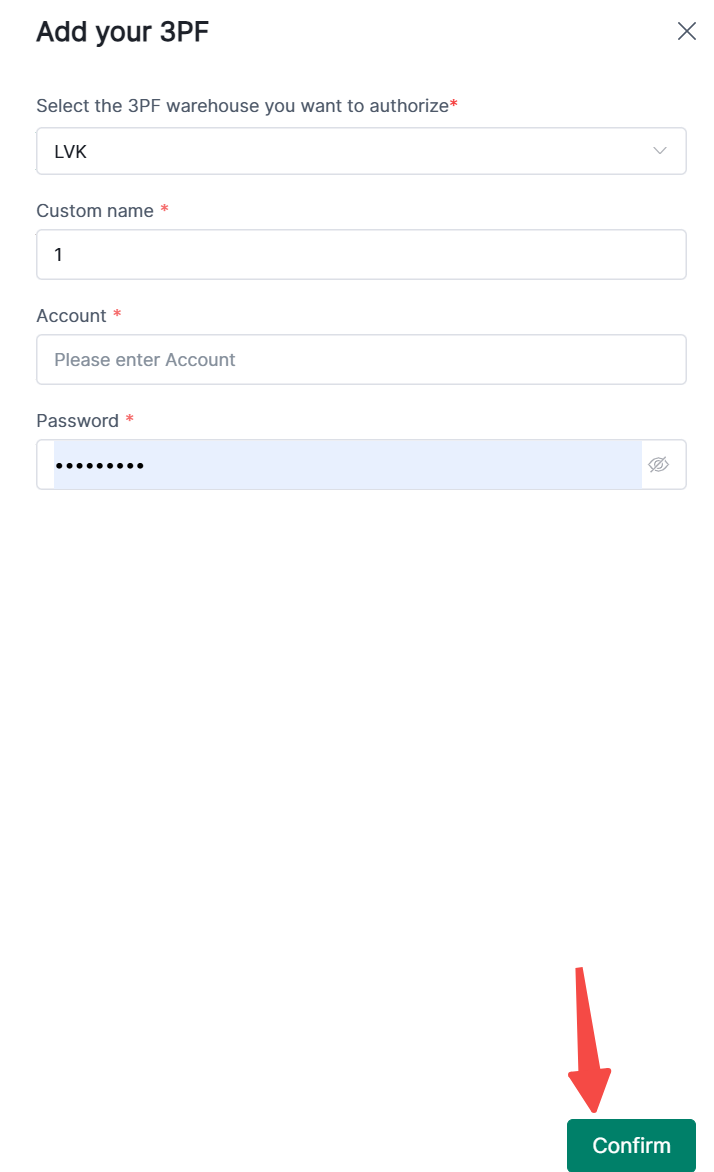
3. Enter a custom name, account, and password, then click Confirm to connect.
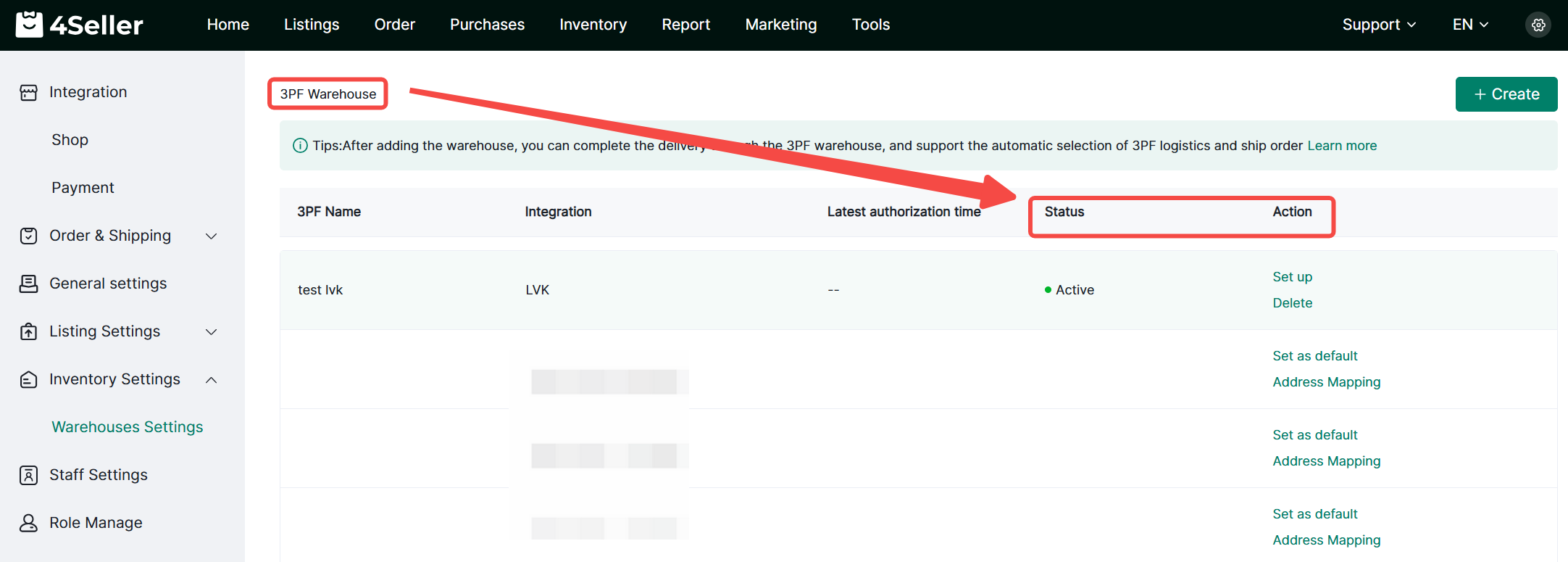
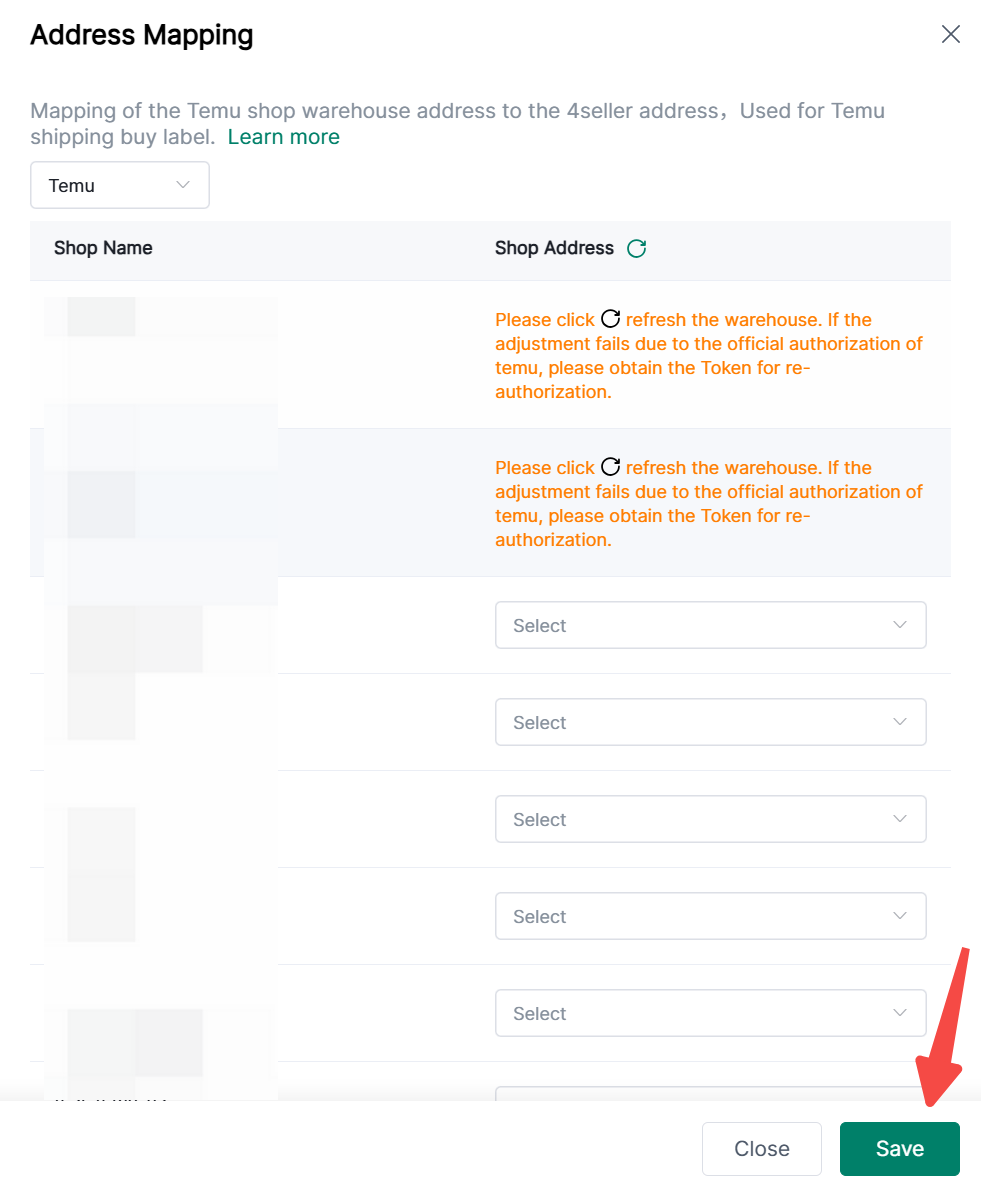
4. After successful authorization, you can view the status under 3PF Warehouse and perform actions such as settings, deletion, setting as default, and address pairing.
5. Address pairing links your Temu store warehouse address with your 4Seller address for purchasing shipping labels via Temu Shipping.
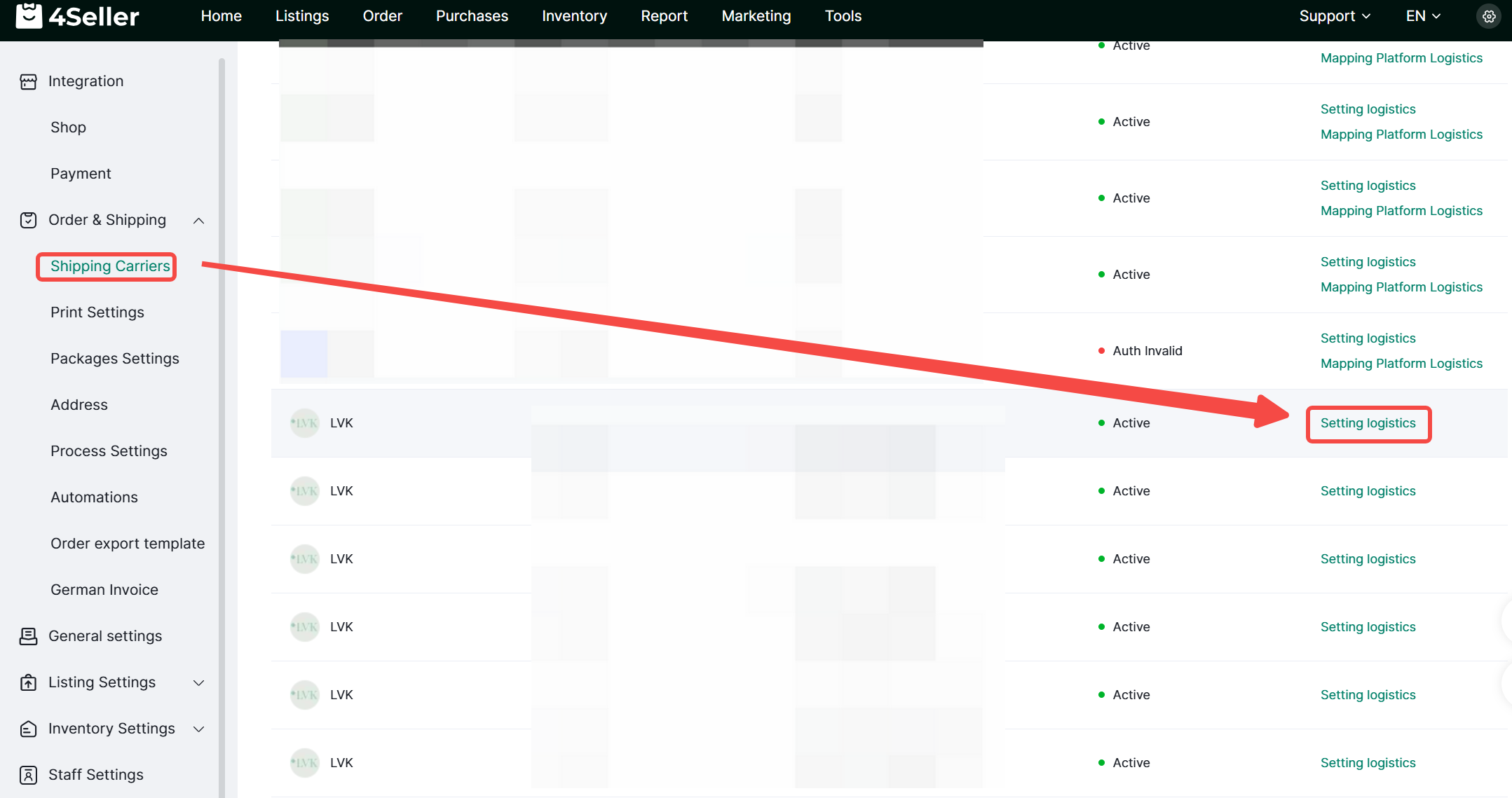
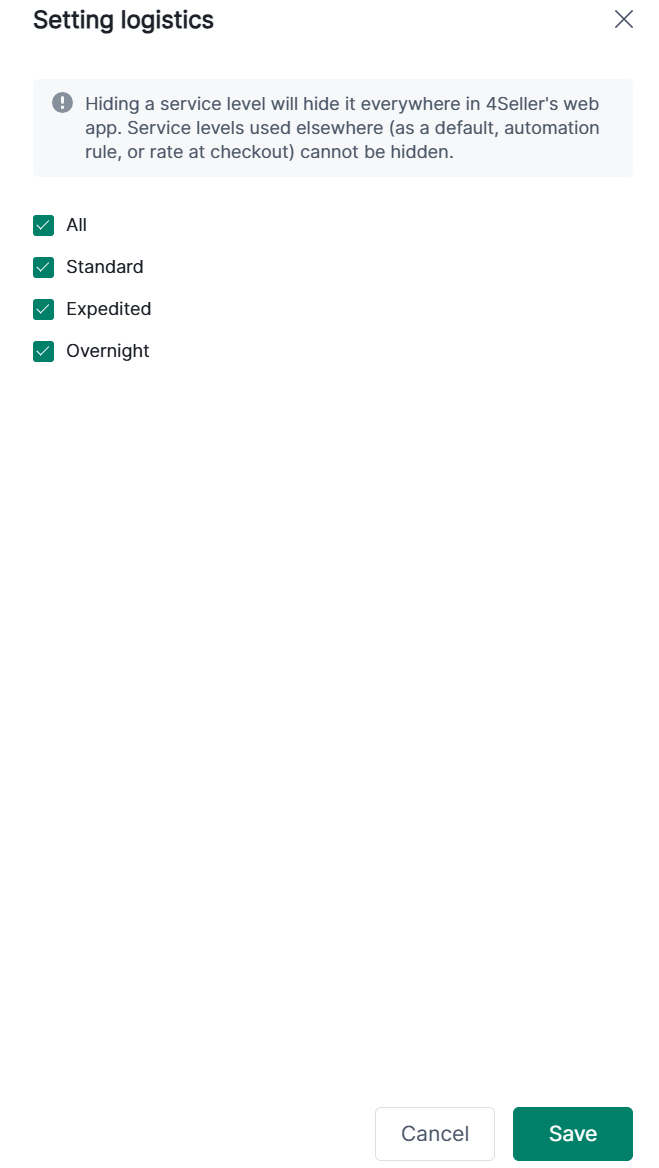
6. Set up logistics channels:
(1)Shipping Carriers -3PF Warehouse Logistics - Setting logistics;
(2) Check the logistics channels you wish to display, then click Save.


Back to top