- Get Started
- Video Tutorials
- Knowledge Base
- FAQs & Troubleshooting
How to Connect Walmart Stores in 4Seller within MCF Tools?
Updated on 09 Feb,2026Copy Link
On MCF Tools , you can enter the authorized Walmart store page through two Entrances:Entrance 1: On the guide page, if you are a new user, you can set up your Sales Channel in the MCF guide Wizard , and click the Walmart store icon to enter the store authorization page.
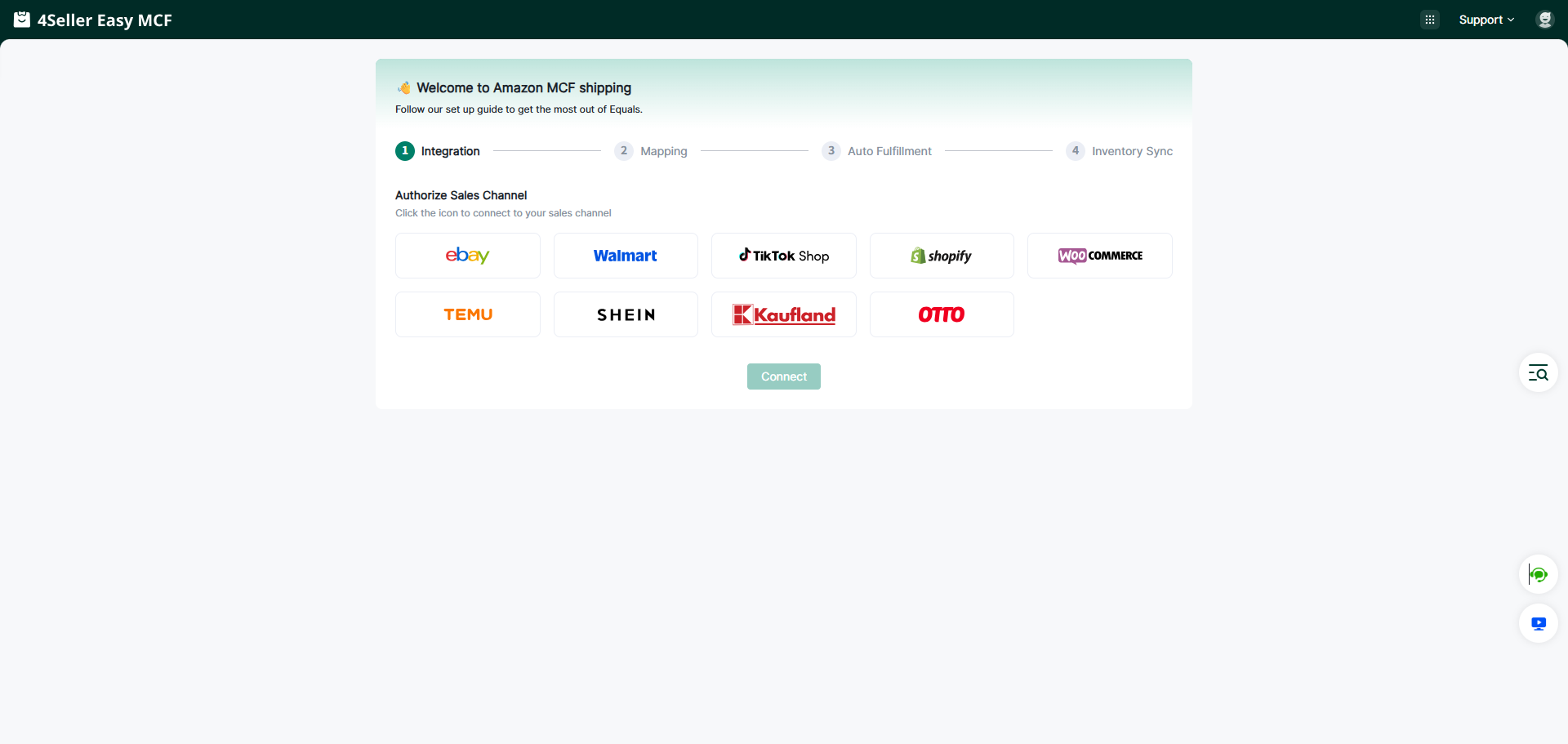
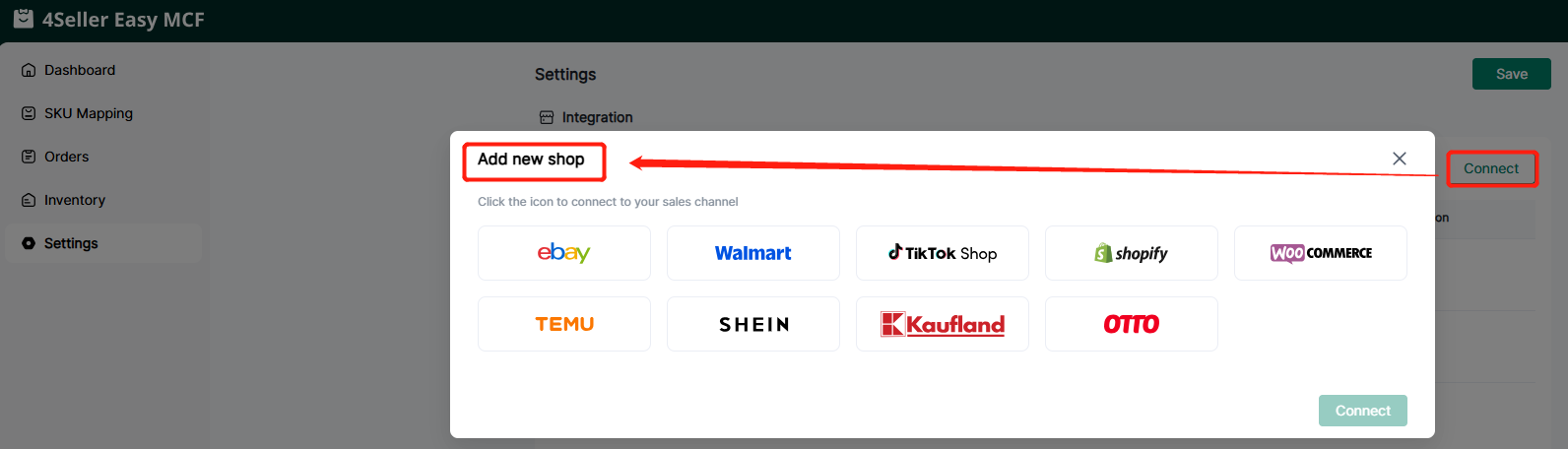
Entrance 2: On the Setting page, no matter whether you have authorized the store before, you can authorize the store here. Click Shop Manage in Settings, and then click the Walmart icon to enter the store authorization page.
Step 1: Click the Walmart store icon, and the page connecting the Walmart account will appear.
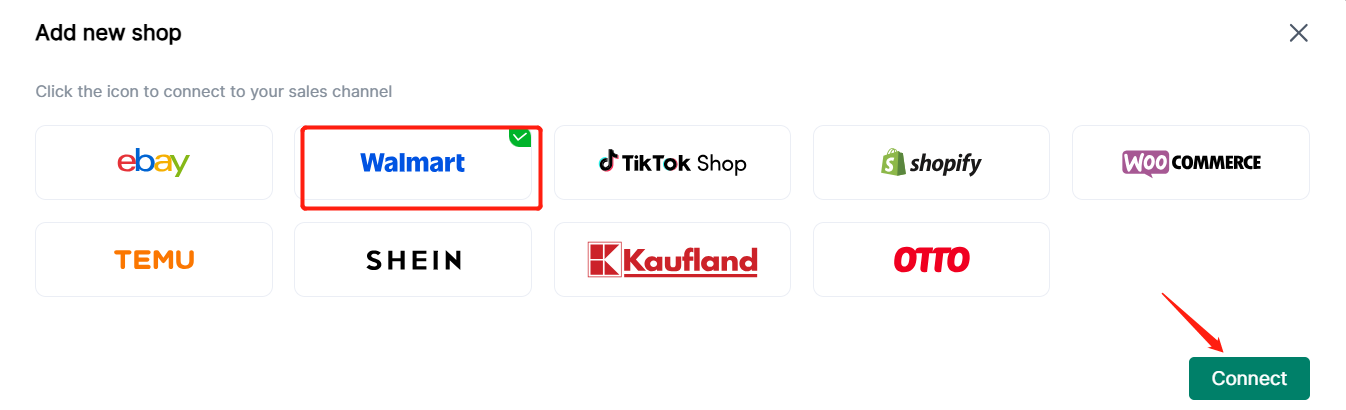
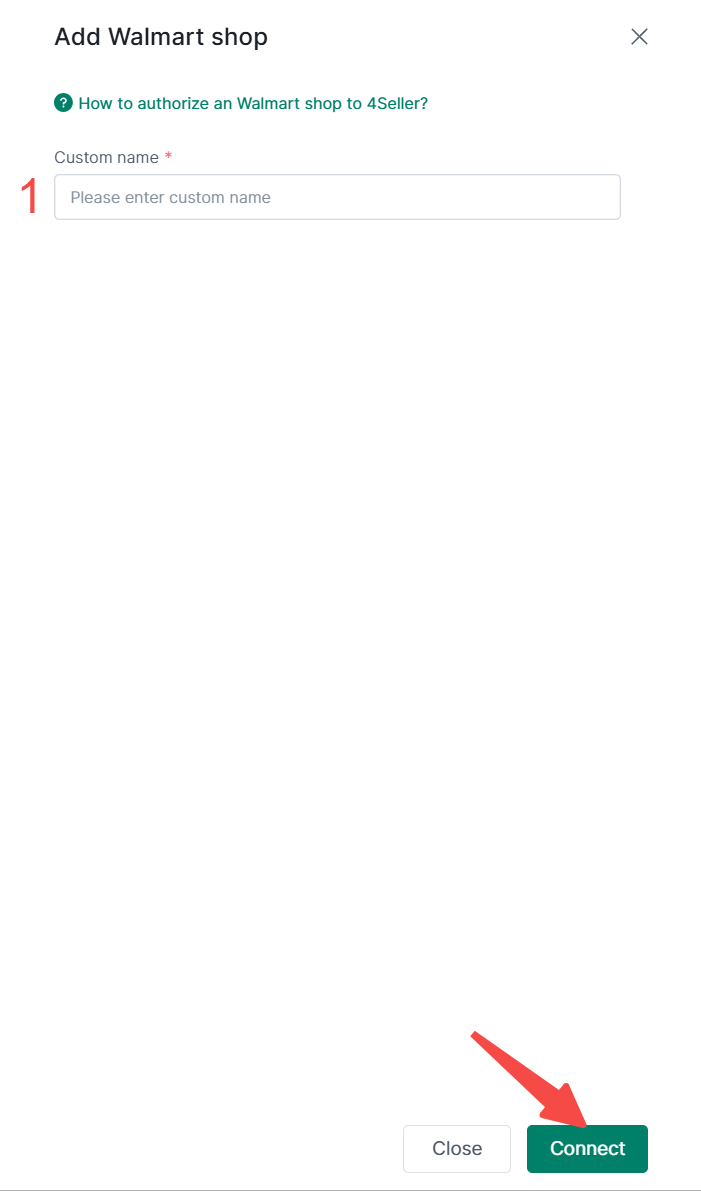
Step 2: Enter the custom shop name and click the Connect button.
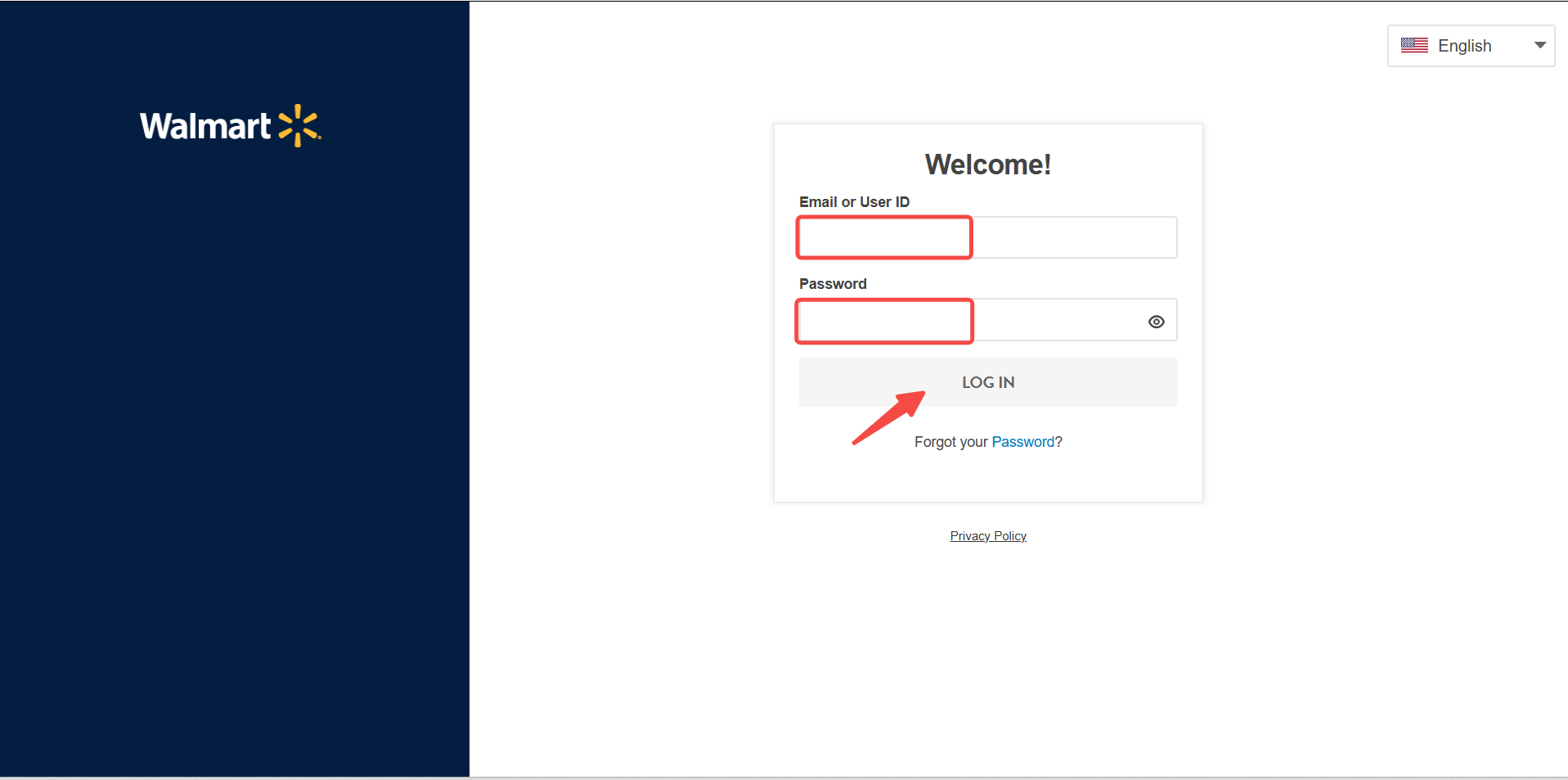
Step 3: Enter your Walmart account and Password and click LOG IN.
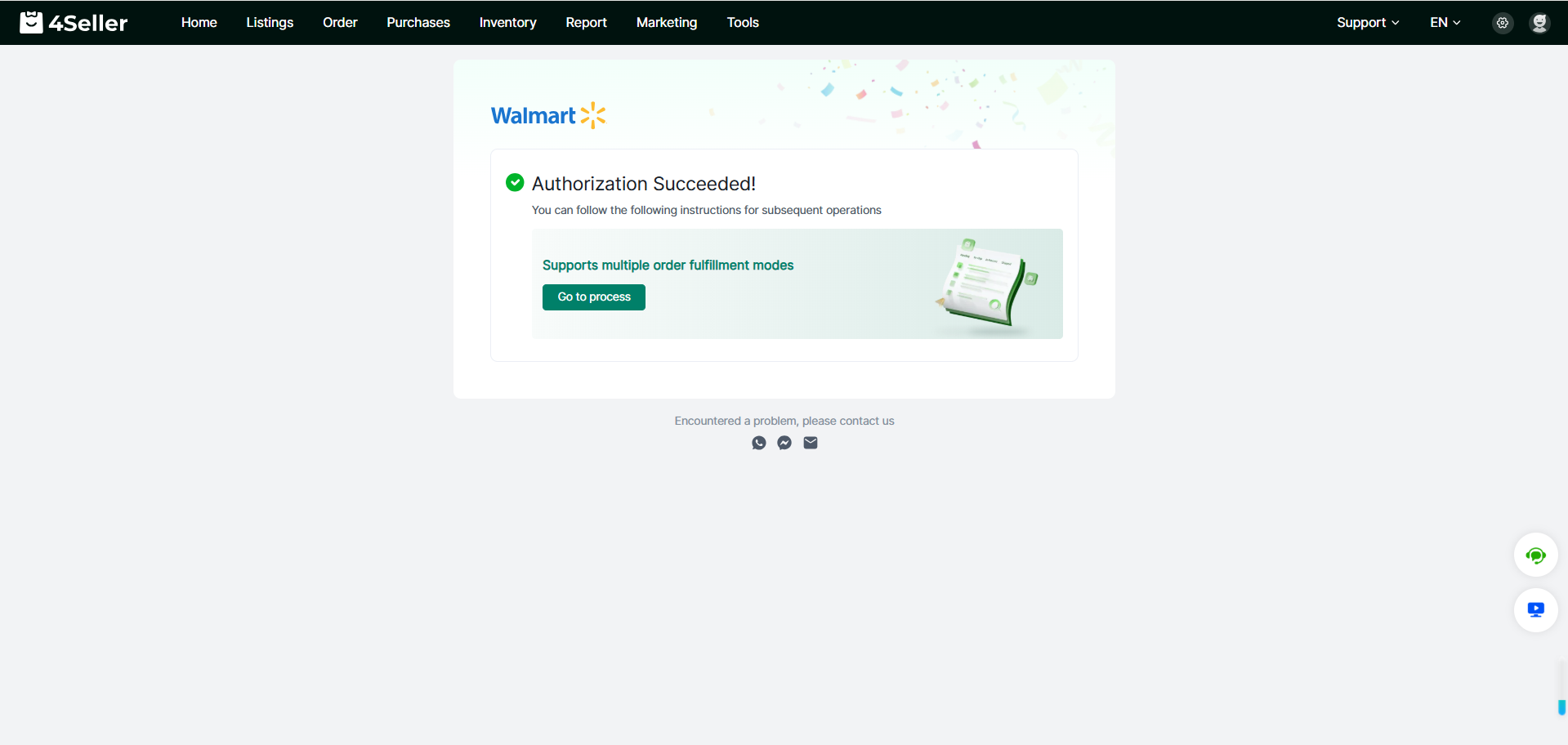
Step 4: This page popped up. This means that you have authorised successfully.
Step 5: After connect successfully, you can go to the setting page "Connect Shop" for checking status and edit.
Any Problem pls feel free to contact 4Seller: support@4seller.com



Back to top