- Get Started
- Video Tutorials
- Knowledge Base
- Channels
- Listings
- Inventory
- Orders
- Settings
- FAQs & Troubleshooting
How to Map Temu & Shein online shipping address?
Updated on 23 Jul,2024Copy Link
Due to the fact that Temu & Shein online shipping can only select shipping addresses created in the Temu & Shein seller dashboard, it is necessary to associate Temu & Shein addresses with 4Seller addresses.
The mapping steps are as follows
Step 1
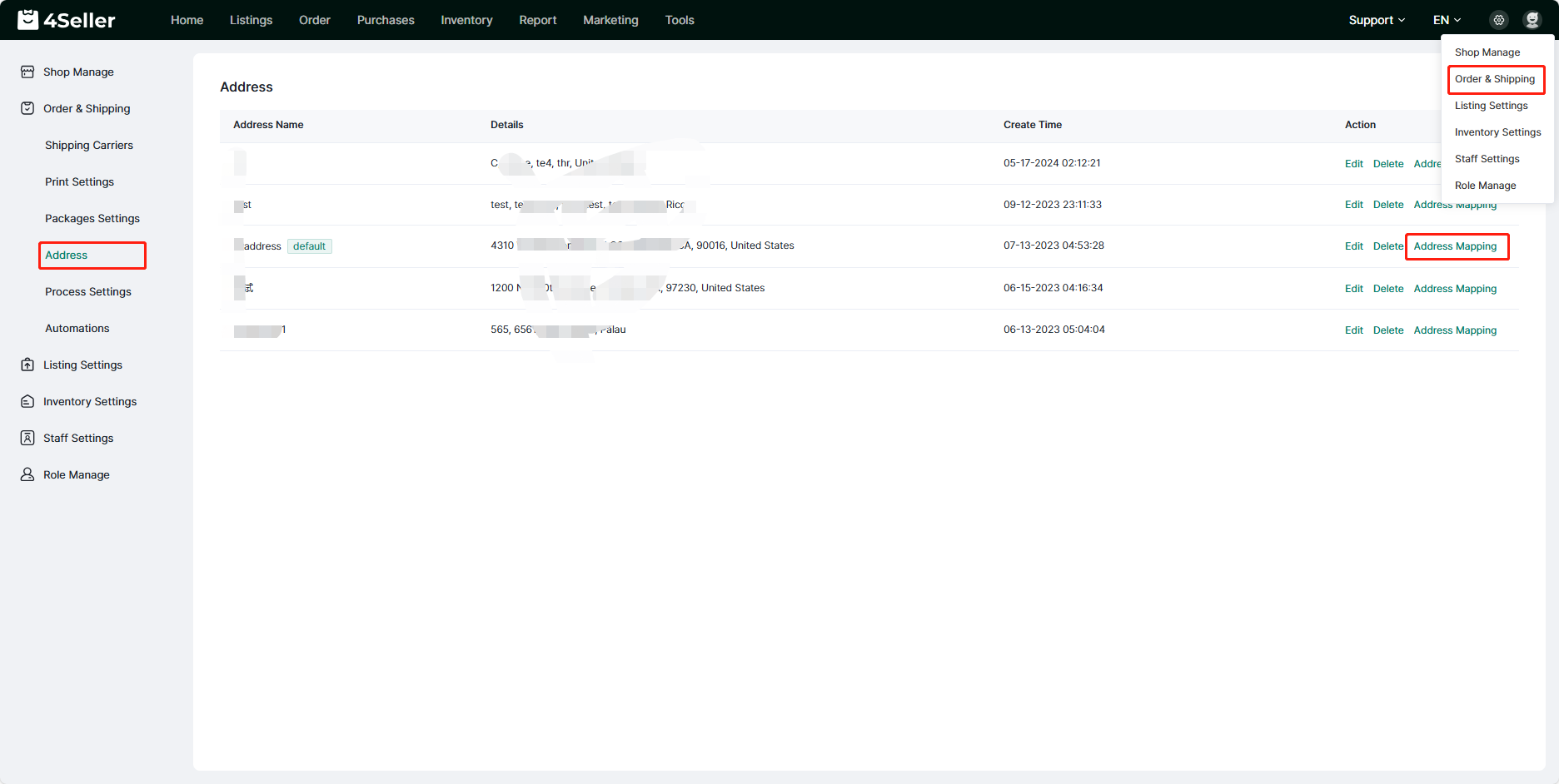
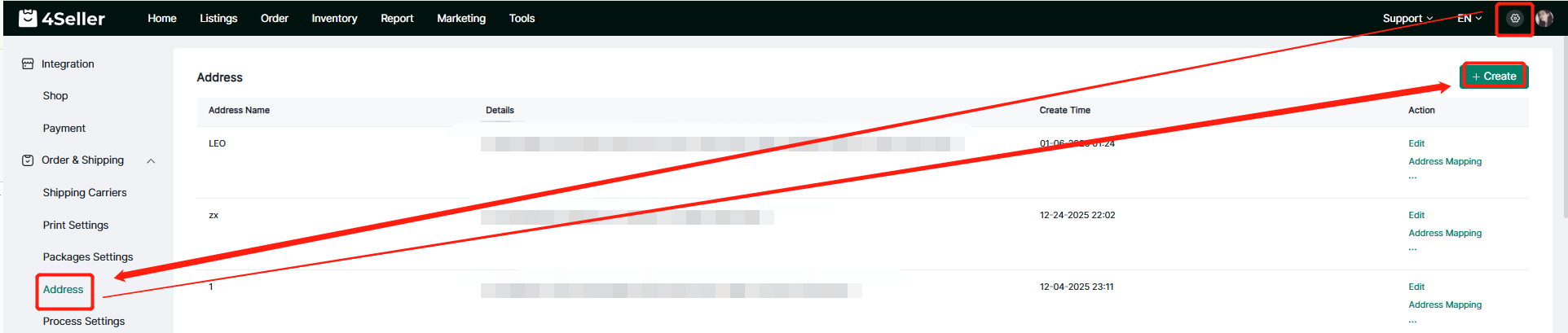
Log in to 4Seller, click on Setting - Orders & Shipping - Address, enter the address setting page, if no have address, you can set up,click" Create"
then click on Address Mapping.
Step 2
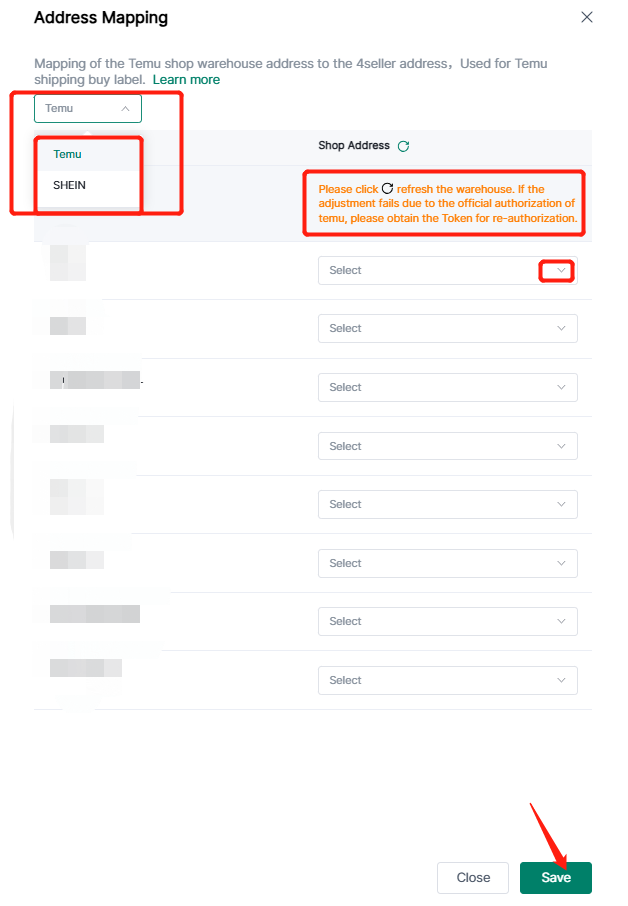
After clicking on Address mapping, an address mapping pop-up page will appear. You can click the Refresh button to update the store address on the Temu & Shein platform, select the corresponding address from the drop-down menu, and click Save to map successfully.


Back to top