- Get Started
- Video Tutorials
- Knowledge Base
- FAQs & Troubleshooting
How to Use Profit Features in 4Seller?
Updated on 03 Sep,2026Copy Link
In order to help sellers the order profit, 4Seller supports the order profit accounting function.1. Authorize relevant platform stores to 4Seller.
Note: Currently, only Amazon, TikTok, eBay, OTTO, SHEIN, and Walmart platform profits are supported.2. Report - Profit Report - Filter the corresponding conditions to display data
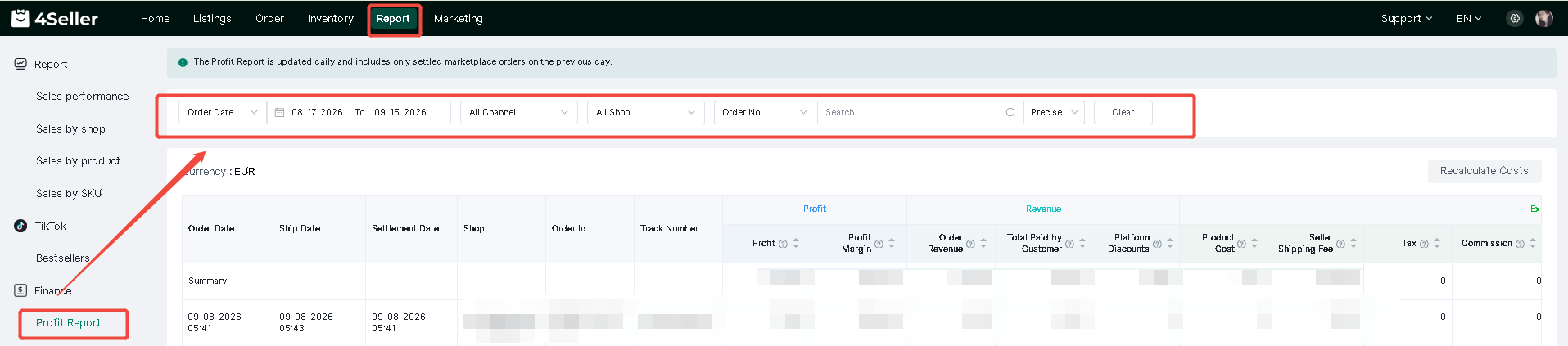
Note: The Profit Report is updated daily and includes only settled marketplace orders on the previous day.
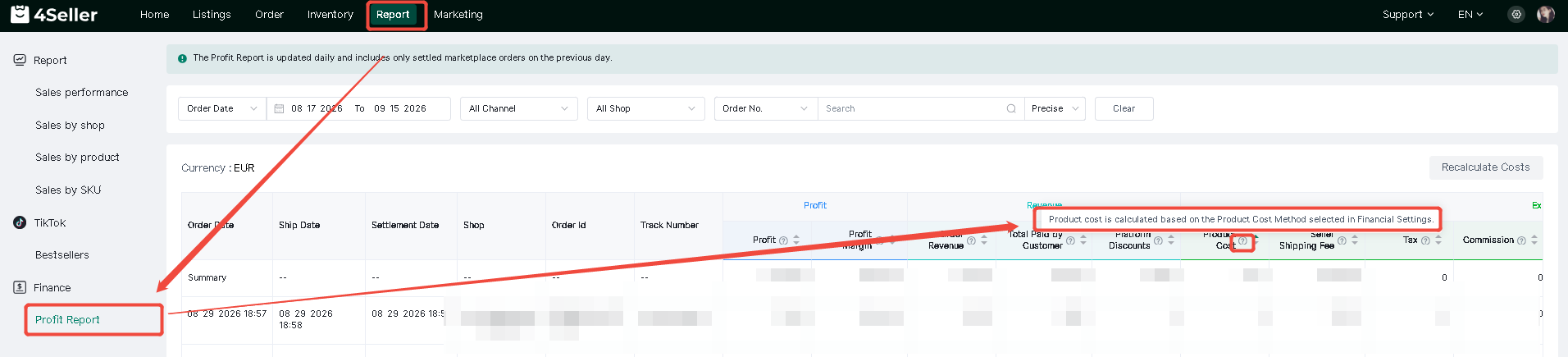
3. Click the "?" to see the specific values and calculation methods.
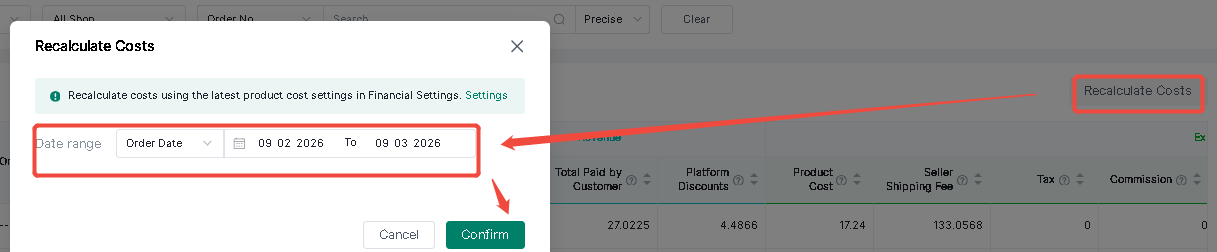
4. Recalculate Cost
If you need to change the cost value and perform cost recalculation, you can set the cost.
Setting--General Settings--Financial Settings--Select the Product Cost Method
Note:
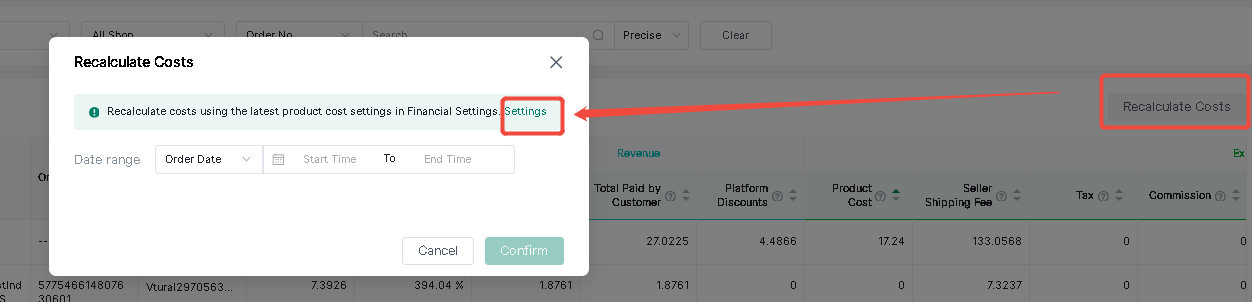
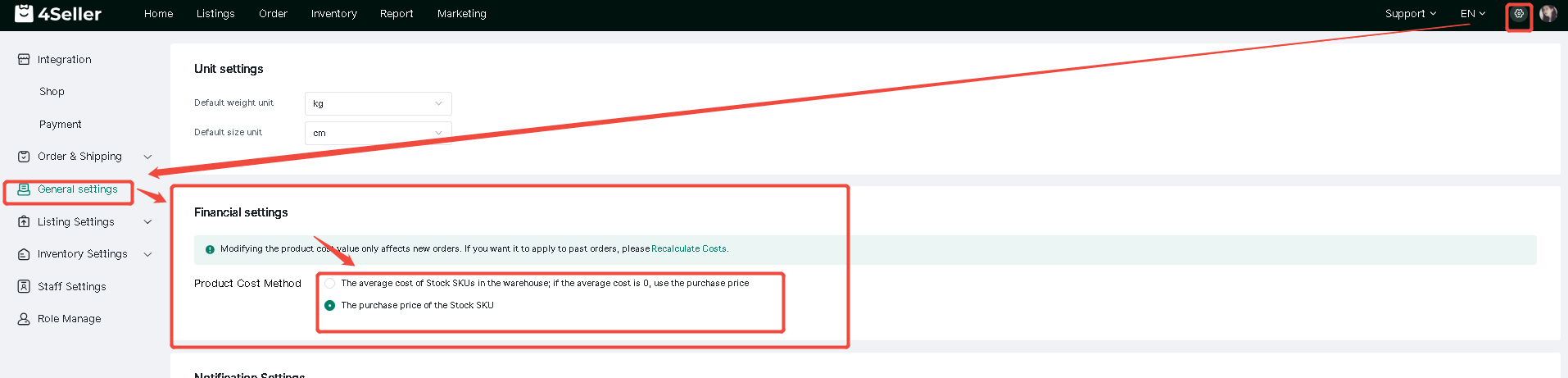
- The modification will only take effect for new orders. If you want to apply it to old orders, you need to click Cost Recalculation and select the corresponding date order--Confirm.
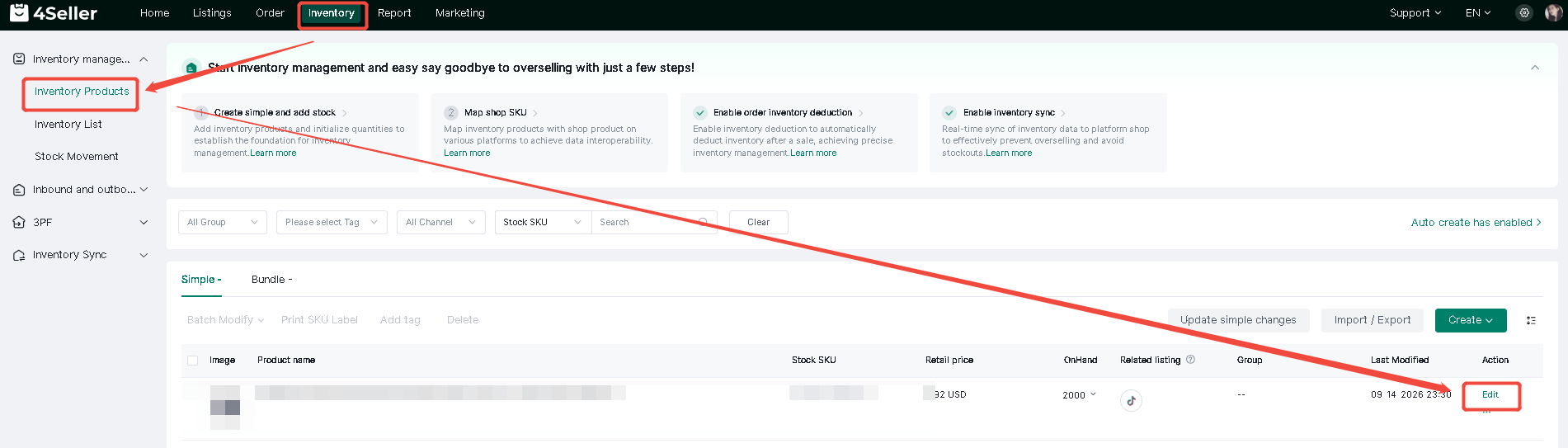
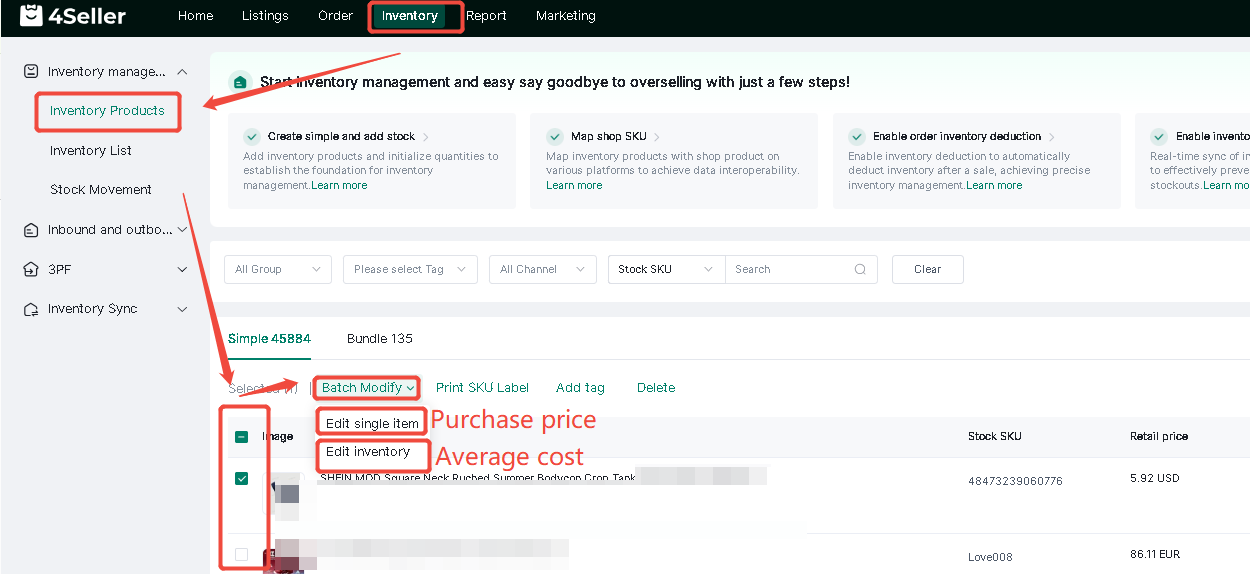
- The entry points for setting the average cost and purchase price are as follows
Single operation
Batch operation
Any problem just feel free to contact 4Seller support team: support@4seller.com


Back to top