- Get Started
- Video Tutorials
- Knowledge Base
- FAQs & Troubleshooting
How to Connect ECOSCOOTING to 4Seller?
Updated on 22 Oct,2026Copy Link
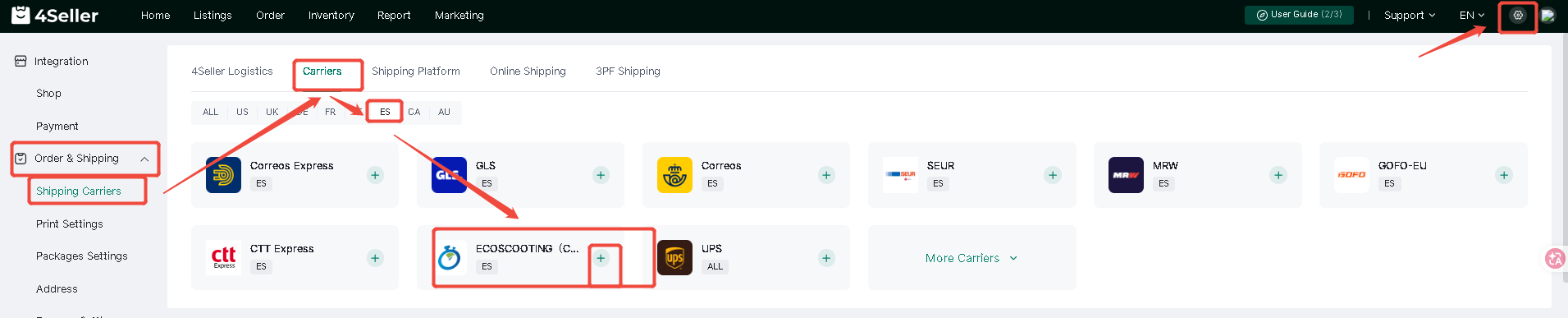
Step 1: Setting--Order & Shipping--Shipping Carriers--ES--ECOSCOOTING


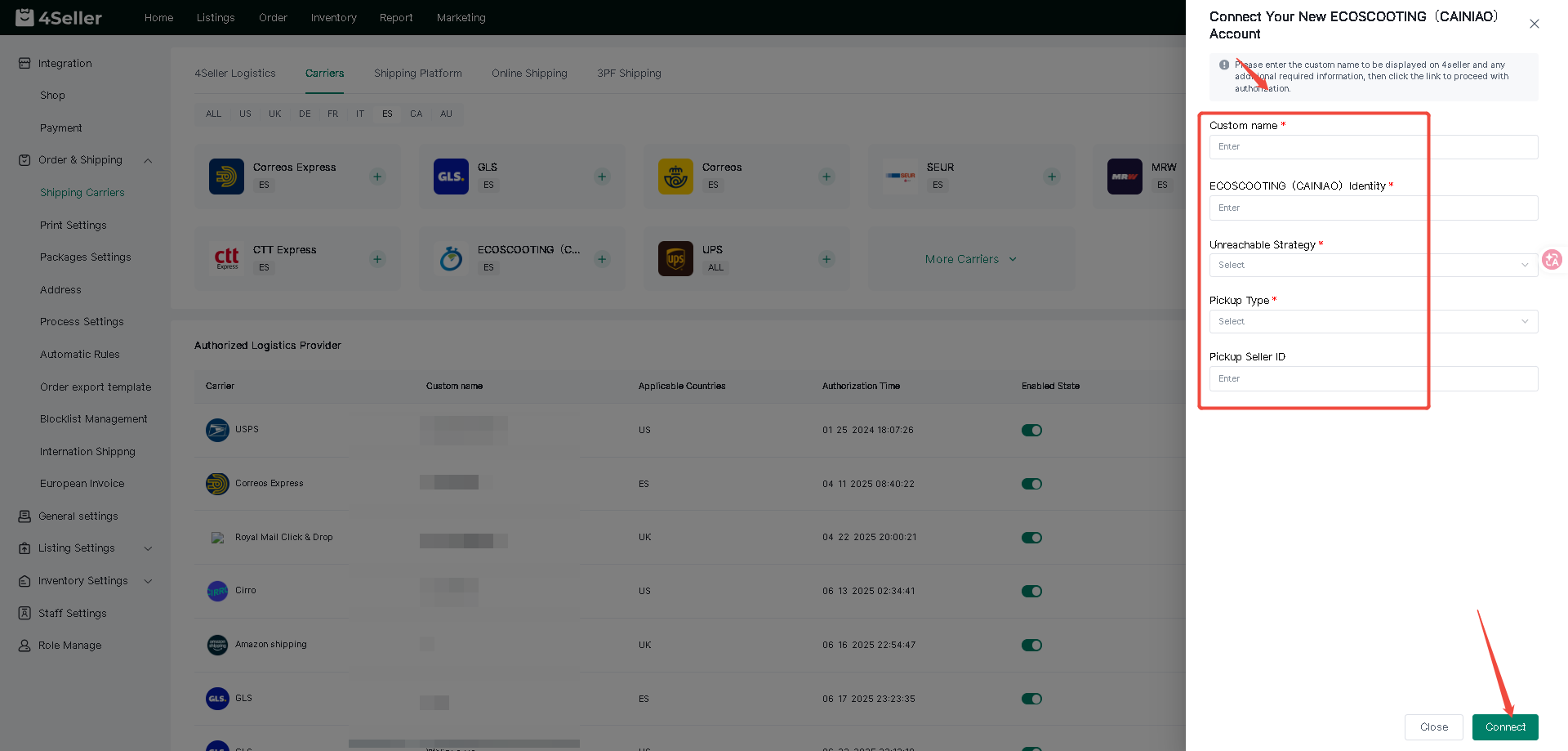
Step 2: Fill the information --Click"Connect"


Cainiao Identity: Must be obtained from your Cainiao account manager after completing the onboarding and contract-signing process.

Unreachable Strategy: Choose between "doorDeliveryReturn" or "selfPickReturn" based on your specific requirements.

Pickup Type: Choose between "Door pickup" or "Self-send" based on your specific requirements.

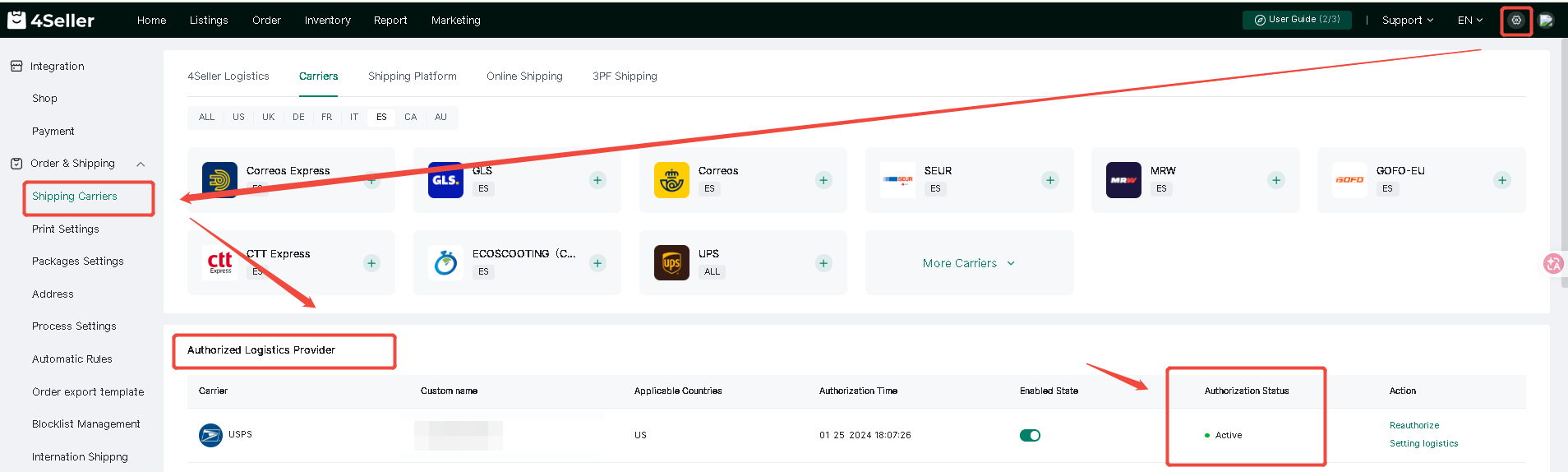
Step 3. Once authorization is successful, you can view the authorization status under "Authorized Logistics Providers."


Any problem just feel free to contact 4Seller support team: support@4seller.com


Back to top