- Get Started
- Video Tutorials
- Knowledge Base
- Channels
- Listings
- Inventory
- Orders
- Settings
- FAQs & Troubleshooting
How to Create and Publish Product to Temu within 4Seller?
Updated on 14 Oct,2024Copy Link
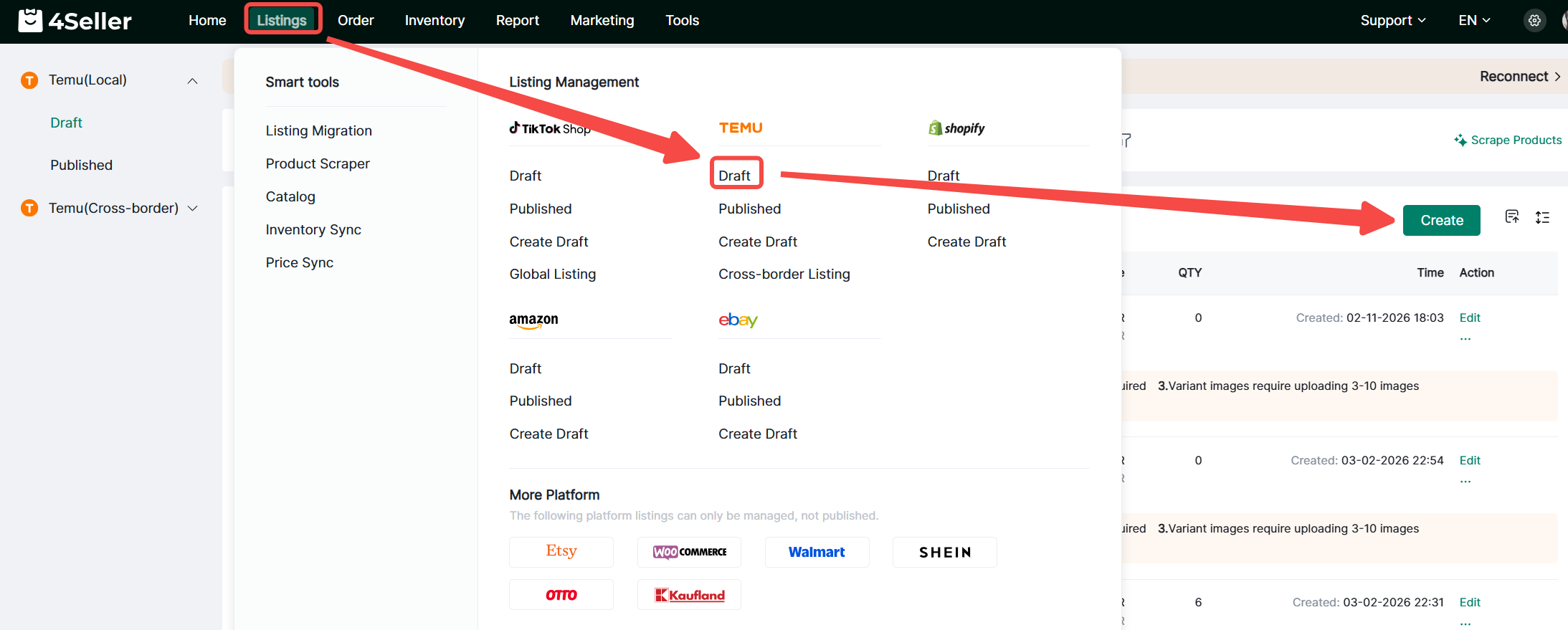
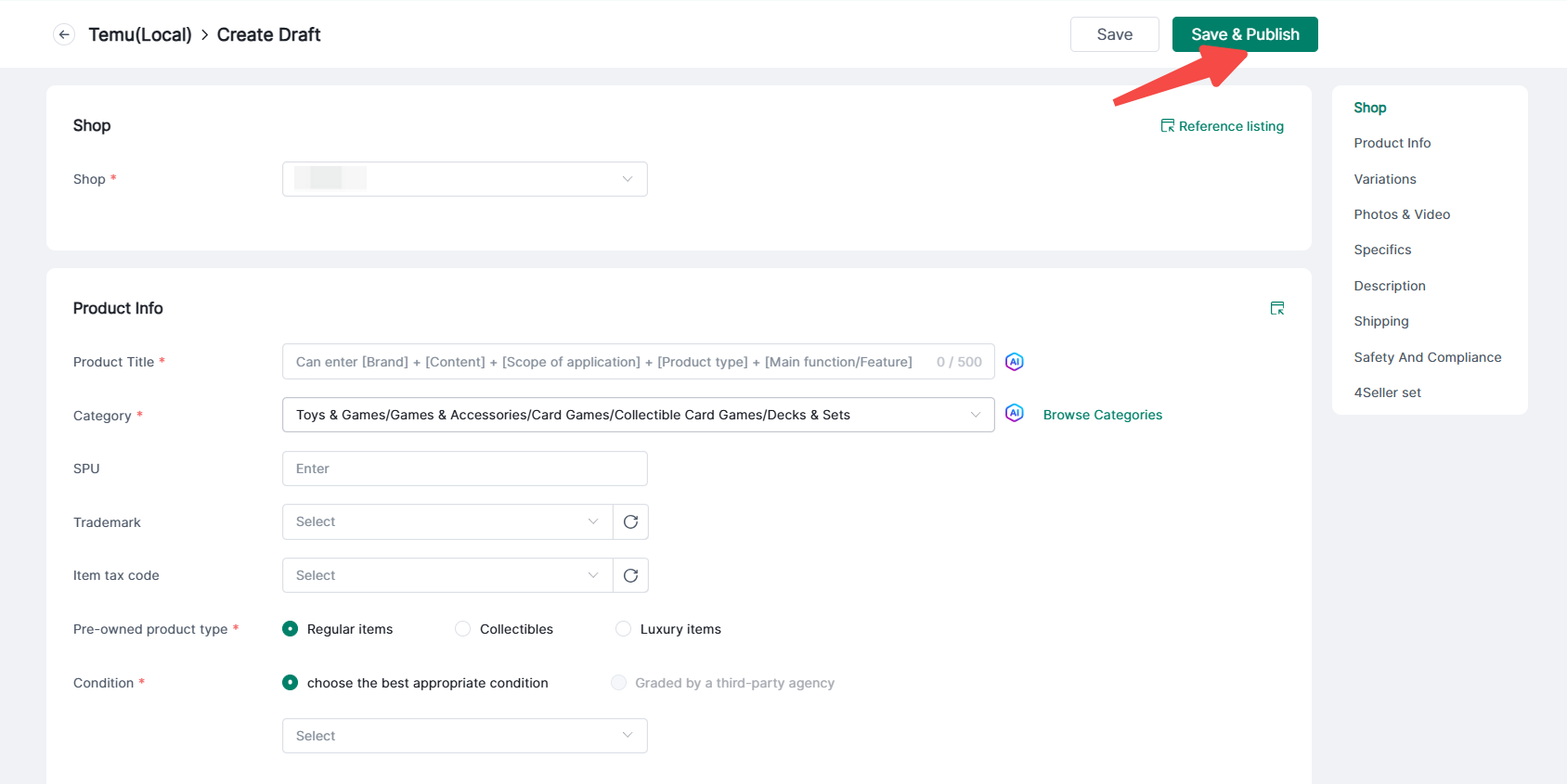
1. Click Products > Temu > Drafts > Create to enter the product creation page.


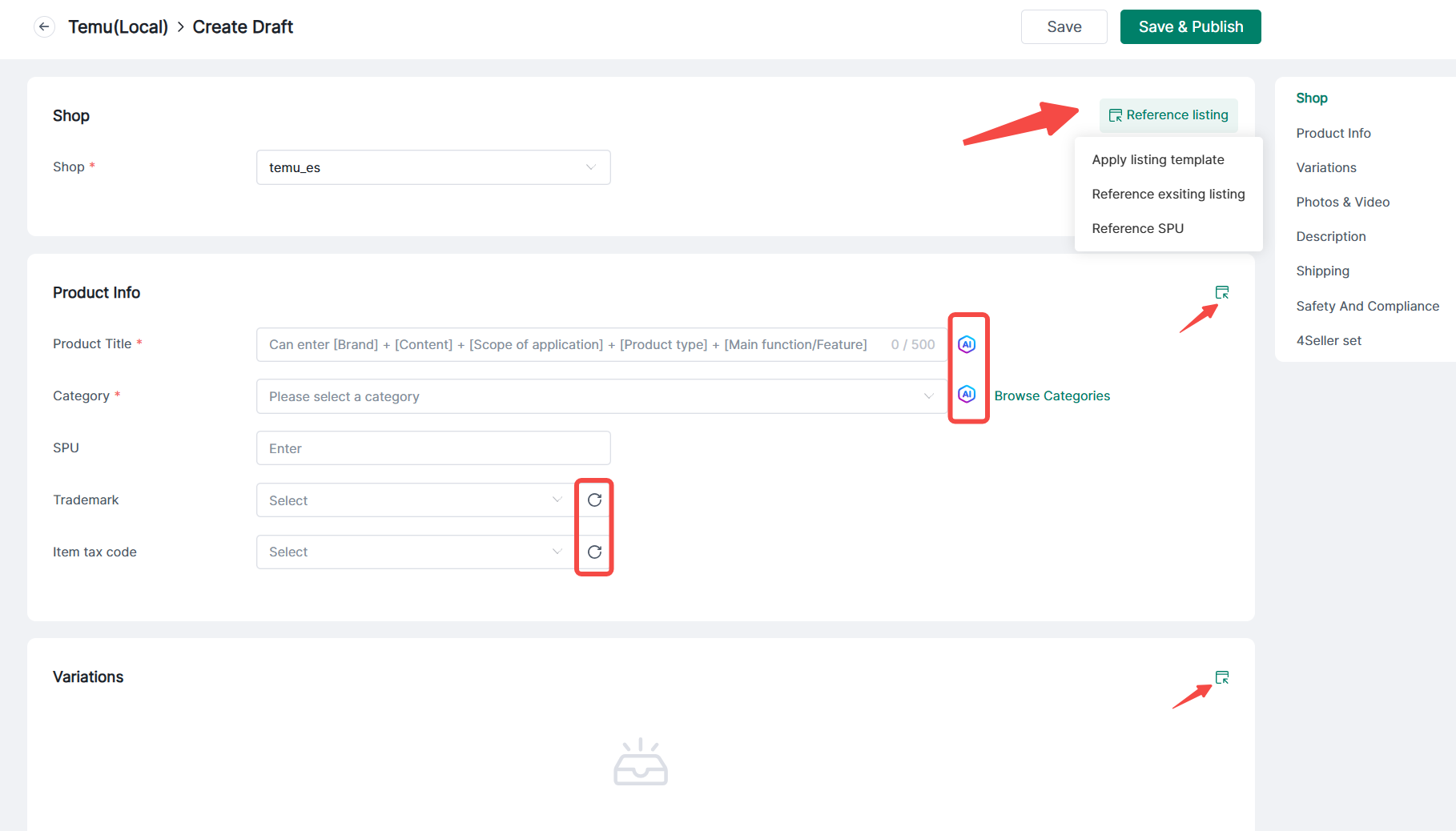
2. Select your store, fill in product details, multi-variation questions, photos and videos, description, logistics, safety, and compliance information. You may also click the reference button in the top-right corner to import relevant details, or click the AI button to generate recommended categories and descriptions.


Note:

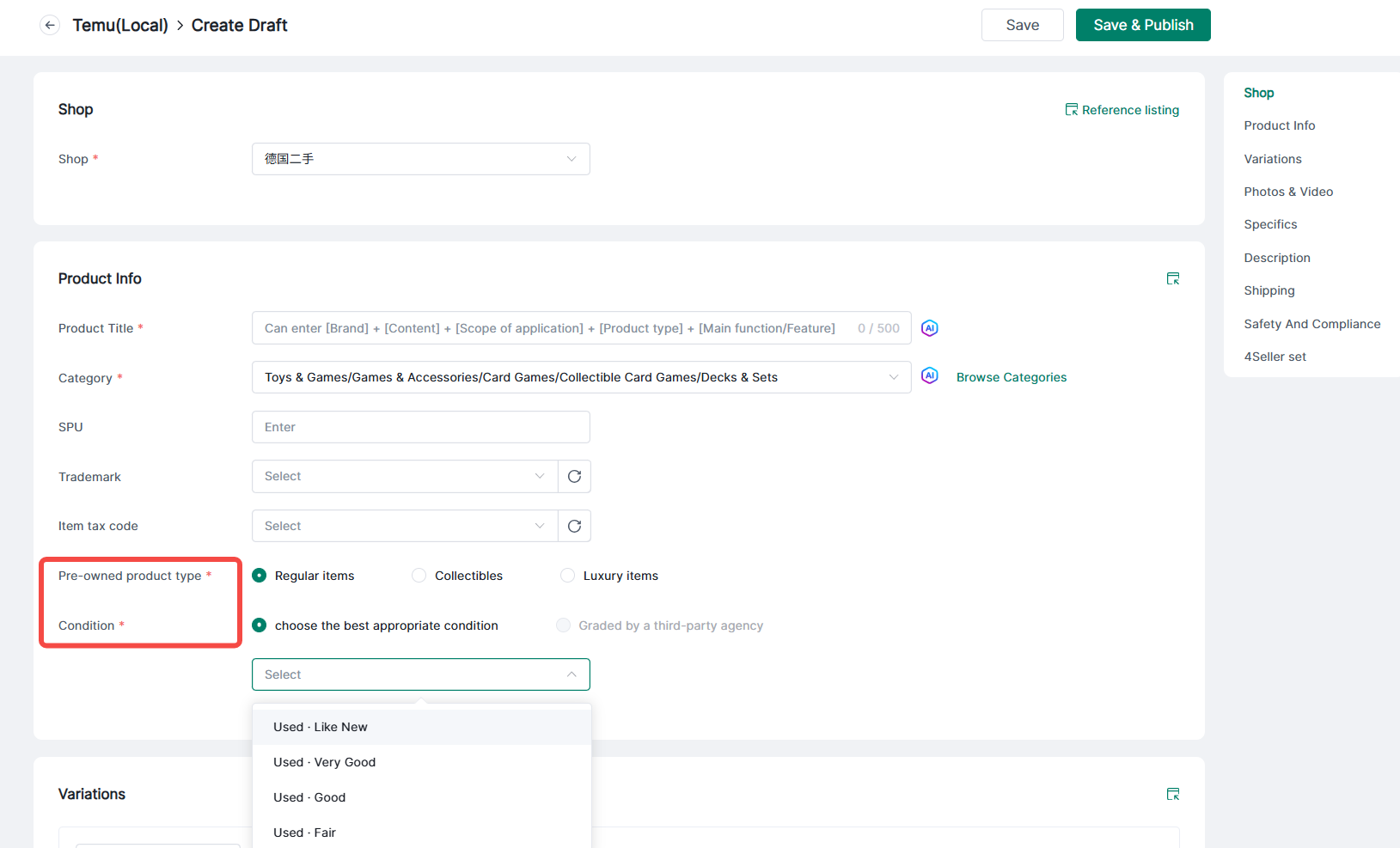
(1) To publish secondhand categories, first create and select a secondhand store, then specify the secondhand product type and condition.


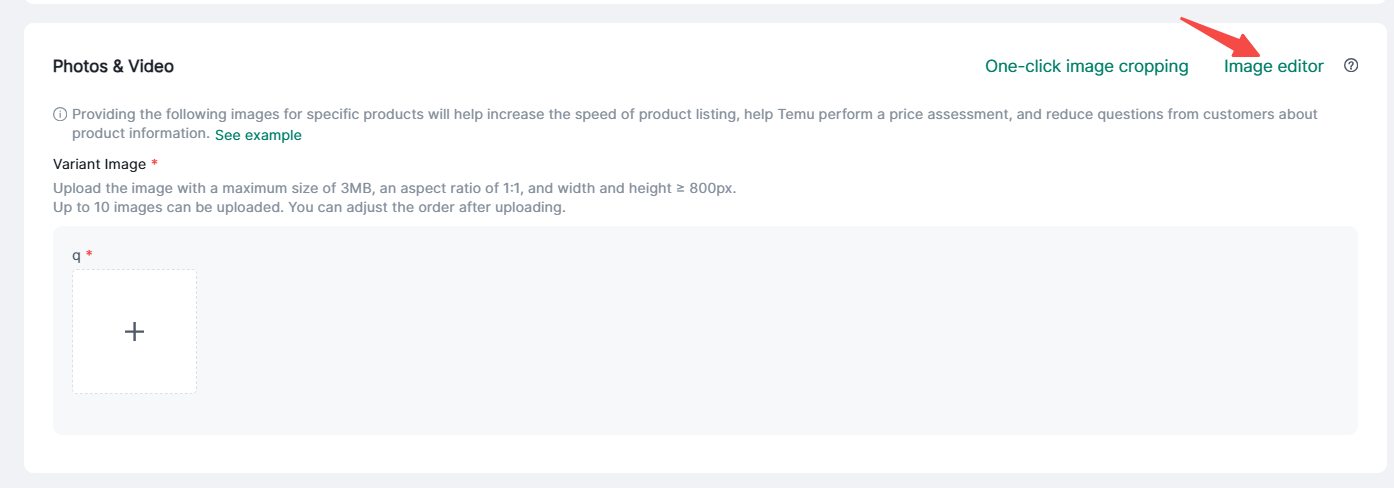
(2) Photos and videos can be edited using the image editor.


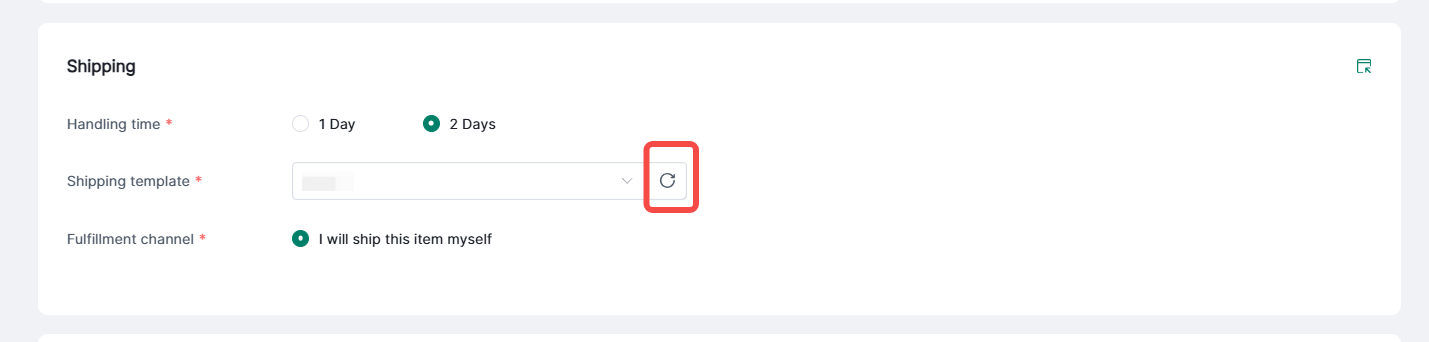
(3) Click the refresh button to sync logistics templates from the platform, then select as needed.


At last, click save and publish.


If you have any other questions or suggestions, please feel free to contact our customer support team.


Back to top