- Get Started
- Video Tutorials
- Knowledge Base
- FAQs & Troubleshooting
How to Connect DHL eParcel with 4Seller?
Updated on 21 Jan,2025Copy Link
Connecting your DHL eParcel Germany account is quick and easy. In this article, we will walk you through how to connect your DHL Germany account to 4Seller!
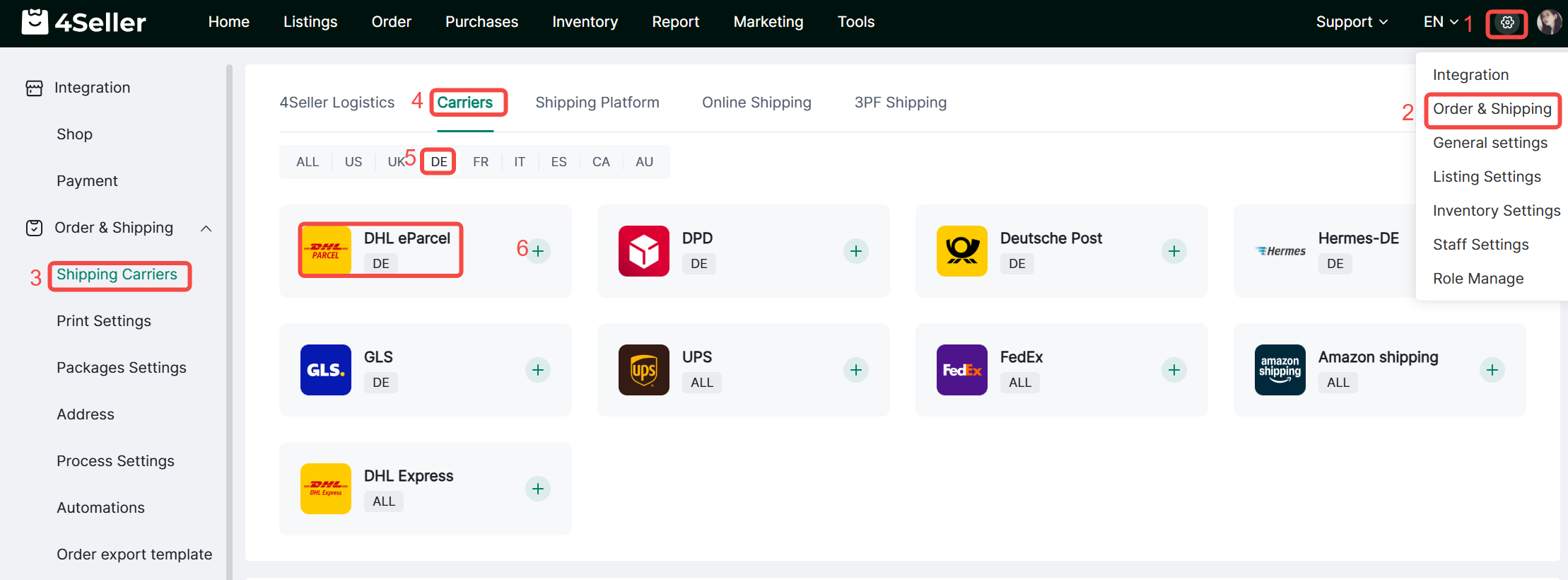
Step1:Click Settings-Order&Shipping-Shipping Carriers-Carriers, find DHL eParcel icon and click add .
Step 2: Fill the information and click Connect
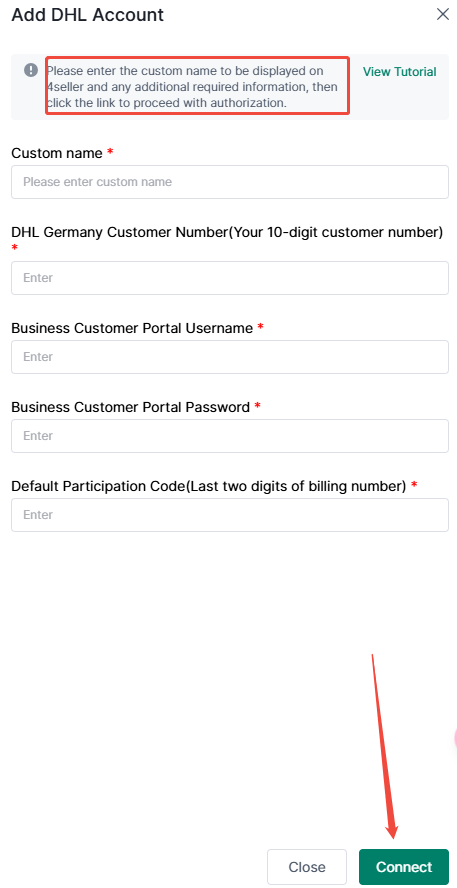
Finish these 2 steps, you can connect DHLeParcel successfully.
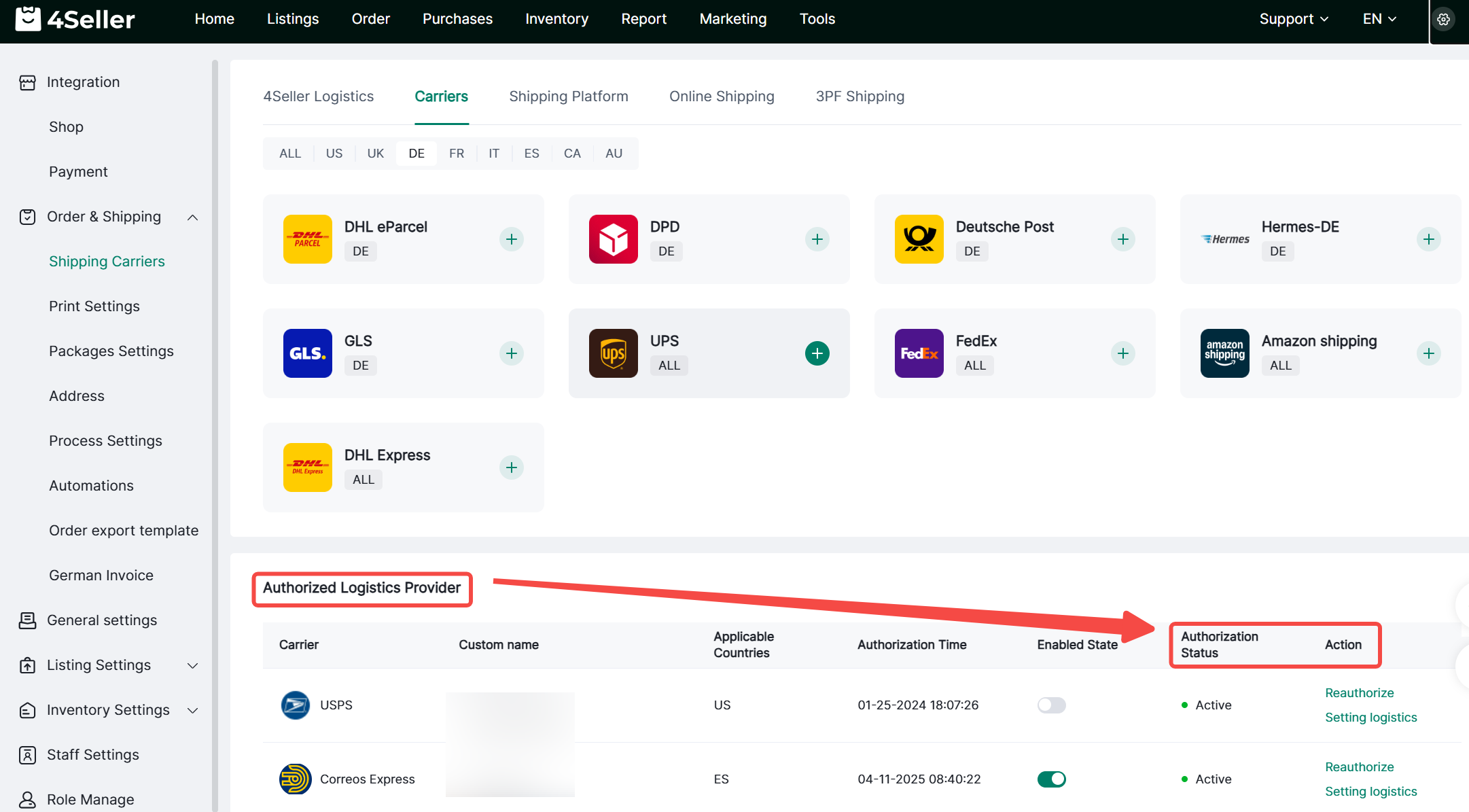
After connecting,they will be displayed here, and u can operate
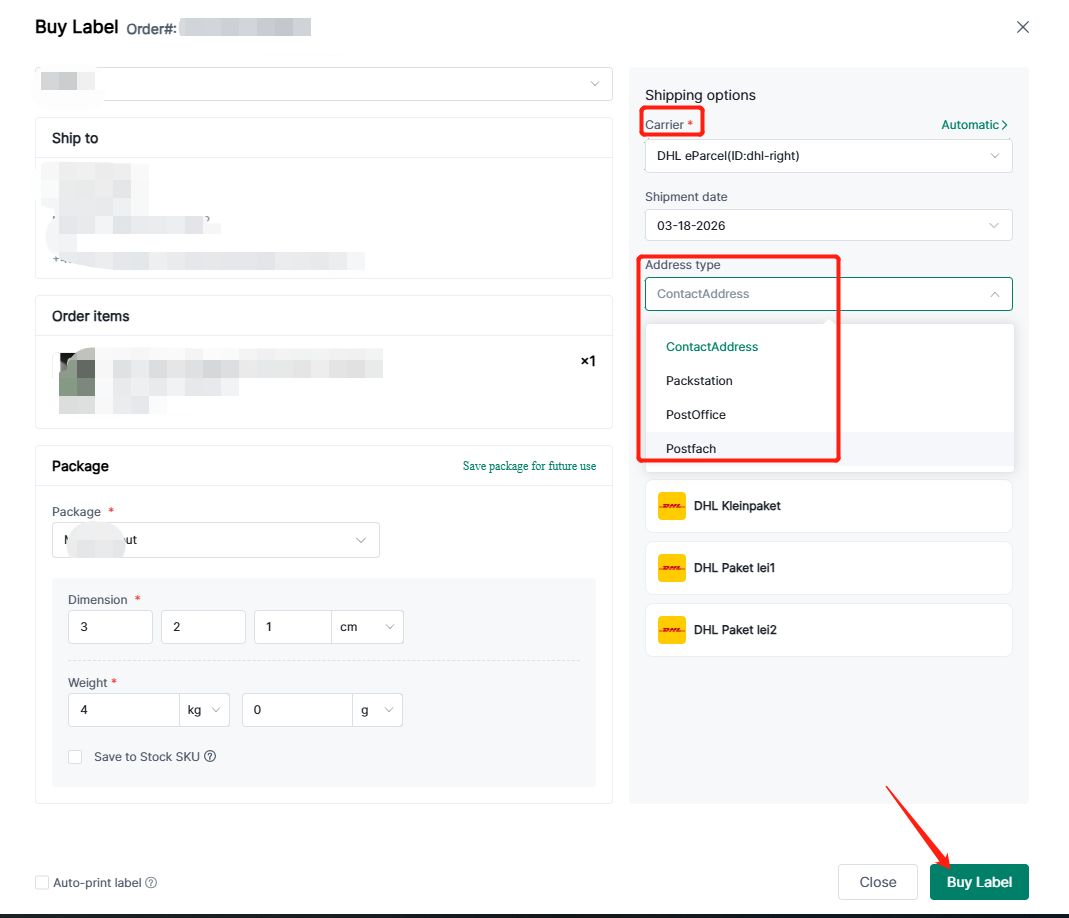
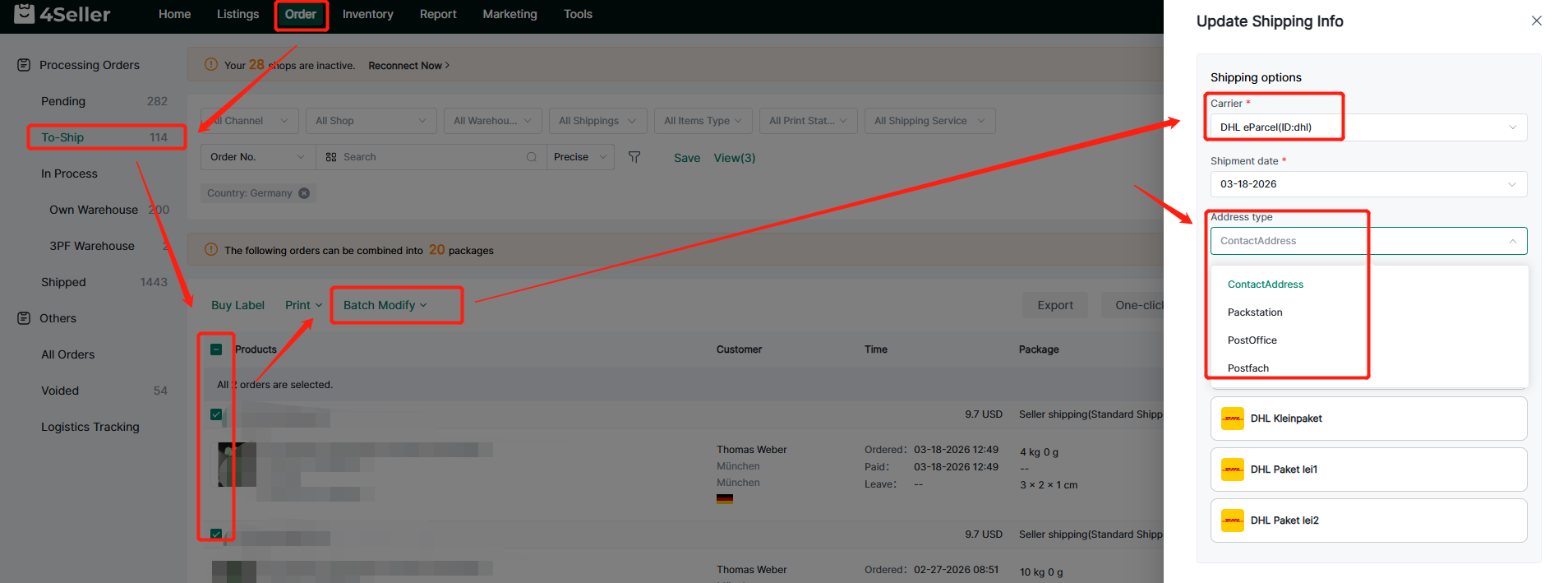
Step 3 Single Edit: Order--Buy Label--Select Address Type
Bulk Edit : Order--Batch Modify--Shipping Info
Any problem just feel free to contact 4Seller Support Team: support@4seller.com


Back to top