Popular Posts
- Multi Channel Order Management
- TikTok Shop
- Amazon
- Temu
- About 4Seller
- Shopify
- Multi Channel Inventory Management
- Amazon MCF&FBA
- Seller Tips
- Listing Management
- Marketplace News
- eBay
- Amazon Shipping
- DHL Express
- Amazon MCF
- UPS
- FedEx
- Shein
- Creator Bulk Invite
- Multi-channel Store
- Inventory Sync
- GLS
- Beginner Tutorial
- Walmart WFS
- Walmart
- Seller Story
- Royal Mail
- Kaufland
- Shipping Integration
- DHL Parcel
- 3PL
- WooCommerce
- Walmart MCS
- Deutsche Post
- Shipping Label
- OTTO
- Platform Integration
- PayPal Tracking Sync
- UniUni
- Yodel
- ShipHero
- SPU Catalog
- Stripe Tracking Sync
- USPS
- AliExpress
- GOFO
- CIRRO
- Correos
- Correos Express
- DPD
- Etsy
- Evri
- FBM
- Request Review
- Logistics Rule
- CaiNiao
- BRT
- Chronopost
- Poste Italiane
- Cdiscount
- OMS
- DHL
- WFS
- ShipBob
- Price Sync
How to Sell on eBay: Essential eBay Selling Tips
 By Serena21 Oct,2026
Selling on eBay can be a simple way to make extra money from unused items or start an online business. Learning how to sell on eBay is one of the most reliable ways to tap into a global marketplace of over 130 million active buyers.
If you don't want to spend hours clicking through dozens of separate help pages, this 5-min-read guide is for you. We’ve consolidated the essential starting steps, official best practices, logistics tips, and real-world seller advice into one comprehensive guide for every new eBay seller.Before You Start Selling on eBay
Before creating your first listing, it pays to lay a solid foundation.
- Choose the Right Account Type:
- Personal Account: Best if you're casually selling unwanted personal belongings or household items around the home.
- Business Account: Essential if you plan to sell in bulk, operate as a business or commercial seller, resell products for profit, or register a business entity.
- Understand Platform Policies: Familiarize yourself with eBay’s basic rules—such as prohibited items, seller performance metrics, and customer service guidelines.
- Set Clear Goals: Define whether you want a low-effort side hustle or a scalable multichannel business.
What to Sell and How to Price It
Pricing accurately and stocking high-demand inventory are critical to your success when learning how to sell an item on eBay. Instead of guessing, leverage eBay’s built-in market research capabilities available directly in the Seller Hub:- Product Research (Free for All Sellers): Search historical sales data to analyze real pricing trends, sold item history, sell-through rates, and seasonal demand.
- Sourcing Insights: For business sellers with a Basic Store subscription or higher, they can discover supply-and-demand gaps across categories to know which high-demand items have lower seller competition.
How to Create an eBay Listing
Creating a compelling product listing is key to converting search traffic into completed orders. Younger shoppers focus more on high-quality product listings. Here are the core selling tips on ebay for listing creation:- Catchy Titles & Categories: Use clear, keyword-rich titles without fluff or all-caps. Choose the most relevant category so buyers can easily find your product.
- Fill Out Item Specifics: Don’t skip these! Item specifics (such as brand, size, color, material, and MPN) power eBay’s search filters. Complete, accurate item specifics help buyers find and evaluate your products through relevant search filters.
- Listing Format: Choose between fixed-price listings and auctions based on the product and your selling goals.
- High-Quality Photos: Take bright, well-lit photos against a plain background. Include multiple angles and close-ups of any defects to build buyer trust.
- Accurate Descriptions & Item Condition: Be completely honest about the item's condition. Clear descriptions prevent misunderstandings and reduce costly disputes.
- Quantity and Variations: Make sure available stock, sizes, colors, and other variations are accurate.

Tools to Help You Manage Listings: eBay Seller Hub vs. 4Seller
When you're ready to scale beyond manual single listings, you'll need a reliable management tool:- eBay Seller Hub Reports: Allows you to upload and manage inventory in bulk via CSV/XLS spreadsheets. However, it can require a technical setup and only works on eBay.
- 4Seller: A powerful, easy-to-use alternative that helps eBay sellers streamline operations for free. 4Seller allows you to easily list products in bulk, manage your sales, and synchronize inventory across eBay and other e-commerce platforms from one single dashboard.
How to Ship Your eBay Orders
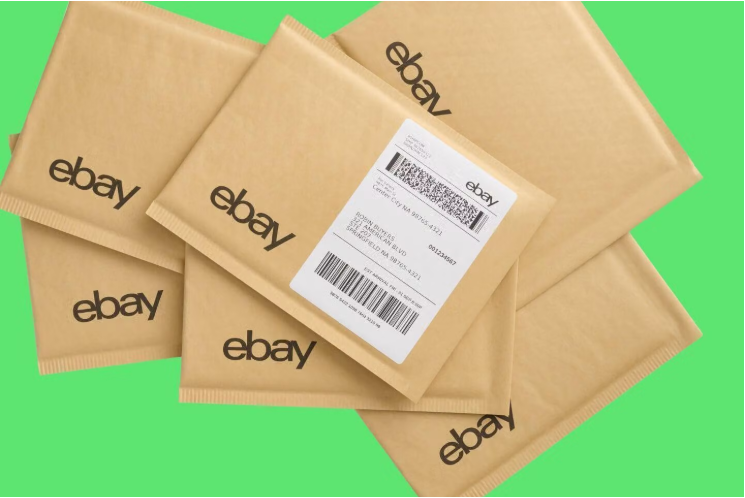
Flawless shipping is one of the best tips for selling on ebay to maintain high seller ratings and earn positive feedback.- Packaging & Measurements: Accurately weigh and measure your packaged items before listing. Choose sturdy boxes and protective wrap to prevent shipping damage. Calculate shipping costs before publishing your listing. Include the package’s final weight and dimensions, and check whether the shipping service covers the item’s size, weight, and destination.
- Select the Right Shipping Strategy:
- Calculated Shipping: Automatically charges buyers based on package dimensions and destination.
- Flat Rate Shipping: Sets a fixed price for all buyers regardless of distance.
- Free Shipping: Free shipping may make your listing more attractive, but factor the shipping cost into your price.
- Order Fulfillment & Logistics with 4Seller: While eBay Labels allows you to purchase postage directly, you can also manage your entire shipping process using 4Seller. 4Seller automates fulfillment by helping you batch print shipping labels, compare supported carrier options, and automatically sync tracking details back to eBay in real time.
eBay Fees and Getting Paid
Understanding your net revenue helps you stay profitable:- eBay Managed Payments: eBay automatically deducts relevant selling fees (such as insertion fees, final value fees, and optional promo fees) directly from your total order proceeds before transferring funds.
- Payout Schedule: You can customize payout schedules (daily, weekly, bi-weekly, or monthly) directly to your linked checking account. Bank processing times may depend on the pending time.

How to Get More Sales on eBay
- Analyze Metrics: Regularly check impression rates, click-through rates (CTR), and conversion rates in Seller Hub.
- Optimize Underperforming Items: Adjust prices, update photos, or add missing Item Specifics for items that aren't getting traffic.
- Expand Multichannel: Once you master eBay, consider expanding to additional marketplaces using tools like 4Seller to keep your inventory in sync across channels.
8 Tips for Selling on eBay
Here are 8 battle-tested rules every beginner can follow:- Avoid high-target scam items initially: New sellers should avoid listing easily scammed electronics or luxury goods until account performance is established.
- Build a comprehensive cost model: Calculate all expenses before setting prices—including item acquisition cost, packaging supplies, shipping, platform fees, and income tax.
- Set up shipping dimensions accurately: Miscalculated weights or package sizes can quickly destroy your profits.
- Use Buy It Now (BIN) with Immediate Payment: Stick with fixed-price listings requiring immediate payment to prevent non-paying buyers.
- Use Promoted Listings (PL) cautiously: Don't turn on paid promotions until you understand your profit margins and baselines.
- Understand the Money Back Guarantee (MBG): "No Returns" does not mean "No Refunds." eBay’s MBG protects buyers if an item arrives damaged or Not as Described (INAD) for eligible transactions.
- Protect your seller feedback rating: Consistently provide fast shipping and helpful service to protect your seller standing and prevent account restrictions.
- Do NOT drop ship without authorization: Dropshipping through a wholesale supplier is allowed under eBay’s policy, but listing an item and then purchasing it from another retailer or marketplace to ship directly to your buyer is not allowed.
FAQs About Selling on eBay
Is it worth it to sell on eBay?
Yes! eBay remains one of the largest and most traffic-heavy marketplaces in the world. With low startup costs, transparent fee structures, and access to international buyers, it is one of the best platforms for both casual sellers and scaling e-commerce businesses.What should I sell on eBay?
Great starter categories include vintage items, collectibles, pre-owned clothing, niche replacement parts, and brand-name goods around your home. Use the eBay Product Research tool to identify categories with high sell-through rates before sourcing inventory.How can I increase my chances of selling on eBay?
- Write clear, keyword-rich titles targeting search intent.
- Complete all relevant Item Specifics.
- Offer competitive prices and fast, free shipping when possible.
- Maintain a top-rated seller status by shipping orders on time and resolving buyer inquiries quickly.
- Use tools like 4Seller to automate multi-channel listing management and order fulfillment efficiently.
How much does it cost to sell on eBay?
The cost of selling on eBay depends on your product category and selling activity. Common expenses include eBay selling fees, product costs, shipping, packaging, and optional advertising.Before listing a product, calculate your total costs to set a competitive price and protect your profit margin. Check eBay's selling fees for the latest details.
Do I need a business account to sell on eBay?
No. A personal account may be suitable if you're selling used items from home. If you regularly resell products or operate a business, a business account may be more appropriate.Choose the right eBay seller account based on your selling activity and local requirements. See eBay's registration guide for details.
All Topics
- Multi Channel Order Management
- TikTok Shop
- Amazon
- Temu
- About 4Seller
- Shopify
- Multi Channel Inventory Management
- Amazon MCF&FBA
- Seller Tips
- Listing Management
- Marketplace News
- eBay
- Amazon Shipping
- DHL Express
- Amazon MCF
- UPS
- FedEx
- Shein
- Creator Bulk Invite
- Multi-channel Store
- Inventory Sync
- GLS
- Beginner Tutorial
- Walmart WFS
- Walmart
- Seller Story
- Royal Mail
- Kaufland
- Shipping Integration
- DHL Parcel
- 3PL
- WooCommerce
- Walmart MCS
- Deutsche Post
- Shipping Label
- OTTO
- Platform Integration
- PayPal Tracking Sync
- UniUni
- Yodel
- ShipHero
- SPU Catalog
- Stripe Tracking Sync
- USPS
- AliExpress
- GOFO
- CIRRO
- Correos
- Correos Express
- DPD
- Etsy
- Evri
- FBM
- Request Review
- Logistics Rule
- CaiNiao
- BRT
- Chronopost
- Poste Italiane
- Cdiscount
- OMS
- DHL
- WFS
- ShipBob
- Price Sync
Popular Posts

 17 Dec,2024
Table of Content
Popular Posts
- 17 Dec,2024


Back to top