- Get Started
- Video Tutorials
- Knowledge Base
- Channels
- Listings
- Inventory
- Orders
- Settings
- FAQs & Troubleshooting
How to Export Bundle Products ?
Updated on 04 Jun,2026Copy Link
4Seller Support Export Bundle products.

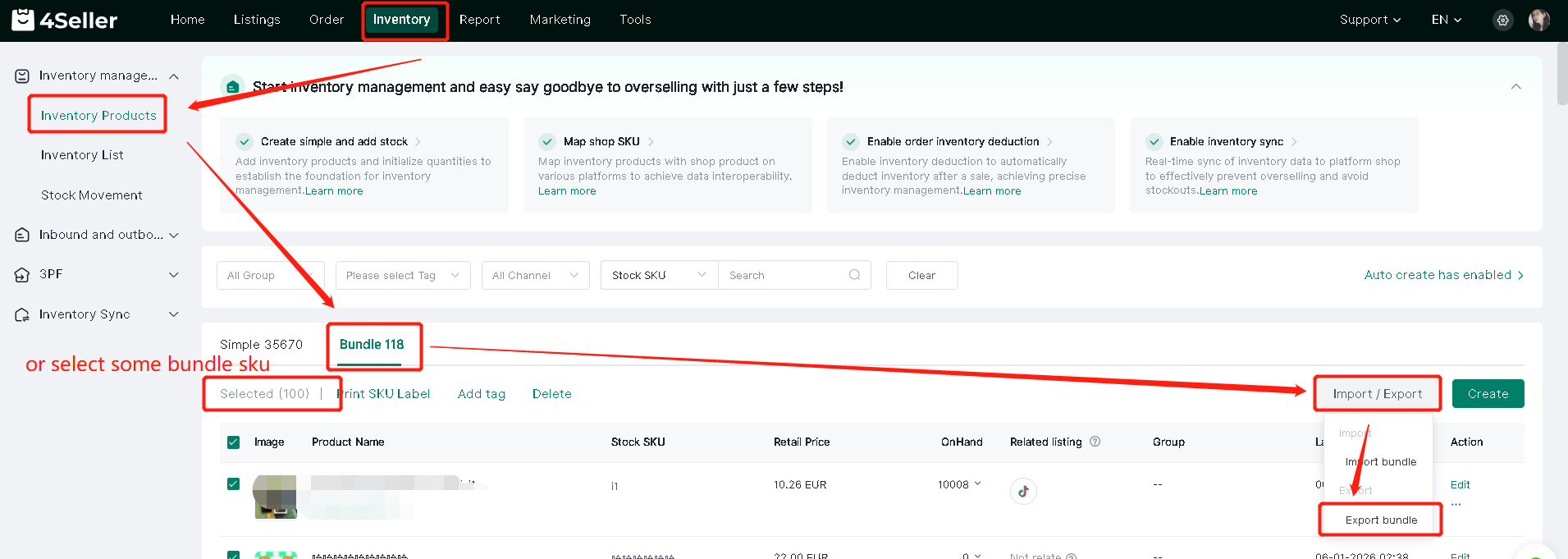
Step 1: Inventory--Inventory Management--Inventory Products--Bundle --Import/Export--Export bundle


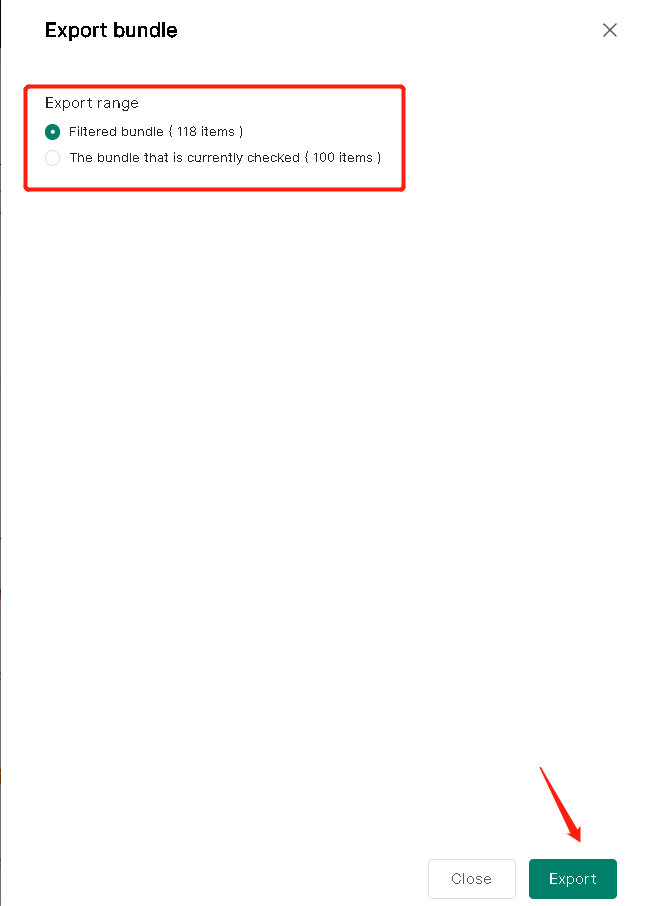
Step 2: Select Export rang--Click"Export"


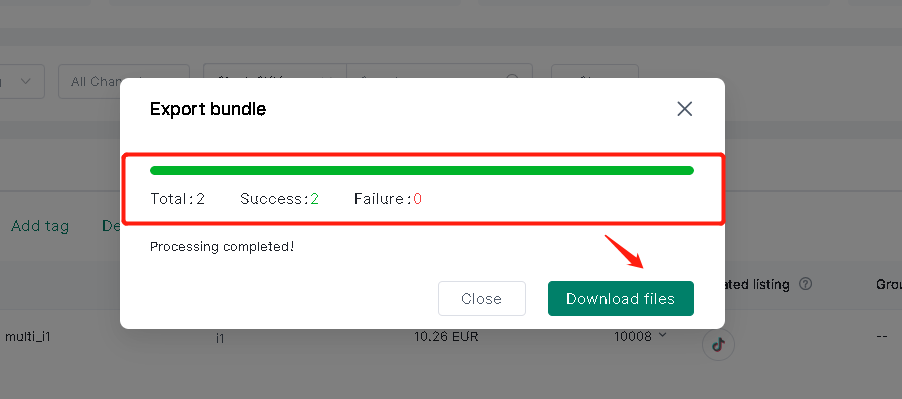
Step 3:  After green bar loading done--Click"Download files"


Any problem just feel free to contact 4Seller Support Team: support@4seller.com


Back to top