- Get Started
- Video Tutorials
- Knowledge Base
- Channels
- Listings
- Inventory
- Orders
- Settings
- FAQs & Troubleshooting
How to Create and Publish Products to Aliexpress within 4Seller?
Updated on 09 Sep,2026Copy Link
Step 1: Connect Aliexpress to 4Seller

Refer the help article to connect Aliexpress to 4Seller.

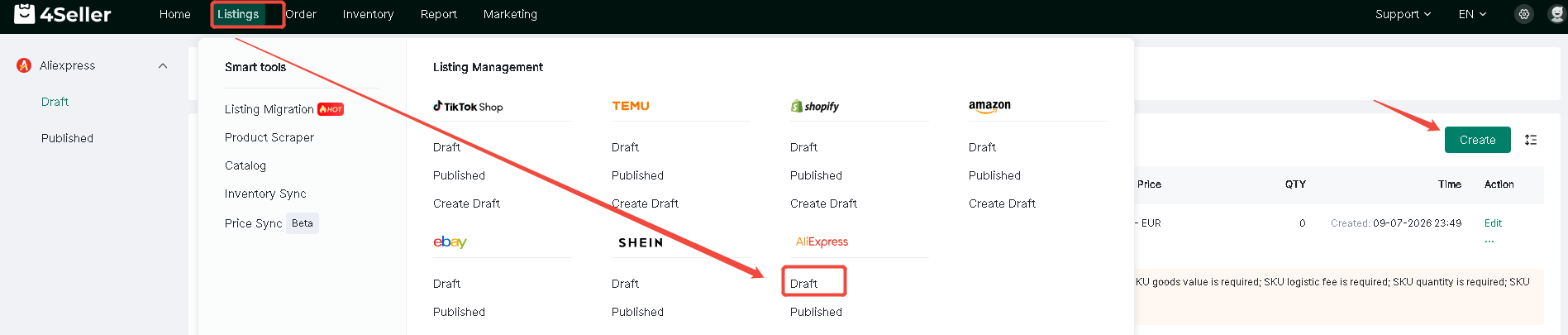
Step 2: Listing--Aliexpress--Draft--Create


Step 3: Fill the required fileds info

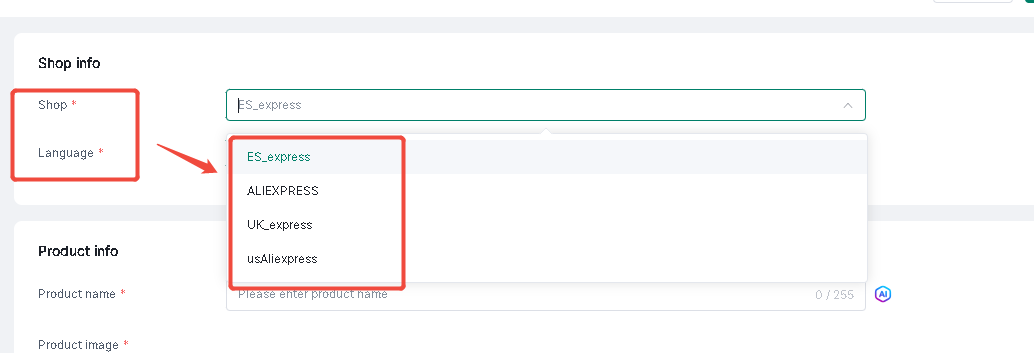
1.Shop info

Select Shop amd Language


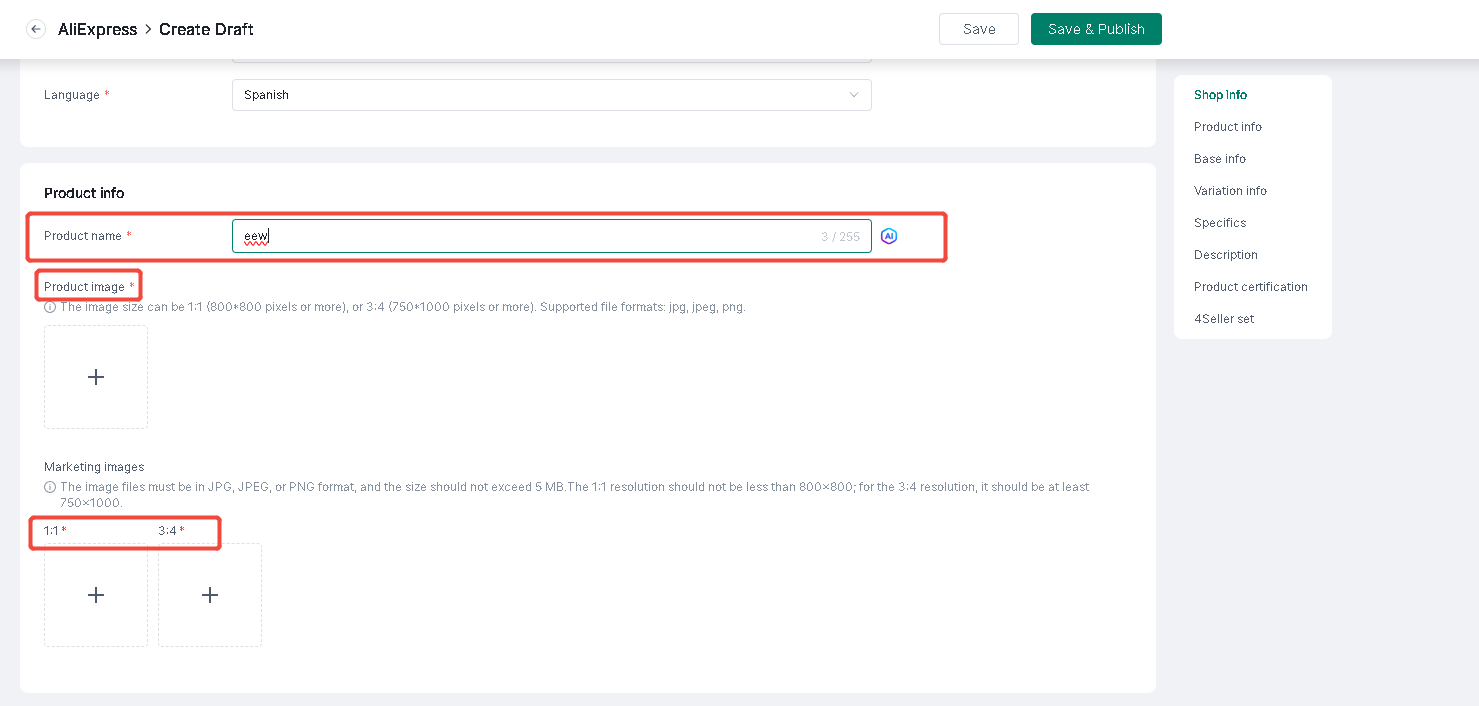
2. Product Info

Fill the product name & relevant pics


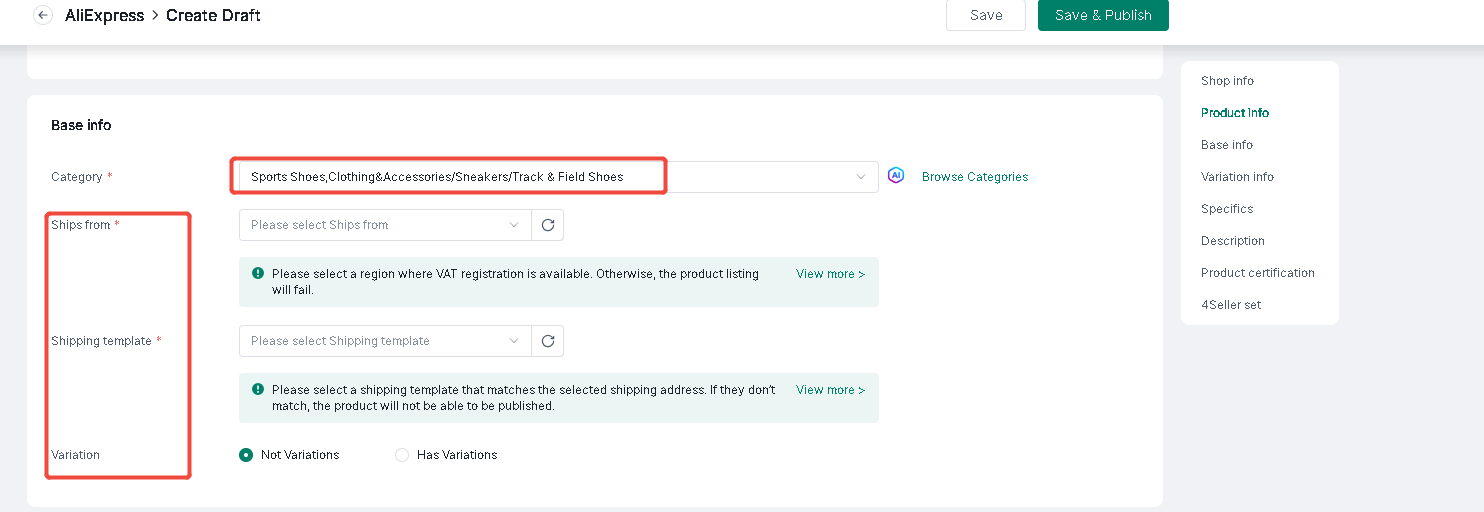
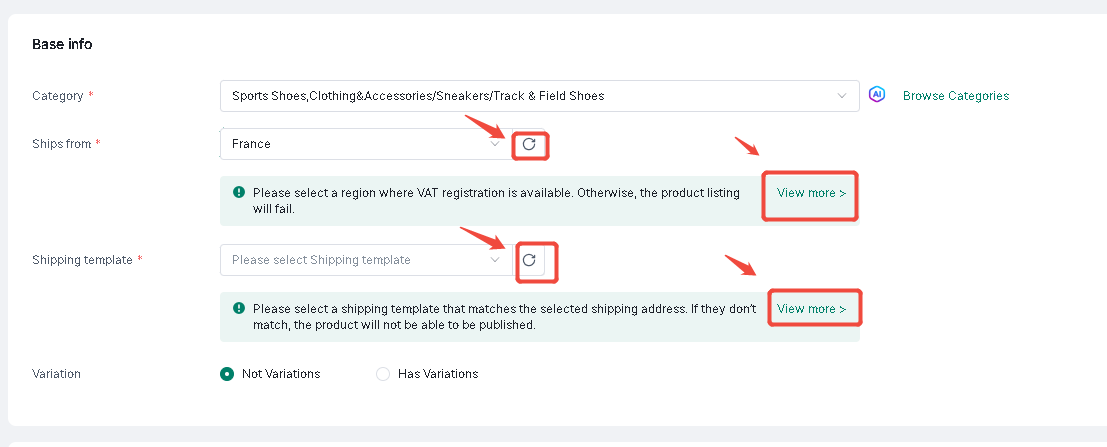
3. Base Info

Select category will show the different required fields


Note: Ship from & Shipping template should be created in Aliexpress backend, if already have could click "Referesh" button. If not could click "View more" to check how to create!


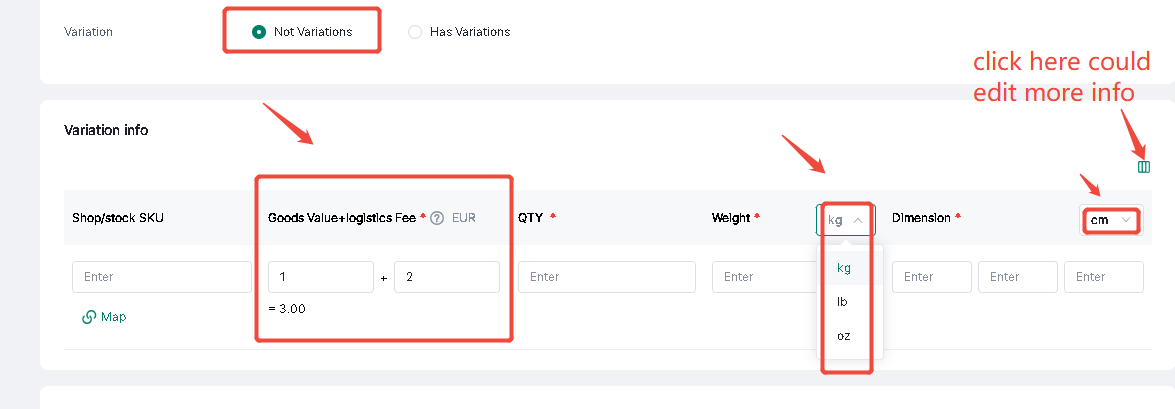
(1) Not Variants


Note:The price is Goods Value + Logistics Fee

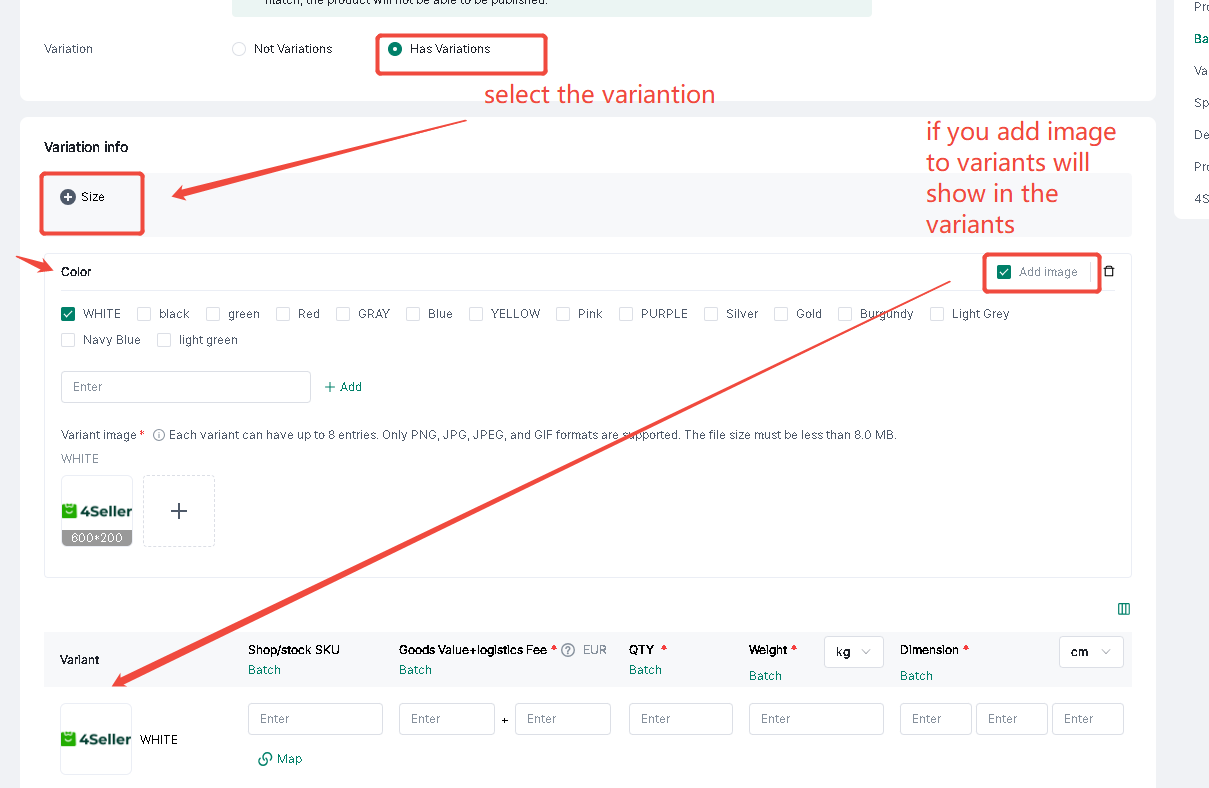
(2) Has Variations


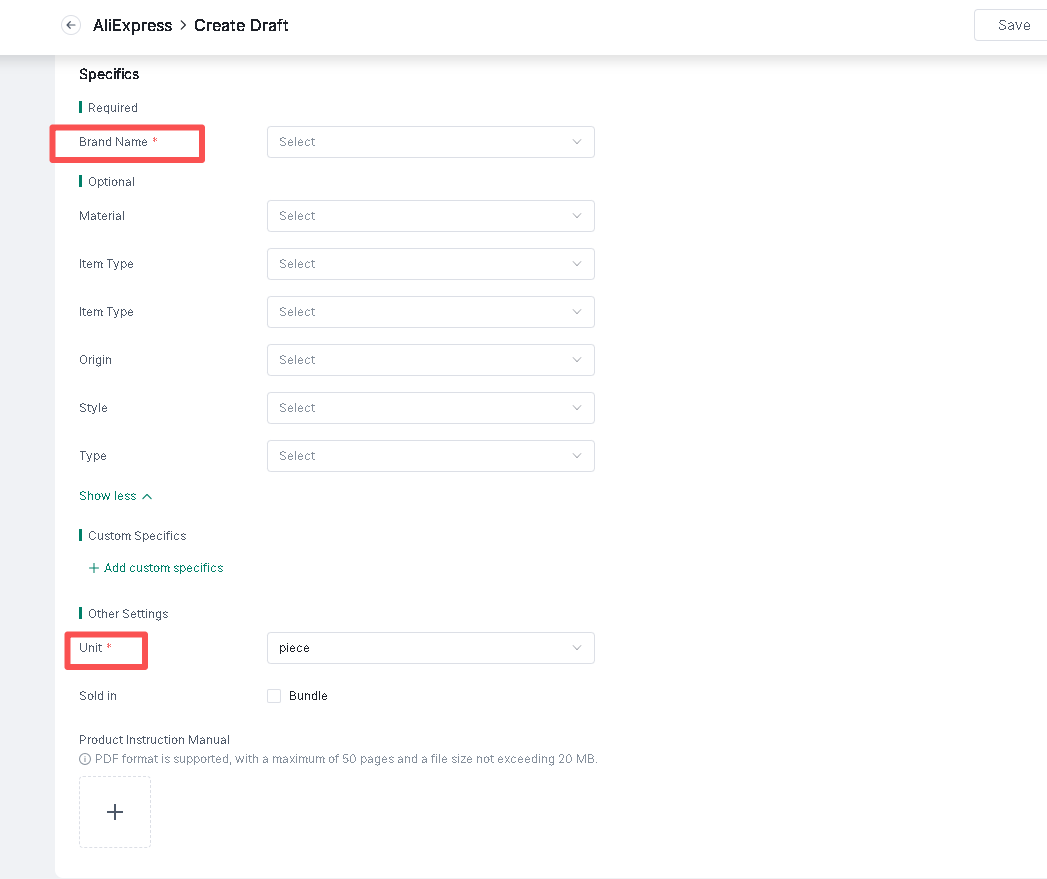
4. Specifics

The reuqired fields you have to fill, antoher could be selected.


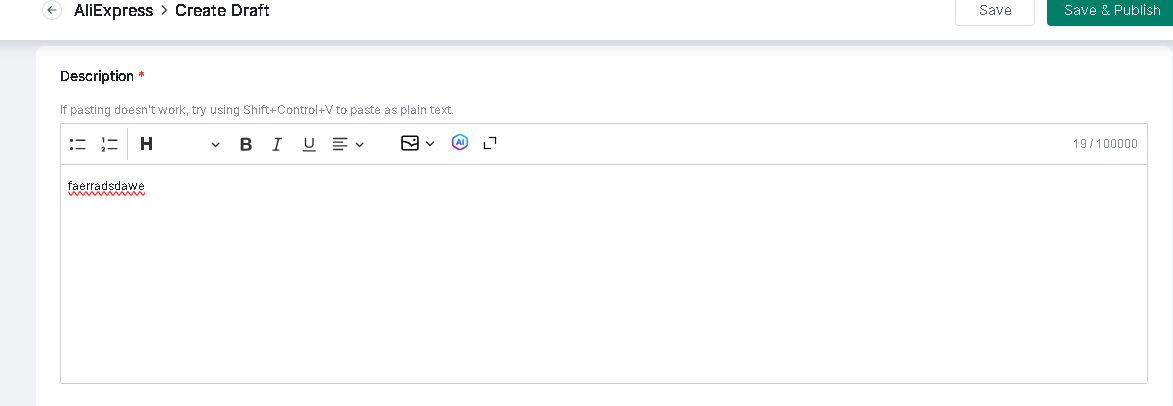
5. Description


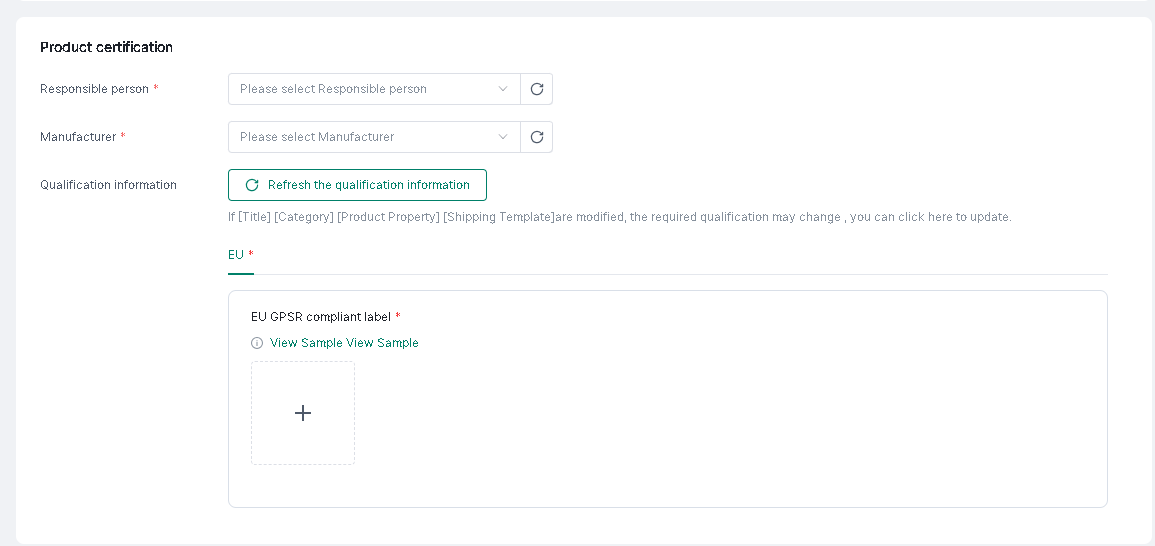
6. Product certification

Responsible person & Manufacturer will be synced from Aliexpress backend


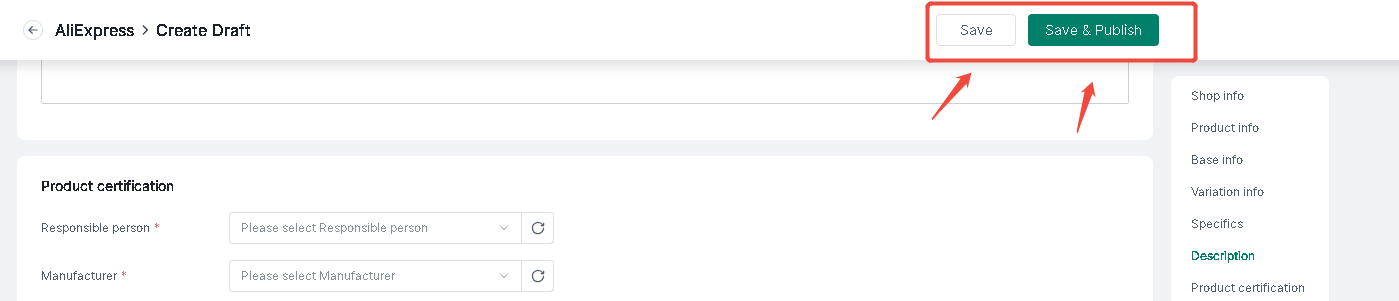
Step 4: Afrer fill all info--Click"Save" or "Save & Publish"


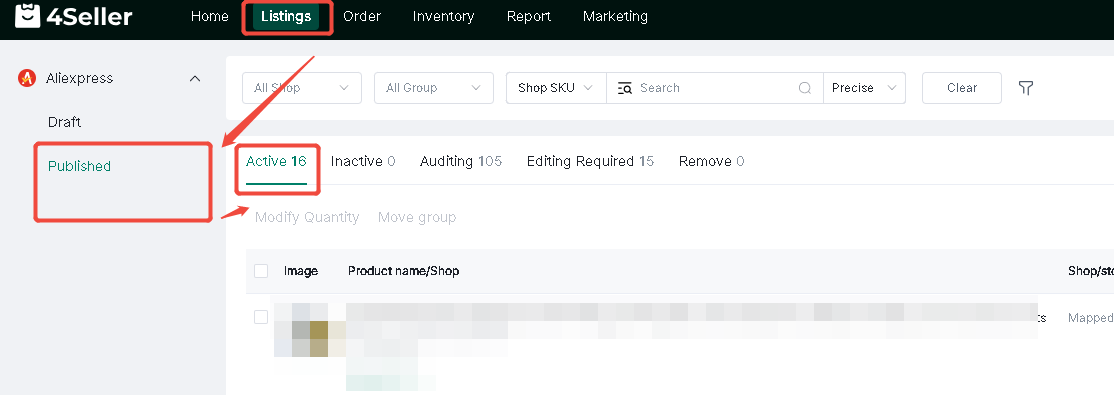
Step 5: If publish successfully, you can check in the Aliexpress backend & 4Seller Published


Any problem just feel free to contact 4Seller Support Team: support@4seller.com


Back to top