- Get Started
- Video Tutorials
- Knowledge Base
- FAQs & Troubleshooting
GOFO US Authorization: FAQs and Troubleshooting Guide
1. Where Can I Find the Username and Password Required for Authorization?
How can I resolve this issue?
Copy the username and password from the email sent by GOFO Business Development (BD) and enter them on the authorization page in 4Seller. Make sure the information is correct to avoid manual input errors.
Who should I contact?
If you have not received the authorization details or the account information is incorrect, contact GOFO BD.
2. Why Do I Need to Authorize Multiple Times If I Have Multiple Shipping Addresses? Why Do the Shipping Rates Differ from GOFO’s Rate Card?
Explanation:
If you have multiple shipping addresses associated with different Entry Ports, you generally need to authorize each address separately and select the corresponding Entry Port during each authorization.
After completing multiple authorizations, you will see multiple independent logistics accounts in 4Seller. When purchasing a shipping label, you must select the logistics account corresponding to the actual shipping address to ensure accurate shipping rate calculations. Switching only the shipping warehouse without switching to the corresponding logistics account may not ensure accurate rate calculations.
How can I resolve this issue?
Check that the actual shipping address for the order is correct.
Verify that the Entry Port selected during GOFO authorization matches your shipping arrangements.
If you have multiple authorized accounts, select the account corresponding to the actual shipping address when purchasing the shipping label.
If all the information is correct but the shipping rates still differ from GOFO’s rate card, contact GOFO BD for further verification.
Who should I contact?
First, check the shipping address, authorization settings, and selected logistics account in 4Seller. If the discrepancy persists, contact GOFO BD.
3. How Do I Select the Parcel Type and Pickup Method?
Explanation:
The parcel type and pickup method should be selected according to the service configuration confirmed with GOFO BD. Oversized or overweight parcels may not be eligible for small-parcel pickup service.
How can I resolve this issue?
Confirm the applicable parcel type and pickup method with GOFO BD before selecting the corresponding options on the 4Seller authorization page. If oversized parcels are not supported by the current pickup method, contact GOFO to confirm whether you need to switch to another option, such as Customer Drop-off.
Who should I contact?
GOFO BD.
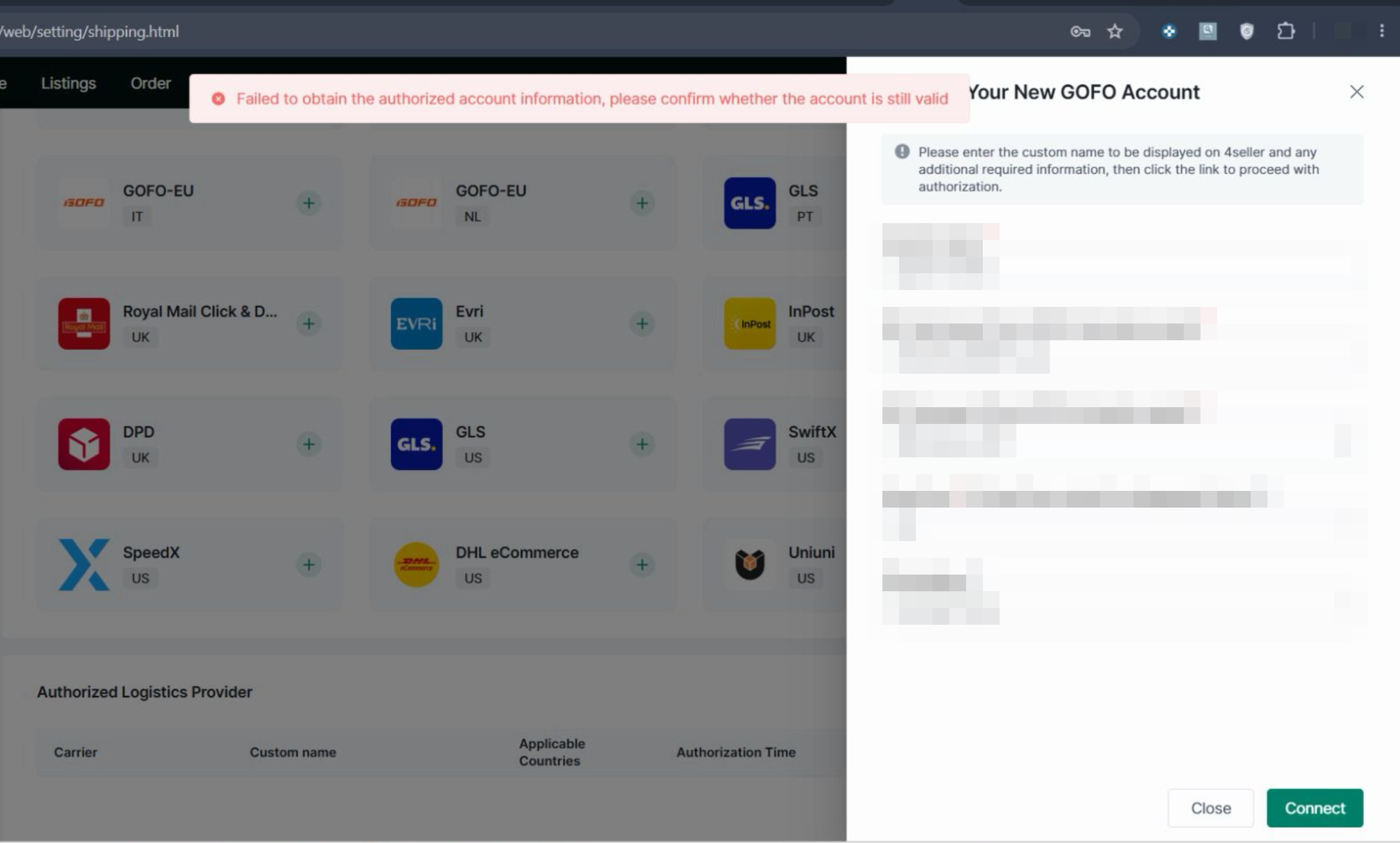
4. Authorization Error: Failed to obtain the authorized account information, please confirm whether the account is still valid
How can I resolve this issue?
Newly created GOFO accounts typically require approximately 24 hours before authorization can be completed in 4Seller. Please wait and try again.
Who should I contact?
If the error persists after 24 hours, contact 4Seller Support or GOFO BD to verify the account status.
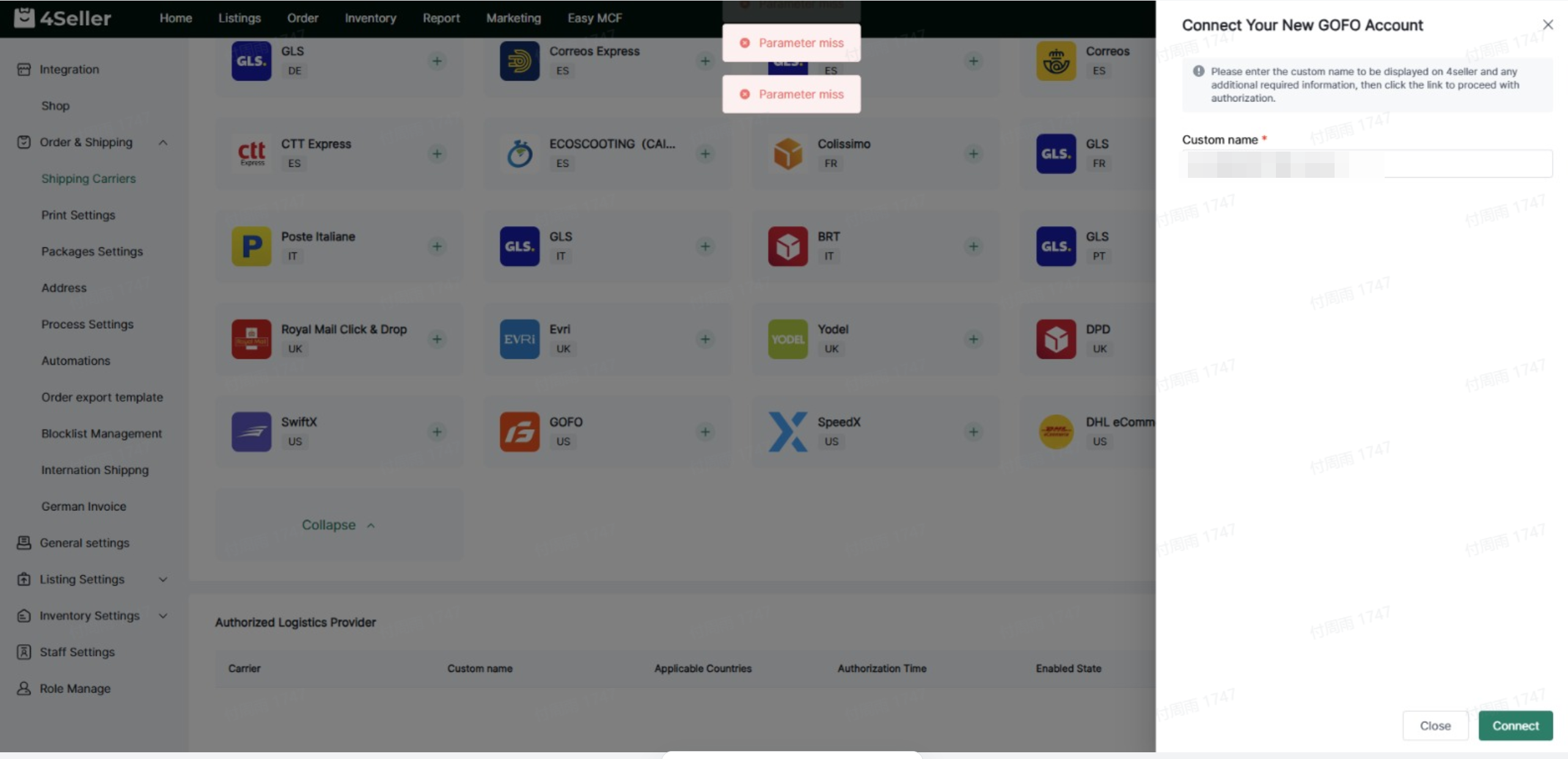
5. Authorization Error: Parameter miss
Possible Causes:
A network issue may have caused the authorization page or its required parameters to fail to load.
How can I resolve this issue?
Contact 4Seller Support for assistance with troubleshooting and resolving the issue.
Who should I contact?
4Seller Support.
Any problem just feel free to contact 4Seller support team: support@4seller.com